
1. Product Overview
The RoyPow C86 Portable Power Bank is a high-capacity, multi-functional external battery pack designed to provide reliable power for a wide range of electronic devices. With its robust 86.58Wh (23400mAh) capacity and diverse output ports, it is an ideal companion for charging laptops, tablets, smartphones, and various 12V DC accessories.

Figure 1: RoyPow C86 Portable Power Bank
Key Features:
- High Capacity: 86.58Wh (23400mAh at 3.7V or 7800mAh at 11.1V) provides extended power for multiple devices.
- Multiple Output Ports: Includes 30W USB-C PD, 18W USB-A QC 3.0, 12W USB-A, 12V DC, and a 12V/10A cigarette lighter outlet.
- Fast Charging: Supports Power Delivery (PD) 30W for rapid charging of compatible devices and quick recharging of the power bank itself.
- Comprehensive Protection: Built-in lithium battery protection chip circuit with overload, short-circuit, over-discharge, over-voltage, over-current, over-heating, and over-charge protection.
- Portable Design: Compact and lightweight (1.39 pounds) for easy transport during travel or outdoor activities.
2. Package Contents
Please verify that all items are present in your package:
- 1 x RoyPow Portable Power Bank (Model C86)
- 1 x 3-in-1 Charging Cable
- 1 x DC Cable
- 1 x USB-A to USB-C Cable
- 1 x USB-C to USB-C Cable
- 1 x Portable Bag
- 1 x User Manual
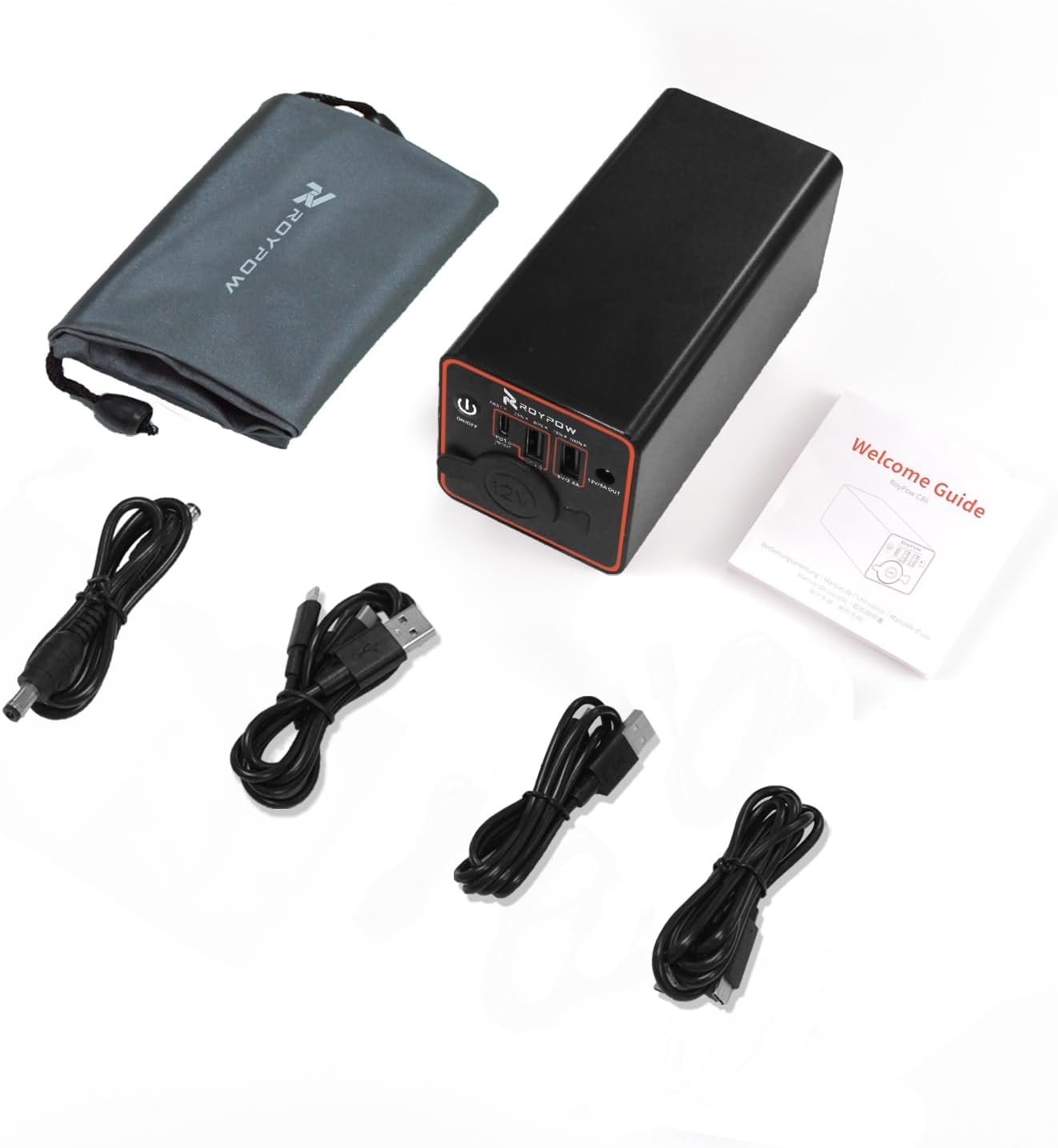
Figure 2: Included accessories with the power bank
3. Product Diagram
Familiarize yourself with the various ports and indicators on your RoyPow C86 Power Bank:

Figure 3: Top view of the power bank showing ports and controls
- ON/OFF Button: Press and hold to power on/off the device.
- Battery Indicator Lights: Four blue LED lights indicate the remaining battery charge (25%, 50%, 75%, 100%).
- USB-C PD Port (Input/Output): Supports 30W Power Delivery for fast charging and recharging.
- USB-A QC 3.0 Port (Output): Supports 18W Quick Charge 3.0 for compatible devices.
- USB-A Port (Output): Standard 12W USB-A output.
- 12V/10A Cigarette Lighter Outlet: Provides 12V/10A output for car accessories up to 120W.
- 12V/5A DC Output: Provides 12V/5A output for various DC devices.
4. Setup and Charging the Power Bank
Initial Charge:
Before first use, it is recommended to fully charge your RoyPow C86 Power Bank.
- Connect the provided USB-C to USB-C cable to the USB-C PD port on the power bank.
- Connect the other end of the USB-C cable to a 30W PD charger (not included).
- The battery indicator lights will illuminate, showing the charging progress. All four lights will be solid blue when fully charged.
A full recharge with a 30W PD charger typically takes approximately 3 hours.

Figure 4: Recharging the power bank with a 30W PD charger
5. Operation
Powering On/Off:
- To turn on the power bank, press and hold the ON/OFF button for a few seconds until the indicator lights illuminate.
- To turn off the power bank, press and hold the ON/OFF button again until the indicator lights turn off.
Charging Devices:
The RoyPow C86 offers versatile charging options for various devices:

Figure 5: Overview of the 5 powerful output ports
- USB-C PD Output: Connect your USB-C compatible laptop (e.g., MacBook Air), iPad Pro, or smartphone using a USB-C to USB-C cable for 30W fast charging.
- USB-A QC 3.0 Output: Use this port with compatible devices for 18W Quick Charge. Note: If no charging occurs, the QC port may close after 10 seconds. Press the power button to reactivate.
- USB-A Output: Connect other USB-A powered devices for standard 12W charging.
- 12V/10A Cigarette Lighter Outlet: Ideal for powering car accessories under 120W, such as car refrigerators, air compressors, or vacuum cleaners. NOT FOR 12V air pumps.

Figure 6: Using the 12V cigarette lighter socket
- 12V/5A DC Output: Suitable for devices like CCTV cameras, routers, 12V speakers, or Christmas lights.
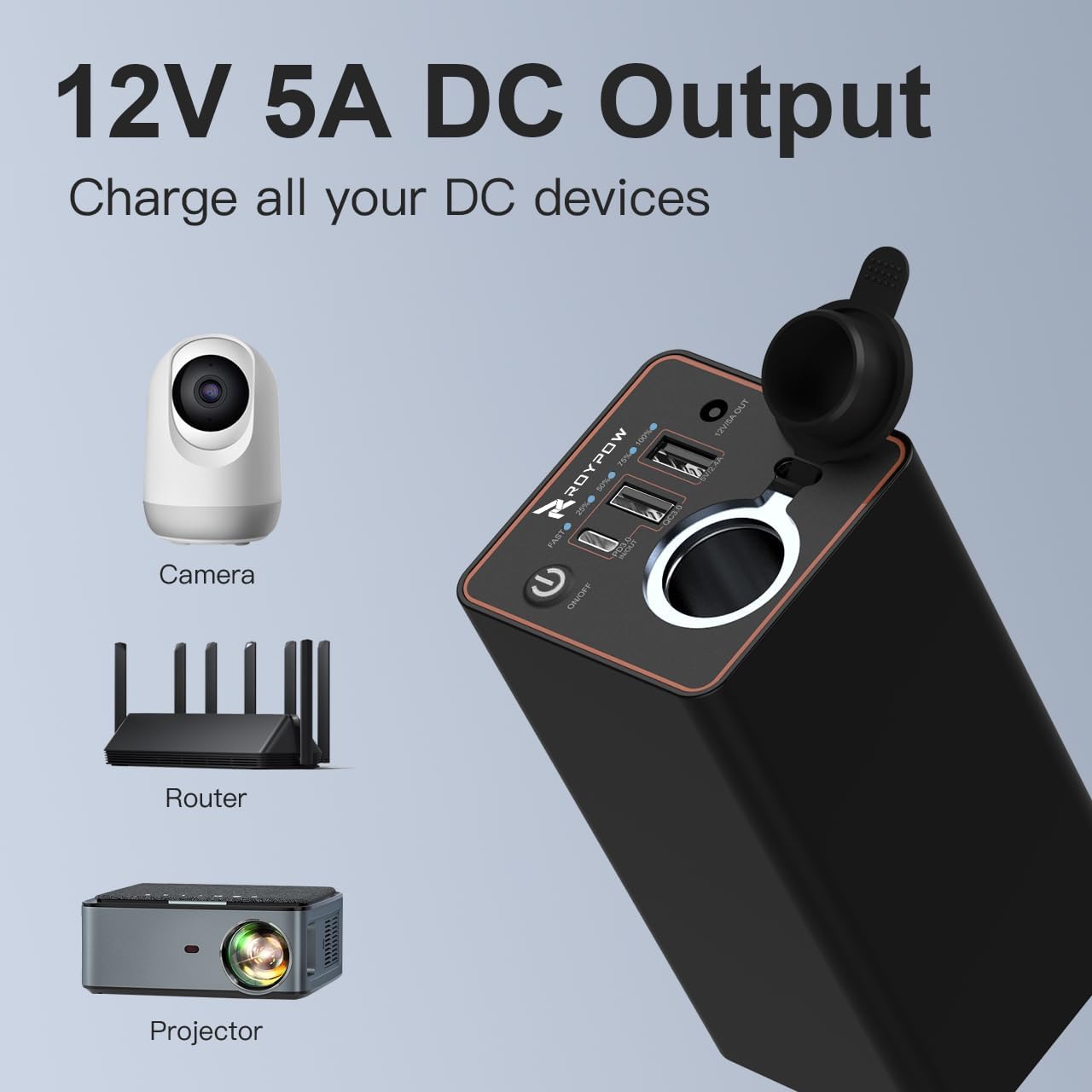
Figure 7: Using the 12V DC output port
The power bank can also be used to charge dash cams while parking, preventing drainage of your car's battery.

Figure 8: Charging a dash cam with the power bank
6. Safety Information
To ensure safe operation and prolong the lifespan of your power bank, please adhere to the following safety guidelines:
- Do not expose the power bank to extreme temperatures (hot or cold), direct sunlight, or high humidity.
- Avoid dropping, puncturing, or disassembling the device.
- Keep away from flammable materials and liquids.
- Do not use if the device is damaged, swollen, or leaking.
- Use only original or certified compatible charging cables and adapters.
- Keep out of reach of children.
- The voltage of the DC port and cigarette lighter fluctuates due to different battery levels, with a normal voltage range of 8.1V - 12.6V. When the battery is fully charged, the voltage is 12.3V-12.6V. When the battery level is low, the voltage fluctuates with the actual battery level.
7. Maintenance
- Clean the power bank with a soft, dry cloth. Do not use harsh chemicals or abrasive materials.
- Store the power bank in a cool, dry place when not in use.
- Recharge the power bank at least once every three months to maintain battery health, even if not regularly used.
8. Troubleshooting
Common Issues and Solutions:
| Problem | Possible Cause | Solution |
|---|---|---|
| Device not charging | Power bank is off; cable is faulty; device is incompatible; power bank battery is depleted. | Press ON/OFF button to turn on; try a different cable; ensure device compatibility; recharge power bank. |
| Slow charging | Cable is not fast-charging compatible; device does not support fast charging; multiple devices connected. | Use a PD/QC compatible cable; ensure device supports fast charging; disconnect other devices. |
| Power bank not recharging | Charging cable or adapter is faulty; power bank is already full. | Try a different USB-C cable and 30W PD adapter; check battery indicator lights. |
| 12V cigarette lighter/DC output not working for air pump | The power bank is not designed for 12V air pumps. | This is expected behavior. The power bank is not compatible with 12V air pumps. |
9. Specifications
| Feature | Detail |
|---|---|
| Model Number | C86 |
| Battery Capacity | 23400 mAh (86.58 Wh) |
| Product Dimensions | 5 x 2.4 x 2.4 inches |
| Item Weight | 1.39 pounds |
| Color | Black |
| Connector Type | USB Type C |
| Special Features | Fast Charging |
| Manufacturer | RoyPow |
| Country of Origin | China |
10. Warranty and Support
The RoyPow C86 Portable Power Bank comes with an 18-month warranty from the date of purchase. This warranty covers manufacturing defects and ensures reliable performance under normal use.
For technical support, warranty claims, or any inquiries regarding your product, please contact RoyPow customer service through their official website or the contact information provided in your purchase documentation. RoyPow is committed to providing excellent customer service.
Note: No official seller videos were available for embedding in this manual.
