
1. Product Overview
This manual provides instructions for the uehba Replacement Remote Control, model RAV491 ZF30320. This remote is designed as a direct replacement for original Yamaha AV A/V Receiver remotes, specifically compatible with models such as YHT-399U, HTR-5063, RX-V467, RX-V367, and RX-V371.
It functions without the need for complex programming, operating immediately upon battery installation.

Figure 1.1: Front view of the uehba RAV491 Replacement Remote Control, showcasing its full button layout.
2. Setup and Installation
The RAV491 remote control is designed for immediate use without any programming steps. Simply install the required batteries, and the remote will be ready to operate your compatible Yamaha AV receiver.
2.1 Battery Installation
- Locate the battery compartment on the back of the remote control.
- Slide the battery compartment cover downwards to open it.
- Insert two (2) 1.5V AAA batteries, ensuring the positive (+) and negative (-) terminals align correctly with the markings inside the compartment.
- Slide the battery compartment cover back into place until it clicks securely.
Note: Batteries are not included with the remote control and must be purchased separately.

Figure 2.1: Illustration of the battery compartment on the back of the remote, indicating where to insert AAA batteries.
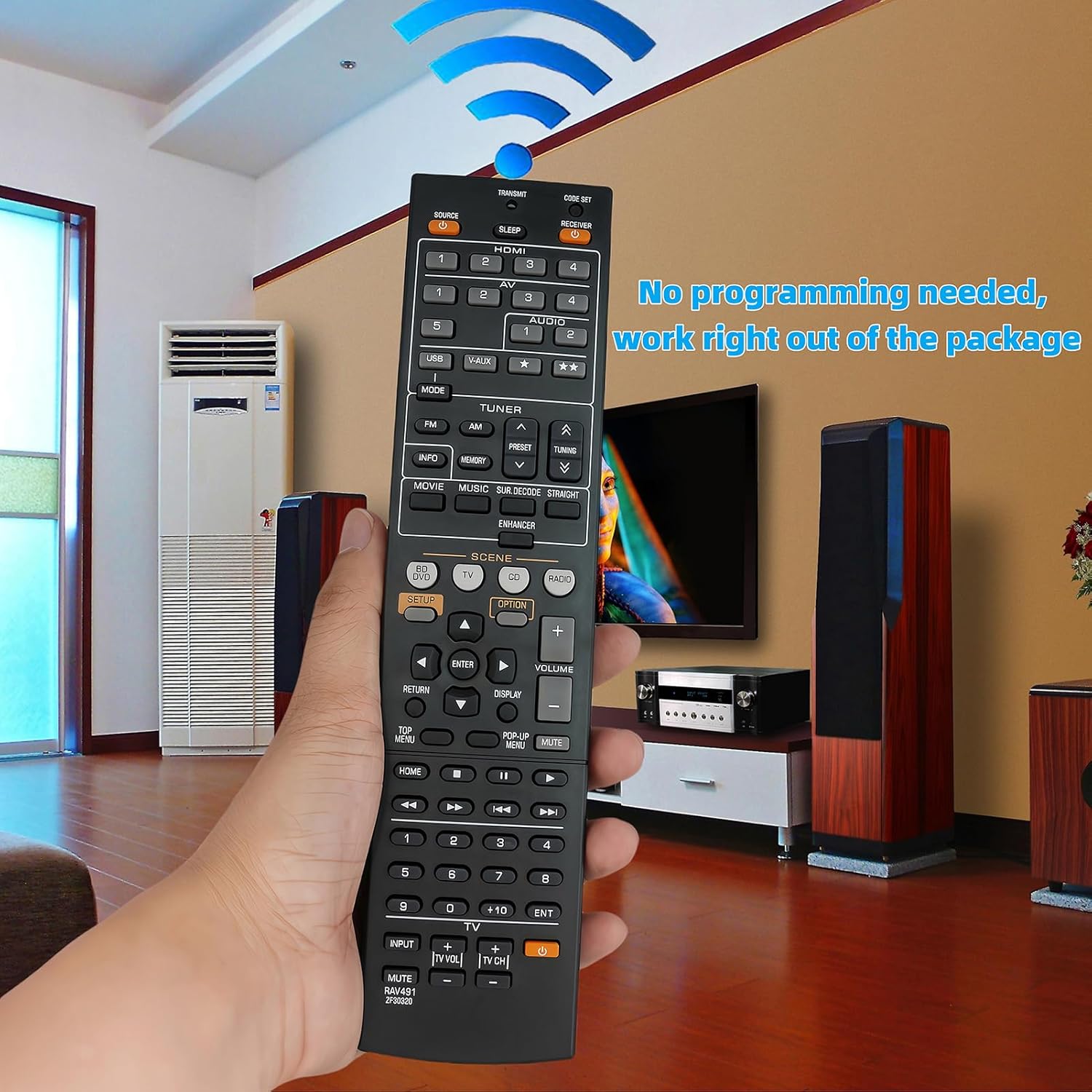
Figure 2.2: The remote control is ready for use immediately after battery installation, requiring no additional programming.
3. Operating Instructions
The RAV491 remote control replicates the functionality of your original Yamaha AV receiver remote. Point the remote directly at your receiver and press the desired function button.
3.1 Key Functions Overview
| Button Name | Function |
|---|---|
| SOURCE | Selects the input source (e.g., HDMI 1, AV, USB). |
| SLEEP | Sets the sleep timer for the receiver. |
| RECEIVER Power | Turns the Yamaha receiver power On/Off. |
| VOLUME +/- | Adjusts the master volume level. |
| MUTE | Mutes or unmutes the audio output. |
| SETUP | Accesses the receiver's setup menu. |
| OPTION | Displays options related to the current function. |
| Navigation Arrows (Up/Down/Left/Right) | Navigates through menus and selections. |
| ENTER | Confirms selections in menus. |
| RETURN | Goes back to the previous menu or screen. |
| DISPLAY | Changes the information displayed on the receiver's screen. |
| SCENE Buttons (BD/DVD, TV, CD, RADIO) | One-touch selection of common scenarios, activating specific input and sound settings. |
| TUNER (FM/AM, PRESET, TUNING) | Controls radio functions, including station selection and preset management. |
| MOVIE/MUSIC/SUR.DECODE/STRAIGHT | Selects various sound modes and processing options. |
| HOME | Returns to the main home screen of the receiver. |
| TV Controls (INPUT, TV VOL, TV CH, TV Power) | Basic control functions for a connected television. |
For detailed functionality of specific buttons, refer to your Yamaha AV receiver's original user manual.
4. Maintenance and Care
Proper maintenance ensures the longevity and optimal performance of your remote control.
- Cleaning: Wipe the remote control with a soft, dry cloth. For stubborn dirt, slightly dampen the cloth with water or a mild, non-abrasive cleaner. Avoid using harsh chemicals or abrasive materials, as they can damage the remote's surface and buttons.
- Battery Replacement: Replace batteries when the remote's response becomes sluggish or it stops functioning. Always replace both batteries simultaneously with new 1.5V AAA batteries. Do not mix old and new batteries, or different types of batteries.
- Storage: If the remote will not be used for an extended period, remove the batteries to prevent leakage, which can damage the internal components. Store the remote in a cool, dry place away from direct sunlight and extreme temperatures.
- Handling: Avoid dropping the remote control or exposing it to excessive force, moisture, or liquids.
5. Troubleshooting
If you encounter issues with your RAV491 replacement remote control, refer to the following common troubleshooting steps:
- Remote Not Responding:
- Ensure batteries are inserted correctly with the correct polarity (+/-).
- Replace old batteries with new 1.5V AAA batteries.
- Check for any obstructions between the remote and the receiver's infrared sensor.
- Ensure you are within the effective operating range and pointing the remote directly at the receiver.
- Delayed Response or Intermittent Functionality:
- This can often be a sign of low batteries. Replace them.
- Ensure there are no strong light sources (like direct sunlight or fluorescent lights) interfering with the infrared signal.
- Specific Buttons Not Working:
- Clean the remote's surface, especially around the non-functioning buttons, to remove any dirt or debris that might be preventing proper contact.
- If only certain buttons are affected, and battery replacement doesn't help, the remote might be damaged.
- Remote Does Not Control TV Functions:
- The TV control buttons (INPUT, TV VOL, TV CH, TV Power) are designed for basic TV control. Ensure your TV is compatible with these universal commands. This remote is primarily for the Yamaha receiver.
If issues persist after following these steps, please contact customer support.
6. Product Specifications
| Feature | Detail |
|---|---|
| Model Number | RAV491 ZF30320 |
| Brand | uehba |
| Compatible Devices | Yamaha AV A/V Receivers (YHT-399U, HTR-5063, RX-V467, RX-V367, RX-V371) |
| Power Source | 2 x 1.5V AAA Batteries (not included) |
| Color | Black |
| Product Dimensions | 8.3 x 1.97 x 0.9 inches (21.1 x 5.0 x 2.3 cm) |
| Item Weight | 3.1 ounces (87.9 grams) |
| Special Feature | No Programming Required |
7. Customer Support
For any questions, concerns, or assistance regarding your uehba Replacement Remote Control RAV491 ZF30320, please contact the seller or manufacturer directly through the platform where the product was purchased. They will be able to provide further support and guidance.
While this remote is designed for immediate functionality, if you experience persistent issues not covered in the troubleshooting section, reaching out to customer support is recommended.