
Losi LOS01019T2
Losi 1/18 Mini-T 2.0 Brushless RTR Stadium Truck Instruction Manual
Model: LOS01019T2
Introduction
Welcome to the world of high-performance remote control vehicles with your new Losi 1/18 Mini-T 2.0 Brushless RTR Stadium Truck. This compact yet powerful vehicle is designed for thrilling off-road action, offering a scaled-down experience of its larger counterparts. This manual provides essential information for setup, operation, maintenance, and troubleshooting to ensure you get the most out of your Mini-T 2.0.
Safety Information
Read the ENTIRE instruction manual to become familiar with the features of the product before operating. Failure to operate the product correctly can result in damage to the product, personal property and cause serious injury. This is a sophisticated hobby product. It must be operated with caution and common sense and requires some basic mechanical ability. Failure to operate this product in a safe and responsible manner could result in injury or damage to the product or other property. This product is not intended for use by children. Do not use with incompatible components or alter this product in any way outside of the instructions provided by Horizon Hobby, LLC. This manual contains instructions for safety, operation and maintenance. It is essential to read and follow all the instructions and warnings in the manual, prior to assembly, setup or use, in order to operate correctly and avoid damage or serious injury.
What's in the Box
Your Losi 1/18 Mini-T 2.0 comes complete with everything you need to get started:
- Losi® 1/18 Mini-T 2.0 RTR Truck
- Horizon® 2.4Ghz Receiver WP 3-CH
- Dynamite® BL Motor/ESC 2-in-1 6000Kv
- Spektrum™ SX107 Micro Metal Gear Servo
- Dynamite® 7.4V 800mAh 2S 50C LiPo Hardcase: EC2
- Dynamite® USB 2S LiPo Charger
- 4 AAA Batteries (for transmitter)
- Horizon® 3-CH 2.4Ghz Transmitter

Setup
Battery Installation and Charging
- Charge the LiPo Battery: Connect the included Dynamite® 7.4V 800mAh 2S 50C LiPo battery to the Dynamite® USB 2S LiPo Charger. Plug the USB charger into a compatible USB power supply (not included). The charger's LED indicator will show charging status. Ensure the battery is fully charged before first use.
- Install Truck Battery: Once charged, carefully install the LiPo battery into the battery compartment of the Mini-T 2.0 truck. Secure it according to the vehicle's design, typically with a battery strap or clip.

Transmitter Setup
- Install AAA Batteries: Open the battery compartment on the Horizon® 3-CH 2.4Ghz Transmitter. Insert the four included AAA batteries, ensuring correct polarity. Close the compartment securely.
- Power On: Turn on the transmitter first, then the truck. To power off, turn off the truck first, then the transmitter. This sequence helps prevent loss of control.
Operation
Basic Controls
- Steering Wheel: Turn the wheel left or right to steer the truck.
- Throttle Trigger: Pull the trigger to accelerate forward. Push the trigger forward to engage the brakes or reverse.

Driving Tips
- Start Slowly: Familiarize yourself with the controls in an open, safe area before attempting high-speed maneuvers.
- Smooth Inputs: Use smooth and gradual inputs on the steering and throttle for better control, especially at high speeds.
- Surface Awareness: The Mini-T 2.0 performs best on dirt, asphalt, and carpet. It may struggle in tall grass due to its size.
- Battery Life: Monitor battery performance. When the truck starts to slow down significantly, it's time to recharge the battery.

Maintenance
Regular maintenance will extend the life and performance of your Mini-T 2.0.
Cleaning
- After each use, especially in dusty or dirty conditions, clean the truck using a soft brush or compressed air to remove debris.
- Wipe down the chassis and body with a damp cloth. Avoid using harsh chemicals.

Inspection
- Regularly check all screws and fasteners for tightness.
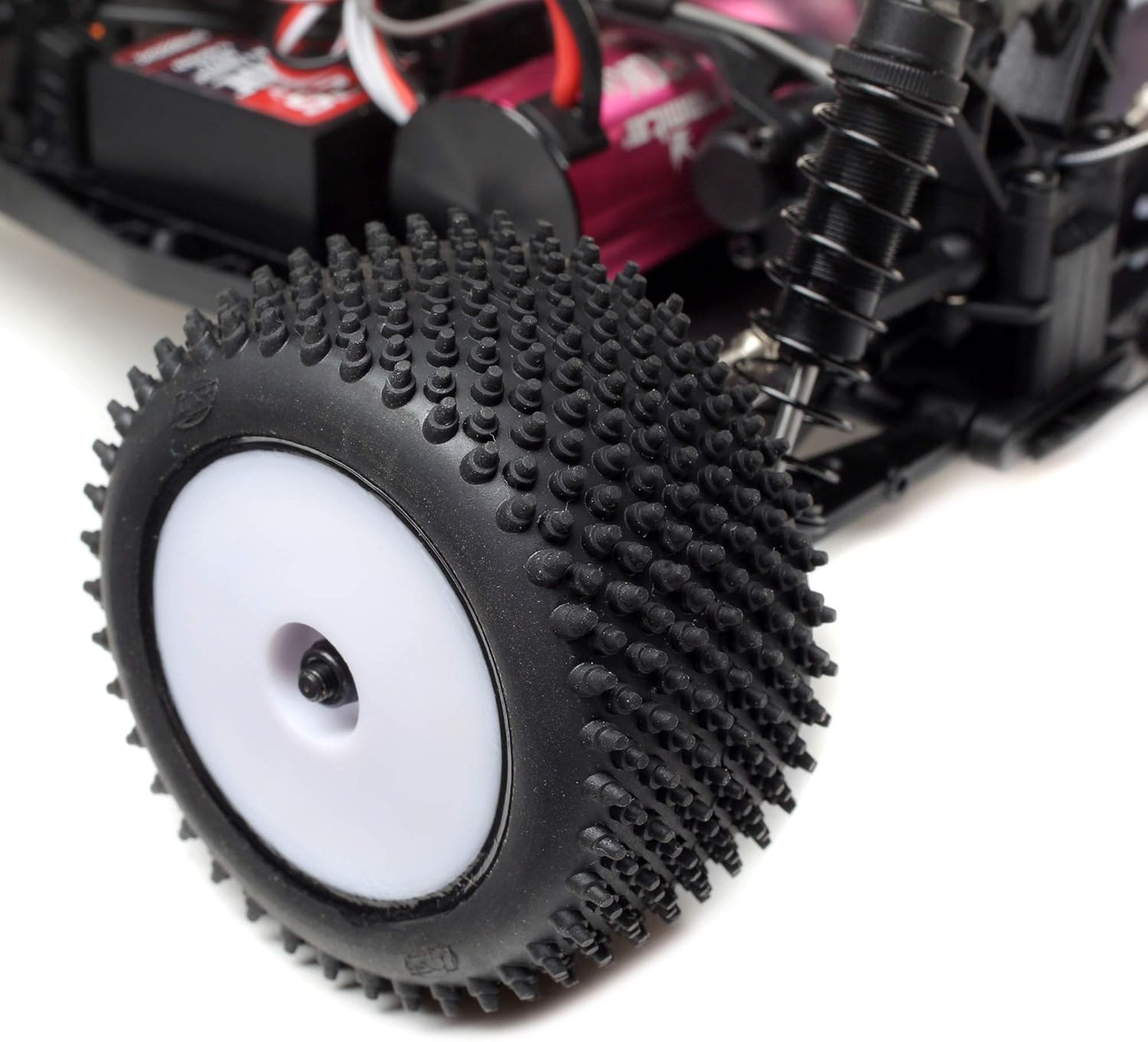
- Inspect tires for wear and tear. Ensure they are securely mounted.
- Check suspension components for damage or excessive play.
- Ensure all wires and connectors are secure and free from damage.
Storage
- Store the truck in a cool, dry place away from direct sunlight and extreme temperatures.
- Remove batteries from both the truck and transmitter if storing for extended periods.

Troubleshooting
If you encounter issues with your Mini-T 2.0, refer to the table below for common problems and solutions.
| Problem | Possible Cause | Solution |
|---|---|---|
| Truck does not respond to transmitter. | Low battery in truck or transmitter; Not properly bound; Power switch off. | Charge/replace batteries; Re-bind transmitter and receiver; Ensure power switches are ON. |
| Truck runs slowly or lacks power. | Low truck battery; Motor/ESC overheating; Debris in drivetrain. | Recharge truck battery; Allow components to cool; Clean drivetrain. |
| Steering is erratic or unresponsive. | Loose servo horn; Damaged servo; Interference. | Tighten servo horn screw; Replace servo if damaged; Operate in an area free from interference. |
| Truck makes unusual noises. | Damaged gears; Loose components; Motor issues. | Inspect gears for damage and replace if necessary; Check for loose screws; Consult support if motor noise persists. |
Specifications
- Product Dimensions: 17.7 x 8.1 x 5 inches
- Item Weight: 2.5 pounds
- ASIN: B08JCLJGRJ
- Item Model Number: LOS01019T2
- Manufacturer Recommended Age: 14 years and up
- Batteries: 4 AAA batteries required (included for transmitter), 7.4V 2S 800mAh 50C LiPo (included for truck)
- Release Date: October 31, 2020
- Manufacturer: Losi
Warranty and Support
Losi products are manufactured to the highest quality standards. For specific warranty information and terms, please refer to the documentation included with your product or visit the official Losi website. For technical support or replacement parts, please contact Losi customer service.
You can also find additional information and resources, including a downloadable PDF user manual, at the following link: Losi Mini-T 2.0 User Manual (PDF)
Explore more Losi products and accessories at the official brand store: Losi Brand Store
Related documentsLOS01019T2


Ask a question about this manual
Ask about setup, troubleshooting, compatibility, parts, safety, or missing instructions. Manuals+ will review the question and use this page’s manual context to help answer it.