
SSV Works WP-MRB2R
SSV Works WP-MRB2R Universal Bluetooth Rocker Switch Audio System User Manual
Model: WP-MRB2R | Brand: SSV Works
1. Introduction
Thank you for choosing the SSV Works WP-MRB2R Universal Bluetooth Rocker Switch Audio System. This compact audio solution is designed to provide high-quality sound and convenient control for your vehicle, featuring a built-in 200W 4-channel amplifier and external amplifier outputs for expanded audio systems. Its weatherproof design ensures durability in various environments.

Image: The SSV Works WP-MRB2R system, showing the main amplifier unit, rocker switch controller, and wiring harness.
2. Safety Information
Please read all instructions carefully before installation and operation. Failure to follow these guidelines may result in damage to the product, vehicle, or personal injury.
- Ensure the vehicle's power is disconnected before installation to prevent electrical shorts.
- Do not attempt to disassemble or modify the unit. This will void the warranty.
- While designed to be weatherproof, this unit is not submersible. Avoid direct high-pressure water spray or prolonged submersion.
- Install the unit in a location that does not obstruct vehicle operation or safety features.
- Use appropriate wiring gauges and fuses as specified in the installation section.
3. Package Contents
Verify that all items are present in your package:
- SSV Works WP-MRB2R Main Unit (Amplifier and Rocker Switch Controller)
- Wiring Harness
4. Setup and Installation
The SSV Works WP-MRB2R is designed for plug-and-play installation, fitting into standard rocker switch openings. Professional installation is recommended.
4.1 Mounting the Rocker Switch
The compact rocker switch controller is designed to fit into a standard rocker switch slot on your vehicle's dashboard or console. Ensure the chosen location allows for easy access and does not interfere with other controls.

Image: Detailed view of the rocker switch controller, highlighting its compact design.
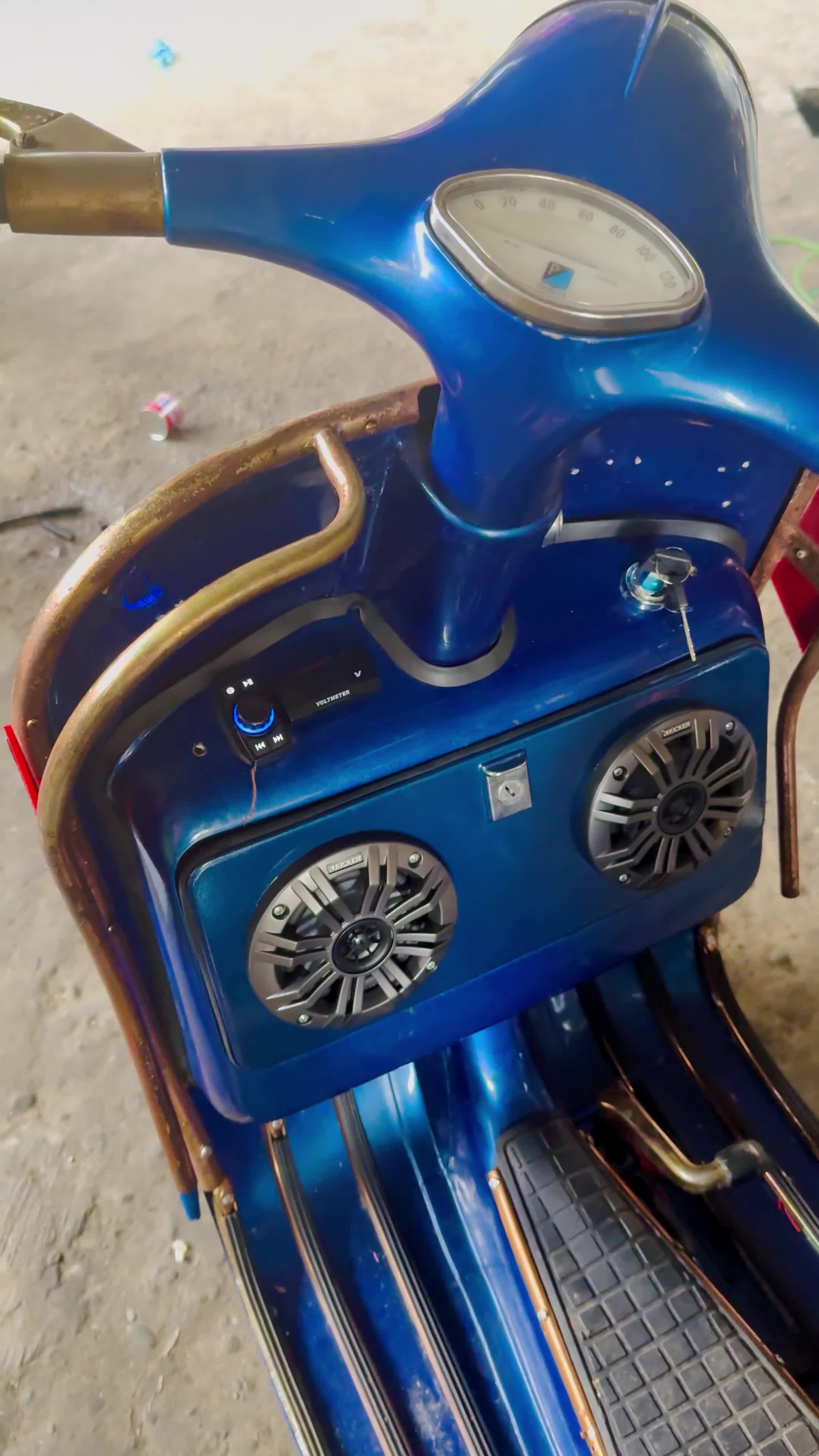
Image: The SSV Works WP-MRB2R rocker switch controller integrated into a vehicle's dashboard, demonstrating a typical installation.
4.2 Wiring Diagram
Follow the wiring diagram carefully for proper connection. The system includes a 12V red power wire, black ground wire, and speaker outputs for front and rear speakers. It also features a pre-out for adding an external subwoofer amplifier.

Image: Comprehensive wiring diagram illustrating connections for power, ground, speakers, and auxiliary outputs.
The wiring harness is designed for ease of connection:

Image: Detailed view of the included wiring harness, showing color-coded wires for various connections.
4.3 Speaker Placement
For optimal sound distribution, consider the following speaker placement guidelines. Speakers are sold separately.
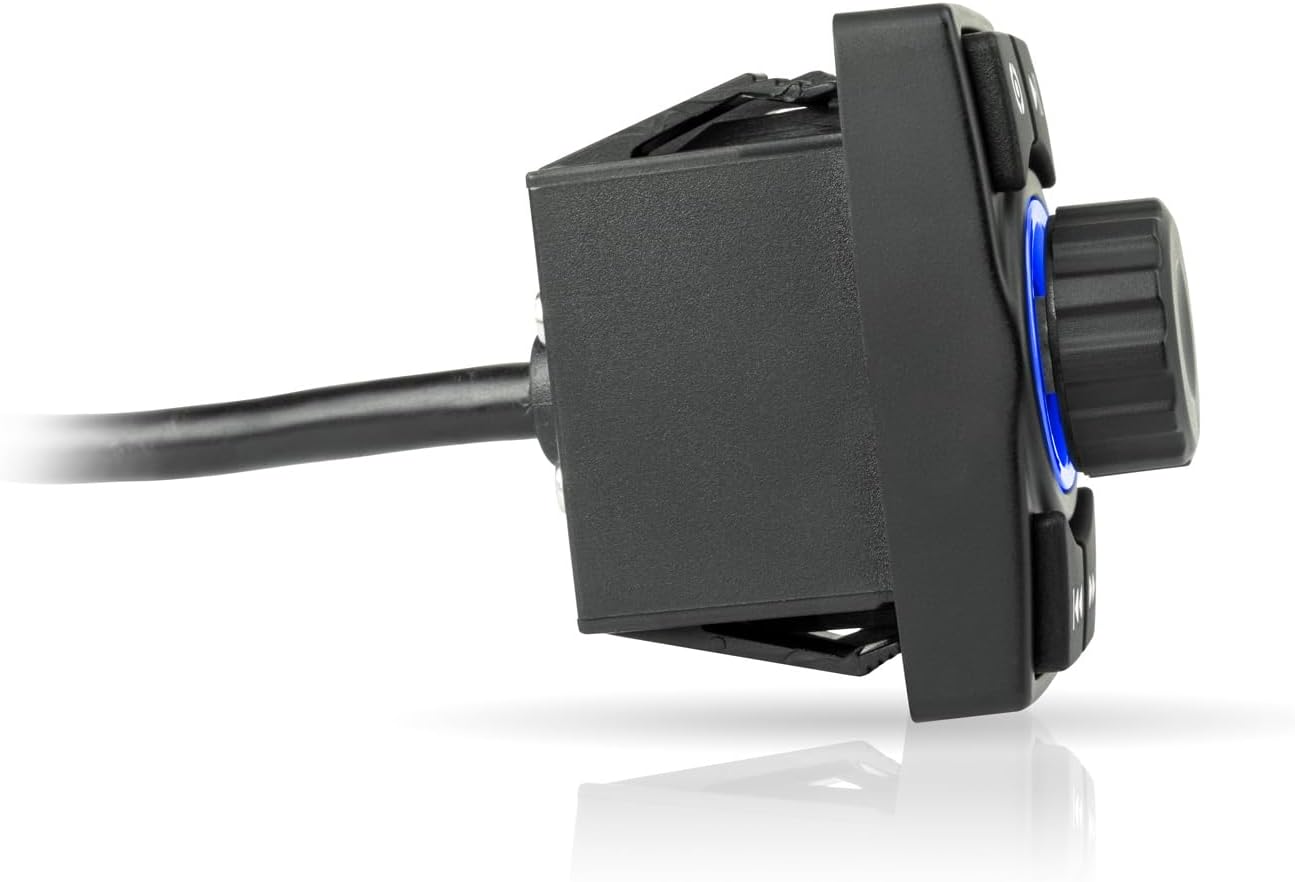
Image: Overhead diagram of a vehicle chassis indicating ideal locations for speaker installation to achieve balanced audio.
5. Operating Instructions
The WP-MRB2R features intuitive controls for easy audio management.
5.1 Button Functions
| Button | Function |
|---|---|
| Power On/Off / Volume Knob | Press to power on/off. Rotate to adjust volume. |
| Mode Button | Switches between input modes (e.g., Bluetooth, Auxiliary if connected). |
| Play/Pause Button | Plays or pauses current audio track. |
| Track Back Button | Skips to the previous track. |
| Track Forward Button | Skips to the next track. |
5.2 Bluetooth Pairing
- Ensure the WP-MRB2R is powered on.
- On your mobile device, enable Bluetooth and search for available devices.
- Select "SSV Works" from the list of devices to pair.
- Once paired, the unit will confirm connection, and you can begin streaming audio.
The unit supports Bluetooth connectivity for seamless audio streaming from compatible devices such as smartphones, tablets, MP3 players, laptops, and gaming consoles. While the primary control is via the rocker switch, the "Control Method: App" specification refers to the ability to control audio playback from your paired Bluetooth device's music application.
6. Maintenance
To ensure the longevity and optimal performance of your SSV Works WP-MRB2R audio system, follow these maintenance guidelines:
- Clean the unit with a soft, damp cloth. Avoid harsh chemicals or abrasive cleaners.
- While the unit is designed to be weatherproof, it is not fully waterproof. Avoid direct high-pressure washing or prolonged exposure to standing water.
- Regularly check all wiring connections to ensure they are secure and free from corrosion.
- If the unit will not be used for an extended period, consider disconnecting it from the power source.
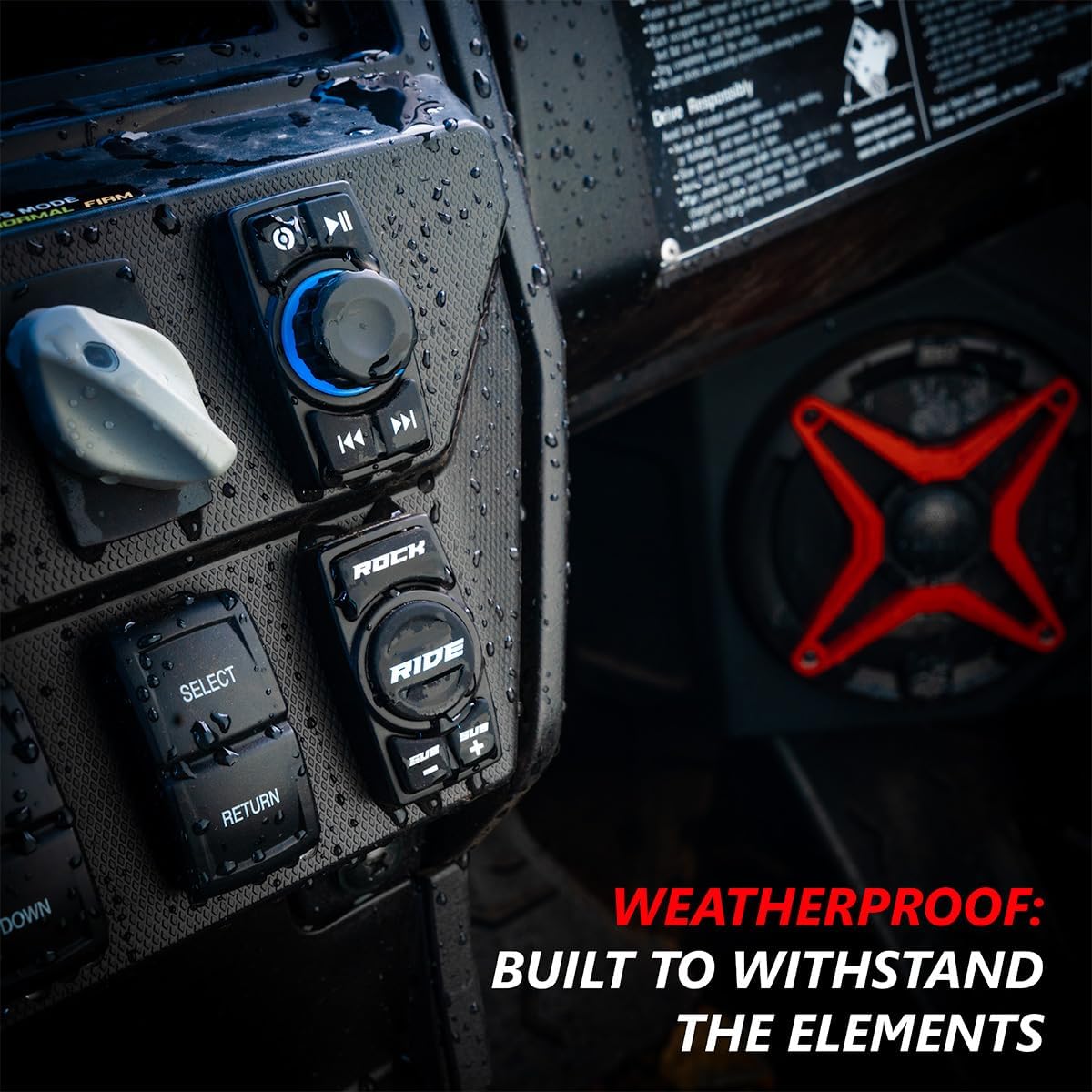
Image: The rocker switch controller shown in a wet environment, demonstrating its weather-resistant capabilities.
7. Troubleshooting
If you encounter issues with your SSV Works WP-MRB2R, refer to the following common problems and solutions:
| Problem | Possible Solution |
|---|---|
| No Power | Check power connections and vehicle's fuse. Ensure the unit is properly grounded. |
| No Audio Output | Verify speaker connections. Ensure volume is turned up. Check Bluetooth pairing and source device. |
| Bluetooth Not Connecting | Ensure Bluetooth is enabled on your device and the unit is in pairing mode. Try forgetting the device on your phone and re-pairing. |
| Distorted Sound | Reduce volume. Check speaker impedance compatibility. Ensure connections are secure and free from interference. |
8. Specifications
Detailed technical specifications for the SSV Works WP-MRB2R audio system:
| Feature | Detail |
|---|---|
| Model Name | SSV Works WP-MRB2R |
| Speaker Type | Stereo |
| Compatible Devices | MP3 Player, Laptop, Gaming Console, Tablet, Smartphone |
| Unit Count | 1.0 Count |
| Surround Sound Channel Configuration | 4.0 |
| Color | Black |
| Item Weight | 3.84 Ounces |
| Is Waterproof | FALSE (Note: Weather-resistant, not submersible) |
| Number of Items | 1 |
| Control Method | App (via Bluetooth connection) |
| Wireless Communication Technology | Bluetooth |
| Power Source | Corded Electric |
| Audio Driver Type | Dynamic Driver |
| Connectivity Protocol | Bluetooth |
| Specific Uses For Product | Outdoor Activities |
| UPC | 815172016939 |
| Style | Compact |
| Product Dimensions | 10 x 9 x 4 inches |
| Speaker Maximum Output Power | 200 Watts |
| Connectivity Technology | Bluetooth, Auxiliary |
| Audio Output Mode | Stereo |
| Mounting Type | Tabletop Mount (Note: Designed for rocker switch panel mounting) |
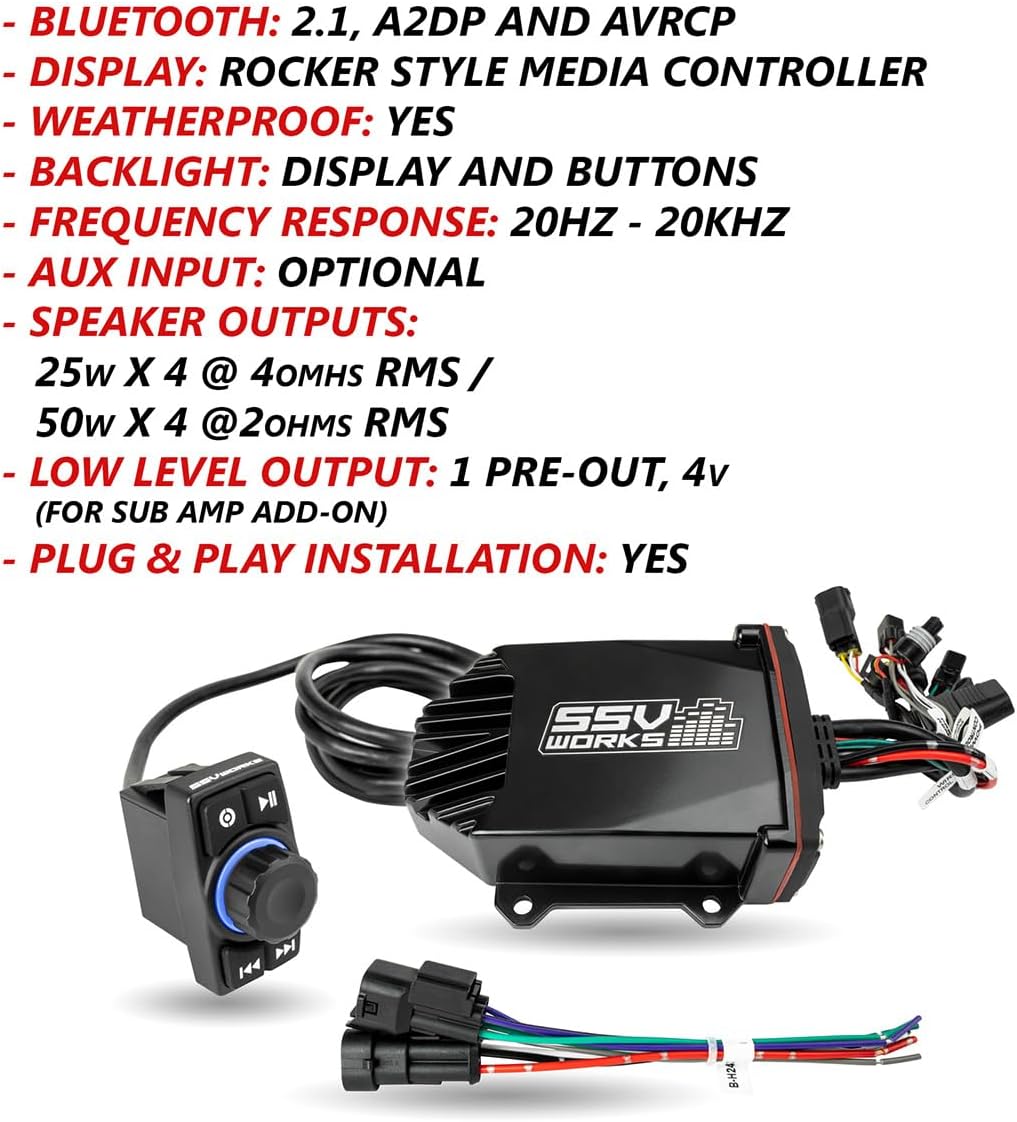
Image: Visual summary of key product specifications including Bluetooth version, display type, weatherproofing, and speaker outputs.
9. Warranty and Support
The SSV Works WP-MRB2R comes with a Limited Warranty. For specific warranty terms and conditions, please refer to the documentation included with your purchase or visit the official SSV Works website.
For technical support, troubleshooting assistance, or warranty claims, please contact SSV Works customer service:
- Website: www.ssvworks.com
- Email: support@ssvworks.com
- Phone: 1-800-XXXX-XXXX
Ask a question about this manual
Ask about setup, troubleshooting, compatibility, parts, safety, or missing instructions. Manuals+ will review the question and use this page’s manual context to help answer it.