
Introduction
This manual provides detailed instructions for the setup, operation, maintenance, and troubleshooting of your NexiGo Gripcon Switch Controller. Please read this manual thoroughly before using the product to ensure proper function and longevity.
Product Overview
The NexiGo Gripcon is an ergonomic controller designed for the Nintendo Switch in handheld mode. It features 6-axis gyro functionality, dual motor vibration, and a direct-plug Type-C connection.

Figure 1: Front and back view of the NexiGo Gripcon Switch Controller.
Key Features:
- 6-Axis Gyro Function: Provides precise motion control for compatible games.
- Dual Motor Vibration: Delivers tactile feedback during gameplay.
- Ergonomic Design: Shaped for comfortable extended gameplay sessions.
- Plug and Play: Direct connection via Type-C, no drivers required.
- Charge While Playing: Supports PD 15V charging through the controller.
- Replaceable Joystick Caps: Includes three varied types for customization.
Setup Instructions
Follow these steps to connect your NexiGo Gripcon to your Nintendo Switch console:
- Step 1: From the Nintendo Switch Home Menu, select "System Settings".
- Step 2: Scroll down the System Settings menu and select "Controllers and Sensors".
- Step 3: Locate and enable the "Pro Controller Wired Communication" option. Ensure this setting is turned "On".
- Step 4: Carefully slide your Nintendo Switch console into the NexiGo Gripcon controller. Ensure the Type-C connector aligns and connects securely. The controller will automatically connect to the console.

Figure 2: Visual guide for connecting the NexiGo Gripcon to the Nintendo Switch.
Operating Instructions
Controller Layout:

Figure 3: Labeled diagram of the NexiGo Gripcon controller components.
- Left 3D Joystick: For movement and navigation.
- D-Pad: Directional input.
- Screen Capture Button: Captures screenshots or video clips.
- ZL/L Buttons: Left shoulder and trigger buttons.
- Right 3D Joystick: For camera control and aiming.
- A/B/X/Y Buttons: Action buttons.
- ZR/R Buttons: Right shoulder and trigger buttons.
- HOME Button: Returns to the Home Menu.
- Type-C Charging Power Interface: For charging the Switch console while playing.
Charging While Playing:
The controller allows you to charge your Nintendo Switch console simultaneously while playing. Connect the original Switch power adapter or a standard 15V PD protocol power adapter to the Type-C Charging Power Interface on the controller.
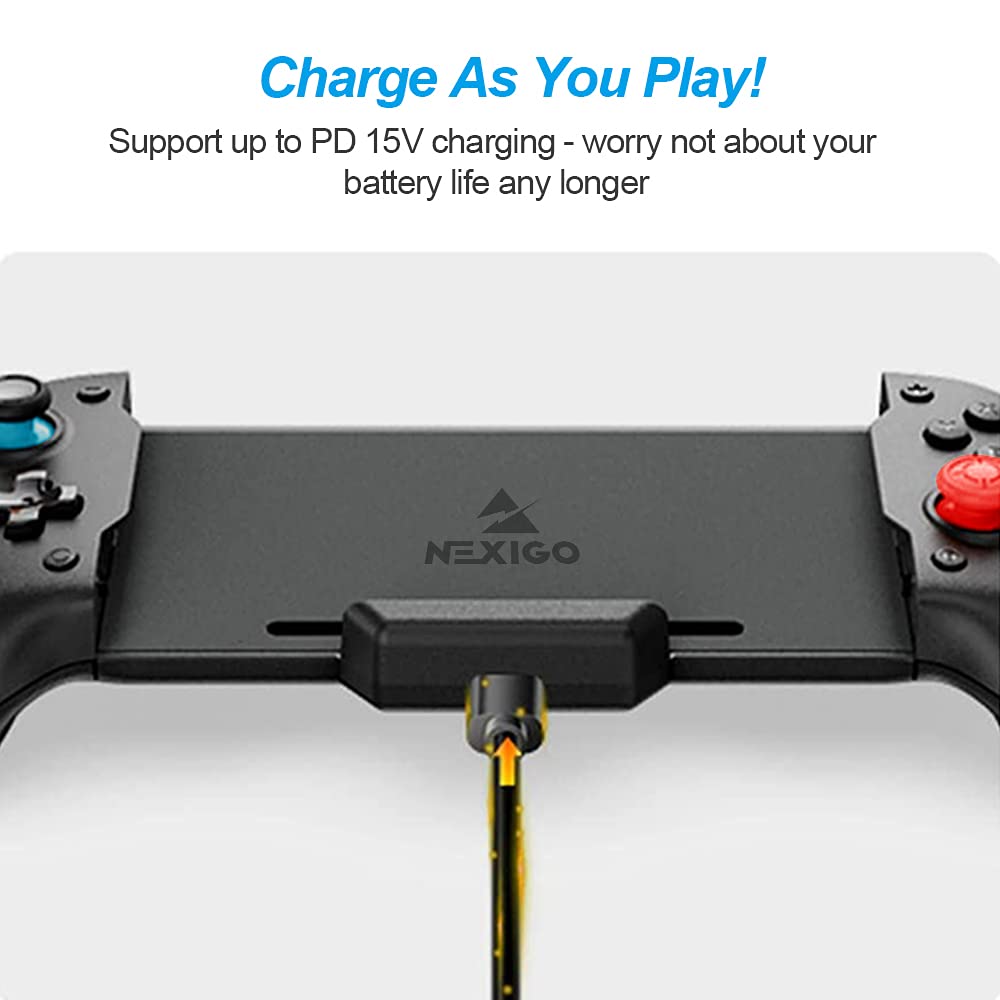
Figure 4: Charging the Nintendo Switch through the Gripcon controller.
Customizing Joysticks:
The NexiGo Gripcon includes three types of replaceable joystick caps: concave, convex, and small convex. These can be interchanged to suit your preference for grip and control. To replace a cap, gently pull the current cap off the joystick and press the desired cap firmly into place.
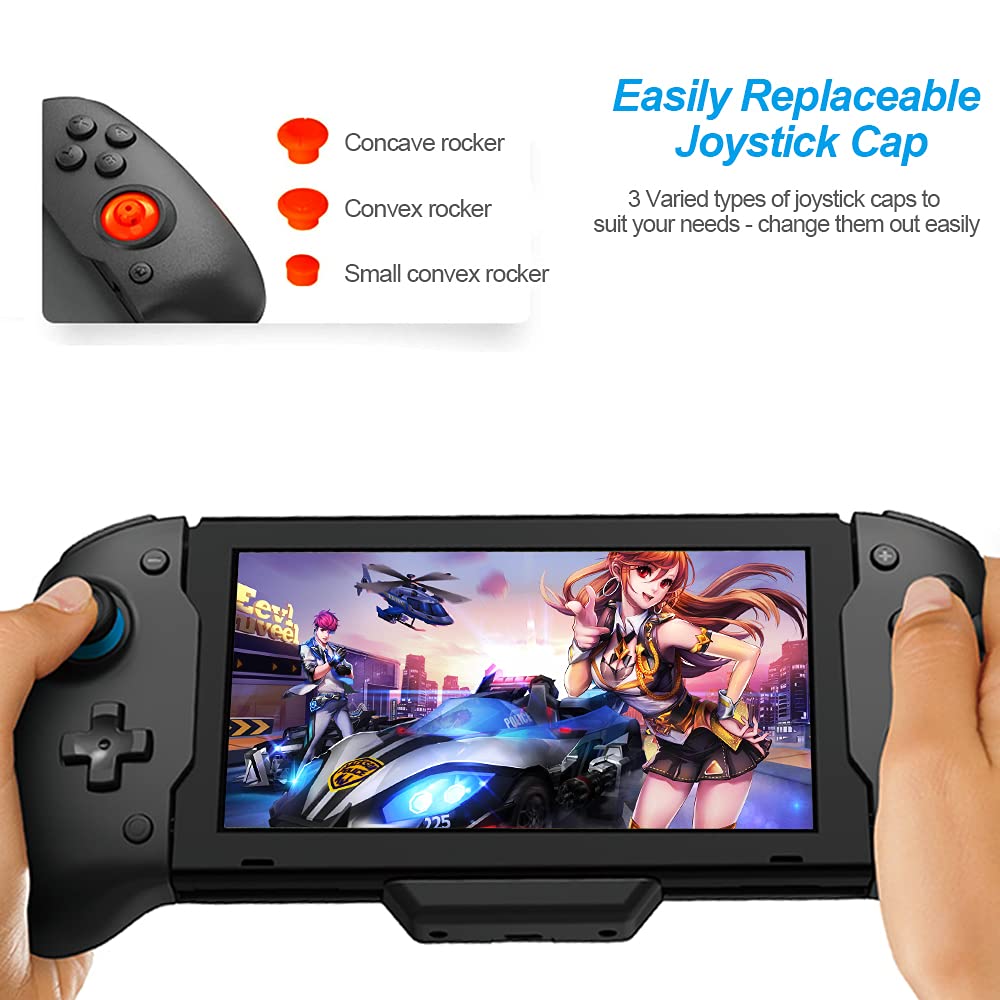
Figure 5: Interchangeable joystick caps for personalized comfort.
Motion Control and Vibration:
The controller features a 6-axis gyro sensor for responsive motion controls in compatible games. Dual vibration motors provide immersive haptic feedback.

Figure 6: Illustration of motion control functionality.
Maintenance
- Cleaning: Use a soft, dry cloth to clean the surface of the controller. Avoid using harsh chemicals or abrasive materials.
- Storage: When not in use, store the controller in a clean, dry place away from direct sunlight and extreme temperatures. Consider using a protective case to prevent damage.
- Handling: Press trigger buttons gently to avoid damage. Avoid dropping the controller or subjecting it to strong impacts.
Troubleshooting
- Controller Not Connecting:
- Ensure "Pro Controller Wired Communication" is enabled in the Switch System Settings (refer to Setup Instructions).
- Verify the Nintendo Switch console is securely seated in the controller's Type-C port.
- Restart the Nintendo Switch console.
- Controller Disconnects When Charging:
- If the controller disconnects when a charging cable is plugged in, put the Nintendo Switch into sleep mode and then wake it up again. This should re-establish the connection without needing to unplug and replug the controller.
- Ensure you are using the original Switch power adapter or a standard 15V PD protocol power adapter.
- Buttons or Joysticks Not Responding:
- Ensure the console is firmly connected to the controller.
- Check for any debris around the buttons or joysticks.
- Perform a system restart on your Nintendo Switch.
Specifications
| Feature | Detail |
|---|---|
| Model Number | NexiGo-SWITCH CONT-19252BLK |
| Dimensions | 4.92 x 2.55 x 10.82 inches |
| Weight | 11.8 ounces |
| Connectivity | Wired (Type-C) |
| Motion Control | 6-Axis Gyro |
| Vibration | Dual Motor Vibration |
| Charging Support | PD 15V (via controller's Type-C port) |
| Compatibility | Nintendo Switch (not for OLED model) |
Warranty and Support
NexiGo is committed to providing quality products and customer service. For any inquiries or support needs, please refer to the following:
- Customer Response: Expect a quick response to your queries, typically within 24 hours.
- Returns: Products can be returned within 30 days for an exchange or refund.
- Technical Support: Lifetime technical customer support is available for this product.
- Contact Information: For further assistance, please visit the official NexiGo website or contact their customer service directly.