1. Introduction
The EVPAD EVBOX 5P is a high-performance TV box designed to enhance your home entertainment experience. Equipped with an 8-core Cortex A53 64-bit processor and 4GB RAM + 32GB ROM, it supports 6K video decoding for ultra-high-definition viewing. This device features AI voice control for convenient operation and a unique colorful breathing light to complement your living space.

Image 1.1: EVPAD EVBOX 5P TV Box and its remote control.
2. Package Contents
Please verify that all items listed below are included in your package:
- EVPAD EVBOX 5P TV Box
- Remote Control
- DC Power Cable
- HD Cable (HDMI Cable)
- Power Adapter
- Power Plug
- User Manual

Image 2.1: All components included in the EVPAD EVBOX 5P package. This includes the TV box, remote, various cables, power adapter, and user manual.
3. Setup Guide
- Connect to TV: Connect one end of the provided HD Cable (HDMI) to the HDMI port on the EVPAD EVBOX 5P and the other end to an available HDMI input on your television.
- Connect Power: Insert the DC Power Cable into the power input port on the TV box. Connect the power adapter to the DC Power Cable and then plug the power plug into a wall outlet.
- Power On: The device should power on automatically, or you may need to press the power button on the remote control or the device itself.
- Select Input: On your television, select the correct HDMI input source that corresponds to where the EVPAD EVBOX 5P is connected.
- Initial Setup Wizard: Follow the on-screen instructions to complete the initial setup, which typically includes selecting your preferred system language and connecting to a Wi-Fi network.
4. Operating Instructions
4.1. AI Voice Control
The EVPAD EVBOX 5P features AI voice control for convenient navigation and content search. To use this feature:
- Ensure the remote control is paired with the TV box.
- Press the dedicated microphone button on your remote control.
- Speak your command clearly into the remote. The system is designed for 360-degree voice recognition.
4.2. 6K UHD Video Playback
Experience high-clarity visuals with 6K UHD video decoding capabilities. The powerful Cortex A53 64-bit processor ensures smooth playback of ultra-high-definition content.
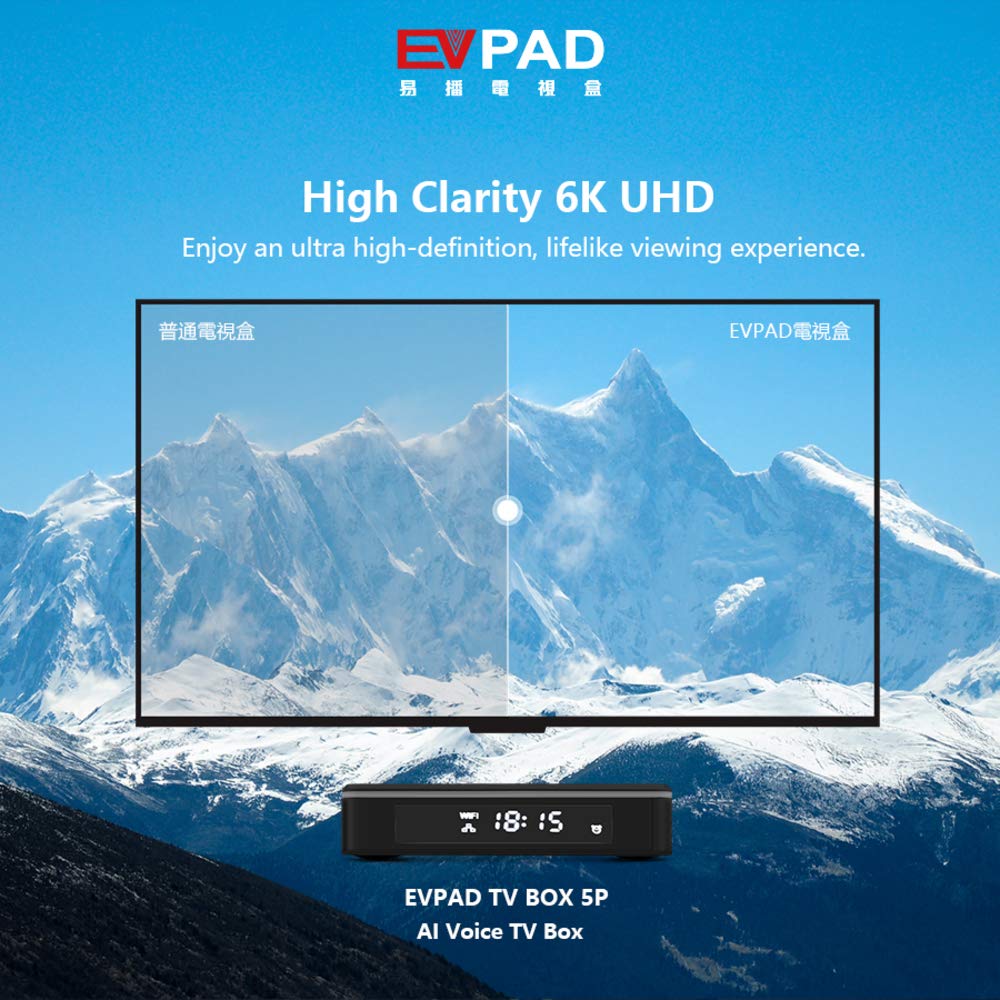
Image 4.1: Visual representation of 6K UHD clarity compared to standard definition.
4.3. App Installation and Storage
With 4GB RAM and 32GB ROM, the EVBOX 5P provides ample storage for applications and media. You can install various apps from the integrated app store or other compatible sources to customize your entertainment experience.

Image 4.2: The EVPAD EVBOX 5P displaying a selection of available applications.
4.4. Colorful Breathing Light
The device features a colorful breathing light that adds an aesthetic element to your setup. This light can be controlled via the system settings or a dedicated button (if available on the remote or device) to switch between modes or turn it off.

Image 4.3: Features of the colorful breathing light, including one-key switch, multi-colors, and breathing effect.
5. Maintenance
- Cleaning: Use a soft, dry cloth to clean the exterior of the TV box. Avoid using liquid cleaners or abrasive materials.
- Ventilation: Ensure the device is placed in a well-ventilated area to prevent overheating. Do not block ventilation openings.
- Software Updates: Periodically check for and install system software updates to ensure optimal performance and security. These can usually be found in the device's settings menu.
- Protective Film: A protective film may be present on the surface of the TV box. You may choose to remove it or leave it on based on your preference.
6. Troubleshooting
| Problem | Possible Cause | Solution |
|---|---|---|
| No power | Power cable not connected; Power outlet not working | Ensure power cable is securely connected. Try a different power outlet. |
| No picture on TV | HDMI cable loose; Incorrect TV input selected | Check HDMI cable connections. Select the correct HDMI input on your TV. |
| Remote control not responding | Batteries low or depleted; Remote not paired | Replace remote control batteries. Refer to the device settings for remote pairing instructions. |
| Wi-Fi connection issues | Incorrect password; Router issues; Device too far from router | Verify Wi-Fi password. Restart your router. Move the TV box closer to the router or use an Ethernet cable. |
7. Specifications
| Feature | Detail |
|---|---|
| Brand | EVPAD |
| Model Number | EVBOX-5P |
| Processor | Cortex A53 64-bit (8 Core CPU) |
| RAM | 4GB |
| Internal Storage | 32GB |
| Video Output | Up to 6K UHD |
| Operating System | Android |
| Connectivity | HDMI, USB, Wi-Fi, DC Power Input |
| Special Features | AI Voice Control, Colorful Breathing Light, Lightweight |
| Product Dimensions | 17 x 12 x 7.5 cm |
| Compatible Device | Television |
| Controller Type | Remote Control |
8. Warranty and Support
For specific warranty information, please refer to the warranty card included with your product or contact the retailer where the product was purchased. General support and frequently asked questions may be available on the EVPAD official website.
Always ensure you are using official accessories and following the instructions provided in this manual to maintain product validity and performance.


