
1. Introduction
Thank you for choosing the deli Mesh Magazine File Holder. This manual provides essential information for the proper assembly, use, and maintenance of your new desk organizer. Please read these instructions carefully before proceeding to ensure optimal performance and longevity of the product.
Important Safety Information: Keep all small parts away from children. Ensure all connections are secure during assembly to prevent instability. This product is designed for organizing documents and should not be used for purposes other than its intended use.
2. Product Overview
The deli Mesh Magazine File Holder is a robust and functional desk accessory designed to help organize your workspace. It features three vertical compartments, ideal for storing magazines, file folders, documents, and books.
- Space Saving Design: Three vertical compartments maximize desktop organization.
- Durable Construction: Made from strong black wire mesh with a reinforced solid steel frame.
- Quick Access: Vertical design allows for easy retrieval of stored items.
- Easy to Clean: Hollowed mesh design facilitates simple cleaning.
- Dimensions: Approximately 9.4 inches (L) x 11.5 inches (W) x 12.2 inches (H).

Image 2.1: The deli Mesh Magazine File Holder, fully assembled and in use, showcasing its three compartments holding various documents and magazines.
3. Package Contents
Upon opening the package, please verify that all components are present and undamaged. The package should contain:
- Mesh side panels (2 pieces)
- Mesh divider panels (2 pieces)
- Bottom support panels (3 pieces)
- Connecting rods/screws and nuts (quantity may vary, typically enough for all connections)
Note: Small components like screws and nuts may be loose in the packaging. Please check thoroughly before discarding any packaging materials.
4. Assembly Instructions
Assembly of the deli Mesh Magazine File Holder requires careful attention to detail. While straightforward, ensuring all connections are tight is essential for stability.
- Identify Components: Lay out all mesh panels, bottom supports, connecting rods, and nuts. The main side panels are typically larger, and the divider panels are smaller.
- Attach Side Panels: Begin by attaching one side panel to a bottom support panel using the provided screws and nuts. Ensure the mesh is facing outwards and the bottom support is flush.
- Insert Dividers: Carefully slide the divider panels into the designated slots or attach them to the bottom support and side panel using additional connecting rods/screws. Ensure they are evenly spaced to form the compartments.
- Secure Second Side Panel: Attach the second side panel, aligning it with the bottom supports and divider panels. Secure all remaining connections with screws and nuts.
- Tighten All Connections: Using pliers or a nut driver (not included), gently tighten all nuts to ensure the frame is rigid and stable. Avoid overtightening, which could strip the threads.
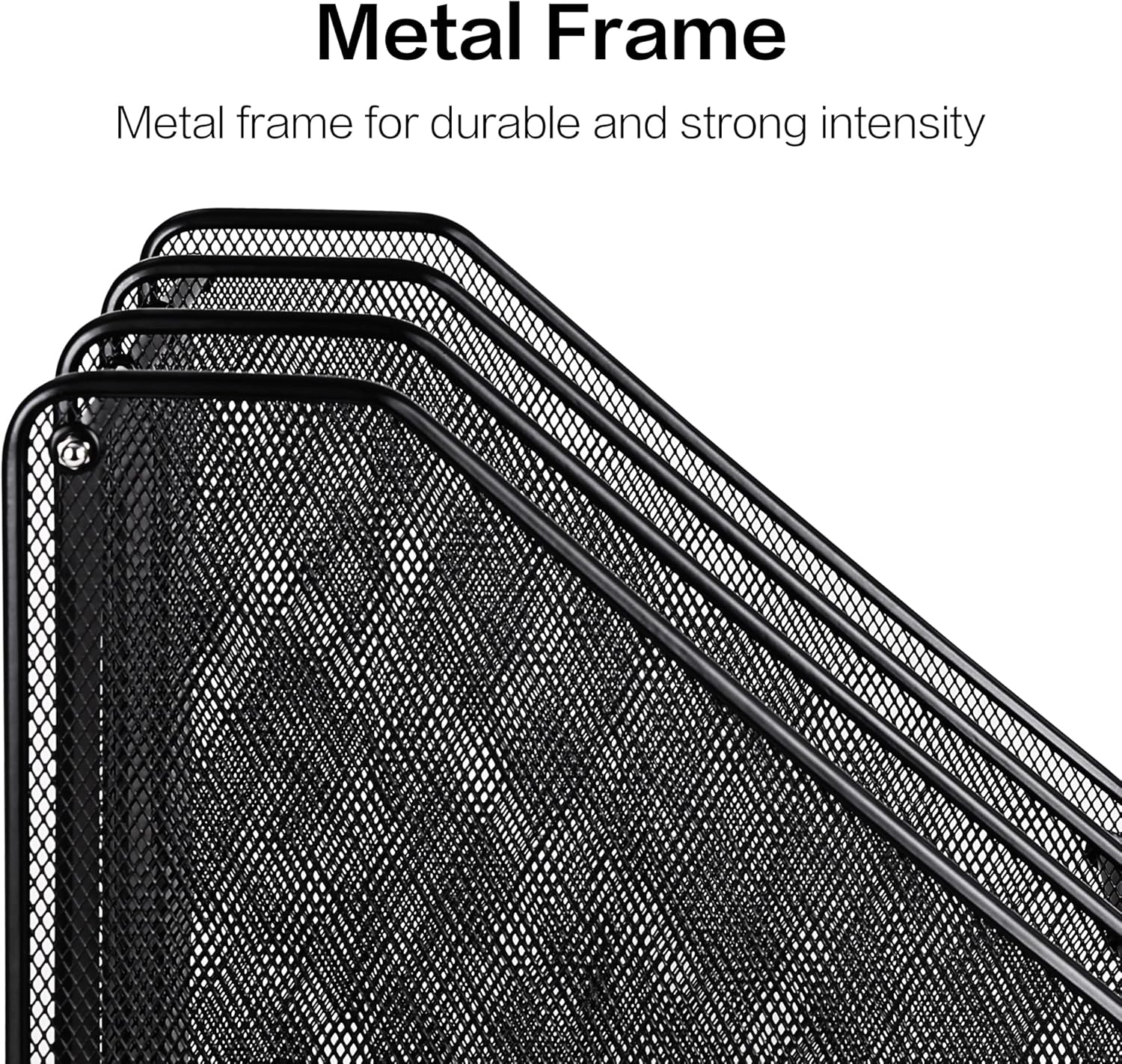
Image 4.1: Detail of the metal frame, highlighting the durable construction and connection points for assembly.

Image 4.2: Detailed view of key features including rounded corners for safety, the all-metal bottom plate, and the sturdy mesh division within the compartments.
5. Operating Instructions
Once assembled, the deli Mesh Magazine File Holder is ready for use. Its design allows for efficient organization and easy access to your documents.
- Placement: Position the file holder on a flat, stable surface such as a desk, shelf, or cabinet.
- Loading Documents: Insert magazines, file folders, notebooks, or other documents vertically into each of the three compartments. The open top design allows for quick insertion and removal.
- Capacity: Each compartment is designed to hold multiple standard-sized magazines or file folders. Distribute weight evenly to maintain stability.

Image 5.1: The file holder positioned on a desk, demonstrating its practical use in an office environment.

Image 5.2: Demonstrating the ease of placing documents into the vertical compartments of the file holder.
6. Maintenance
To ensure your deli Mesh Magazine File Holder remains in good condition, follow these simple maintenance guidelines:
- Cleaning: Wipe the mesh and frame with a soft, damp cloth. For stubborn dirt, a mild soap solution can be used, followed by drying thoroughly to prevent rust.
- Avoid Harsh Chemicals: Do not use abrasive cleaners, solvents, or harsh chemicals, as these can damage the finish.
- Regular Inspection: Periodically check all screws and nuts to ensure they remain tight. Retighten if necessary to maintain structural integrity.

Image 6.1: The hollowed mesh design allows for easy cleaning and prevents dust accumulation.
7. Troubleshooting
If you encounter any issues with your file holder, refer to the following common solutions:
- Instability after Assembly: If the unit feels wobbly, ensure all connecting screws and nuts are fully tightened. Uneven tightening can lead to instability. Disassemble and reassemble if necessary, ensuring all parts are correctly aligned.
- Missing Parts: If any parts are missing upon unboxing, carefully re-check all packaging materials. If still missing, contact customer support for assistance.
- Difficulty with Assembly: If assembly is challenging, review the instructions and ensure correct orientation of all panels. Sometimes, having a second person to hold components can simplify the process.
8. Specifications
| Feature | Specification |
|---|---|
| Brand | deli |
| Model Number | 9197 |
| Material | Metal (Mesh and Steel Frame) |
| Color | Black |
| Product Dimensions (L x W x H) | 9.4" x 11.5" x 12.2" |
| Item Weight | 1 Pound (0.45 kg) |
| Number of Compartments | 3 |
| Mounting Type | Countertop |

Image 8.1: Visual representation of the product dimensions for planning desk space.
9. Warranty and Support
deli products are manufactured to high-quality standards. For any questions regarding product assembly, operation, or if you require assistance with missing or damaged parts, please contact the seller or manufacturer directly through your purchase platform.
Please retain your proof of purchase for any warranty claims or support inquiries.