
ADAX 810042
ADAX CLea H Smart Wi-Fi Electric Wall Heater 600W White User Manual
Model: 810042 | Brand: ADAX
1. Introduction
Thank you for choosing the ADAX CLea H Smart Wi-Fi Electric Wall Heater. This manual provides essential information for the safe and efficient installation, operation, and maintenance of your new heater. Please read all instructions carefully before use and retain this manual for future reference.
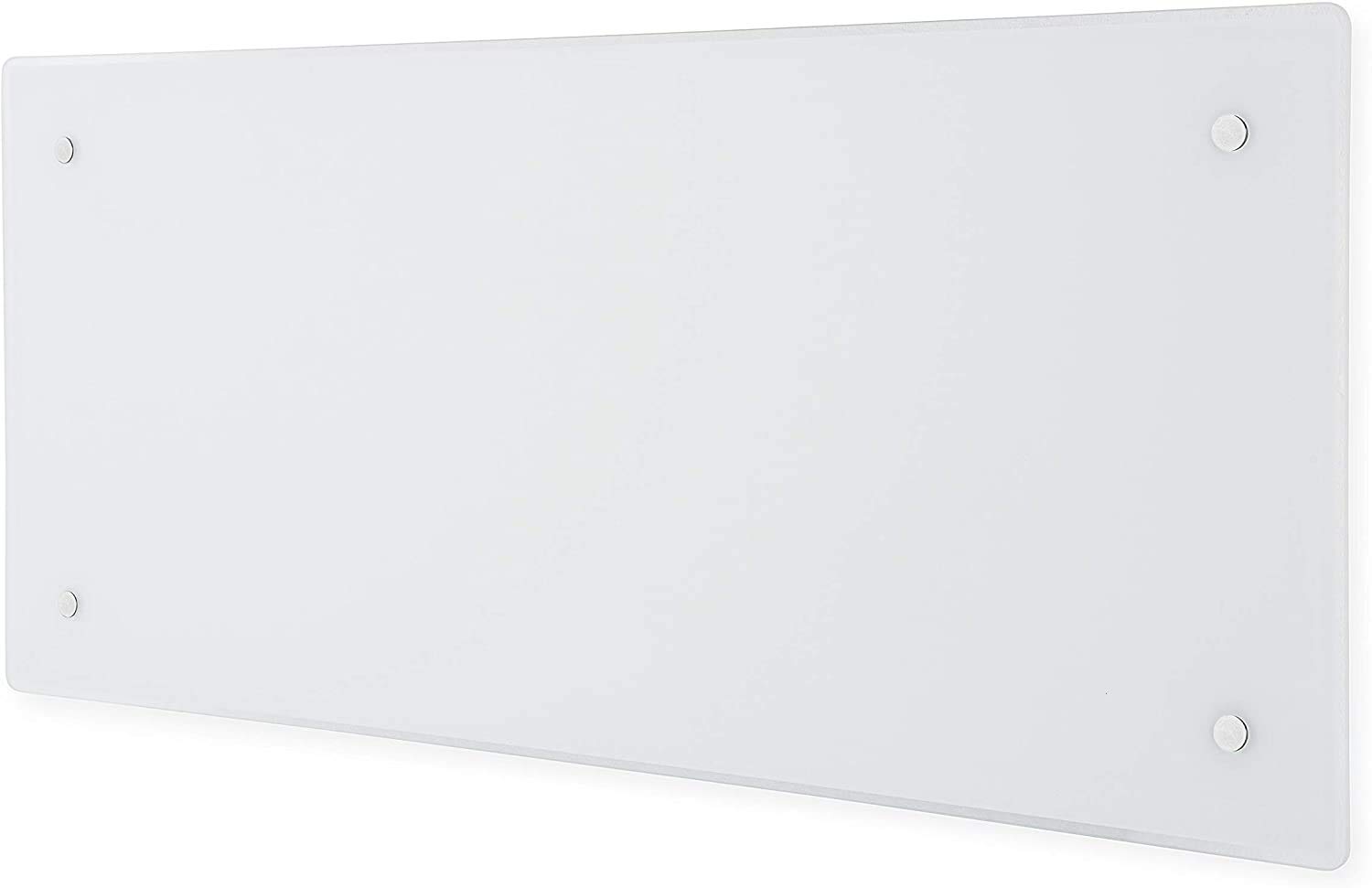
Image 1: ADAX CLea H Smart Wi-Fi Electric Wall Heater, showcasing its sleek design and integrated control panel.
2. Important Safety Information
- Read all instructions before installing or using this heater.
- Do not use this heater in the immediate vicinity of a bath, shower, or swimming pool.
- Do not cover the heater. Covering the heater may cause overheating.
- Keep combustible materials such as furniture, curtains, and other flammable items at least 1 meter (3 feet) from the front and sides of the heater.
- This appliance is not intended for use by persons (including children) with reduced physical, sensory or mental capabilities, or lack of experience and knowledge, unless they have been given supervision or instruction concerning use of the appliance by a person responsible for their safety.
- Children should be supervised to ensure that they do not play with the appliance.
- If the supply cord is damaged, it must be replaced by the manufacturer, its service agent, or similarly qualified persons in order to avoid a hazard.
- Ensure the heater is installed horizontally.
- Maintain minimum clearances: 50 mm below the heater and 150 mm above the heater.
3. Package Contents
Verify that all components are present and undamaged:
- ADAX CLea H Electric Wall Heater
- Wall Mounting Bracket(s)
- Installation Screws and Wall Plugs
- User Manual
4. Installation and Setup
4.1 Wall Mounting
The ADAX CLea H heater is designed for wall mounting. Ensure the chosen location adheres to the safety clearances mentioned in Section 2. A qualified electrician should perform the electrical connection to ensure compliance with local regulations.
- Mark the drilling points on the wall using the mounting bracket as a template.
- Drill holes and insert wall plugs.
- Secure the mounting bracket to the wall.
- Carefully hang the heater onto the mounting bracket, ensuring it is securely seated and level.
- Connect the heater to the electrical supply according to local wiring regulations.

Image 2: ADAX CLea H heater securely mounted on a wall, demonstrating proper installation.
4.2 Optional Floor Mounting
If you prefer floor mounting, separate feet (P-feet) must be purchased. Follow the instructions provided with the optional feet for proper installation.
5. Operating Instructions
5.1 Initial Power On
After installation, switch on the heater using the On/Off switch located on the right side. The digital thermostat with LCD temperature display will activate.
5.2 Wi-Fi Connectivity and App Control
The ADAX CLea H features an integrated Wi-Fi thermostat for smart control via your smartphone or tablet. Download the ADAX Wi-Fi app from your device's app store.
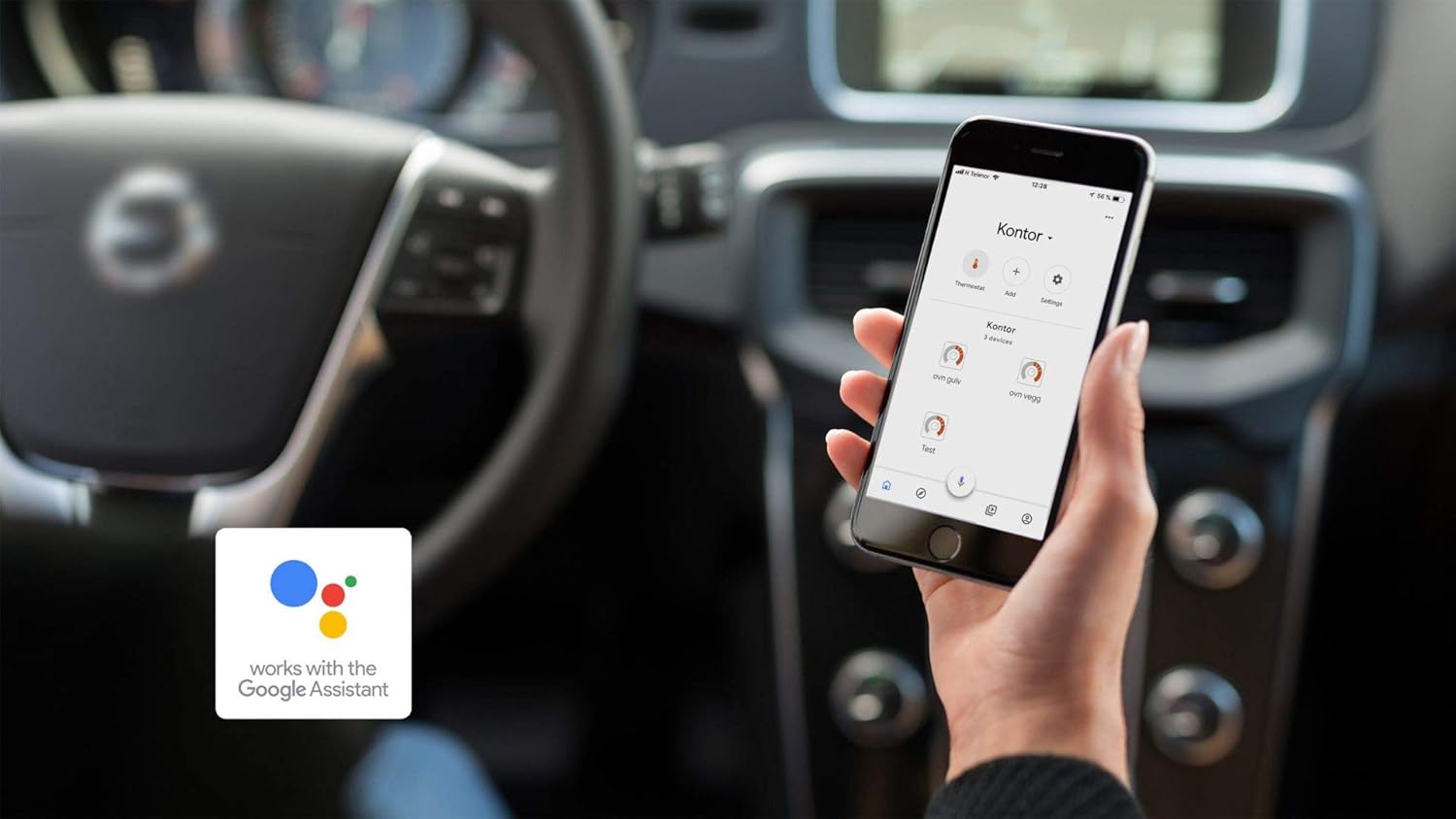
Image 3: A smartphone showing the ADAX Wi-Fi app, illustrating remote control capabilities.
- Download the App: Search for 'ADAX Wi-Fi' in the App Store (iOS) or Google Play Store (Android).
- Create Account: Follow the in-app instructions to create a new user account.
- Add Device: Select 'Add device' within the app. The app will guide you through connecting your heater to your home Wi-Fi network. A blue light above the 'OK' button on the heater will blink during pairing.
- Control Temperature: Once connected, you can manually adjust the temperature from anywhere using the app.
- Away Mode: Activate 'Away Mode' to lower the temperature when you are not home, saving energy.
- Weekly Schedules: Create intelligent weekly heating plans to match your routine, automatically adjusting temperatures for day, night, and absence periods.
- Child Lock: Activate the 'Child Lock' feature in the app to prevent manual temperature changes directly on the heater's control panel.
- Open Window Detection: The heater automatically detects open windows or doors by a sudden drop in room temperature and temporarily switches off to prevent energy waste during ventilation.
- Energy Consumption Overview: The app provides a detailed weekly and monthly overview of your heater's energy consumption, helping you manage costs.
- Voice Control: The ADAX Wi-Fi app supports integration with smart home systems like Google Home, allowing you to control your heaters using voice commands. Visit adax.no for current smart home integrations.
Video 1: Official ADAX Wi-Fi App demonstration, showing how to connect and control your heater remotely, manage schedules, and monitor energy usage.
5.3 Manual Temperature Adjustment
You can also adjust the temperature directly on the heater's digital thermostat using the up and down buttons. The LCD display will show the current temperature setting.
6. Maintenance
To ensure optimal performance and longevity of your ADAX CLea H heater, follow these maintenance guidelines:
- Cleaning: Disconnect the heater from the power supply before cleaning. Use a soft, damp cloth to wipe the exterior surfaces. Do not use abrasive cleaners or solvents.
- Dust Removal: Periodically vacuum or gently brush any dust from the air inlets and outlets to maintain efficient airflow.
- No Internal Servicing: The heater contains no user-serviceable parts. Do not attempt to open or repair the unit yourself. Contact qualified service personnel for any repairs.
7. Troubleshooting
If you experience issues with your ADAX CLea H heater, refer to the following common problems and solutions:
| Problem | Possible Cause | Solution |
|---|---|---|
| Heater does not turn on. | No power supply. On/Off switch is off. | Check the circuit breaker. Ensure the On/Off switch is in the 'On' position. |
| Heater not heating sufficiently. | Temperature setting too low. Room size exceeds heater capacity. Open window detected. | Increase the temperature setting. Refer to the heating area guide (Image 4). Close windows/doors. |
| Wi-Fi connection issues. | Incorrect Wi-Fi password. Router too far. Network interference. | Verify Wi-Fi password. Move heater closer to router or use a Wi-Fi extender. Restart router and heater. |
| Manual controls on heater not working. | Child Lock activated via app. | Deactivate 'Child Lock' in the ADAX Wi-Fi app. |
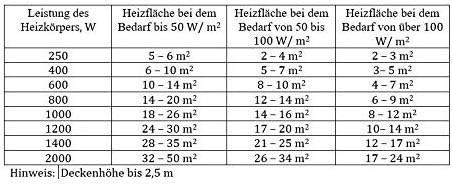
Image 4: Heating area guide. This table helps determine the appropriate heater wattage for different room sizes and insulation levels. Note: Ceiling height up to 2.5m.
8. Specifications
| Feature | Detail |
|---|---|
| Brand | ADAX |
| Model Number | 810042 |
| Color | White |
| Product Dimensions (L x W x H) | 67.6 x 8.7 x 34 cm |
| Weight | 5.7 Kilograms |
| Power | 600 Watts |
| Voltage | 230 Volts |
| Special Feature | Wi-Fi Smart Control, Open Window Detection, Digital Thermostat |
| Form Factor | Wall-mounted (optional floor mounting with separate feet) |
| Indoor/Outdoor Use | Indoor |
| Power Source | Corded Electric |
| Heating Method | Convection (X-shaped aluminum heating element) |
| Recommended Uses | Home, Bathroom, Kitchen, Office, Bedroom, Conservatory, Caravans, Outbuildings, Sheds |
9. Warranty and Support
For warranty information, technical support, or service inquiries, please contact ADAX customer service or visit the official ADAX website. Keep your purchase receipt as proof of purchase for warranty claims.
- ADAX Website: adax.no
- Seller Support: Contact the seller 'ADAX DE' via Amazon for product-specific support.
Ask a question about this manual
Ask about setup, troubleshooting, compatibility, parts, safety, or missing instructions. Manuals+ will review the question and use this page’s manual context to help answer it.