
Introduction
This instruction manual provides essential information for the safe and effective use of your OttLite Purify LED Sanitizing Desk Lamp. This lamp integrates advanced lighting technology with sanitizing capabilities and convenient charging features. Please read this manual thoroughly before operating the device.
Product Overview
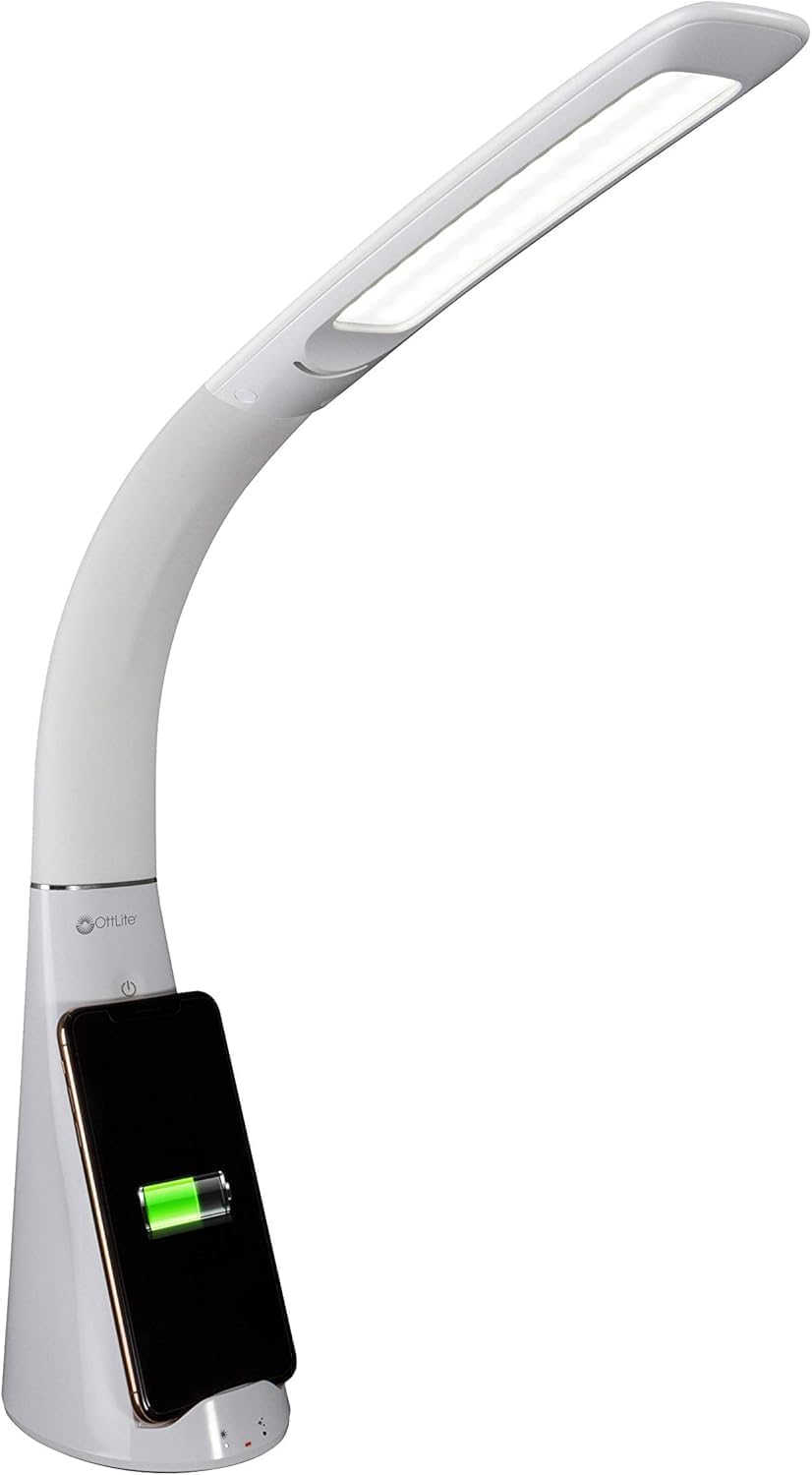
The OttLite Purify LED Sanitizing Desk Lamp is designed to provide optimal illumination while contributing to a cleaner workspace. Key features include:
- SpectraClean Sanitizing Technology: Utilizes visible light to break down harmful microorganisms.
- ClearSun LED Lighting: Reduces eye strain by up to 51% by mimicking natural daylight.
- Wireless Charging: Integrated Qi charging stand for compatible devices.
- USB Charging Port: Additional charging option for various devices.
- Flexible Neck: Allows for adjustable light positioning.
- Touch-Activated Controls: Easy selection of light modes and brightness levels.
Setup Instructions
- Unpack the Lamp: Carefully remove all components from the packaging. Ensure all parts are present and undamaged.
- Position the Lamp: Place the lamp on a stable, flat surface. The base measures approximately 5 inches by 4 inches.
- Connect to Power: Insert the power adapter into the lamp's power input port, then plug the adapter into a standard electrical outlet.
- Initial Power On: The lamp is now ready for operation.
Operating Instructions
1. Power and Light Modes
The lamp features touch-activated controls located on the base.
- Power On/Off: Tap the power button icon to turn the lamp on or off.
- Adjust Brightness: With the lamp on, tap the brightness control icon to cycle through three brightness levels.
- Select Light Mode: The lamp offers three distinct light modes:
- ClearSun Only: Provides OttLite's natural daylight LED illumination.
- ClearSun + SpectraClean: Combines natural daylight with continuous sanitizing.
- SpectraClean Only: Activates the sanitizing light without traditional illumination.
2. SpectraClean Sanitizing Technology
The exclusive SpectraClean technology uses a specific spectrum of visible light to continuously break down harmful microorganisms such as bacteria, fungus, and mold at a cellular level. This process occurs while the light is active, contributing to a healthier environment.

3. ClearSun Natural Daylight LED
OttLite's ClearSun LED technology is engineered to provide illumination that closely matches natural daylight. This helps to reduce eye strain by up to 51%, allowing for clearer vision and extended comfortable use for tasks such as reading, crafting, or office work.

4. Wireless Charging
The lamp includes an integrated Qi wireless charging stand. Place your compatible smartphone vertically or horizontally into the stand for wireless charging. Ensure your device is properly aligned for optimal charging.
5. USB Charging Port
A 5V, 2.1A USB port is located on the lamp's base, allowing you to charge smartphones, tablets, and other USB-powered devices via a cable (not included).
6. Flexible Neck Adjustment
The lamp features a flexible neck that allows you to adjust the height and angle of the light. The height can be adjusted from approximately 14 inches to 26 inches to direct illumination precisely where needed.


Maintenance
To ensure the longevity and optimal performance of your OttLite Purify LED Desk Lamp, follow these maintenance guidelines:
- Cleaning: Always unplug the lamp before cleaning. Use a soft, dry, or slightly damp cloth to wipe down the lamp's surfaces.
- Avoid Chemicals: Do not use abrasive cleaners, solvents, or harsh chemicals, as these can damage the lamp's finish or internal components.
- Dust Removal: Regularly dust the LED light panel and charging areas to prevent accumulation that could affect performance.
Troubleshooting
| Problem | Possible Cause | Solution |
|---|---|---|
| Lamp does not turn on. | Power adapter not properly connected or outlet is not functioning. | Ensure the power adapter is securely plugged into both the lamp and a working electrical outlet. Test the outlet with another device. |
| Wireless charging is not working. | Phone not Qi-compatible, misaligned, or phone case is too thick. | Verify your phone supports Qi wireless charging. Adjust phone placement on the charging stand. Remove thick phone cases. |
| Light flickers or is dim. | Unstable power supply or internal issue. | Ensure the lamp is connected to a stable power source. If the issue persists, contact customer support. |
Specifications
| Feature | Detail |
|---|---|
| Model Name | Purify LED Desk Lamp with Wireless Charging and Sanitizing |
| Model Number | SCNQC00S |
| Brand | OttLite |
| Product Dimensions | 5"D x 4"W x 14"H (adjustable height up to 26") |
| Item Weight | 2.3 Pounds |
| Material | Plastic |
| Light Source Type | LED |
| Special Feature | Full Spectrum, Sanitizing |
| Power Source | Corded Electric |
| Voltage | 120 Volts |
| Wattage | 5.65 watts |
| Brightness | 428 Lumen |
| Control Method | Touch |
| UPC | 761712019321 |
Warranty and Support
Warranty Information
Specific warranty details are not provided in the product data. For information regarding the product warranty, please refer to the documentation included with your purchase or contact OttLite customer service directly.
Customer Support
For further assistance, technical support, or inquiries about your OttLite Purify LED Sanitizing Desk Lamp, please visit the official OttLite website or contact their customer service department. Contact information can typically be found on the product packaging or the manufacturer's website.


