
K&F CONCEPT KF06.448
Contents
K&F Concept NIK to EOS Lens Mount Adapter Instruction Manual
Model: KF06.448
1. Introduction
This manual provides instructions for the K&F Concept NIK to EOS lens mount adapter, model KF06.448. This adapter allows the use of Nikon F/AI mount lenses on Canon EOS EF/EF-S mount cameras. It is designed for manual control, manual focus, and manual exposure, enabling photographers to utilize a wider range of lenses with their Canon cameras.

Image 1.1: The K&F Concept NIK to EOS lens mount adapter.
2. Product Features
- Compatibility: Mounts Nikon F/AF AI AI-S lenses to Canon EOS EF/EF-S mount cameras.
- Material: All-metal construction with hardened anodized aluminum and copper bearing for durability.
- Design: Internal matting varnish to reduce light reflection. Features a red dot mark for precise installation and removal.
- Functionality: Supports manual control, manual focus, manual exposure, and focus to infinity.
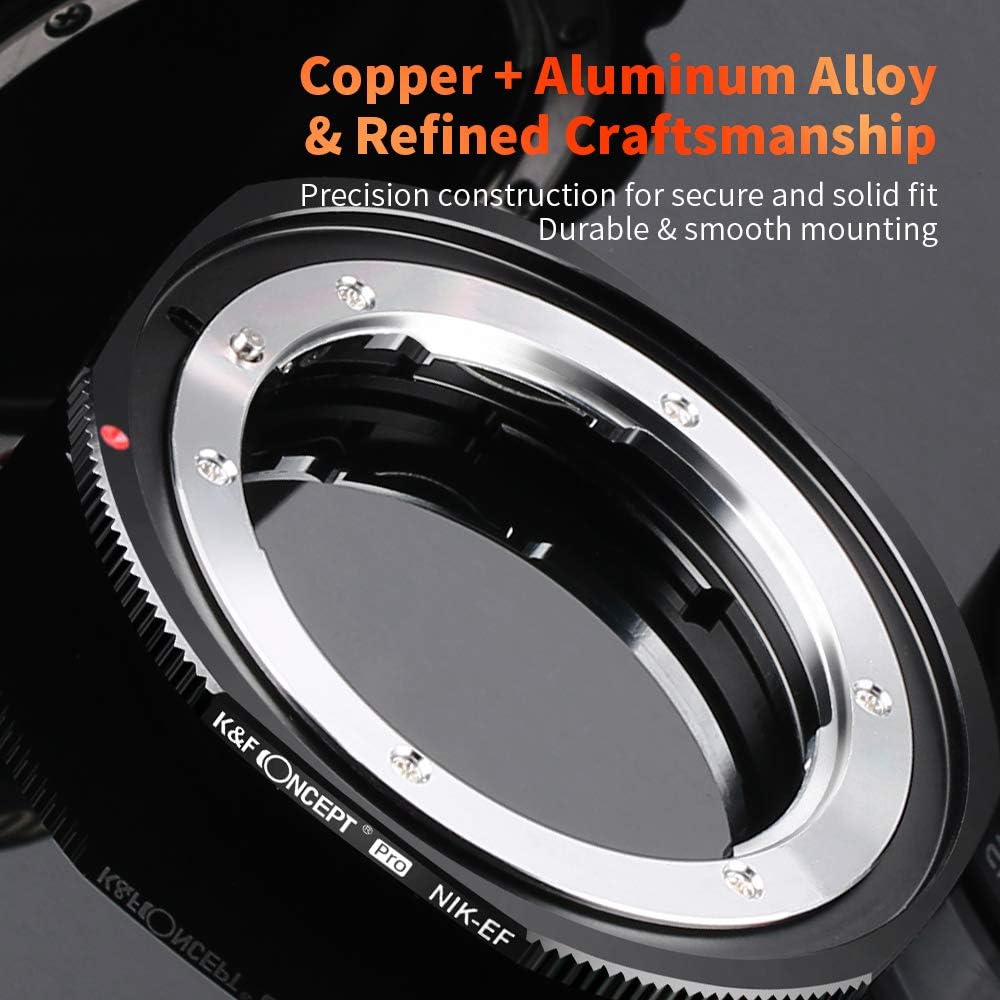
Image 2.1: Close-up view of the adapter highlighting its copper and aluminum alloy construction.
3. Installation Guide
Follow these steps to correctly install the K&F Concept NIK to EOS lens mount adapter and your Nikon F/AI lens onto your Canon EOS camera.
3.1. Attaching the Adapter to the Lens
- Align the red dot on the adapter with the mounting dot on your Nikon F/AI lens.
- Gently press the adapter onto the lens and rotate it clockwise until it clicks into place, securing the adapter to the lens.

Image 3.1: Visual guide for attaching the adapter to the lens and then to the camera body.
3.2. Attaching the Lens and Adapter to the Camera
- Align the red dot on the adapter (now attached to the lens) with the red dot on your Canon EOS camera body.
- Gently press the lens and adapter assembly onto the camera body and rotate it clockwise until it clicks into place.

Image 3.2: The red dot indicator on the adapter ensures accurate alignment during mounting.
3.3. Important Camera Setting
When using the adapter for the first time, it is essential to enable the "Release the shutter without lens" option in your camera's menu. Failure to do so may prevent the camera from recognizing the lens and taking pictures.
Video 3.1: Demonstration of installing a Nikon F/AF lens to an EF/EF-S mount camera using the K&F Concept adapter.
4. Operating Instructions
This adapter facilitates the use of manual Nikon F/AI lenses on Canon EOS cameras. Please note the following operational aspects:
- Manual Focus: Focus must be adjusted manually on the lens.
- Manual Exposure: Exposure settings (aperture, shutter speed, ISO) must be set manually on the camera. The adapter does not transmit electronic data between the lens and camera.
- Aperture Control: For lenses with an aperture ring, aperture is controlled directly on the lens. For Nikon G-type lenses (which lack an aperture ring), the adapter may not provide aperture control, and the lens might operate at its minimum aperture.
- Focus to Infinity: The adapter is designed to allow the lens to focus to infinity.
Video 4.1: A guide from K&F Concept on how to choose the right lens adapter for various camera and lens combinations.
5. Removal Instructions
To remove the lens and adapter from the camera, and then the adapter from the lens, follow these steps:
5.1. Removing the Lens and Adapter from the Camera
- Press and hold the lens release button on your Canon EOS camera body.
- Rotate the lens and adapter assembly counter-clockwise until it detaches from the camera body.
5.2. Removing the Adapter from the Lens
- Locate the small silver lever on the side of the adapter. Press and hold this lever down.
- While holding the lever, rotate the adapter counter-clockwise to detach it from the Nikon lens.

Image 5.1: Detailed steps for removing the adapter from the lens, showing the release lever.
6. Maintenance
- Keep the adapter clean and free from dust and debris. Use a soft, dry cloth for cleaning.
- Avoid touching the mounting surfaces to prevent grease or fingerprints, which can affect performance.
- Store the adapter in a dry, cool place, preferably in its original packaging or a protective pouch, when not in use.
7. Troubleshooting
| Problem | Solution |
|---|---|
| Camera does not recognize the lens or cannot take pictures. | Ensure the "Release the shutter without lens" option is enabled in your camera's menu. Refer to your camera's instruction manual for specific steps. |
| Lens feels loose or has excessive play when mounted. | Verify that both the lens-to-adapter and adapter-to-camera connections are securely clicked into place. While some minimal play might be inherent in certain adapter designs to accommodate various lens models, excessive looseness should be checked. |
| Cannot control aperture with Nikon G-type lens. | Nikon G-type lenses lack a physical aperture ring. This adapter does not provide electronic aperture control. Such lenses will typically operate at their minimum aperture when used with this adapter. Consider adapters with built-in aperture control for G-type lenses if variable aperture is required. |
8. Specifications
- Model Number: KF06.448
- Compatible Lens Mount: Nikon F, Nikon AI, Nikon AI-S, Nikon AF-D
- Compatible Camera Mount: Canon EOS EF, Canon EOS EF-S
- Material: Copper and Aluminum Alloy
- Dimensions: 3.07 x 3.07 x 1.77 inches
- Item Weight: 1.72 ounces
- Focus Type: Manual Focus
- Lens Design: Prime (compatible with various lens designs, but manual operation applies)
9. Warranty and Support
K&F Concept products are designed for quality and reliability. For warranty information, product support, or technical assistance, please visit the official K&F Concept website or contact their customer service directly. Keep your purchase receipt for warranty claims.
For more information, visit: K&F Concept Store
Ask a question about this manual
Ask about setup, troubleshooting, compatibility, parts, safety, or missing instructions. Manuals+ will review the question and use this page’s manual context to help answer it.