
MuGo T7A
MuGo Bluetooth Shower Speaker User Manual
Model: T7A
Introduction
Thank you for purchasing the MuGo Bluetooth Shower Speaker. This manual provides important information on how to set up, operate, and maintain your speaker to ensure optimal performance and longevity. Please read this manual thoroughly before use and retain it for future reference.

Image: The MuGo Bluetooth Shower Speaker, showcasing its compact design, control buttons, and ambient LED lighting, with water droplets indicating its waterproof nature.
Package Contents
- MuGo Bluetooth Shower Speaker
- USB Charging Cable
- Detachable Suction Cup
- User Manual
Product Overview
The MuGo Bluetooth Shower Speaker is designed for portable audio enjoyment in various environments, including wet conditions. It features IP7 waterproofing, ambient LED lighting, and the ability to pair two speakers for true wireless stereo sound. Its internal components are engineered for clear, immersive audio.

Image: An exploded view diagram of the MuGo speaker, illustrating its internal components such as the speaker driver, circuit board, and battery, highlighting its sound technology.
Button Functions:
- Power Button: Press and hold to power on/off.
- "M" Button (Mode): Short press to switch between Bluetooth and FM Radio modes.
- "T" Button (TWS/LED Control): Short press to change LED light modes. Long press to initiate True Wireless Stereo (TWS) pairing.
- "-" Button: Short press for previous song (Bluetooth mode), long press to decrease volume.
- "+" Button: Short press for next song (Bluetooth mode), long press to increase volume.
- Play/Pause Button: Play or pause music. Answer/end calls.
- Built-in Microphone: For hands-free calling.

Image: A detailed diagram illustrating the function of each button on the MuGo speaker, including power, mode, pairing, volume, track control, and built-in microphone.
Setup
Charging the Speaker:
- Locate the charging port, usually protected by a silicone cover to maintain waterproofing.
- Connect the provided USB charging cable to the speaker and a USB power source (e.g., computer, wall adapter).
- The LED indicator will show charging status. A full charge typically takes 2-3 hours.
- Once fully charged, disconnect the cable and ensure the silicone cover is securely closed.

Image: The MuGo speaker connected to a laptop via its charging cable, illustrating the charging process and highlighting its approximate 7-hour play time on a full charge.
Attaching the Suction Cup:
The speaker comes with a detachable suction cup for easy mounting on smooth, flat surfaces.
- Ensure the suction cup and the desired surface are clean and dry.
- Align the suction cup with the designated area on the back of the speaker.
- Press firmly to attach the suction cup to the speaker, then press the speaker with the attached suction cup onto the smooth surface until it adheres securely.

Image: A woman working at a desk with the MuGo speaker securely attached to the surface using its strong suction cup, demonstrating its versatility for various environments.
Operating Instructions
Power On/Off:
- To power on, press and hold the Power Button until the LED lights illuminate and you hear an audible prompt.
- To power off, press and hold the Power Button again until the LED lights turn off and you hear an audible prompt.
Bluetooth Pairing:
- Ensure the speaker is powered on and in Bluetooth pairing mode (LED will flash). If not, short press the "M" Button to switch to Bluetooth mode.
- On your device (smartphone, tablet, etc.), enable Bluetooth and search for available devices.
- Select "MuGo Speaker" from the list.
- Once paired, the speaker will indicate a successful connection, and the LED light will stabilize.
True Wireless Stereo (TWS) Pairing:
To achieve 360° stereo sound, you can pair two MuGo speakers together.
- Ensure both MuGo speakers are powered on and not connected to any other Bluetooth device.
- On one speaker, long press the "T" Button. It will enter TWS pairing mode.
- The second speaker will automatically connect to the first. You will hear a confirmation sound when TWS pairing is successful.
- Now, connect your device to the primary speaker via Bluetooth as described above. Both speakers will play audio simultaneously.

Image: Two MuGo speakers positioned to demonstrate the True Wireless Stereo feature, providing a wider soundstage when paired together.
FM Radio Mode:
- Short press the "M" Button to switch to FM Radio mode.
- In FM mode, short press the Play/Pause Button to auto-scan and save available radio stations.
- Use the "-" and "+" Buttons to navigate between saved stations.
LED Light Control:
- Short press the "T" Button to cycle through different ambient LED light modes and colors.
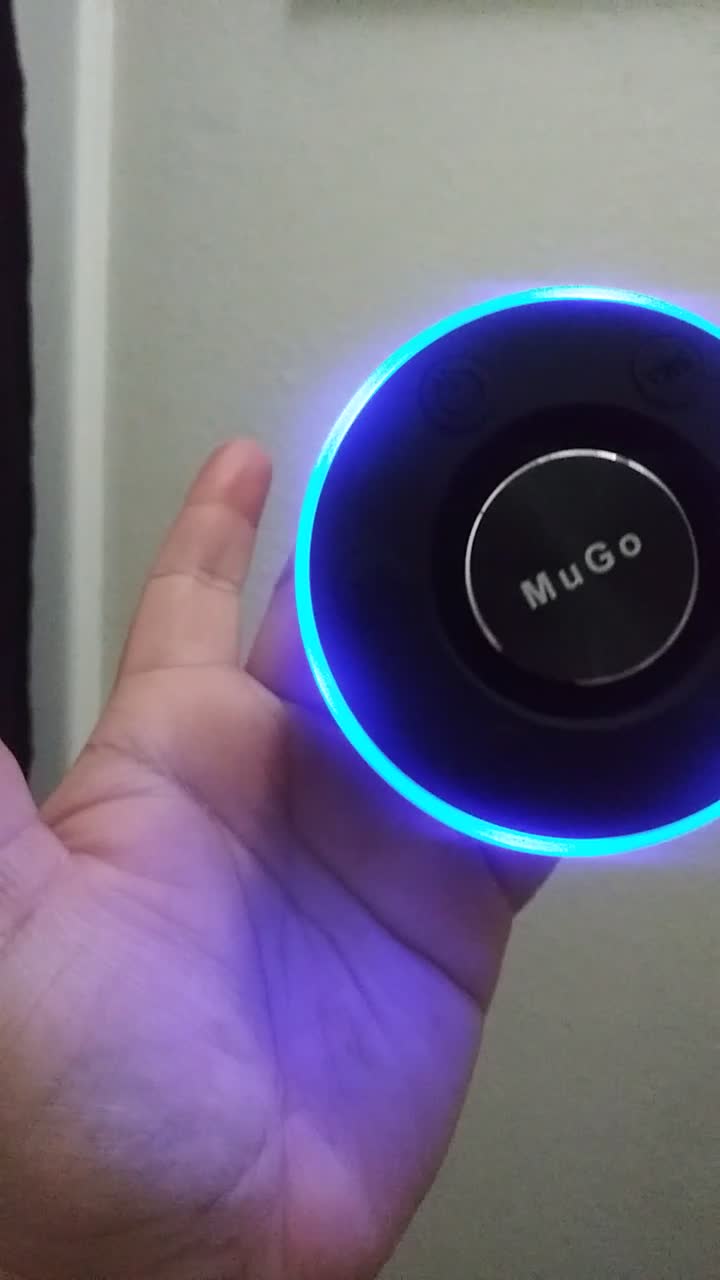
Image: The MuGo speaker showcasing its vibrant, color-changing LED light ring, which can be adjusted to different modes.
Maintenance and Care
- Cleaning: Wipe the speaker with a soft, damp cloth. Do not use harsh chemicals or abrasive cleaners.
- Waterproofing: While IP7 waterproof, ensure the charging port cover is securely sealed before exposing the speaker to water. Do not submerge for extended periods or at depths beyond 1 meter.
- Storage: Store the speaker in a cool, dry place when not in use. Avoid extreme temperatures.
- Battery: To prolong battery life, charge the speaker fully before first use and at least once every three months if not used regularly.

Image: The MuGo speaker positioned in a shower, illustrating its IP7 waterproof capability, allowing for use in wet environments.
Troubleshooting
| Problem | Possible Cause | Solution |
|---|---|---|
| Speaker does not turn on. | Low battery; Power button not held long enough. | Charge the speaker; Press and hold the Power button for 3-5 seconds. |
| Cannot pair with Bluetooth device. | Speaker not in pairing mode; Device Bluetooth off; Too far from speaker. | Ensure speaker LED is flashing; Turn on Bluetooth on your device; Move device closer to speaker (within 10 meters). |
| No sound or low volume. | Volume too low on speaker or device; Speaker not connected. | Increase volume on both speaker and device; Re-pair the speaker. |
| TWS pairing fails. | Speakers already connected to another device; Not in TWS pairing mode. | Disconnect speakers from all devices; Ensure both speakers are powered on and long press the "T" button on one speaker. |
| Suction cup not sticking. | Surface is dirty, wet, or uneven; Suction cup is dirty. | Clean and dry the surface and suction cup; Ensure surface is smooth and non-porous. |
Specifications
| Model: | T7A |
| Bluetooth Version: | 5.0 |
| Waterproof Rating: | IP7 |
| Battery Life: | Up to 7 hours (varies with volume and LED usage) |
| Charging Time: | Approx. 2-3 hours |
| Bluetooth Range: | Up to 10 meters (33 feet) |
| Speaker Output Power: | 20 Watts |
| Dimensions: | 2.36 x 2.36 x 2.36 inches (6 x 6 x 6 cm) |
| Weight: | 10.2 ounces (289 grams) |
Warranty and Support
MuGo products are designed and manufactured to the highest quality standards. This product is covered by a limited warranty from the date of purchase. For detailed warranty information, product support, or to report any issues, please contact MuGo customer service through the retailer where you purchased the product or visit the official MuGo website.
Please retain your proof of purchase for warranty claims.
Ask a question about this manual
Ask about setup, troubleshooting, compatibility, parts, safety, or missing instructions. Manuals+ will review the question and use this page’s manual context to help answer it.