
1. Introduction
The ILIFE H70 is a versatile cordless handheld vacuum cleaner designed for efficient cleaning in a home environment. Featuring a powerful brushless motor, washable filters, and an easy-to-store design, it provides strong suction for various household cleaning tasks.
This manual provides essential information on the safe and effective operation, maintenance, and troubleshooting of your ILIFE H70 vacuum cleaner. Please read it thoroughly before first use and keep it for future reference.

Figure 1.1: ILIFE H70 Cordless Multipurpose Handheld Vacuum Cleaner
2. Important Safety Instructions
To reduce the risk of fire, electric shock, or injury, always follow basic safety precautions when using an electrical appliance. This includes, but is not limited to, the following:
- Read all instructions before using the appliance.
- The ILIFE H70 is intended solely for cleaning floors in a home environment. Do not use it in commercial or industrial settings.
- Do not use the device in environments where the temperature is above 40°C (104°F) or below 0°C (32°F).
- Avoid using the vacuum cleaner on floors with liquids or sticky substances.
- Before operation, ensure all cables, wires, and small objects are picked up from the floor to prevent entanglement with the brush.
- Do not pick up flammable or combustible materials such as gasoline, or use in areas where they may be present.
- Do not pick up anything that is burning or smoking, such as cigarettes, matches, or hot ashes.
- Do not use without the dust cup and/or filters in place.
- Use only as described in this manual. Use only manufacturer's recommended attachments.
- Keep hair, loose clothing, fingers, and all parts of body away from openings and moving parts.
- Turn off all controls before unplugging.
- Exercise extra care when cleaning on stairs.
- Do not allow to be used as a toy. Close attention is necessary when used by or near children.
3. Package Contents
Carefully unpack your ILIFE H70 and ensure all items are present and in good condition. The package should contain the following:
- Main Vacuum Unit (with dustbin and motor)
- Extension Tube
- Motorized Floor Brush
- Crevice Tool
- 2-in-1 Brush Tool
- Wall Mount Bracket
- Power Adapter/Charger
- User Manual (this document)

Figure 3.1: Included brushes and nozzles for different cleaning needs.
4. Product Overview
Familiarize yourself with the components of your ILIFE H70 vacuum cleaner:
- Main Unit: Contains the motor, dustbin, and control buttons.
- Dustbin: Transparent container for collecting dust and debris. Features a "MAX" mark indicating when it needs emptying.
- Extension Tube: Connects the main unit to the floor brush or other attachments for extended reach.
- Motorized Floor Brush: Equipped with a rotating brush roll and LED lights for effective cleaning on various floor types and illuminating dark areas.
- Filter System: Includes a HEPA filter and washable filters for efficient dust separation and air purification.
- Battery: Integrated Lithium-Ion battery providing cordless operation.
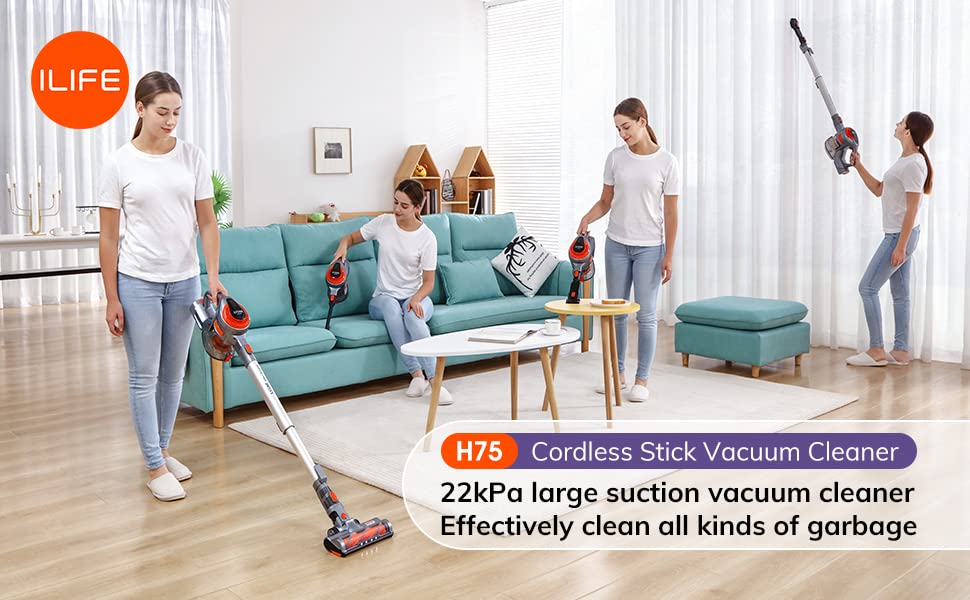
Figure 4.1: Assembled view of the ILIFE H70 Cordless Vacuum Cleaner.
5. Setup and Assembly
Follow these steps to assemble and prepare your ILIFE H70 for first use:
- Attach the Extension Tube: Align the main unit with the extension tube and push until it clicks into place.
- Attach the Floor Brush: Connect the motorized floor brush to the other end of the extension tube, ensuring it clicks securely. For handheld use, you can attach accessories directly to the main unit.
- Charge the Battery: Before first use, fully charge the vacuum cleaner. Connect the power adapter to the charging port on the main unit and plug it into a wall outlet. The charging indicator lights will show the charging status. A full charge typically takes several hours.
- Install Wall Mount (Optional): If desired, install the provided wall mount bracket in a convenient location for storage and charging.
Figure 5.1: The ILIFE H70 assembled and ready for operation.
6. Operation
Operating your ILIFE H70 is straightforward:
- Power On/Off: Press the power button on the main unit to turn the vacuum cleaner on. Press it again to turn it off.
- Select Suction Mode: The H70 features a powerful brushless motor providing up to 22 kPa suction.
- Cleaning:
- For floors, use the motorized floor brush. The integrated LED lights will illuminate dark areas, ensuring thorough cleaning under furniture and in corners.
- For crevices, corners, or tight spaces, detach the extension tube and attach the crevice tool directly to the main unit.
- For upholstery, curtains, or delicate surfaces, use the 2-in-1 brush tool.
- Battery Life: The 2500mAh Lithium-Ion battery provides approximately 45 minutes of operation in Normal mode on a full charge.
- Emptying the Dustbin: When the "MAX" mark on the dustbin is reached, or suction power decreases, it's time to empty the dustbin. Press the dustbin release button to detach it from the main unit, then open the bottom flap to hygienically empty contents into a trash bin.

Figure 6.1: The 2500mAh battery provides up to 45 minutes of cleaning in Normal mode.

Figure 6.2: Integrated LED lights illuminate dark areas for thorough cleaning.

Figure 6.3: Hygienic dustbin emptying with a touch of a button.
7. Maintenance and Cleaning
Regular maintenance ensures optimal performance and extends the lifespan of your ILIFE H70:
- Emptying the Dustbin: Empty the dustbin after each use or when the "MAX" line is reached. This prevents suction loss and maintains hygiene.
- Cleaning Filters: The HEPA filter and other washable filters should be cleaned regularly.
- Remove the filters from the dustbin.
- Tap off loose dirt over a trash can.
- Rinse washable filters under cold running water until the water runs clear.
- Allow filters to air dry completely for at least 24 hours before reinserting them. Do not use a dryer or direct heat.
- Cleaning the Brush Roll: Periodically check the motorized floor brush for tangled hair or debris. Use scissors to cut away any tangled hair and remove it.
- Wipe Down Unit: Use a soft, damp cloth to wipe the exterior of the main unit and attachments. Do not use harsh chemicals or abrasive cleaners.

Figure 7.1: The 1.3L large dustbin reduces the frequency of emptying.
8. Troubleshooting
If you encounter any issues with your ILIFE H70, refer to the following table for common problems and solutions:
| Problem | Possible Cause | Solution |
|---|---|---|
| Vacuum does not turn on. | Battery is depleted. | Charge the battery fully. |
| Low suction power. | Dustbin is full. Filters are clogged. Brush roll is tangled. Obstruction in nozzle/tube. | Empty the dustbin. Clean or replace filters. Clean the brush roll. Remove any obstructions. |
| Brush roll not spinning. | Tangled debris. Obstruction. | Clean the brush roll. Remove any obstructions. |
| Vacuum stops suddenly. | Battery is low. Overheating protection activated. | Recharge the battery. Turn off the vacuum and let it cool down for at least 30 minutes. |
If the problem persists after trying these solutions, please contact ILIFE customer support.
9. Specifications
| Feature | Detail |
|---|---|
| Brand | ILIFE |
| Model Name | H70 (handheld vacuum) |
| Special Feature | Washable Filter, LED Lights |
| Filter Type | HEPA Filter |
| Cordless | Yes |
| Capacity (Dustbin) | 1.3 litres |
| Hose Length | 1.5 Metres |
| Recommended Uses | Hard Floor (Home) |
| Form Factor | Handheld / Stick |
| Colour | H70 (Grey/Orange) |
| Battery Type | Lithium-Ion (2500mAh) |
| Battery Life | Up to 45 minutes (Normal mode) |
| Noise Level | 80 dB |
| Motor Horsepower | 2 Horsepower |
| Suction Power | Up to 22 kPa |
| Item Weight | 4 kg 580 g |
| Connectivity Technology | USB |
10. Warranty and Support
The ILIFE H70 Cordless Multipurpose Handheld Vacuum Cleaner comes with a standard manufacturer's warranty. Please refer to the warranty card included in your package for specific terms and conditions, including the warranty period and coverage details.
For technical support, troubleshooting assistance, or warranty claims, please contact ILIFE customer service through their official website or the contact information provided on your purchase receipt.
Online Resources: For additional information, FAQs, and video tutorials, visit the official ILIFE website.
11. Official Product Videos
No official product videos from the seller were found to be relevant for embedding in this manual.


