1. Introduction
This manual provides essential instructions for the safe and efficient operation of your TECHSMARTER TSB7700 20000 mAh Wireless Power Bank. Please read this manual thoroughly before using the device and retain it for future reference.
2. Safety Information
- Do not expose the power bank to extreme temperatures, direct sunlight, or fire.
- Avoid dropping, disassembling, or attempting to repair the device yourself.
- Keep the power bank away from water and other liquids.
- Use only compatible charging cables and adapters.
- Keep out of reach of children.
- If the power bank swells, leaks, or emits an unusual odor, discontinue use immediately.
3. Package Contents
- TECHSMARTER TSB7700 20000 mAh Wireless Power Bank
- USB-C to USB-C Cable
- User Guide
4. Product Overview
The TECHSMARTER TSB7700 is a versatile power bank designed for convenient charging on the go. It features multiple charging options and a high-capacity battery.

Image: TECHSMARTER TSB7700 Power Bank wirelessly charging a smartphone.
Key Components:
- Wireless Charging Pad: Located on the top surface, indicated by a circular icon.
- Anti-Slip Suction Cups: Arranged around the wireless charging pad for secure phone attachment.
- USB-A Output Port: For wired charging of devices.
- USB-C Input/Output Port: For charging the power bank or wired charging of devices.
- Power Indicator Lights: Display remaining battery capacity.
- Power Button: Activates the power bank and checks battery status.

Image: Diagram illustrating the various input/output ports and their power ratings.
5. Setup
Initial Charging of the Power Bank:
- Connect the provided USB-C to USB-C cable to the power bank's USB-C port.
- Connect the other end of the cable to an 18W Power Delivery (PD) wall charger (not included).
- The indicator lights will illuminate to show charging progress. A full recharge takes approximately 5 hours.
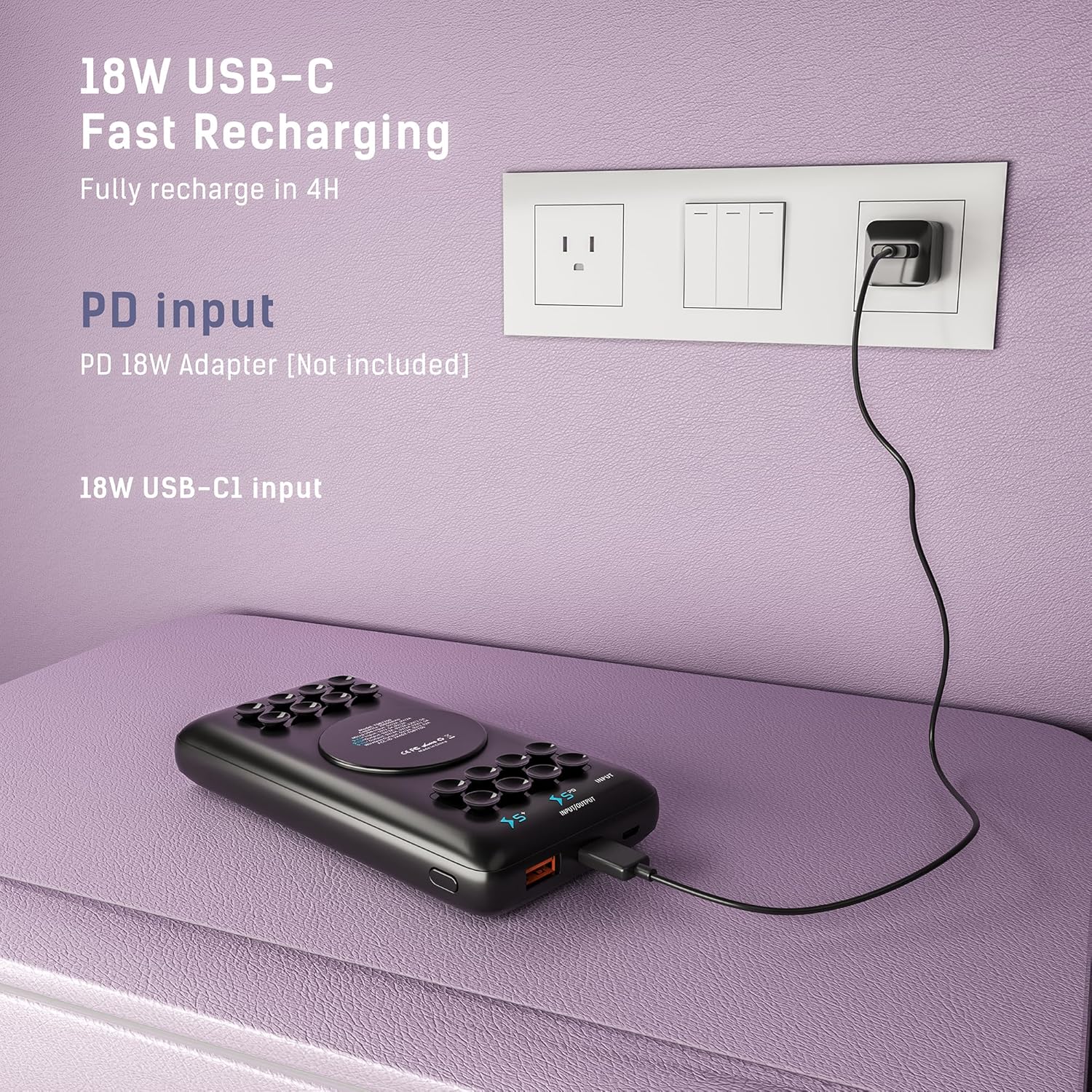
Image: The power bank connected to a wall adapter for recharging.
6. Operating Instructions
6.1. Wired Charging (USB-A & USB-C Output)
- Connect your device's charging cable to either the USB-A (18W) or USB-C (18W) output port on the power bank.
- Connect the other end of the cable to your device.
- The power bank will automatically begin charging your device. If not, press the power button once.
6.2. Wireless Charging (10W)
- Ensure your device is wireless charging compatible.
- Align your device with the wireless charging pad on the power bank. The anti-slip suction cups will help secure your phone.
- The power bank will automatically begin wireless charging. If not, press the power button once.
- Note: For optimal suction, ensure your phone case is smooth and thin. If suction cups lose grip, wipe them with a damp cloth.
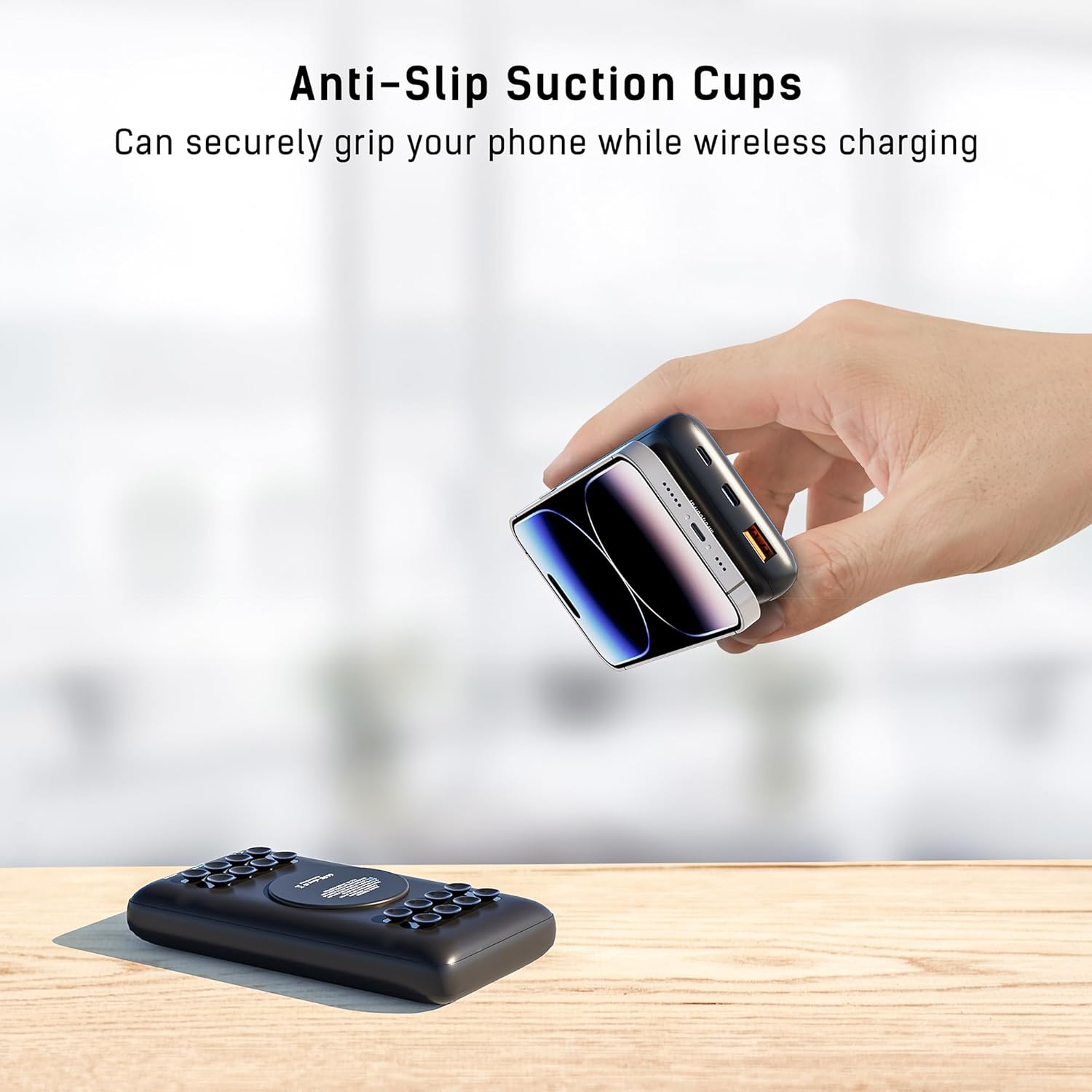
Image: A smartphone securely attached to the power bank using anti-slip suction cups for wireless charging.
6.3. Pass-Through Charging
The power bank supports pass-through charging, allowing you to charge both the power bank and a connected device simultaneously. Connect the power bank to a wall charger and then connect your device to the power bank via a cable or wirelessly.
7. Features
- High Capacity: 20000 mAh battery can charge most smartphones multiple times.
- Multiple Charging Options: Includes 18W USB-A, 18W USB-C, and 10W wireless charging.
- Fast Charging: Delivers up to 18W via USB ports, charging devices from 0% to 54% in approximately 35 minutes.
- Anti-Slip Suction Cups: Provides a secure, hands-free attachment for your phone during wireless charging.
- Universal Compatibility: Compatible with a wide range of devices including iPhone 16, 15, 14, 13, 12, 11, X, XS, XR, 8 and Samsung Galaxy S25, S24, S23, S22, S21, S10, S9, S8, LG THinQ, and other wireless enabled devices.
- Travel-Friendly: Meets airline carry-on requirements.

Image: Visual representation of the 18W fast charging capability, showing a phone reaching 54% charge in 35 minutes.

Image: Illustrates the universal compatibility of the power bank with different electronic devices.

Image: The power bank shown in a travel context, highlighting its airline-friendly design.
8. Maintenance
- Clean the power bank with a soft, dry cloth. Do not use harsh chemicals or abrasive materials.
- Regularly clean the suction cups with a damp cloth to maintain their grip.
- Store the power bank in a cool, dry place when not in use.
- Avoid prolonged exposure to direct sunlight or high humidity.
9. Troubleshooting
- Device not charging: Ensure the power bank is charged. Press the power button to activate. Check cable connections. For wireless charging, ensure proper alignment and clean suction cups.
- Slow charging: Verify that your device and cable support fast charging. Ensure the power bank itself is fully charged.
- Suction cups not sticking: Wipe the suction cups with a damp cloth to remove dust or debris. Ensure your phone case is smooth and not textured.
- Power bank not recharging: Ensure the USB-C cable is properly connected to an 18W PD charger. Try a different cable or charger.
10. Specifications
| Model Number | TSB7700 |
| Battery Capacity | 20000 mAh |
| USB-A Output | 18W |
| USB-C Input/Output | 18W |
| Wireless Charging Output | 10W |
| Dimensions | 5.5 x 3 x 0.77 inches |
| Weight | 13.3 ounces |
| Recharge Time | Approx. 5 hours (with 18W PD charger) |
| Special Features | Anti-slip suction cups, Fast Charging, Lightweight, Short Circuit Protection, Wireless Charging |
11. Warranty and Support
For warranty information or technical support, please refer to the contact details provided on the product packaging or visit the official TECHSMARTER website. Keep your purchase receipt as proof of purchase.


