
1. Introduction
The UGREEN Right Angle USB C to USB C Cable is designed for efficient power delivery and data transfer. Featuring a unique 90-degree connector, this cable offers enhanced convenience and durability for various devices.
Key Features:
- 100W Fast Power Delivery: Supports up to 20V/5A (max) for rapid charging of compatible devices, including laptops, tablets, and smartphones.
- Right Angle Design: The 90-degree USB-C connector provides a more comfortable grip and reduces strain on the cable and device port, especially during use in tight spaces or while gaming.
- Safe and Stable: Equipped with an E-Mark smart chip for effective and safe charging performance, protecting against over-voltage, over-current, and short-circuiting.
- Durable Construction: Features an aluminum shell and a robust nylon braided exterior for extended service life and resistance to wear and tear.
- 480 Mbps Data Transfer: Facilitates data synchronization at speeds up to 480 Megabits Per Second (USB 2.0).
Note: This cable does not support video output.

Image: The UGREEN Right Angle USB C to USB C Cable, highlighting its distinct straight and 90-degree connectors.
2. Package Contents
Upon opening your package, you should find the following items:
- 1 x UGREEN Right Angle USB C to USB C Cable (10ft)
- 1 x User Manual
3. Setup
Setting up your UGREEN USB C cable is straightforward:
- Identify Connectors: The cable has one standard straight USB-C connector and one 90-degree (right angle) USB-C connector.
- Connect to Power Source/Host Device: Plug the straight USB-C connector into your power adapter (for charging) or your computer/host device (for data transfer).
- Connect to Target Device: Plug the 90-degree USB-C connector into your smartphone, tablet, laptop, or other compatible USB-C device. The right-angle design is ideal for maintaining a low profile and reducing cable stress.
Ensure the device's port is clean and free of debris before insertion.
4. Operating Instructions
This cable supports both fast charging and data transfer functionalities.
4.1. Charging Your Device
To charge your device:
- Connect the straight end of the UGREEN cable to a compatible USB-C power adapter (e.g., 18W, 20W, 30W, 45W, 60W, 65W, 100W).
- Connect the right-angle end to your device's USB-C charging port.
- The cable will automatically negotiate the fastest possible charging speed supported by both your power adapter and your device, up to 100W.

Image: The UGREEN cable connected to a MacBook Pro, demonstrating 100W fast charging capability.
4.2. Data Transfer
To transfer data between devices:
- Connect one end of the UGREEN cable to the USB-C port of your computer.
- Connect the other end to the USB-C port of your smartphone, tablet, or other data-enabled device.
- Your devices should recognize each other, allowing you to transfer files at speeds up to 480 Mbps.

Image: Data transfer in progress using the UGREEN USB C cable, connecting a smartphone to a laptop.
4.3. Right Angle Connector Benefits
The 90-degree connector is particularly useful in scenarios where a straight connector might be inconvenient or prone to damage:
- Gaming/Media Consumption: Allows for a more comfortable grip on your device without the cable protruding.
- Tight Spaces: Ideal for connecting devices near walls, in car consoles, or other confined areas.
- Reduced Strain: Minimizes bending and stress on the cable and device port, prolonging their lifespan.

Image: A smartphone connected with the UGREEN right-angle cable, illustrating comfortable use during gaming.

Image: Examples of the UGREEN right-angle cable in use with a wall charger and within a car's dashboard, showcasing its versatility in tight spaces.
4.4. Important Considerations
- Case Compatibility: The maximum allowable thickness of a device case for the right-angle connector to fit properly is 0.08 inches (2mm).
- No Video Output: This cable is designed for charging and data transfer only and does not support video signal transmission.
5. Maintenance
To ensure the longevity and optimal performance of your UGREEN USB C cable, follow these maintenance guidelines:
- Avoid Extreme Bending: While the cable is durable, avoid sharp or extreme bends, especially near the connectors, to prevent internal wire damage.
- Keep Clean: Regularly wipe the cable and connectors with a dry, soft cloth to remove dust and debris. Avoid using harsh chemicals.
- Proper Storage: When not in use, coil the cable loosely and secure it with a cable tie or strap. Avoid tangling or knotting.
- Handle with Care: Always pull from the connector head, not the cable itself, when unplugging from a device or power source.
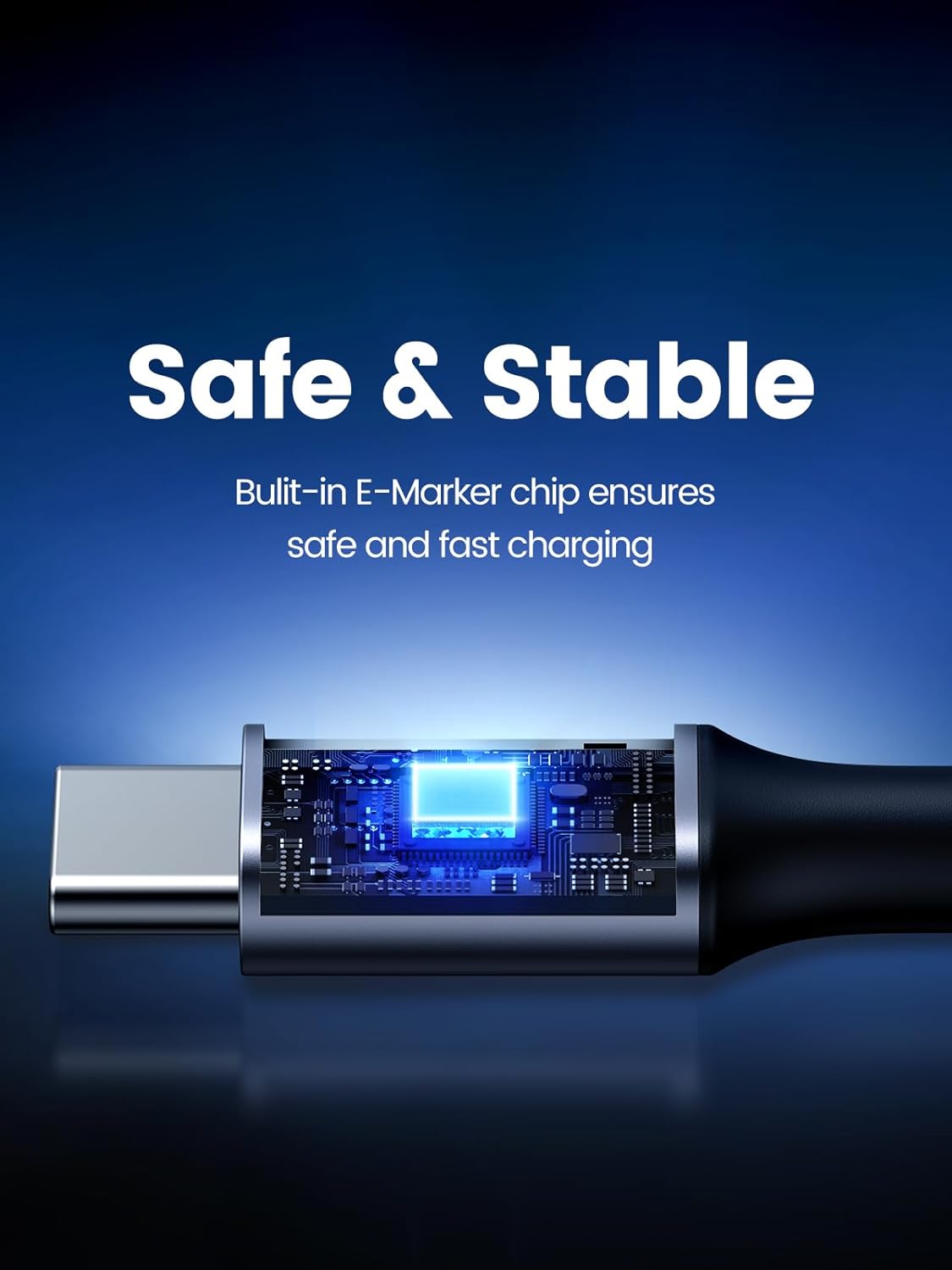
Image: A detailed view of the UGREEN cable's construction, highlighting the E-Mark smart chip and durable nylon braided design.
6. Troubleshooting
If you encounter issues with your UGREEN USB C cable, consider the following:
- Device Not Charging:
- Ensure both ends of the cable are securely connected.
- Verify that your power adapter is functioning correctly and is compatible with your device's charging requirements.
- Check if your device's charging port is clean and free of obstructions.
- Test with a different power adapter or device to isolate the issue.
- Slow Charging:
- Confirm that your power adapter supports fast charging (e.g., Power Delivery) and provides sufficient wattage for your device.
- Some devices may charge slower if actively in use or running demanding applications.
- Data Transfer Issues:
- Ensure the cable is connected to a data-enabled USB-C port on both devices.
- Check your device's settings to ensure data transfer is enabled (e.g., 'File Transfer' mode on Android devices).
- Restart both connected devices.
- Right-Angle Connector Not Fitting:
- If your device has a protective case, ensure its thickness at the port area does not exceed 0.08 inches (2mm). Thicker cases may prevent full insertion.
7. Specifications
| Feature | Detail |
|---|---|
| Brand | UGREEN |
| Model Name | Ugreen 100W USB C to USB C Cable (Model 20583) |
| Connector Type | USB Type C to USB Type C |
| Special Feature | 90 Degree, 100W Fast Charging, Nylon Braid, Aluminum Casing |
| Power Delivery | Up to 100W (20V/5A Max) |
| Data Transfer Rate | 480 Megabits Per Second (USB 2.0) |
| Cable Length | 10 ft |
| Outer Material | Nylon |
| Color | Black |
| E-Mark Chip | Built-in for safe charging |
| Video Output | Not supported |
| Compatible Devices | iPhone 15/15 Plus/15 Pro/15 Pro Max, Macbook, iPad, Google Pixel, Samsung Galaxy S24/S23/Note 20/Note 10+, etc. |

Image: A visual representation of the UGREEN cable's broad compatibility with laptops, tablets, and phones.
8. Official Product Video
Watch this official video from UGREEN for an overview of the 100W USB C to USB C Right Angle Cable:
Video: An official UGREEN video showcasing the features and benefits of the 100W USB C to USB C Right Angle Cable.
9. Warranty and Support
For warranty information or technical support, please refer to the official UGREEN website or contact their customer service directly. Details are typically provided on the product packaging or within the included user manual.
UGREEN GROUP LIMITED is the manufacturer of this product.