Introduction
This manual provides comprehensive instructions for the setup, operation, and maintenance of your CanMixs Smart Watch. Please read this manual thoroughly before using the device to ensure proper functionality and to maximize your user experience.
The CanMixs Smart Watch is a versatile device designed for both Android and iOS phones, featuring Bluetooth connectivity, IP68 waterproofing, and a range of fitness tracking capabilities including heart rate, sleep monitoring, and multi-sport modes.
Package Contents
- 1 x CanMixs Smart Watch (Model: ZX08)
- 1 x USB Magnetic Charging Cable
- 1 x User Manual (This document)
- 1 x Extra TPU Strap
Product Overview
The CanMixs Smart Watch features a 1.69-inch TFT-LCD full touchscreen display with a resolution of 240x240 pixels. It is equipped with Bluetooth 5.0 for stable connectivity and a 200mAh polymer battery.

Figure 1: CanMixs Smart Watch with its included silver mesh strap and an additional black silicone strap. The watch face displays time, date, steps, calories, and heart rate.
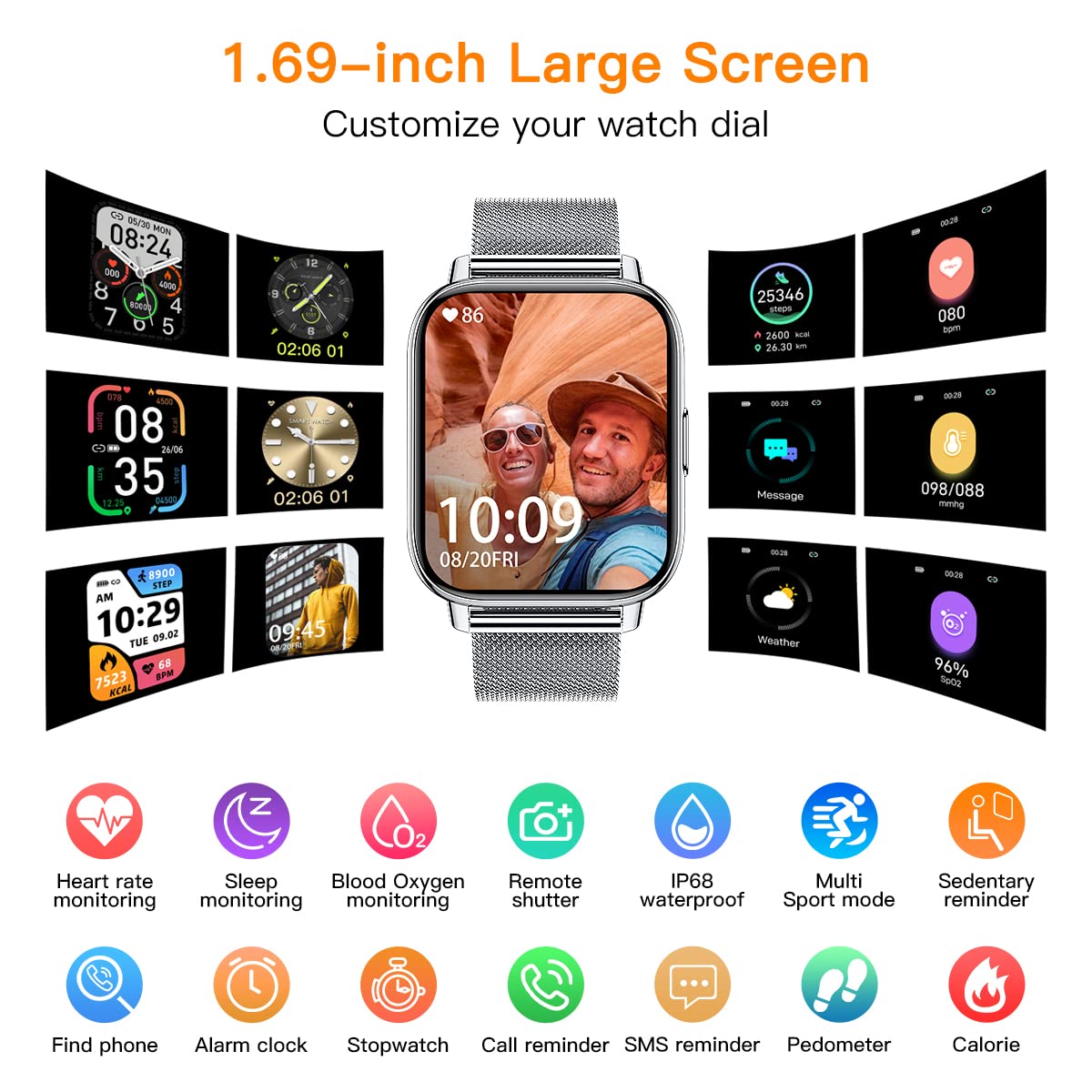
Figure 2: Overview of the 1.69-inch large screen and customizable watch dials. This image highlights features such as heart rate monitoring, sleep monitoring, blood oxygen monitoring, remote shutter, IP68 waterproof rating, multi-sport modes, sedentary reminder, find phone, alarm clock, stopwatch, call reminder, SMS reminder, pedometer, and calorie tracking.
Setup
1. Charging the Device
Before first use, fully charge your smart watch. Connect the USB magnetic charging cable to the charging points on the back of the watch and plug the USB end into a power adapter (not included) or a computer USB port.
- A full charge typically takes approximately 2 hours.
- The battery indicator on the watch screen will show charging status.
2. App Installation and Pairing
To unlock the full features of your CanMixs Smart Watch, you need to install the companion application on your smartphone.
- Download the App: Search for the official CanMixs app (or a compatible app like 'GloryFit' or 'Da Fit' if specified by manufacturer) in the Apple App Store (for iOS 9.0 and later) or Google Play Store (for Android 5.0 and above).
- Enable Bluetooth: Ensure Bluetooth is enabled on your smartphone.
- Open the App: Launch the installed app and follow the on-screen instructions to create an account or log in.
- Pair the Device: Within the app, navigate to the device pairing section. The app will search for available devices. Select "CanMixs Smart Watch" or "ZX08" from the list. Confirm the pairing request on both your watch and smartphone if prompted.
- Grant Permissions: Allow necessary permissions (e.g., notifications, location, health data) for the app to function correctly.
Operating Instructions
Basic Navigation
- Touch Screen: Swipe left/right, up/down to navigate through menus and functions. Tap to select.
- Side Button: Press the side button to return to the home screen or wake the device.
- Wrist Lift: The display screen will automatically light up when you lift your wrist.
Key Features and Functions
Activity Tracking
The watch accurately records all-day activities including steps, distance, calories burned, and active minutes.

Figure 3: The watch supports 24 sports modes such as walking, running, hiking, cycling, and yoga. It tracks daily activities including steps, distance, and calories. GPS tracking is available when connected to your smartphone.
Health Monitoring
The watch features advanced sensors for continuous health monitoring.
- Heart Rate: Monitors real-time heart rate automatically throughout the day.
- Blood Pressure & Blood Oxygen (SpO2): Measures blood pressure and blood oxygen levels.
- Sleep Monitoring: Tracks sleep status (deep sleep, light sleep, wake-up time) to analyze sleep quality.

Figure 4: The smart watch automatically monitors heart rate, blood pressure, and blood oxygen levels using its built-in optical sensor. This feature helps users understand their health status.
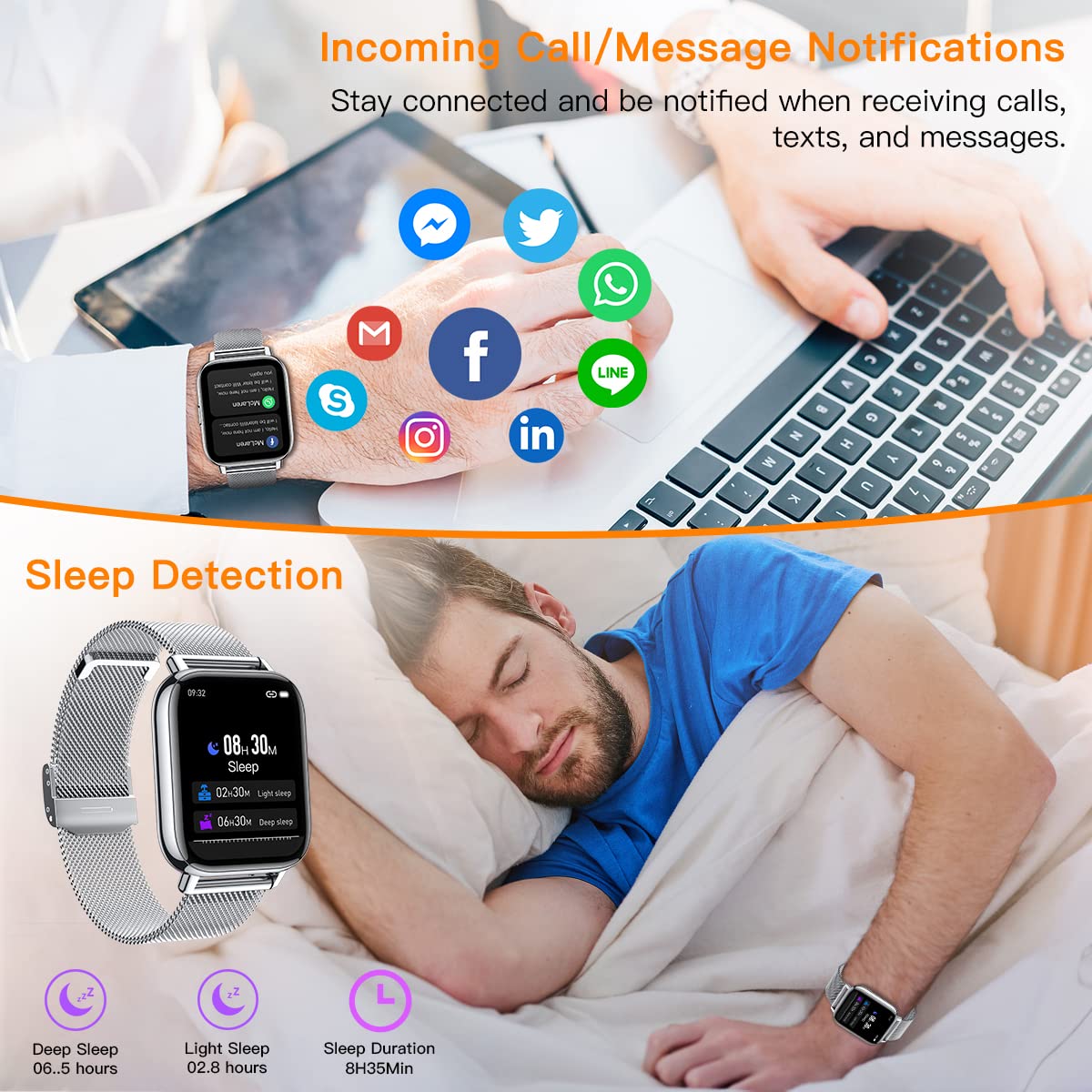
Figure 5: The watch provides sleep detection, analyzing deep sleep, light sleep, and total sleep duration. It also displays incoming call and message notifications from various social media applications when connected to a smartphone.
Notifications
Receive call, SMS, and SNS notifications (Facebook, Twitter, WhatsApp, LinkedIn, Messenger, Instagram) directly on your wrist. You can also hang up incoming calls from the watch.
Music Control
Control music playback on your smartphone directly from the watch, including play, pause, and skip tracks.

Figure 6: The watch is IP68 waterproof, allowing it to be worn during swimming. It also features music control, enabling users to manage their smartphone's music playback directly from the watch.
Remote Camera Control
Use your watch as a remote shutter to take photos with your smartphone's camera.

Figure 7: The smart watch can function as a remote camera control for your smartphone. This image also illustrates the product dimensions, including watch face size, strap length, and packaging size.
Other Features
- Sedentary Reminder
- Alarm Clock
- Find Smart Watch function
- Brightness Adjustment
- Breath Training
Maintenance
Cleaning
- Wipe the watch screen and body with a soft, damp cloth.
- For the strap, clean according to its material (e.g., mild soap and water for silicone, dry cloth for metal).
- Avoid using harsh chemicals or abrasive cleaners.
Water Resistance (IP68)
The watch is IP68 waterproof, meaning it is resistant to dust and can withstand immersion in water up to 1.5 meters for up to 30 minutes. It is suitable for swimming and daily use (hand washing, rain). However, it is not recommended for hot showers, saunas, or diving, as steam and high pressure water can compromise the seal.
Battery Care
- Charge the watch regularly, even if not in use, to maintain battery health.
- Avoid extreme temperatures, which can degrade battery performance.
Troubleshooting
| Problem | Possible Cause | Solution |
|---|---|---|
| Watch does not turn on | Low battery | Charge the watch for at least 30 minutes. |
| Cannot pair with phone | Bluetooth off; App not running; Watch not discoverable | Ensure Bluetooth is on. Restart the app and watch. Try pairing again. Check app permissions. |
| Notifications not received | App permissions not granted; App not running in background; Phone settings | Check app notification permissions. Ensure the app is running in the background. Disable battery optimization for the app. Check phone's notification settings. |
| Inaccurate health data | Improper fit; Sensor obstruction | Ensure the watch is worn snugly on the wrist, not too tight or too loose. Keep the sensor clean and free from debris. |
Specifications
| Feature | Detail |
|---|---|
| Model | ZX08 Smart Watch Running |
| Screen | 1.69" TFT-LCD Full Touchscreen |
| Resolution | 240 x 240 pixels |
| Bluetooth Version | 5.0 |
| Battery Capacity | 200mAh Polymer Battery |
| Battery Life (Typical Use) | Up to 10 days |
| Standby Time | Up to 45 days |
| Water Resistance | IP68 |
| Compatibility | iOS 9.0 and later, Android 5.0 and above |
| Weight | 191 g |
| Material | Aluminum alloy metal case, Stainless steel band (with extra TPU strap) |
Warranty and Support
CanMixs products are designed and manufactured to the highest quality standards. For warranty information and customer support, please refer to the warranty card included in your product packaging or visit the official CanMixs website.
For technical assistance or inquiries, please contact CanMixs customer service through the contact information provided on their official website or within the companion application.


