
Introduction
The Goal Zero Lighthouse 600 is a versatile and adjustable LED lantern designed for various uses, including camping, outdoor events, and emergency situations. It provides up to 600 lumens of directional light and features multiple charging options, including USB and a built-in hand crank. This manual provides essential information for setting up, operating, maintaining, and troubleshooting your Lighthouse 600 lantern.
Product Overview and Features
The Lighthouse 600 is engineered for reliability and convenience, offering a range of features to enhance your outdoor and emergency preparedness.
- Adjustable LED Light: Provides up to 600 lumens of directional and adjustable LED light.
- Multiple Charging Options: Recharge the internal lithium battery via any USB port, a Goal Zero solar panel, or the integrated hand crank.
- USB Power Hub: The internal 5200 mAh lithium battery can charge phones, headlamps, tablets, and other small USB devices.
- Collapsible Legs: Integrated collapsible legs provide a stable stand for optimal light dispersion and fold in for compact storage.
- Built-in Handle: A convenient handle allows for easy carrying and hanging.
- Emergency Red Light: Features a red alert function for signaling or emergency use.

Image: The Lighthouse 600 lantern with its collapsible legs extended, showcasing its stable design.

Image: The Lighthouse 600 with its top handle extended, ready for carrying or hanging.
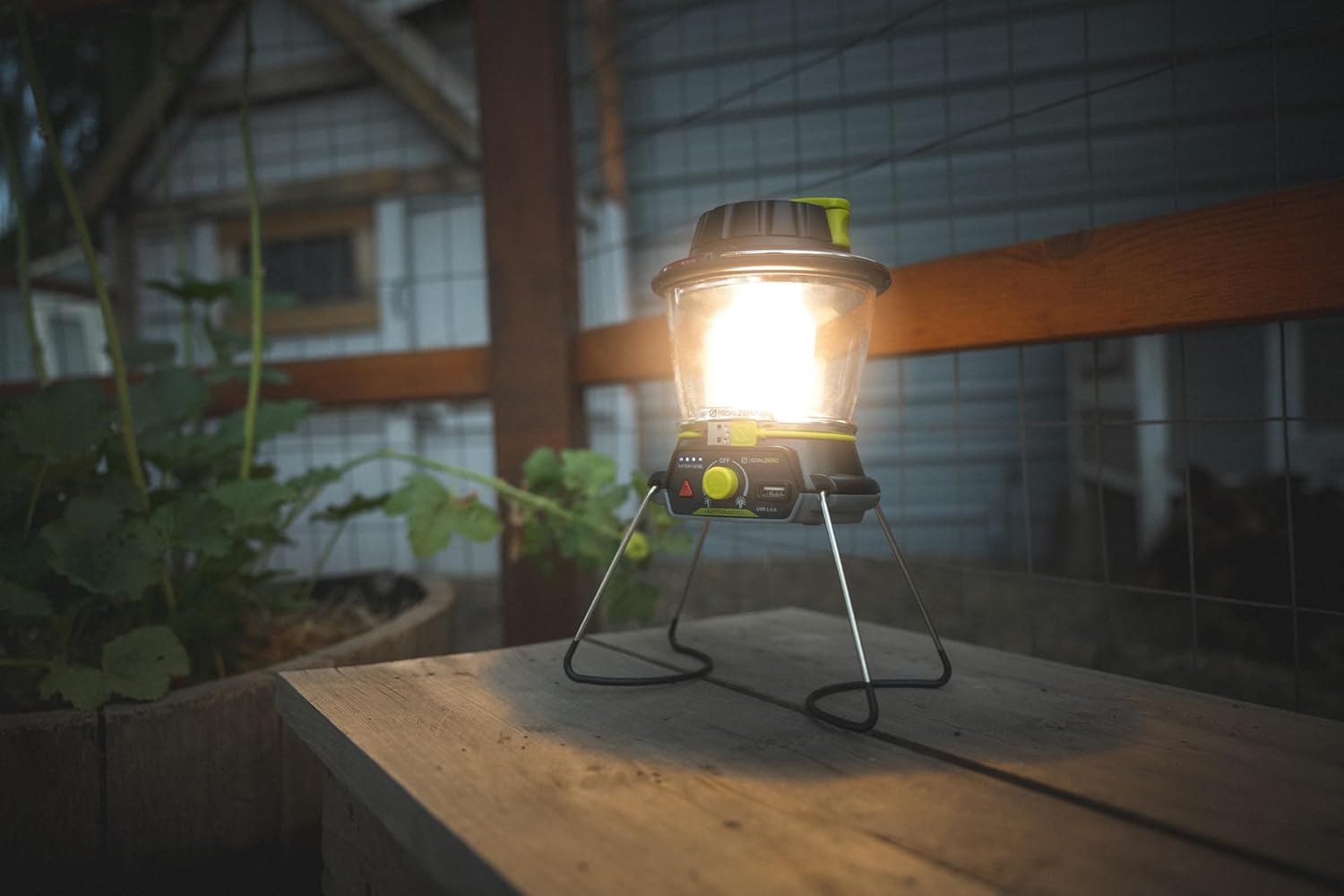
Image: The Lighthouse 600 showing its integrated hand crank for emergency power generation.
Video: This official seller video demonstrates the collapsible legs, tripod thread, and magnetic base features, which are also present on the Lighthouse 600.
Video: This official seller video provides a quick comparison between the Lighthouse 600 and the Lighthouse Mini, highlighting features relevant to the Lighthouse 600.
Setup
Upon receiving your Lighthouse 600, it may be in a demo mode. To activate full functionality and prepare for use:
- Remove Demo Sticker: Locate and remove any "Demo Mode" stickers from the unit.
- Initial Charge: Fully charge the lantern using the integrated USB cable or hand crank until all battery indicator lights are solid blue.
- Extend Legs: Gently pull down the collapsible legs from the base of the lantern until they lock into place for stable placement on a flat surface.
Video: This official seller video demonstrates the unboxing process, how to exit demo mode, and highlights key features of the Lighthouse 600, including its handle, hand crank, USB port, light adjustment, emergency light, battery indicator, collapsible legs, tripod thread, and magnetic base.
Operating Instructions
The Lighthouse 600 offers intuitive controls for various lighting and power functions.
- Power On/Off and Brightness Adjustment: Use the central knob to turn the lantern on and off. Rotate the knob to adjust the brightness from dim to bright.
- Directional Lighting: The lantern features dual LED panels. Rotate the knob to select between lighting one side (180 degrees) or both sides (360 degrees) to conserve power or maximize illumination.
- Emergency Red Light: Press the red triangular button to activate the red emergency light. This can be used for signaling or to preserve night vision.
- Battery Level Indicator: Blue LED lights next to the red button indicate the current battery level.
- Collapsible Legs: The integrated legs can be extended for tabletop use or folded in for compact storage and portability.
- Hanging Options: Utilize the built-in handle at the top to hang the lantern from a tent pole, branch, or other suitable fixture.
Video: This official seller video demonstrates the hand crank, USB charging, battery indicator, and various light modes of the Lighthouse 600.
Charging
Your Lighthouse 600 can be charged in multiple ways to ensure you always have power.
- USB Charging: Unfurl the integrated USB cable from the base of the lantern and plug it into any standard USB port (e.g., wall adapter, computer, power bank). A full charge typically takes about 6 hours.
- Solar Charging: For off-grid charging, connect the Lighthouse 600 to a Goal Zero Nomad solar panel (sold separately). Charging time will vary depending on solar intensity.
- Hand Crank: In emergency situations or when other power sources are unavailable, use the built-in hand crank. Cranking at 130 RPM for 1 minute provides approximately 10 minutes of light on a low setting.
The Lighthouse 600 can also act as a power bank. Plug your device's USB cable into the USB 1.5A output port on the lantern to charge it.
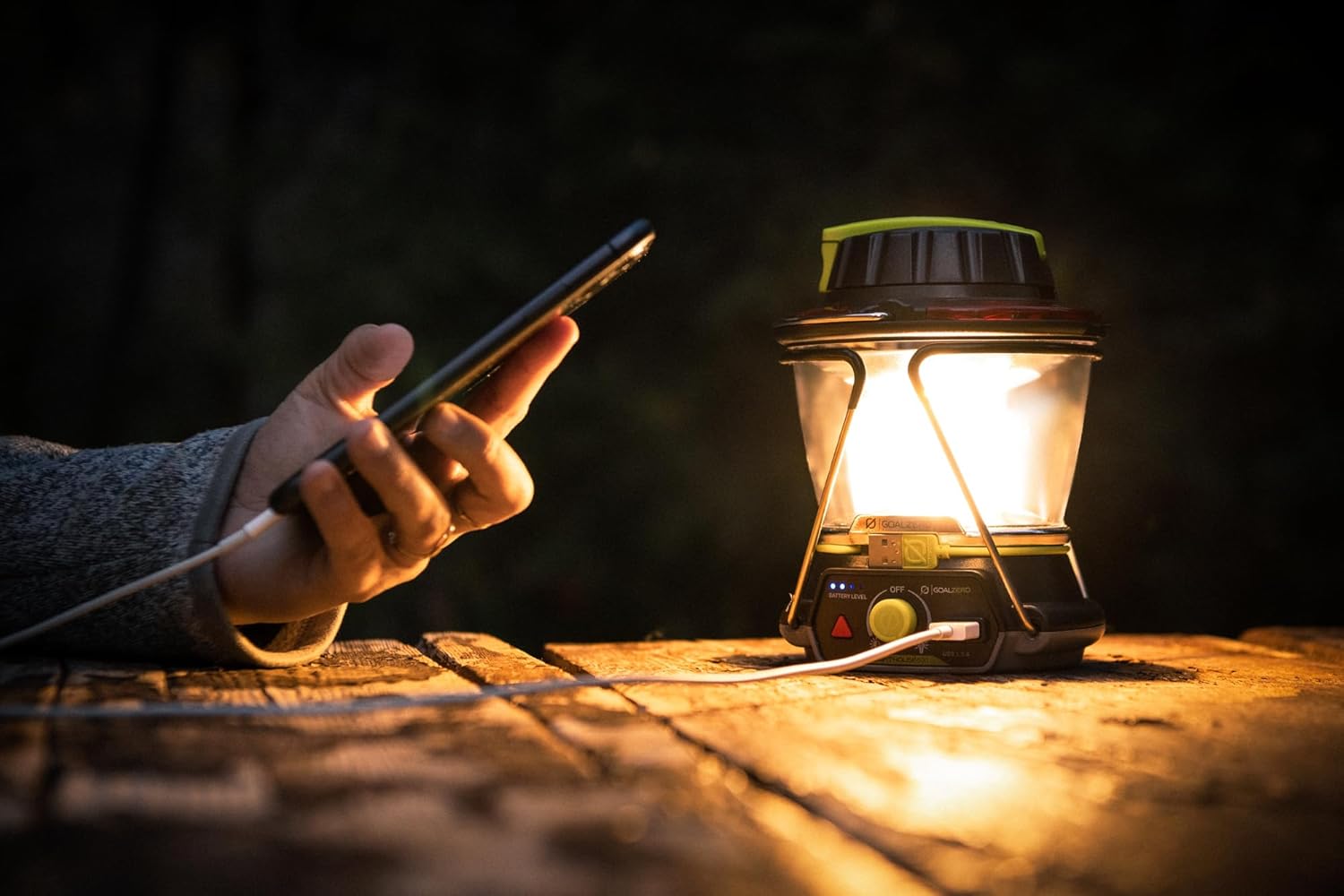
Image: The Lighthouse 600 actively charging a smartphone via its USB output, demonstrating its power bank capability.
Maintenance
To ensure the longevity and optimal performance of your Lighthouse 600, follow these maintenance guidelines:
- Cleaning: Wipe the exterior of the lantern with a soft, damp cloth. Avoid using harsh chemicals or abrasive materials.
- Storage: Store the lantern in a cool, dry place away from direct sunlight and extreme temperatures. Ensure it is fully charged before long-term storage.
- Battery Care: For best battery life, avoid completely draining the battery frequently. Recharge regularly, especially if storing for extended periods.
Troubleshooting
If you encounter issues with your Lighthouse 600, refer to the following common solutions:
| Problem | Possible Solution |
|---|---|
| Lantern not turning on. | Ensure the battery is charged. Check the battery level indicator. Try charging via USB or hand crank. |
| Device not charging from USB output. | Verify the lantern has sufficient charge. Ensure the USB cable is properly connected to both the lantern and your device. |
| Hand crank feels stiff or is not generating power. | Ensure the hand crank is fully extended and rotating freely. Apply gentle, consistent pressure. |
| Light output is dim. | Adjust the brightness knob to a higher setting. Ensure the battery is fully charged. |
Specifications
Detailed technical specifications for the Goal Zero Lighthouse 600.
| Feature | Detail |
|---|---|
| Light Source Type | LED |
| Light Output Maximum | 600 Lumens |
| Color Temperature | 3500 Kelvin |
| Battery Type | Lithium Ion (5200 mAh) |
| Power Source | Solar Powered, USB, Hand Crank |
| USB Output | 1.5A |
| Dimensions (L x W x H) | 6.5" x 5" x 4.49" |
| Item Weight | 498 Grams |
| Water Resistance Level | Not Water Resistant |

Image: The Lighthouse 600 with its key dimensions labeled, illustrating its compact size.
Warranty and Support
Goal Zero is committed to providing quality products and excellent customer service.
- Manufacturer Warranty: The Lighthouse 600 comes with a 2-year manufacturer warranty.
- Money Back Guarantee: Enjoy a 30-day money-back guarantee.
- Customer Support: Our US-based support team is available to assist with any product-related inquiries or issues.
- Protection Plans: Extended protection plans are available for purchase, including 3-Year and 4-Year options.
For further assistance, please visit the official Goal Zero website or contact their customer support directly.


