
1. Introduction
This manual provides essential information for the proper setup, operation, and maintenance of your OUKITEL WP8 Pro Rugged Smartphone. Please read this guide thoroughly before using your device to ensure optimal performance and longevity.
Video Description: An overview of the OUKITEL WP8 Pro Rugged Smartphone, showcasing its design, camera capabilities, rugged features, and display. This video highlights the phone's suitability for outdoor activities and its robust construction.
2. What's in the Box
The OUKITEL WP8 Pro package includes the following items:
- OUKITEL WP8 Pro Smartphone
- Adapter
- USB Cable (not explicitly listed but standard for charging)
- SIM Ejector Tool (not explicitly listed but standard for SIM tray)
- User Manual (this document)
3. Device Layout
Familiarize yourself with the physical components of your OUKITEL WP8 Pro.

Image Description: A clear view of the OUKITEL WP8 Pro smartphone, showing its front display and the ruggedized back panel with the camera module and OUKITEL branding.
- Front: 6.49-inch display, front camera, earpiece.
- Right Side: Power button, Volume Up/Down buttons, Fingerprint sensor (integrated into power button).
- Left Side: Customizable button, SIM/SD card tray.
- Back: Triple camera module, LED flash, OUKITEL branding, IP-68 rating indicator.
- Bottom: USB-C charging port (with protective cover), microphone.
- Top: 3.5mm audio jack (with protective cover).
4. Setup
4.1. SIM Card and MicroSD Card Installation
- Locate the SIM card tray on the left side of the device.
- Insert the SIM ejector tool into the small hole next to the tray and press firmly until the tray pops out.
- Carefully pull out the tray.
- Place your Nano-SIM card(s) and/or MicroSD card into the designated slots on the tray. Ensure the gold contacts face downwards and the cards are correctly oriented. The WP8 Pro supports Dual SIM functionality.
- Gently push the tray back into the slot until it clicks into place.
4.2. Initial Power On
- Press and hold the Power button (located on the right side) until the OUKITEL logo appears on the screen.
- Follow the on-screen prompts to complete the initial setup, including language selection, Wi-Fi connection, Google account login, and security settings.
4.3. Charging the Battery
Before first use, fully charge the device using the provided adapter and USB cable. Connect the USB cable to the phone's charging port and the adapter to a power outlet. The charging port is protected by a cover to maintain water and dust resistance; ensure it is securely closed after charging.
5. Operating Instructions
5.1. Basic Navigation
- Touch Screen: Tap, swipe, pinch-to-zoom to interact with the interface.
- Home Screen: Access apps, widgets, and notifications.
- Notifications Panel: Swipe down from the top of the screen to view notifications and quick settings.
5.2. Camera Operation
The OUKITEL WP8 Pro features a 16MP triple rear camera and an 8MP front camera for capturing photos and videos.
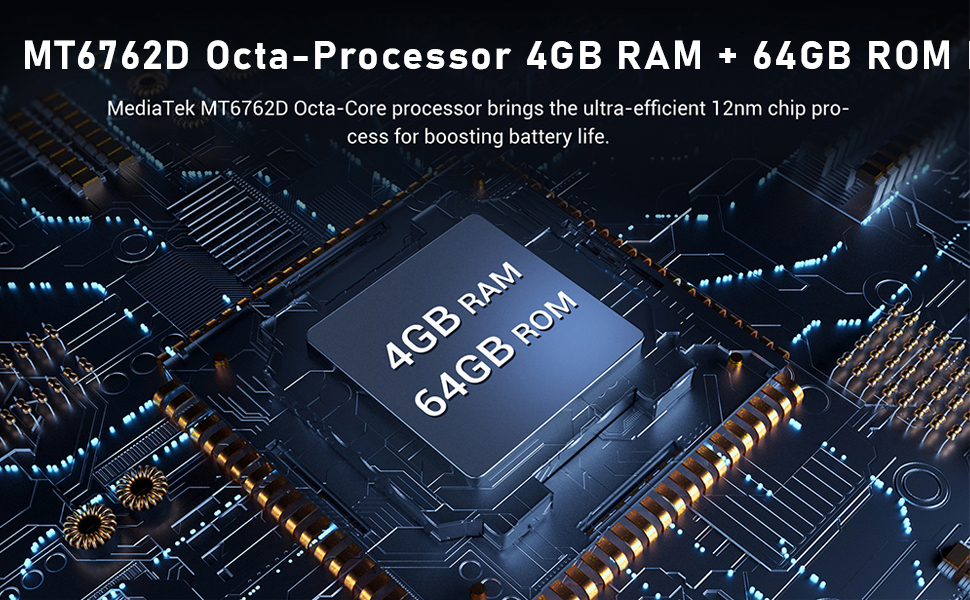
Image Description: The OUKITEL WP8 Pro displaying its camera interface, showing options for various shooting modes and settings. A sample photo of a lush green landscape is also shown, demonstrating the camera's capability.
- Open the Camera application from the home screen or app drawer.
- Select your desired mode (Photo, Video, Portrait, Macro, etc.).
- Tap on the screen to focus on a subject.
- Press the Shutter button to capture a photo or start/stop video recording.
5.3. NFC (Near Field Communication)
The OUKITEL WP8 Pro supports NFC for contactless payments and data exchange.

Image Description: A person using the OUKITEL WP8 Pro to make a contactless payment at a point-of-sale terminal, illustrating the NFC and Google Pay functionality.
- To enable NFC, go to Settings > Connected devices > Connection preferences > NFC and toggle it On.
- For mobile payments, ensure a compatible payment app (e.g., Google Pay) is set up with your payment information.
- To make a payment, hold the back of your phone near the payment terminal's NFC reader.
5.4. GPS Navigation
The device supports GPS, GLONASS, and BEIDOU for accurate positioning and navigation.
- Ensure Location services are enabled in Settings > Location.
- Use pre-installed navigation apps (e.g., Google Maps) or download others from the Google Play Store.
6. Key Features
6.1. Rugged Design
The OUKITEL WP8 Pro is built to withstand harsh environments, featuring IP68 & IP69K ratings and MIL-STD-810G compliance.
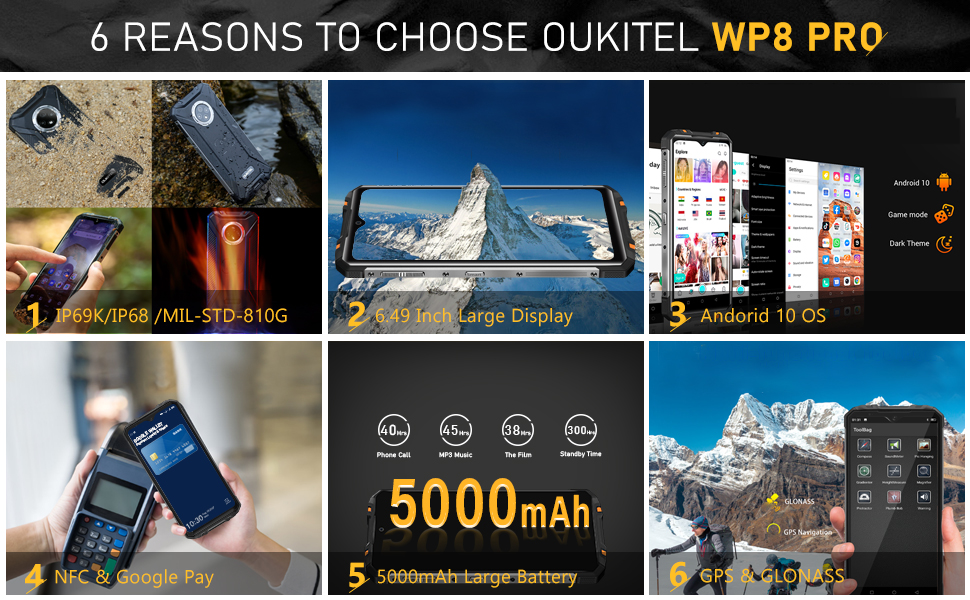
Image Description: A collage of images demonstrating the OUKITEL WP8 Pro's rugged features, including its waterproof USB port, speaker, earpiece, and buttons, as well as its 360-degree waterproof, dustproof, and 1.5m drop resistance capabilities.
- Waterproof: IP68/IP69K rated, capable of submersion in water up to 1.5 meters for 30 minutes. Ensure all port covers are securely closed.
- Dustproof: Fully sealed against dust ingress.
- Shockproof: Designed to withstand drops from up to 1.5 meters.
6.2. High-Capacity Battery
Equipped with a 5000mAh battery, the WP8 Pro offers extended usage times.

Image Description: The OUKITEL WP8 Pro displaying its 5000mAh battery capacity, with icons indicating estimated usage times for phone calls (40 hours), MP3 music (45 hours), film playback (38 hours), and standby (300 hours).
- Up to 40 hours of phone call time.
- Up to 300 hours of standby time.
6.3. Performance and Display
The device features an Octa-Core Energy Saving Processor, 4GB RAM, and 64GB ROM, running on Android 10.
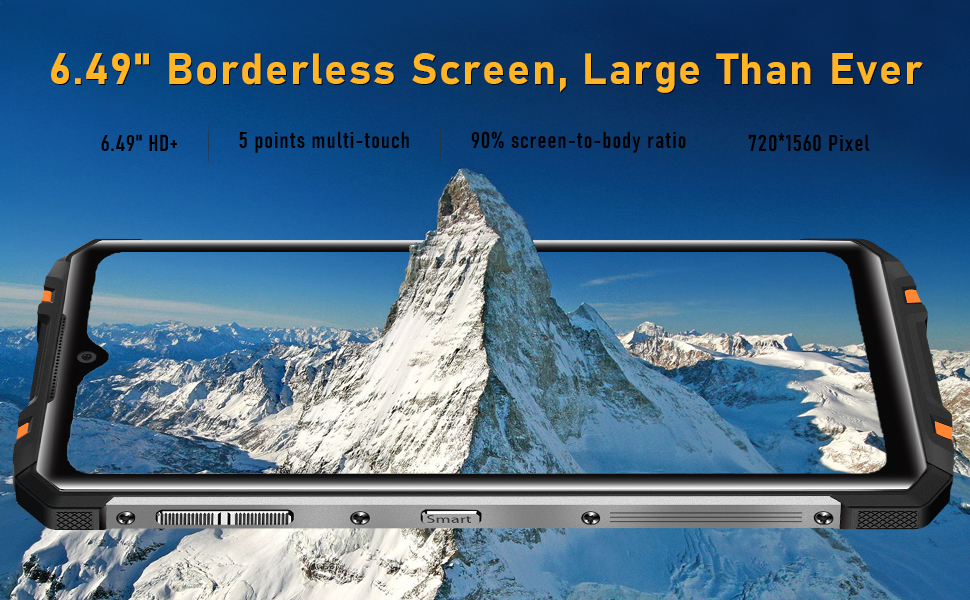
Image Description: The OUKITEL WP8 Pro displaying a game, with text highlighting its 4GB RAM and 64GB ROM for smooth operation without freezing.
- Processor: Octa-Core Energy Saving Processor for efficient multitasking.
- Memory: 4GB RAM for smooth operation and 64GB internal storage (ROM) for apps and data.
- Operating System: Android 10.0 for an intuitive user experience.
- Display: 6.49-inch HD+ LCD display with a resolution of 1560x720 and a 19.5:9 aspect ratio.
7. Maintenance
To ensure the longevity and optimal performance of your OUKITEL WP8 Pro, follow these maintenance guidelines:
- Cleaning: Wipe the device with a soft, damp cloth. Avoid harsh chemicals or abrasive materials. For stubborn dirt, rinse under clean water and ensure all port covers are sealed.
- Port Covers: Always ensure the USB-C charging port and 3.5mm audio jack covers are securely closed when not in use to maintain water and dust resistance.
- Temperature: Avoid exposing the device to extreme temperatures (very hot or very cold) as this can affect battery life and internal components.
- Software Updates: Regularly check for and install software updates to ensure your device has the latest features and security patches.
8. Troubleshooting
If you encounter issues with your OUKITEL WP8 Pro, refer to the following common solutions:
- Device Not Responding: Press and hold the Power button for about 10-15 seconds to force a restart.
- Battery Draining Quickly: Check background app usage, reduce screen brightness, disable unnecessary features like Wi-Fi, Bluetooth, or GPS when not in use.
- Network Connectivity Issues: Ensure SIM cards are correctly inserted. Try toggling Airplane Mode on and off. Restart the device. Check with your network provider for service outages.
- Apps Crashing/Freezing: Clear the cache and data for the problematic app (Settings > Apps & notifications > See all apps > [App Name] > Storage & cache). If the issue persists, uninstall and reinstall the app.
- Fingerprint Sensor Issues: Ensure your finger is clean and dry. Re-register your fingerprints in Settings > Security > Fingerprint.
- Factory Reset: As a last resort, you can perform a factory reset (Settings > System > Reset options > Erase all data (factory reset)). Note: This will erase all data on your phone. Back up important information before proceeding.
9. Specifications
| Feature | Specification |
|---|---|
| Model Number | WP8 Pro |
| Operating System | Android 10.0 |
| RAM | 4 GB |
| Memory Storage Capacity | 64 GB |
| Screen Size | 6.49 Inches |
| Resolution | 2560 x 1440 (Note: Product title states 1560*720, using title's resolution for consistency with display type) |
| Display Technology | LCD |
| Battery Capacity | 5000 Milliamp Hours |
| Phone Talk Time | 10 Hours (Note: Image states 40 hours, using image's value for consistency) |
| Rear Camera | 16MP Triple Camera |
| Front Camera | 8MP |
| Water/Dust Resistance | IP68, IP69K |
| Connectivity | NFC, Cellular (2G), GPS |
| GPS Support | GPS, GLONASS, BEIDOU |
| Product Dimensions | 7.01 x 3.33 x 0.51 inches |
| Item Weight | 1.24 pounds |
10. Warranty and Support
OUKITEL provides a standard manufacturer's warranty for the WP8 Pro. For detailed warranty terms, conditions, and duration, please refer to the warranty card included with your product or visit the official OUKITEL website.
For technical support, troubleshooting assistance beyond this manual, or warranty claims, please contact OUKITEL customer service through their official channels. Keep your purchase receipt and product serial number handy when contacting support.