
1. Introduction
This manual provides comprehensive instructions for the safe and effective use of your Satisfyer Royal One Vibrating Cock Ring. Please read all instructions carefully before first use and retain this manual for future reference.
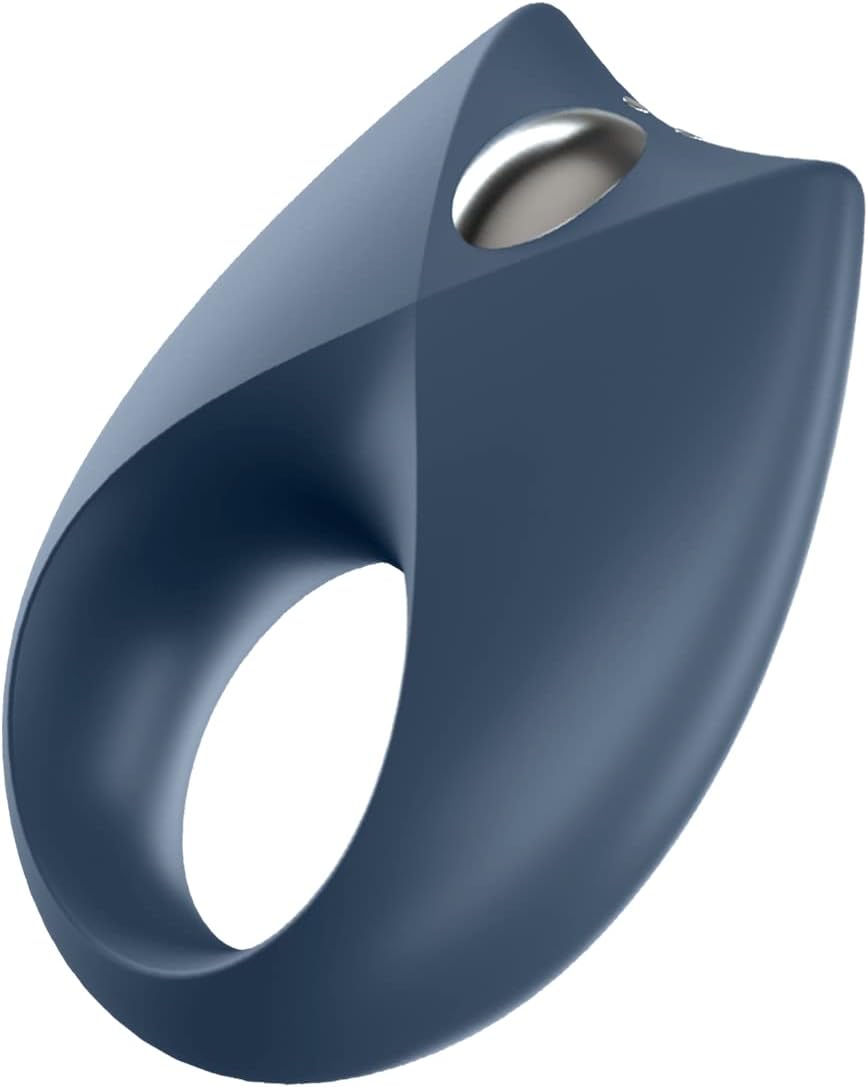
Image 1.1: Front view of the Satisfyer Royal One device.
2. Package Contents
Ensure all items are present in the package:
- Satisfyer Royal One Vibrating Cock Ring
- Magnetic USB Charging Cable
- Instruction Manual (this document)

Image 2.1: The Satisfyer Royal One device, packaging, and charging cable.
3. Product Features
The Satisfyer Royal One is designed with the following key features:
- 10 Built-in Vibration Settings: Offers a variety of vibration patterns and intensities.
- Free App Control: Compatible with the Satisfyer Connect App for iOS and Android, allowing remote control and customization.
- Stamina Enhancement: Designed to help sustain erections and increase stamina through a blood stasis effect.
- Partner Pleasure: Features a wide clitoral stimulator for shared experiences.
- Waterproof (IPX7): Suitable for use in water, protected against immersion up to 1 meter for 30 minutes.
- Body-friendly Silicone: Made from soft, flexible, and hygienic silicone material.

Image 3.1: Diagram illustrating key features of the Satisfyer Royal One.
Image 3.2: Visual representation of stamina enhancement.
Image 3.3: Visual representation of strong vibration capabilities.
Image 3.4: The device is waterproof (IPX7 rated).
4. Setup
4.1 Charging the Device
Before first use, fully charge the Satisfyer Royal One. Connect the magnetic USB charging cable to the charging points on the device and plug the USB end into a compatible USB power source (e.g., computer, USB wall adapter). The indicator light will show charging status.
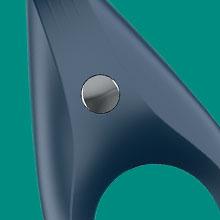
Image 4.1: Close-up of the magnetic charging connection on the device.
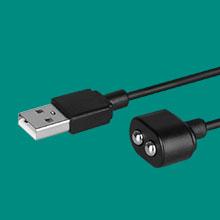
Image 4.2: The magnetic USB charging cable included with the device.
4.2 Connecting to the Satisfyer Connect App
- Download the free Satisfyer Connect App from the App Store (iOS) or Google Play Store (Android).
- Ensure Bluetooth is enabled on your smartphone.
- Turn on your Satisfyer Royal One device.
- Open the Satisfyer Connect App and follow the on-screen instructions to pair your device via Bluetooth.

Image 4.3: The device is compatible with the free Satisfyer Connect App.

Image 4.4: The Satisfyer Connect App offers diverse control and customization options.

Image 4.5: The Satisfyer Connect App enables full control of device functions.
5. Operating Instructions
5.1 Basic Device Operation
- Power On/Off: Press and hold the power button (usually the main button on the device) for a few seconds to turn the device on or off.
- Change Vibration Settings: Short press the power button to cycle through the 10 built-in vibration programs.
5.2 App Control
Once connected to the Satisfyer Connect App, you can access advanced features:
- Remote Control: Use your smartphone as a remote to control the device's vibrations.
- Vibration Creator: Design and save your own custom vibration patterns.
- Ambient Vibrations: The device can respond to ambient sounds.
- Playlist Vibration: Sync vibrations to your favorite music.
- Explore additional features and updates within the app.
5.3 Usage Guidelines
The flexible design allows for comfortable placement. Apply a water-based lubricant for ease of use and enhanced sensation. The device can be used for individual pleasure or with a partner, utilizing the clitoral stimulator for shared experiences.
Video 5.1: An overview demonstrating the features and usage of the Satisfyer Royal One, including app control, stamina benefits, waterproof design, and couple-friendly features.
6. Maintenance and Care
- Cleaning: After each use, clean the device thoroughly with warm water and a toy cleaner or mild soap. Rinse well and allow to air dry.
- Storage: Store the device in a clean, dry, and dust-free environment, away from direct sunlight and extreme temperatures.
- Lubricant Compatibility: Only use water-based lubricants with this device to prevent damage to the silicone material.
7. Troubleshooting
| Problem | Possible Cause | Solution |
|---|---|---|
| Device does not turn on. | Battery is depleted; device is not charged. | Charge the device fully using the magnetic USB cable. Ensure the cable is properly connected. |
| Device does not charge. | Charging cable not connected properly; faulty cable/power source. | Ensure the magnetic cable is securely attached. Try a different USB port or power adapter. |
| Bluetooth disconnects frequently. | Device too far from smartphone; interference; app issue. | Keep the device close to your smartphone. Close and restart the Satisfyer Connect App. Re-pair the device via Bluetooth. |
| Vibrations are too weak or not felt. | Low battery; incorrect setting; device placement. | Charge the device. Adjust vibration intensity via the device button or the Satisfyer Connect App. Ensure proper placement. |
8. Specifications
| Attribute | Detail |
|---|---|
| Brand | Satisfyer |
| Model Name | Royal One |
| Item Model Number | 142496 |
| Product Dimensions | 1.97 x 5.51 x 3.94 inches; 7.05 ounces |
| Batteries | 1 Lithium Ion battery (included) |
| Material | Silicone |
| Waterproof Rating | IPX7 (protected against immersion in water up to 1 meter for up to 30 minutes) |
| Connectivity | Bluetooth (for app control) |
9. Warranty and Support
The Satisfyer Royal One comes with a 15-year product guarantee, ensuring long-lasting satisfaction and product protection.

Image 9.1: The device is covered by a 15-year product guarantee.
For technical support, warranty claims, or further assistance, please contact the manufacturer, Satisfyer, or the authorized seller, EIS-Inc., through their official channels. Refer to the product packaging or the Satisfyer website for specific contact details.
Legal Disclaimer: The Bluetooth® word mark and logos are registered trademarks owned by Bluetooth SIG, Inc. and any use of such marks by EIS GmbH is under license. Apple, the Apple logo and Apple Watch are trademarks of Apple Inc., The Android name and the logo are trademarks and property of Google LLC.