
Product Overview
The Hama XL Digital Radio Wall Clock is designed for clear readability and convenience, featuring automatic time synchronization, temperature, humidity, and date display. It can be used as a wall-mounted clock or a tabletop clock with its integrated foldable stand.
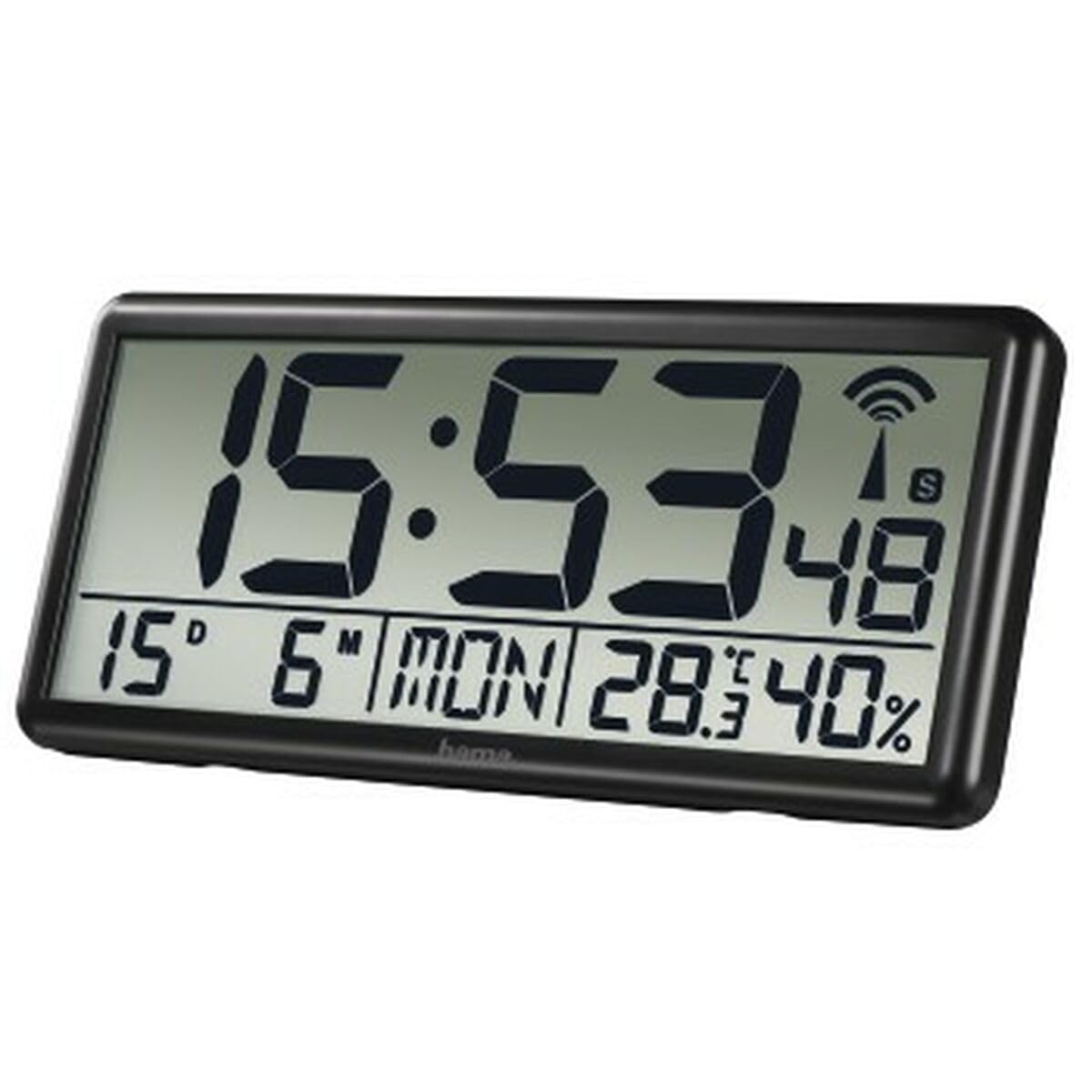
The Hama XL Digital Radio Wall Clock showing its large display with time, temperature, and humidity. It is designed for easy viewing in various environments.
Key Features:
- Automatic Time Setting: Synchronizes automatically via radio signal, including daylight saving time adjustments.
- Large Display: Shows time (hours, minutes, seconds), date, day of the week (in 7 languages), indoor temperature, and humidity.
- Versatile Placement: Equipped with a foldable stand for tabletop use and a mounting hole for wall installation.
- Manual Time Setting: Option to manually set time and date if radio reception is unavailable or disabled.
- Integrated Sensors: Built-in thermometer and hygrometer for monitoring indoor climate.
Setup
1. Battery Installation
The clock requires 4 AA Mignon batteries (included). Ensure correct polarity when inserting the batteries.
- Locate the battery compartment on the back of the clock.
- Open the battery compartment cover.
- Insert 4 new AA Mignon batteries, matching the + and - symbols inside the compartment.
- Close the battery compartment cover securely.

Rear view of the clock, highlighting the battery compartment and the foldable stand for versatile placement options.
2. Initial Setup and Radio Signal Reception
After battery insertion, the clock will automatically begin searching for the DCF radio signal to set the time. This process may take several minutes.
- Place the clock near a window or in an area with good radio reception.
- The radio signal icon on the display will flash during synchronization.
- Once the signal is received and synchronized, the icon will become solid, and the correct time, date, and day will be displayed.
3. Manual Time Setting (Optional)
If the radio signal is weak or unavailable, you can manually set the time and date.
- Refer to the detailed instructions in the included manual for specific button functions to disable radio mode and set time/date manually.
Operating the Clock
1. Display Information
The clock continuously displays the following information:
- Time: Hours, minutes, and seconds.
- Date: Day and month.
- Day of the Week: Available in 7 languages.
- Temperature: Indoor temperature in Celsius or Fahrenheit.
- Humidity: Indoor humidity percentage.
2. Temperature Unit Selection
You can switch between Celsius (°C) and Fahrenheit (°F) for temperature display.
- Press the designated button (usually labeled '°C/°F' or similar) on the back of the clock to toggle the temperature unit.
3. Automatic Daylight Saving Time (DST)
The clock automatically adjusts for daylight saving time changes based on the received radio signal.
- No manual intervention is required for DST changes when radio reception is active.
Maintenance
1. Cleaning
To maintain the clock's appearance and functionality:
- Wipe the display and casing with a soft, dry, lint-free cloth.
- Avoid using abrasive cleaners, solvents, or chemical sprays, as these can damage the surface.
2. Battery Replacement
Replace batteries when the display dims or becomes erratic. Always replace all 4 AA batteries simultaneously with new ones.
- Follow the battery installation steps outlined in the Setup section.
- Dispose of used batteries according to local regulations.
Troubleshooting
| Problem | Possible Cause | Solution |
|---|---|---|
| No display or dim display | Dead or incorrectly inserted batteries. | Replace batteries with new ones, ensuring correct polarity. |
| Incorrect time/date | Poor radio signal reception or radio mode disabled. | Move the clock to a location with better reception (e.g., near a window). If necessary, manually set the time and date as per the manual. |
| Radio signal icon flashing continuously | Clock is still searching for the signal or reception is consistently poor. | Allow more time for synchronization (up to several hours). Try relocating the clock. |
| Inaccurate temperature/humidity | Clock placed near heat sources, direct sunlight, or in a draft. | Ensure the clock is placed in a stable indoor environment away from extreme temperature or humidity fluctuations. |
Specifications
- Model Number: 00186352
- Brand: Hama
- Color: Black
- Display Type: Digital
- Shape: Rectangular
- Dimensions: 36 x 3.81 x 16 cm
- Weight: 691 grams
- Power Source: 4 x AA batteries (included)
- Special Features: Radio-controlled time, automatic daylight saving time, calendar display, thermometer, hygrometer.
- Usage: Indoor
Warranty and Support
Hama products are manufactured with care and undergo strict quality controls. If you experience any issues with your Hama XL Digital Radio Wall Clock, please refer to the warranty information provided with your purchase or contact Hama customer support for assistance.
For further support, please visit the official Hama website or contact your retailer.


