
1. Introduction
This manual provides essential instructions for the safe operation, installation, maintenance, and troubleshooting of your COLZER PD582A Commercial Dehumidifier. Please read this manual thoroughly before using the appliance and retain it for future reference. Proper use and care will ensure optimal performance and longevity of your unit.
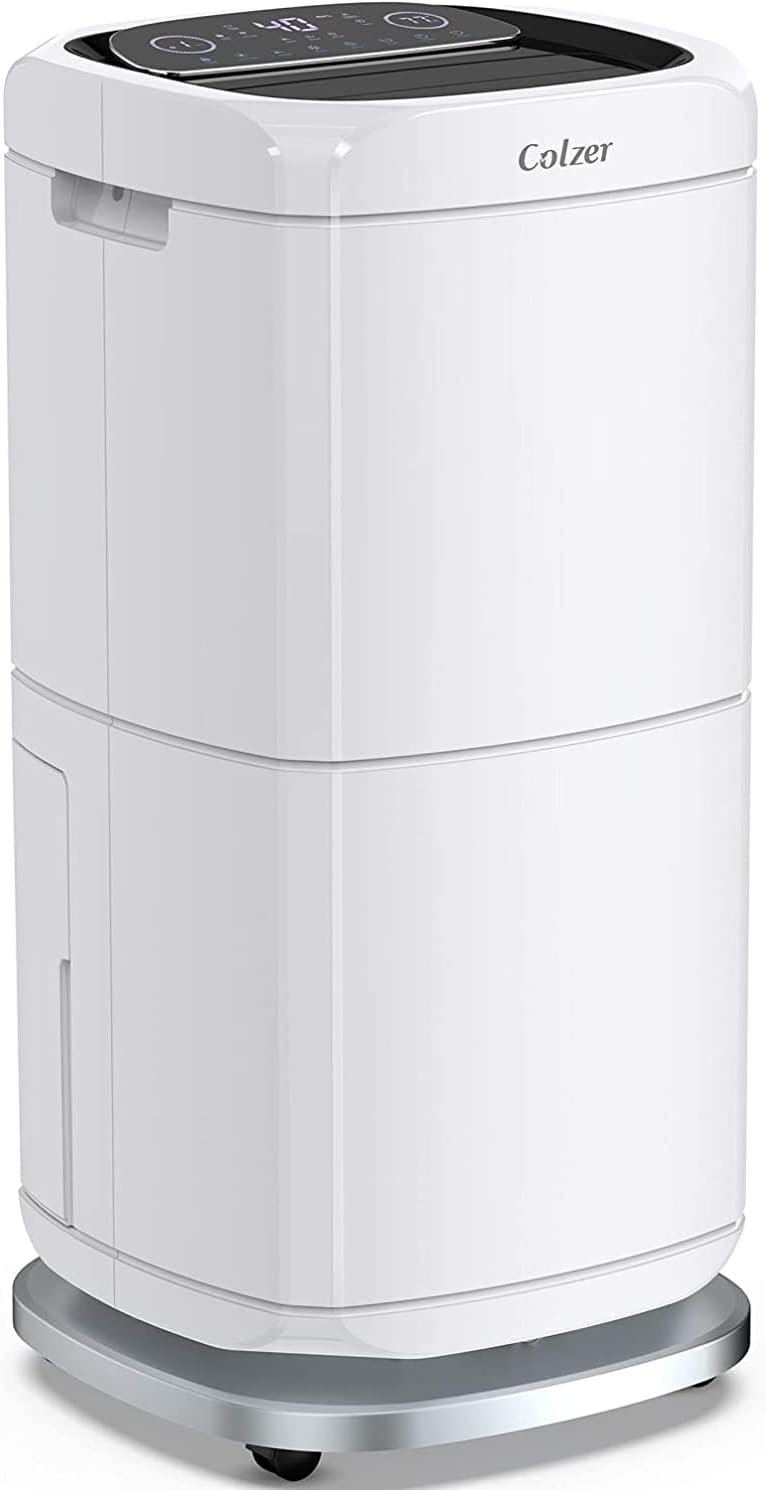
Image: Front view of the COLZER PD582A Commercial Dehumidifier, a white, rectangular unit with a control panel on top, designed for commercial use.
2. Safety Information
Always follow basic safety precautions when using this appliance to reduce the risk of fire, electric shock, or injury. Failure to comply with these instructions may result in property damage or personal injury.
- Ensure the power supply matches the voltage specified on the rating label of the dehumidifier.
- Do not operate the dehumidifier with a damaged power cord or plug. If the cord is damaged, it must be replaced by the manufacturer or a qualified service agent.
- Keep the appliance away from heat sources, flammable materials, and direct sunlight to prevent overheating.
- Do not block air inlets or outlets. Maintain adequate clearance around the unit for proper airflow.
- Always unplug the unit from the power outlet before cleaning, performing maintenance, or moving the appliance.
- This appliance is not intended for use by persons (including children) with reduced physical, sensory, or mental capabilities, or lack of experience and knowledge, unless they have been given supervision or instruction concerning use of the appliance by a person responsible for their safety.
- Do not use the dehumidifier in areas where water is likely to splash onto the unit.
3. Product Overview and Features
The COLZER PD582A is a robust commercial-grade dehumidifier engineered for effective moisture removal in large environments such as basements, showrooms, galleries, storage rooms, and warehouses. It is capable of extracting up to 140 pints of moisture per day and covers areas up to 6000 sq. ft.
Key Features:
- High Capacity: Removes up to 140 Pints (66.2 Liters) of moisture per day.
- Wide Coverage: Effectively dehumidifies spaces up to 6000 square feet.
- Integrated Water Tank: Features a 17-pint (8-liter) water tank with an automatic shut-off function when full.
- Continuous Drainage: Includes a 6.6 ft (2-meter) drain hose for gravity-fed continuous drainage, eliminating the need for manual tank emptying.
- Auto Defrost: Automatically detects and removes frost build-up on the evaporator coils, ensuring efficient operation in cooler conditions.
- 24-Hour Timer: Allows for programmable operation, setting specific on/off times.
- Advanced Touchpad Control Panel: User-friendly interface for easy adjustment of settings and monitoring.
- Portable Design: Equipped with durable wheels for easy relocation.

Image: Diagram illustrating the dimensions (approximately 13.3 inches wide, 13.3 inches deep, and 28.7 inches high) and key features of the COLZER PD582A dehumidifier, including humidity reduction, 6000 sq. ft. max area, 8L water tank, auto defrost, continuous drain, and 24H timer setting.

Image: Close-up view of the advanced touchpad control panel, displaying various icons for humidity reading, temperature, DH/DRY modes, timer, fan speed (Low/High), air outlet direction, and child lock functions.
4. Setup
4.1 Unpacking
Carefully remove the dehumidifier from its packaging. Inspect the unit for any signs of shipping damage. It is recommended to retain the original packaging for future storage or transport.
4.2 Placement
Place the dehumidifier on a level, stable surface in the area where humidity control is desired. Ensure there is at least 8 inches (20 cm) of unobstructed space around the air inlets and outlets to allow for proper airflow and efficient operation. Avoid placing the unit near heat sources, in direct sunlight, or in areas prone to excessive dust or debris.
4.3 Power Connection
Plug the power cord into a grounded electrical outlet that meets the voltage and current requirements specified on the unit's rating label. Do not use extension cords or adapters unless absolutely necessary and ensure they are rated for the dehumidifier's power consumption.
5. Operation
5.1 Control Panel Functions
The intuitive control panel allows for easy management of the dehumidifier's functions:
- ON/OFF Button: Press to power the unit on or off.
- MODE Button: Toggles between Dehumidify (DH) mode for general humidity reduction and Dry-clothes (DRY) mode for accelerated laundry drying.
- SETUP Button: Used to adjust the desired humidity level, typically ranging from 30% to 80% Relative Humidity (RH).
- SPEED Button: Selects between Low and High fan speeds.
- TIMING Button: Activates and sets the 24-hour timer for delayed start or stop operations.
- CHILD LOCK Button: Locks the control panel to prevent accidental changes to settings.
- LIGHTING Button: Controls the display backlight.
- SWING Button: Activates or deactivates the air outlet swing function for wider air distribution.
- WATER FULL Indicator: Illuminates when the internal water tank is full, prompting the unit to automatically shut off.
- DEFROST Indicator: Illuminates when the unit is undergoing an automatic defrost cycle. This is a normal function.
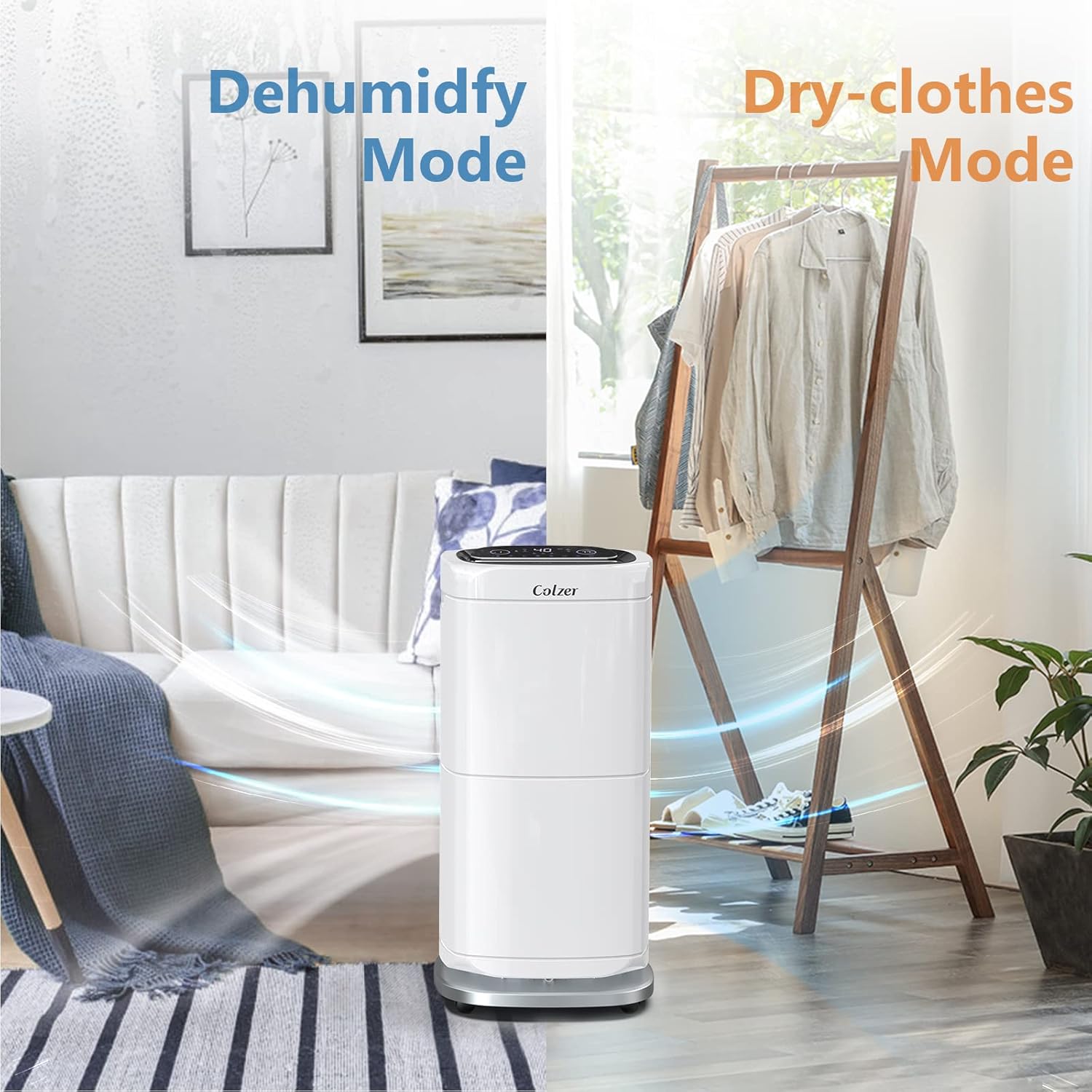
Image: Illustration depicting the dehumidifier operating in two distinct modes: "Dehumidify Mode" for general moisture removal from the air, and "Dry-clothes Mode" which utilizes the unit's airflow to assist in drying laundry.
5.2 Setting Desired Humidity
To set your desired humidity level, press the SETUP button repeatedly until the desired percentage is displayed. The unit will operate until the ambient humidity reaches this set level, then cycle on and off as needed to maintain it. For continuous operation, set the humidity to the lowest possible value (e.g., 30% RH).
5.3 Draining Methods
The COLZER PD582A offers two convenient methods for water removal:
- Emptying the Water Tank: The unit is equipped with a 17-pint (8-liter) internal water tank. When the tank becomes full, the "WATER FULL" indicator will illuminate, and the dehumidifier will automatically cease operation. Carefully remove the tank, empty the collected water, and then securely reinsert the tank into the unit to resume dehumidification.
- Continuous Drainage: For uninterrupted operation without the need for manual emptying, utilize the continuous drainage option. Connect the provided 6.6 ft (2-meter) drain hose (with a diameter of 0.39 inches) to the continuous drain port on the unit. Ensure the hose is sloped downwards to allow gravity to drain the water into a suitable floor drain or larger container.

Image: Diagram illustrating the two available drainage methods: 1. Manually emptying the removable 17-pint water tank, and 2. Connecting the included 6.56 ft hose for continuous gravity drainage into an external drain.
6. Maintenance
Regular maintenance ensures the efficient and long-lasting operation of your dehumidifier.
6.1 Cleaning the Air Filter
The air filter should be cleaned regularly, typically every 2-4 weeks, depending on the operating environment and usage frequency. A clogged filter can significantly reduce the unit's efficiency and increase energy consumption.
- Unplug the dehumidifier from the power outlet.
- Locate and carefully remove the air filter. Refer to the full user manual for the exact location and removal instructions.
- Wash the filter gently with warm, soapy water. Rinse thoroughly to remove all soap residue.
- Allow the filter to air dry completely before reinstalling it into the unit. Do not use heat to dry the filter.
6.2 Cleaning the Unit Exterior
Wipe the exterior surfaces of the dehumidifier with a soft, damp cloth. Do not use harsh chemicals, abrasive cleaners, or solvents, as these can damage the finish.
6.3 Storage
If the dehumidifier will not be used for an extended period, ensure the water tank is completely empty and the unit is clean and dry. Store the unit in an upright position in a cool, dry place, protected from dust and extreme temperatures.
7. Troubleshooting
Before contacting customer support, please refer to the following table for common issues and their potential solutions:
| Problem | Possible Cause | Solution |
|---|---|---|
| Unit does not turn on. | No power supply; Water tank full or incorrectly installed; Power cord damaged. | Check power connection and outlet; Empty and securely reinsert water tank; Inspect power cord for damage. |
| No water collected or low dehumidification. | Ambient humidity level is already low; Air filter clogged; Room temperature too low; Dehumidifier size inadequate for space. | Adjust desired humidity setting lower; Clean the air filter; Ensure room temperature is above 41°F (5°C); Consider if unit capacity matches room size. |
| Unit is noisy or vibrating excessively. | Unit not placed on a level surface; Air filter clogged; Internal components loose. | Ensure unit is on a flat, stable surface; Clean the air filter; If noise persists, contact customer support. |
| "DEFROST" indicator is illuminated. | Unit is performing an automatic defrost cycle. | This is normal operation. The unit will automatically resume dehumidifying after the defrost cycle is complete. Do not unplug the unit during this time. |
| Water leaks from the unit. | Water tank not properly seated; Continuous drain hose is loose or clogged; Unit is tilted. | Re-seat the water tank firmly; Check continuous drain hose connection and ensure it's not blocked or kinked; Ensure unit is level. |
8. Specifications
Technical details for the COLZER PD582A Commercial Dehumidifier:
| Feature | Detail |
|---|---|
| Brand | COLZER |
| Model Number | PD582A |
| Capacity | 140 Pints/Day |
| Coverage Area | Up to 6000 Square Feet |
| Water Tank Capacity | 17 Pints (8 Liters) |
| Wattage | 640 watts |
| Operation Mode | Continuous |
| Product Dimensions (L x W x H) | 13.4 x 13.4 x 28.7 inches |
| Item Weight | 53.1 pounds |
| UPC | 602299992143 |
| Recommended Use | Commercial |
| Upper Temperature Rating | 35 Degrees Celsius (95°F) |
9. Warranty and Support
For detailed warranty information, product registration, or to contact customer support, please visit the official COLZER website or refer to the warranty card included with your purchase. Always retain your purchase receipt as proof of purchase for warranty claims.
Online User Manual: A comprehensive PDF user manual with additional diagrams and detailed instructions is available for download:


