
PHOLSY PHOLSYRMT-P1BT
PHOLSY RMT-P1BT Bluetooth Camera Remote Wireless Release Shutter Commander User Manual
Model: PHOLSYRMT-P1BT
Introduction
This manual provides detailed instructions for the PHOLSY RMT-P1BT Bluetooth Camera Remote. This wireless remote control is designed to enhance your photography experience by providing convenient remote operation for compatible Sony cameras. It allows for precise control over various camera functions, including shutter release, video recording, and zoom, without direct contact with the camera, minimizing camera shake and enabling versatile shooting angles.

Figure 1: PHOLSY RMT-P1BT Bluetooth Camera Remote Control.
Product Overview
The PHOLSY RMT-P1BT remote features an ergonomic design with clearly labeled buttons for intuitive operation. Key components include:
- Indicator Light: Provides status feedback.
- Focus/Zoom Buttons (+/-): Controls zoom and focus.
- Shutter-release Button: For taking still photographs.
- REC (Record) Button: For starting and stopping video recording.
- AF-ON Button: Activates autofocus.
- C1 Button: Customizable function button, mirroring the camera's C1 button.
- LOCK Switch: Prevents accidental operations.
- Zoom/Focus Switch: Toggles between zoom and focus modes for the +/- buttons.
- Battery Cover: For CR2032 battery replacement.

Figure 2: Detailed view of the remote control with button labels.
Setup
Battery Installation
The remote control uses one CR2032 Lithium Metal battery (included). To install or replace the battery:
- Locate the battery cover on the reverse side of the remote.
- Use a coin or small tool to turn the battery cover counter-clockwise to the "OPEN" position.
- Insert the CR2032 battery with the positive (+) side facing up.
- Replace the battery cover and turn it clockwise to the "CLOSE" position to secure it.

Figure 3: Front and reverse side of the remote control, highlighting the battery cover.
Pairing with Your Camera
The PHOLSY RMT-P1BT connects to your camera via Bluetooth. Ensure your camera's software is updated to the latest version for optimal compatibility. Refer to your camera's manual for specific Bluetooth pairing instructions if needed.
- Before starting, ensure the Remote Commander's LOCK switch is in the unlocked position (opposite of "LOCK").
- On your Sony camera, press the MENU button.
- Navigate to the Network Options (often represented by a globe or network icon).
- Enter Bluetooth settings.
- Turn the Bluetooth function ON.
- Enable Bluetooth remote control.
- On the camera screen, select [Confirm] to initiate pairing.
- On the PHOLSY remote, press and hold the Shutter-release button (completely press) and the + side of the Focus/Zoom button at the same time for at least 7 seconds.
- When a confirmation message appears on the camera's screen, select [OK].
- Once pairing is successful, the remote's indicator light will confirm.
Video 1: Step-by-step guide on pairing the PHOLSY RMT-P1BT remote with a Sony camera.
After pairing, you can slide the LOCK switch on the remote to the "LOCK" position to disable all buttons and prevent unintentional operations during transport or storage.
Operating Instructions
The PHOLSY RMT-P1BT provides intuitive control over your camera's essential functions.
Taking Pictures
To take a still photograph:
- Focus: Half-press the Shutter-release button.
- Shoot: Completely press the Shutter-release button.

Figure 4: The remote can be used for both still image capture and video recording.
Shooting a Video
To start or stop video recording:
- Press the REC (record) button. Video recording starts.
- To stop recording, press the REC (record) button again.
Camera Zoom
To zoom the camera remotely:
- Slide the ZOOM/FOCUS switch on the side of the remote to the "ZOOM" position.
- Press the Focus/Zoom button (+/-) to zoom in/out the camera.

Figure 5: The remote allows for remote zooming and manual focus adjustments.
Manual Focus Adjustment
To manually adjust camera focus:
- Slide the ZOOM/FOCUS switch on the side of the remote to the "FOCUS" position.
- Press the Focus/Zoom button (+/-) to enlarge the focus image and adjust focus.
Custom Buttons (AF-ON and C1)
The remote includes two custom buttons, AF-ON and C1, which mirror the functions of the corresponding buttons on your camera body. These can be configured via your camera's settings to perform various tasks, offering enhanced control and flexibility.
Maintenance
To ensure the longevity and optimal performance of your PHOLSY RMT-P1BT remote control:
- Keep the remote clean and dry. Avoid exposure to moisture, dust, and extreme temperatures.
- Use a soft, dry cloth to clean the surface. Do not use abrasive cleaners or solvents.
- When not in use for extended periods, remove the battery to prevent leakage.
- Store the remote in a cool, dry place, away from direct sunlight.
- Always engage the LOCK switch when transporting the remote to prevent accidental button presses.
Troubleshooting
| Problem | Possible Cause | Solution |
|---|---|---|
| Remote does not respond. | Battery is dead or incorrectly installed. LOCK switch is engaged. Remote is out of range. Not paired with camera. | Replace battery or ensure correct polarity. Disengage the LOCK switch. Move closer to the camera (within 10m/32.8ft). Re-pair the remote with the camera following the setup instructions. |
| Cannot pair with camera. | Camera software is outdated. Incorrect pairing procedure. | Update camera system software to the latest version. Follow the pairing instructions carefully, ensuring both remote and camera are in pairing mode. |
| Intermittent connection. | Obstacles between remote and camera. Interference from other devices. | Ensure a clear line of sight or minimize obstacles. Move away from other electronic devices that may cause interference. |
| Zoom/Focus buttons not working. | ZOOM/FOCUS switch is in the wrong position. | Ensure the switch is set to "ZOOM" for zooming or "FOCUS" for manual focus. |
Specifications
| Feature | Detail |
|---|---|
| Model Number | PHOLSYRMT-P1BT |
| Connectivity Technology | Bluetooth |
| Compatible Devices | Sony ILCE-a1, a6100, a6400, a6600, a6700, a7C, a7M3, a7M4, a7RM3, a7RM4, a7RM5, a7SM3, a7CR, a7C II, a9, a9M2, a9 III, DSC-RX0M2, RX100M7, ZV-1, ZV-1M2, ZV-1F, ZV-E1, ZV-E10, ZV-E10 II, ILX-LR1, ILME-FX30, ILME-FX3 (with required software updates for some models). |
| Communication Distance | Approx. 10 m (32.8 ft) with 360° coverage |
| Dimensions (L x W x H) | 3.9 x 1.3 x 0.6 inches (98.0mm x 32.0mm x 8.0mm) |
| Item Weight | 1.76 ounces (30g) |
| Battery Type | 1 x CR2032 Lithium Metal battery (included) |
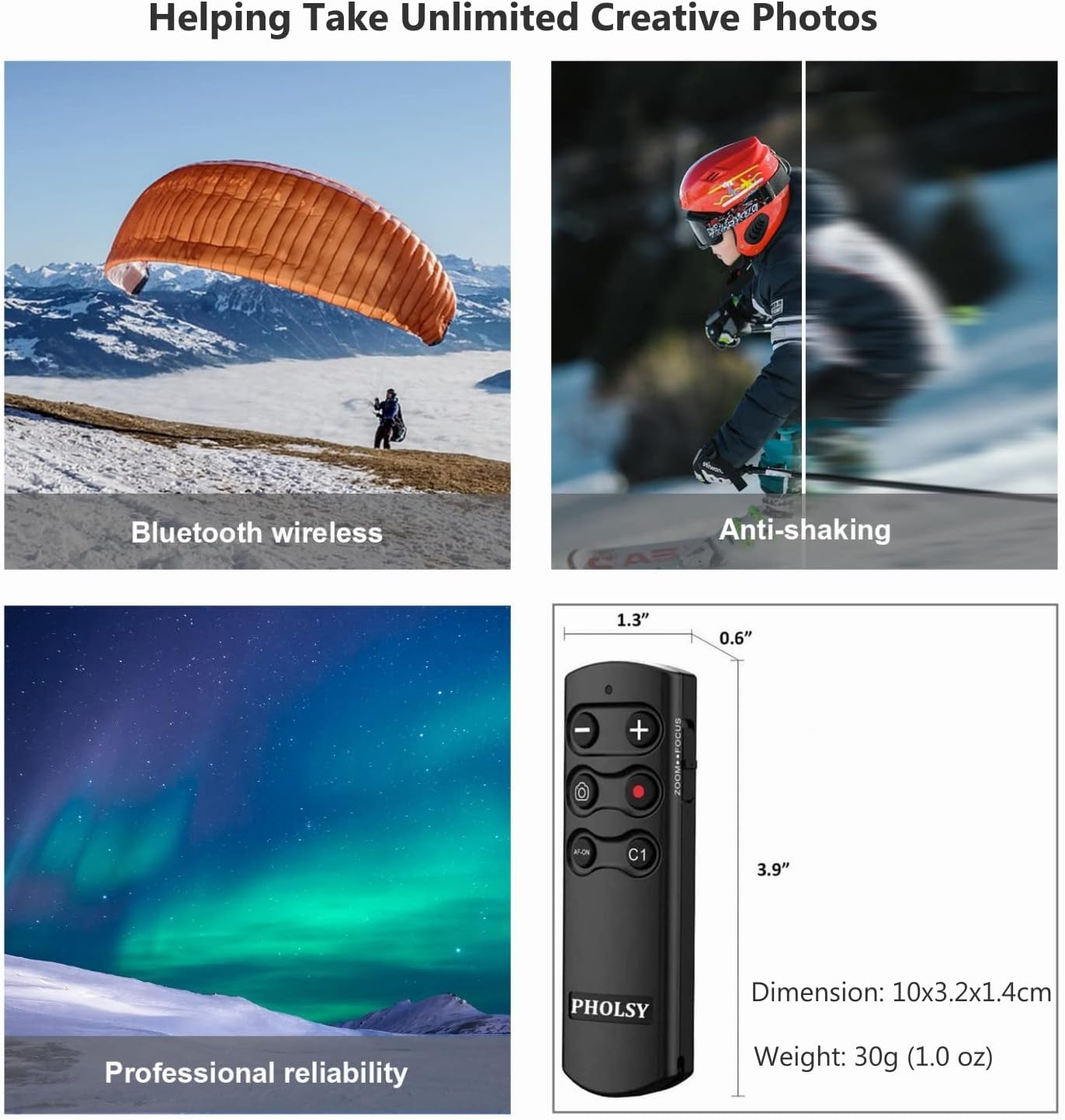
Figure 6: Remote control highlighting its compact dimensions and wireless capabilities.
Warranty and Support
PHOLSY is committed to providing high-quality products and excellent customer service. For any inquiries, technical support, or warranty claims, please contact PHOLSY US directly through their official channels. Refer to the product packaging or the PHOLSY brand store on Amazon for the most up-to-date contact information.
PHOLSY aims to continuously improve precision and reliability, ensuring high image quality and superlative functionality for users.
Ask a question about this manual
Ask about setup, troubleshooting, compatibility, parts, safety, or missing instructions. Manuals+ will review the question and use this page’s manual context to help answer it.