1. Introduction
Thank you for choosing the Lyridz Plug-in Night Light with Motion Sensor. This device is designed to provide convenient and energy-efficient illumination in various indoor spaces. Featuring adjustable brightness, multiple operating modes, and a sensitive motion sensor, it enhances safety and comfort in your home.
This manual provides detailed instructions for the proper installation, operation, and maintenance of your night light. Please read it thoroughly before use and retain it for future reference.

Image: A set of Lyridz Plug-in Night Lights, illustrating their compact design and how one unit appears when plugged into a standard wall outlet.
2. Package Contents
Upon opening your package, please verify that all components are present and undamaged:
- 6 x Lyridz LED Plug-in Night Lights
- 1 x User Manual (this document)

Image: The Lyridz night light packaging, showing the six night light units and the included user manual.
3. Setup and Installation
The Lyridz Plug-in Night Light is designed for simple installation.
- Unpack: Carefully remove the night light from its packaging.
- Select Location: Choose an indoor standard wall outlet in an area where you desire illumination, such as a hallway, bedroom, bathroom, kitchen, or stairway. Ensure the location is free from obstructions that might block the motion sensor.
- Plug In: Insert the night light directly into a standard 110V AC wall outlet. The compact design ensures that the second outlet remains free for other devices.

Image: A Lyridz night light plugged into the top socket of a dual wall outlet, demonstrating that the bottom socket remains accessible for other plugs.
4. Operating Instructions
Your Lyridz night light features three operating modes and adjustable brightness.
4.1. Selecting Operating Modes
The night light has a toggle switch on its side to select between three modes: AUTO, ON, and OFF.
- AUTO Mode: In this mode, the night light will automatically turn on when motion is detected in a dark environment and turn off approximately 90 seconds after the last motion is detected. This mode is ideal for energy saving.
- ON Mode: In this mode, the night light will remain continuously lit, regardless of ambient light conditions or motion detection.
- OFF Mode: In this mode, the night light will remain off.

Image: A visual representation of the three operating modes (AUTO, ON, OFF) and their corresponding light behaviors, along with the location of the mode switch on the device.
4.2. Adjusting Brightness
The night light offers stepless brightness adjustment from 1 lumen (min) to 120 lumens (max), as well as preset brightness levels.
- Stepless Adjustment: Touch and hold the control panel (the circular button on the front) to smoothly adjust the brightness to your desired level. Release when the desired brightness is reached.
- Preset Brightness: Tap the control panel to cycle through five preset brightness levels.
The night light features a memory function that records the last adjusted brightness level, provided the unit remains plugged into the power outlet.

Image: Instructions on how to adjust the night light's brightness, showing that a long press allows for stepless adjustment from 1LM to 120LM, while a short press cycles through 5 preset brightness levels.
4.3. Motion Sensor Details
The integrated motion sensor provides a wide detection angle and range:
- Detection Angle: 120 degrees
- Detection Distance: 10-13 feet (approximately 3-4 meters)
For optimal performance, ensure the sensor is not obstructed and is placed in an area where motion is expected.
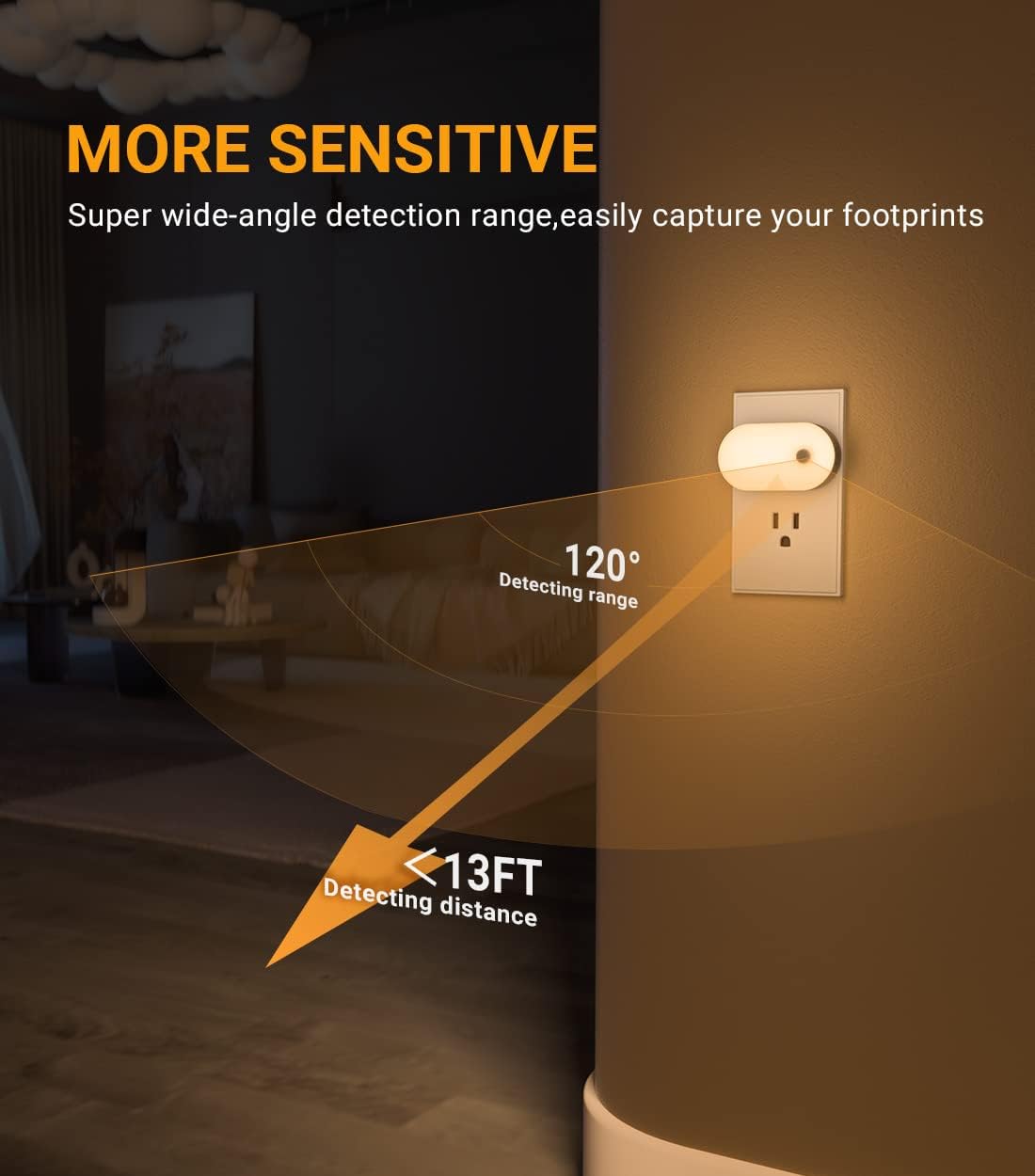
Image: A visual representation of the night light's motion sensor capabilities, highlighting its 120-degree detection range and up to 13-foot detection distance.
5. Care and Maintenance
To ensure the longevity and optimal performance of your Lyridz night light, follow these simple care instructions:
- Cleaning: Disconnect the night light from the power outlet before cleaning. Use a soft, dry cloth to wipe the surface. Do not use abrasive cleaners, solvents, or harsh chemicals, as these may damage the finish or internal components.
- Environment: This product is designed for indoor use only. Avoid exposing it to water, high humidity, extreme temperatures, or direct sunlight.
- Handling: Handle the device with care. Do not drop or subject it to strong impacts.

Image: An infographic highlighting the quality and safety features of Lyridz night lights, including a lifespan of up to 20,000 hours, V0 fireproof material, copper pins, and 99% sensor sensitivity.
6. Troubleshooting
If you encounter any issues with your Lyridz night light, please refer to the following common problems and solutions:
| Problem | Possible Cause | Solution |
|---|---|---|
| Light does not turn on. | Not plugged in correctly; Power outage; Mode set to OFF; Ambient light too bright (in AUTO mode). | Ensure the light is securely plugged in. Check the power supply. Switch the mode to ON or AUTO. Move to a darker location or wait for ambient light to decrease. |
| Light does not turn off. | Mode set to ON; Continuous motion detected (in AUTO mode); Sensor obstructed. | Switch the mode to AUTO or OFF. Ensure no continuous motion is within the detection range. Clear any obstructions from the sensor. |
| Motion sensor is not responsive. | Sensor obstructed; Light is in ON or OFF mode; Distance/angle out of range. | Ensure the sensor is clear. Switch to AUTO mode. Verify motion is within 10-13ft and 120-degree angle. |
| Brightness cannot be adjusted. | Incorrect adjustment method. | Long press the control panel for stepless adjustment. Short press to cycle through preset levels. |
7. Specifications
| Feature | Detail |
|---|---|
| Model Name | Smart Night Light 2S |
| Model Number | A5117 |
| Dimensions (D x W x H) | 3" x 0.84" x 1.6" |
| Item Weight | 0.96 ounces |
| Light Source Type | LED |
| Light Color | Warm White |
| Color Temperature | 2700 Kelvin |
| Brightness | 1 - 120 Lumens (Adjustable) |
| Power Source | Plug-in (110 Volts AC) |
| Wattage | 3 watts |
| Motion Sensor Angle | 120 degrees |
| Motion Sensor Distance | 10-13 feet |
| Special Features | Dimmable, Energy Efficient, Memory Function, Motion Sensor, Plug In |
| Material | Acrylonitrile Butadiene Styrene, Polycarbonate |
| Indoor/Outdoor Usage | Indoor |
8. Warranty and Support
Lyridz provides a 12-month limited warranty for this product, covering manufacturing defects from the date of purchase. Additionally, lifetime technical support is available.
For warranty claims, technical assistance, or any inquiries, please contact Lyridz customer service:
- Email: support@lyridz.com
Please have your model number (A5117) and purchase details ready when contacting support.


