1. Introduction
Thank you for choosing the Vmotal 2.7K HD Camcorder. This device is designed for high-quality video recording and photography, featuring 2.7K resolution, 42.0 MP still image recording, 18X digital zoom, and a 270-degree rotatable 3.0-inch screen. It is ideal for vlogging, YouTube content creation, and capturing precious moments. Please read this manual thoroughly before use to ensure optimal performance and longevity of your camcorder.
2. What's in the Box
- Vmotal 2.7K HD Camcorder
- External Microphone
- Remote Control
- 2 x Lithium Ion Batteries
- 32GB SD Card
- Micro USB Cable
- User Manual
- Carrying Bag

Figure 2.1: All accessories included with your Vmotal Camcorder.
3. Product Overview
Familiarize yourself with the main components and controls of your camcorder.
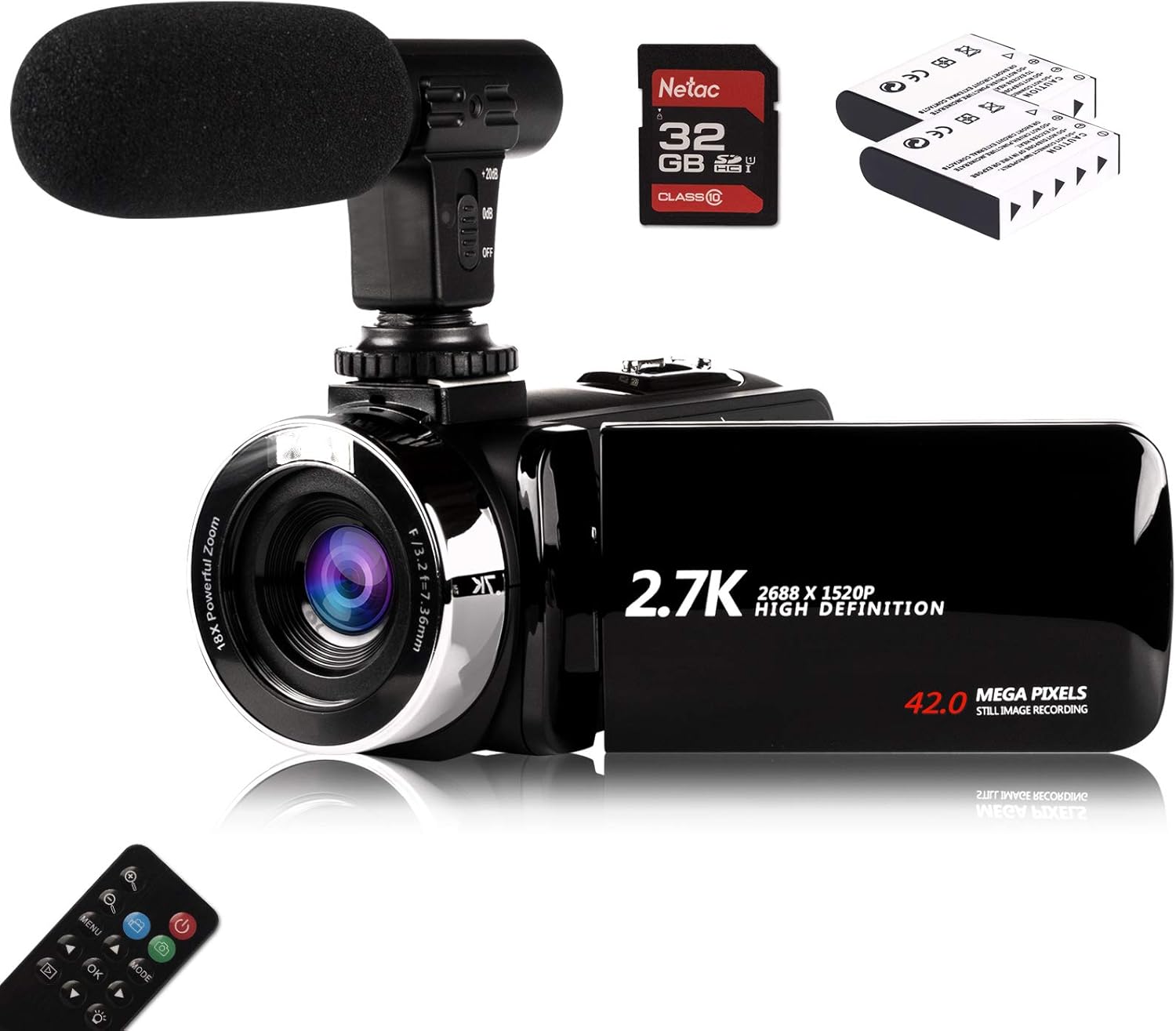
Figure 3.1: Front view of the Vmotal Camcorder with microphone.
Key Components:
- Lens: Captures video and still images.
- 3.0-inch LCD Screen: Rotates 270 degrees for flexible viewing and self-recording.
- Control Buttons: Power, Menu, Mode, Navigation (Up/Down/Left/Right), OK, Zoom In/Out.
- Microphone Input: For connecting the external microphone.
- USB Port: For data transfer and charging.
- Battery Compartment: Holds the rechargeable Lithium Ion battery.
- SD Card Slot: For inserting the memory card.
- Tripod Mount: Standard 1/4-inch thread for tripod attachment.
4. Setup
4.1 Battery Installation
- Open the battery compartment cover located at the bottom of the camcorder.
- Insert a fully charged Lithium Ion battery, ensuring the correct polarity.
- Close the battery compartment cover securely.
4.2 SD Card Insertion
- Locate the SD card slot, usually near the battery compartment.
- Insert the 32GB SD card with the metal contacts facing down until it clicks into place.
- To remove, gently press the card until it pops out.
4.3 External Microphone Attachment
- Slide the external microphone onto the hot shoe mount on top of the camcorder.
- Plug the microphone's 3.5mm jack into the microphone input port on the camcorder.

Figure 4.1: Camcorder with external microphone and rotating screen.
4.4 Initial Power On & Settings
- Open the LCD screen to power on the camcorder.
- Follow the on-screen prompts to set the date and time. This is crucial for accurate file timestamps.
- It is recommended to format the SD card before first use via the camera's menu settings to ensure compatibility and optimal performance.
5. Operating Instructions
5.1 Basic Recording (Video/Photo)
- Switching Modes: Press the MODE button to switch between Video Recording Mode and Photo Mode.
- Start/Stop Recording: In Video Recording Mode, press the RECORD button (usually a red dot) to start recording. Press it again to stop.
- Take a Photo: In Photo Mode, press the SHUTTER button to capture a still image.
5.2 Zoom Function
The camcorder features 18X digital zoom. Use the T (Telephoto) button to zoom in and the W (Wide) button to zoom out. Digital zoom may affect image quality at maximum magnification.
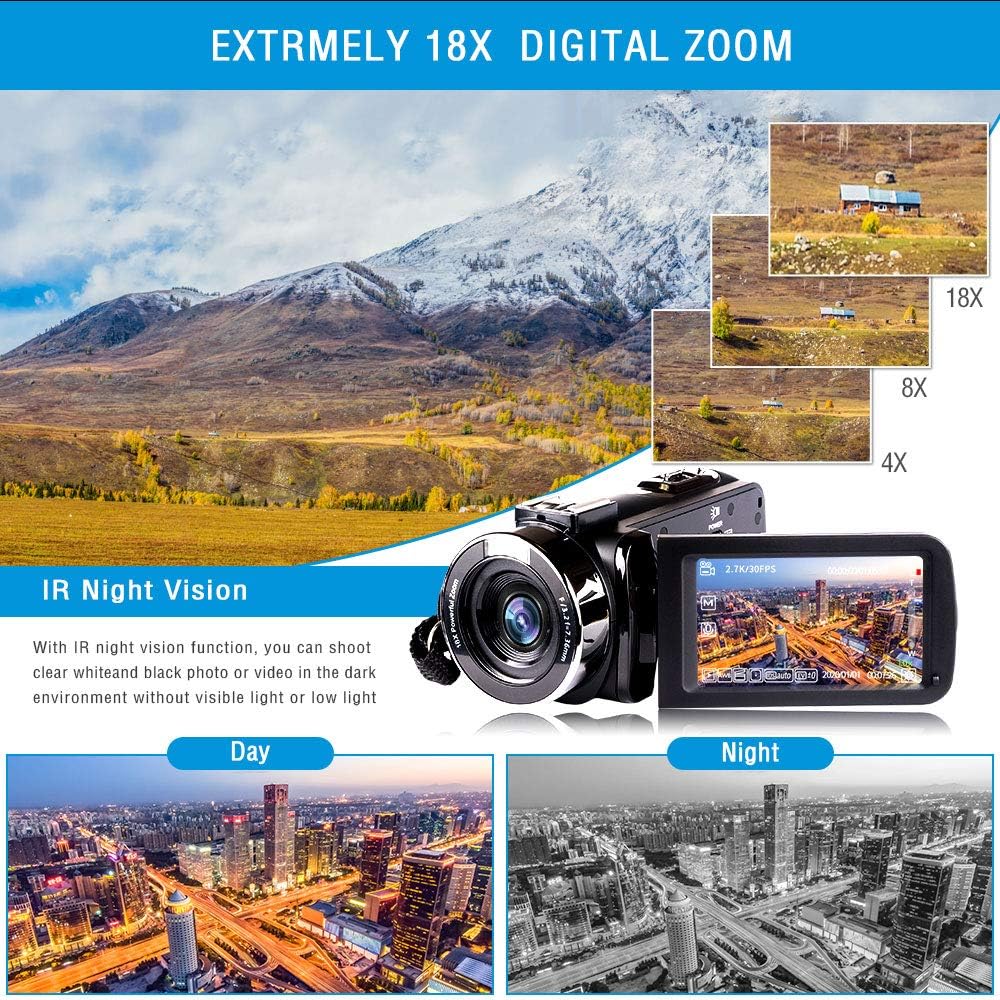
Figure 5.1: Digital Zoom capabilities.
5.3 Night Vision
Activate the IR Night Vision function for clear black and white photos or videos in dark environments or low light conditions.

Figure 5.2: IR Night Vision in action.
5.4 Pause Function
During video recording, press the PHOTO button to pause the recording. Press it again to resume. This allows for seamless recording without creating multiple files.

Figure 5.3: Slow Motion and Pause Function.
5.5 Connecting to PC (Webcam) / TV
- PC Connection (Webcam): Connect the camcorder to your computer using the provided USB cable. Select 'PC Camera' mode on the camcorder when prompted. Your computer should recognize it as a webcam.
- TV Connection: Use an appropriate cable (not always included, check specifications) to connect the camcorder to your TV for direct playback.
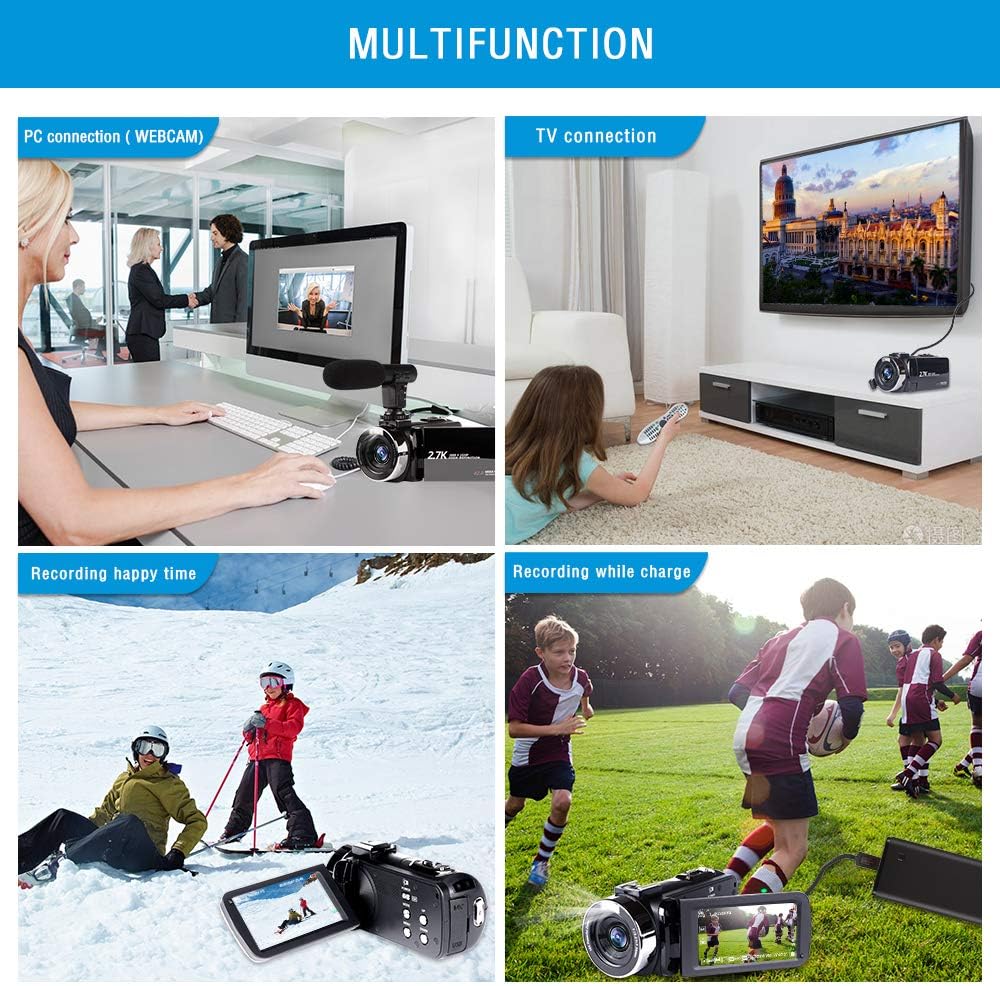
Figure 5.4: Multifunctionality of the camcorder.
5.6 Menu Navigation
Press the MENU button to access settings. Use the navigation buttons (Up/Down/Left/Right) to scroll through options and OK to select. Common settings include:
- Exposure: Adjust brightness.
- White Balance: Correct color temperature (Auto, Daylight, Cloudy, Fluorescent, Tungsten).
- Scene: Pre-set modes for different shooting environments.
- Metering Mode: How the camera measures light.
- ISO: Adjust sensitivity to light.
- Image Rotation: Rotate playback images.
- Frequency: Set video frequency (50Hz/60Hz).
5.7 Remote Control Usage
The included remote control allows for convenient operation from a distance. Point the remote directly at the camcorder's IR sensor. Functions include power on/off, mode switching, zoom, and menu navigation.
6. Maintenance
- Cleaning: Use a soft, dry cloth to clean the camcorder body. For the lens and screen, use a specialized lens cleaning cloth and solution. Avoid abrasive materials.
- Battery Care: Store batteries in a cool, dry place. Do not expose them to extreme temperatures. Charge batteries fully before extended storage and periodically recharge them to maintain their lifespan.
- Storage: When not in use, store the camcorder in its carrying bag in a dry, dust-free environment away from direct sunlight and extreme temperatures.
7. Troubleshooting
| Problem | Possible Cause | Solution |
|---|---|---|
| Camcorder does not power on. | Battery is low or not inserted correctly. | Charge the battery or reinsert it correctly. |
| Cannot record video/take photos. | SD card is full, not inserted, or not formatted. | Insert/replace SD card, format the card, or delete old files. |
| Poor video/image quality. | Low light, incorrect settings, or dirty lens. | Adjust exposure/ISO, check scene mode, clean the lens. |
| Microphone not picking up sound. | Microphone not connected properly or turned off. | Ensure microphone is securely plugged in and powered on (if applicable). |
8. Specifications
| Feature | Specification |
|---|---|
| Brand | Vmotal |
| Model Number | TDV-1302 |
| Video Capture Resolution | 2.7K (2688*1520p) |
| Still Image Resolution | 42.0 MP |
| Digital Zoom | 18X |
| Screen Size | 3.0 Inches (270° Rotation) |
| Photo Sensor Technology | CMOS |
| Flash Memory Type | SD (32GB included) |
| Connectivity Technology | USB |
| Batteries | 2 Lithium Ion batteries (included) |
| Special Features | Night Vision, Lightweight, Anti-Shake, Low Light |
| Item Weight | 1.23 pounds |
| Product Dimensions | 5.5 x 2.5 x 2.5 inches |
9. Warranty and Support
Your Vmotal Camcorder comes with a standard manufacturer's warranty. For detailed warranty information, please refer to the warranty card included in your product packaging or visit the official Vmotal website. If you encounter any issues or require technical assistance, please contact Vmotal customer support through the contact information provided in your product documentation or on the official brand website. Please have your model number (TDV-1302) and purchase details ready when contacting support.


