1. Important Safety Instructions
Please read these instructions carefully before using the appliance and keep them for future reference. Incorrect use can lead to electric shock, fire, or injury.
- Always ensure the voltage indicated on the rating plate matches your mains voltage.
- Do not immerse the iron or its base in water or any other liquid.
- Keep the appliance out of reach of children and persons with reduced physical, sensory, or mental capabilities.
- Never leave the iron unattended while it is connected to the power supply or while it is hot.
- Use the iron only on a stable, heat-resistant surface.
- Do not touch the hot soleplate or steam. Risk of burns.
- Unplug the iron from the mains socket before filling or emptying the water tank, and after each use.
- If the supply cord is damaged, it must be replaced by the manufacturer, its service agent, or similarly qualified persons to avoid a hazard.
- Do not use the appliance if it has been dropped, if there are visible signs of damage, or if it is leaking.
2. Product Overview
Familiarize yourself with the components of your Ufesa PL2450 Compact Steam Generator Iron.

Figure 2.1: Overall view of the Ufesa PL2450 Compact Steam Generator Iron, showing the iron unit detached from its water tank base.
- Iron unit with ceramic soleplate
- Water tank base unit
- Removable 1.5L water tank
- Control panel with power, eco, and steam settings
- Steam hose and power cord storage
- CareTemp temperature control
- Anti-calc cleaning system indicator
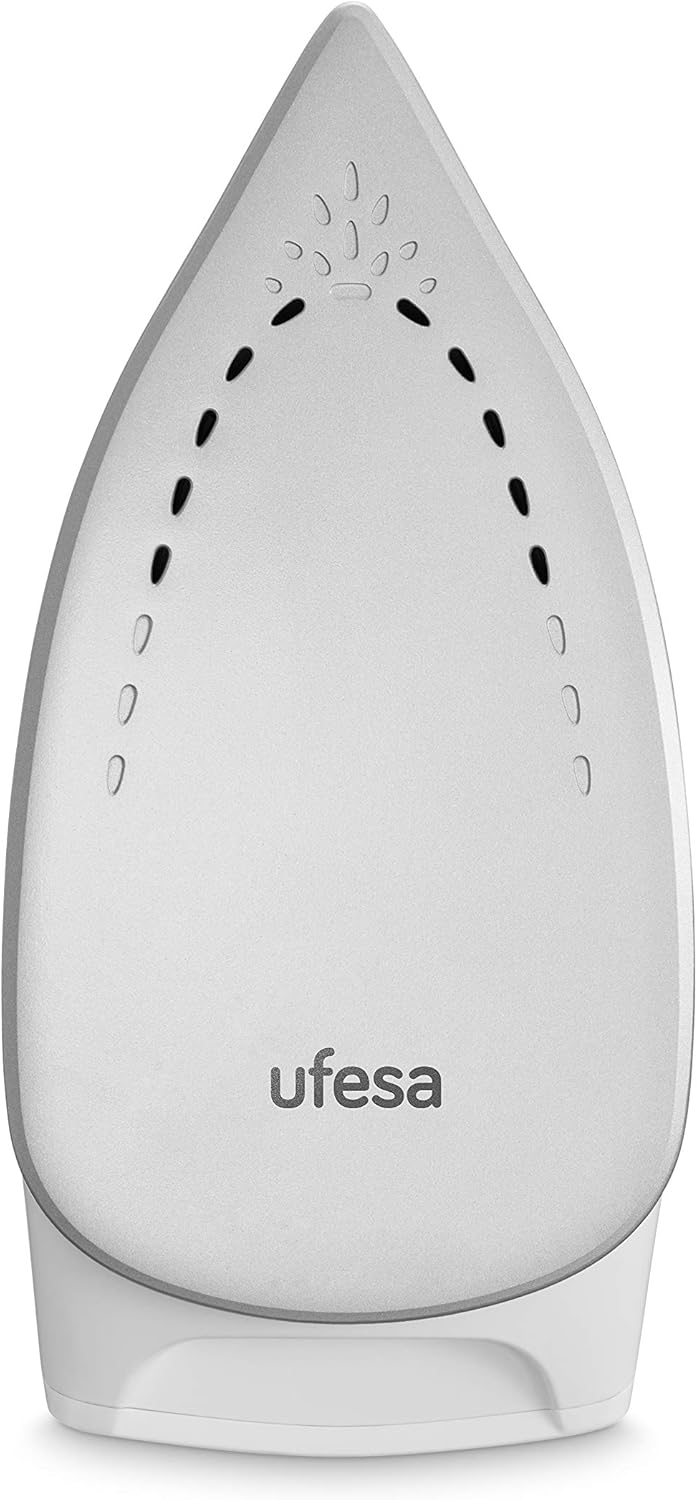
Figure 2.2: Detailed view of the ceramic soleplate, designed for smooth gliding and even heat distribution.
3. Setup
- Unpacking: Carefully remove all packaging materials and stickers from the appliance. Keep packaging for future storage or disposal.
- Positioning: Place the steam generator iron on a stable, flat, and heat-resistant surface, such as an ironing board designed for steam generators. Ensure there is enough space around the unit.
- Filling the Water Tank:
- Remove the 1.5L removable water tank from the base unit.
- Fill the tank with clean tap water up to the 'MAX' indicator. Do not use distilled water unless specified, as it may affect the anti-calc system. Do not add perfumes, vinegar, starch, or descaling agents to the water tank.
- Replace the water tank securely into the base unit.
- Connecting to Power: Unwind the power cord and plug the appliance into a grounded electrical outlet (230V).
4. Operating Instructions
Your Ufesa PL2450 is ready for use in approximately 2 minutes after powering on.
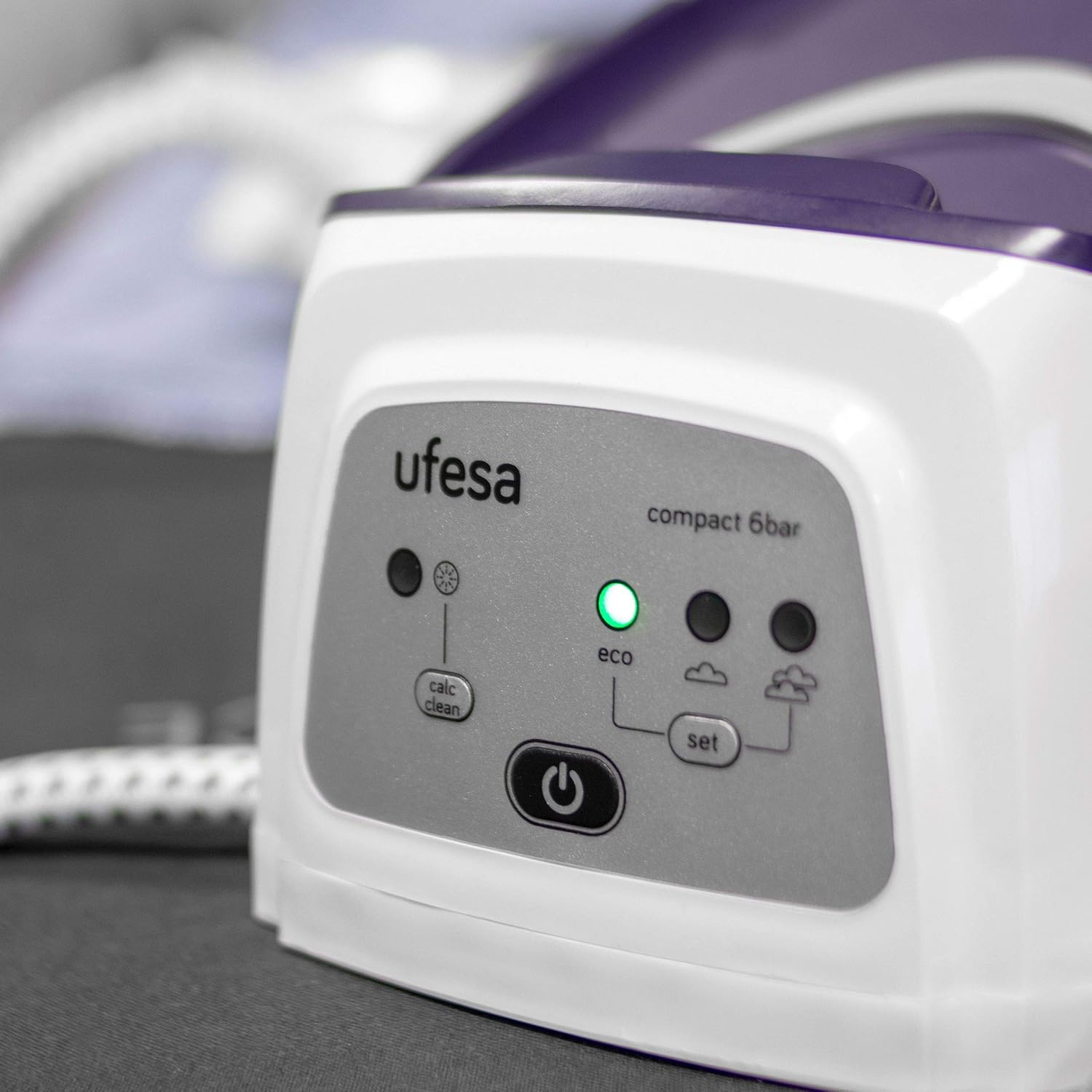
Figure 4.1: The control panel, featuring the power button, Eco mode, and steam settings.
- Power On: Press the power button on the control panel. The indicator light will illuminate, and the appliance will begin to heat up. It will be ready for use in about 2 minutes.
- Selecting Temperature (CareTemp): The CareTemp technology automatically adjusts the temperature suitable for all ironable fabrics. No manual temperature setting is required.
- Steam Settings:
- Continuous Steam: Press the steam button on the iron handle to activate continuous steam (0-120 g/min). Release the button to stop.
- Steam Boost (Pressing Function): For stubborn creases, press the steam boost button (usually located under the handle) for a powerful burst of steam (up to 350 g).
- Eco Mode: Press the 'ECO' button on the base unit to reduce steam output and save energy. The Eco indicator light will turn on.
- Dry Ironing: To iron without steam, simply do not press the steam button. The iron will function as a dry iron.
- Vertical Ironing: The powerful steam allows for vertical ironing of hanging garments, curtains, or drapes. Hold the iron a few centimeters away from the fabric and press the steam button.
- Refilling During Use: The 1.5L tank allows for unlimited refills. If the water level is low, the low water indicator will light up. You can remove and refill the tank at any time without turning off the appliance.
- After Use:
- Press the power button to turn off the appliance.
- Unplug the power cord from the wall socket.
- Allow the iron to cool down completely before storing.
- Store the steam hose and power cord in their designated storage areas on the base unit.

Figure 4.2: The iron in use, demonstrating its ergonomic design and ease of handling.
5. Maintenance and Cleaning
Regular maintenance ensures optimal performance and extends the lifespan of your appliance.
- Cleaning the Soleplate:
- Ensure the iron is unplugged and completely cool.
- Wipe the ceramic soleplate with a damp cloth and a non-abrasive cleaner if necessary. Do not use metallic scourers or abrasive cleaning agents.
- Anti-Calc System (Calc Clean):
- Your iron features an exclusive consumable-free anti-calc cleaning system.
- When the 'Calc Clean' indicator light illuminates on the control panel, it's time to perform the descaling process.
- Refer to the full instruction manual for detailed steps on activating the Calc Clean cycle. Generally, this involves filling the tank, placing the iron on a heat-resistant surface, and pressing the 'Calc Clean' button until the cycle completes.
- Cleaning the Exterior: Wipe the exterior of the base unit and iron with a soft, damp cloth. Do not use harsh chemicals or abrasive materials.
- Storage: Ensure the appliance is cool and dry before storing. Wrap the steam hose and power cord neatly around their designated storage areas. Store in a dry place.
6. Troubleshooting
Before contacting customer service, please check the following common issues and solutions:
| Problem | Possible Cause | Solution |
|---|---|---|
| No steam is produced. | Water tank is empty or low. Appliance not heated sufficiently. Steam button not pressed. | Fill the water tank. Wait for the 'ready' indicator light. Press the steam button on the iron handle. |
| Water drips from the soleplate. | Iron not hot enough for steam. | Allow the iron to heat up completely before using steam. Ensure the 'ready' indicator is on. |
| Iron does not heat up. | Not plugged in. Power button not pressed. | Check if the power cord is securely plugged into a working outlet. Press the power button. |
| 'Calc Clean' indicator is on. | Descaling is required. | Perform the anti-calc cleaning cycle as described in the Maintenance section. |
7. Specifications
| Brand: | Ufesa |
| Model: | PL2450 |
| Power: | 2400 Watts |
| Pressure: | 6 bar |
| Steam Boost: | Up to 350 g |
| Continuous Steam: | 0-120 g/min |
| Water Tank Capacity: | 1.5 Liters (Removable) |
| Soleplate Material: | Ceramic |
| Heat-up Time: | Approx. 2 minutes |
| Special Features: | CareTemp Technology, Consumable-free Anti-Calc System, Vertical Ironing, Easy Cable Storage, Automatic Shut-off |
| Voltage: | 230 Volts |
| Item Weight: | 1 Kilogram (iron unit) |
8. Warranty and Support
For warranty information and customer support, please refer to the official Ufesa website or contact your local retailer.
Keep your proof of purchase for any warranty claims.
Ufesa Official Website: www.ufesa.es