
Introduction
This manual provides instructions for the assembly, operation, and maintenance of your Fenge Height Adjustable Standing Desk (Model ED-S48102WE). Please read this manual thoroughly before use to ensure proper function and safety.
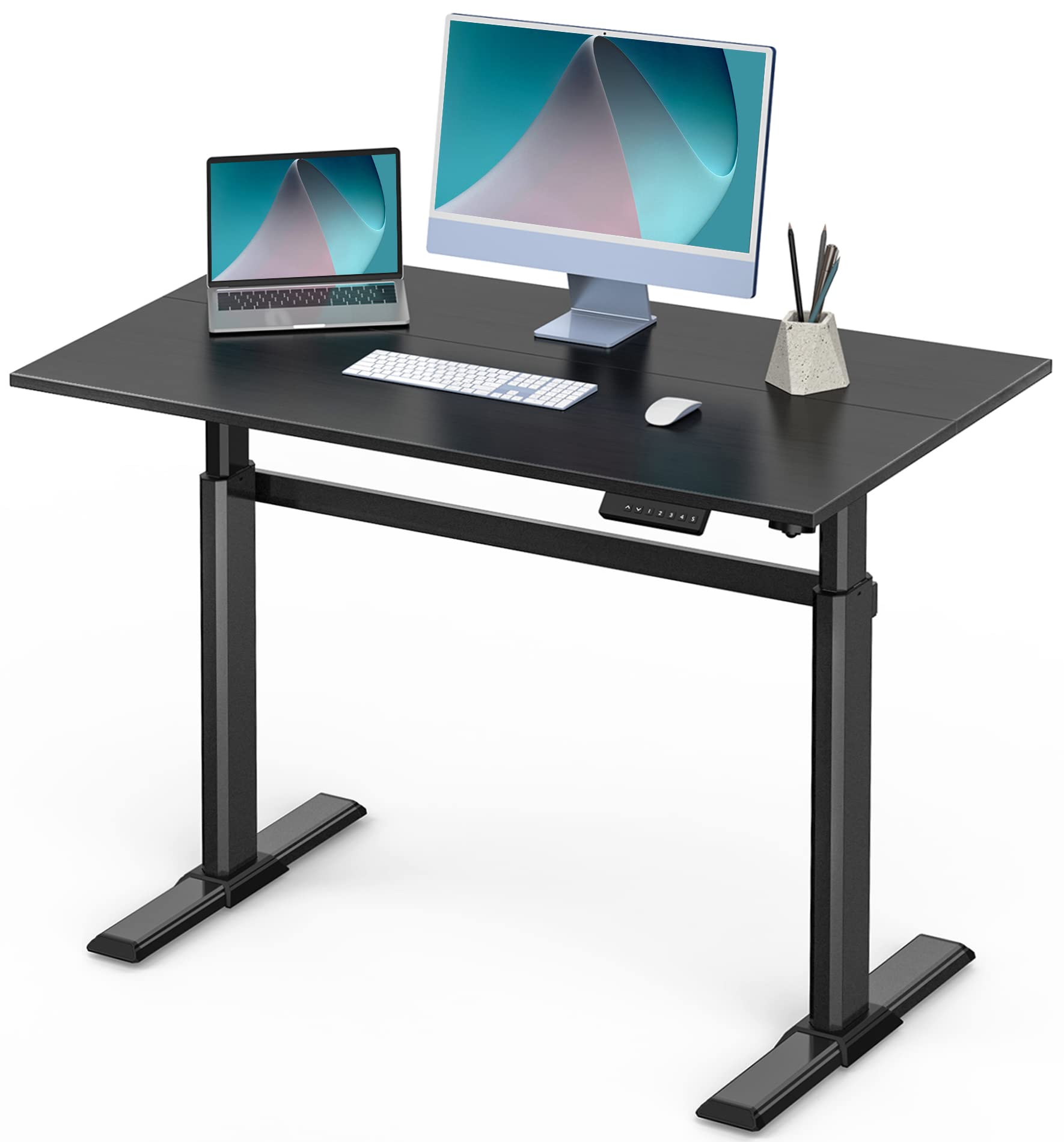
Image: Fenge Height Adjustable Standing Desk in a home office setting, showcasing its design and functionality.
Safety Information
- Ensure all components are securely fastened before use.
- Do not overload the desk. The maximum weight capacity is 176.37 lbs (80 kg).
- Keep children and pets away from the desk during operation.
- Avoid placing liquids directly on the control panel or near electrical components.
- If any unusual noise or movement occurs, discontinue use and consult the troubleshooting section or contact support.
Package Contents
Verify that all parts are present before beginning assembly. Refer to the included parts list in your physical manual for detailed component identification.

Image: Diagram illustrating the desk's dimensions (43.3"L x 23.6"W) and maximum weight capacity of 176 lbs (80 kg).
Setup and Assembly
The Fenge Height Adjustable Standing Desk is designed for straightforward assembly. Detailed instructions, numbered parts, and all necessary tools are included in the package.
- Unpack all components and verify against the parts list.
- Assemble the desk frame according to the provided diagrams, ensuring all screws are tightened securely.
- Attach the desktop to the assembled frame.
- Connect the motor and control panel cables as indicated in the instructions.
- Plug the desk into a power outlet.
Video: Official Fenge video demonstrating the assembly and features of the ED-S48102WE electric sit-stand desk.
For cable management, utilize the integrated patch panel storage area located under the desk to keep your workspace tidy.

Image: Close-up view of the desk's integrated patch panel storage area for cable management.
Operating Instructions
The Fenge standing desk features an electric motor for smooth height adjustments and programmable memory settings.
Adjusting Height:
- Use the Up (▲) and Down (▼) arrow buttons on the control panel to raise or lower the desk to your desired height.
- The desk can be adjusted from a minimum height of 28 inches (75 cm) to a maximum height of 48.6 inches (123 cm).
Memory Presets:
- The control panel includes 4 programmable memory settings (1, 2, 3, 4).
- To save a height: Adjust the desk to the desired height, then press the 'S' button followed by one of the number buttons (1-4). The height is now saved to that preset.
- To recall a saved height: Press the corresponding number button (1-4). The desk will automatically move to the saved position.

Image: Close-up view of the desk's control panel with up/down arrows and memory presets for easy height adjustment.
Regularly changing between sitting and standing positions can help improve posture and reduce discomfort associated with prolonged sitting.

Image: Two individuals demonstrating the sit-stand functionality of the Fenge desk, promoting ergonomic benefits.
Maintenance
- Clean the desk surface with a soft, damp cloth. Avoid abrasive cleaners.
- Periodically check all screws and connections to ensure they remain tight.
- Keep the motor and electrical components free from dust and moisture.
Troubleshooting
If you encounter any issues with your Fenge standing desk, please refer to the following common solutions:
| Problem | Possible Cause | Solution |
|---|---|---|
| Desk does not move. | Power cable disconnected, motor error. | Check power connections. Unplug and replug the desk. If the issue persists, contact customer support. |
| Uneven height adjustment. | Obstruction, uneven floor, loose connections. | Clear any obstructions. Ensure the desk is on a level surface. Check all assembly connections. |
| Control panel unresponsive. | Cable connection issue, power interruption. | Verify the control panel cable is securely connected. Reset power by unplugging for 30 seconds and plugging back in. |
Specifications
| Feature | Detail |
|---|---|
| Brand | Fenge |
| Model Number | ED-S48102WE |
| Product Dimensions | 24"D x 43"W x 28"H (61cm D x 109cm W x 71cm H) |
| Adjustable Height Range | 28" (75cm) to 48.6" (123cm) |
| Maximum Weight Capacity | 176.37 Pounds (80 kg) |
| Material Type | Industrial-grade aluminum alloy frame, particleboard tabletop |
| Color | Black |
| Special Feature | Adjustable Height, 4 Programmable Memory Settings |
| Item Weight | 48 Pounds (21.77 kg) |
Warranty and Support
All Fenge electric computer desk products come with a permanent warranty. For any questions or assistance, please feel free to contact Fenge customer service. Support is available 24 hours a day.
For further information or to register your product, please visit the official Fenge store: Fenge Store on Amazon
