
1. Introduction
This manual provides essential information for the safe and efficient operation, installation, and maintenance of your MABE RMS510ICMRP0 Automatic Refrigerator. Please read these instructions thoroughly before using your appliance and retain them for future reference.
2. Safety Information
Always follow basic safety precautions to reduce the risk of fire, electric shock, or injury when using your refrigerator.
- Ensure the refrigerator is properly grounded.
- Do not store explosive substances such as aerosol cans with a flammable propellant in this appliance.
- Keep ventilation openings clear of obstruction.
- Do not use mechanical devices or other means to accelerate the defrosting process, other than those recommended by the manufacturer.
- Unplug the appliance before cleaning or performing any maintenance.
3. Setup and Installation
3.1 Unpacking
Carefully remove all packaging materials, including tape and protective films. Dispose of packaging responsibly.
3.2 Placement
Select a location with a firm, level floor capable of supporting the refrigerator's weight. Allow adequate clearance around the appliance for proper ventilation (at least 5 cm on sides and back, 10 cm on top). Avoid direct sunlight or proximity to heat sources.
3.3 Electrical Connection
Connect the refrigerator to a dedicated 220 Volt, 60 Hz, AC-only electrical outlet. Ensure the outlet is properly grounded. Do not use extension cords or adapters.
3.4 Initial Cleaning
Before first use, clean the interior and exterior of the refrigerator with a mild detergent and warm water. Dry thoroughly.
3.5 First Power-On
After plugging in, allow the refrigerator to operate for several hours (approximately 4-6 hours) before loading it with food. This allows the internal temperature to stabilize.

Front view of the MABE RMS510ICMRP0 refrigerator.
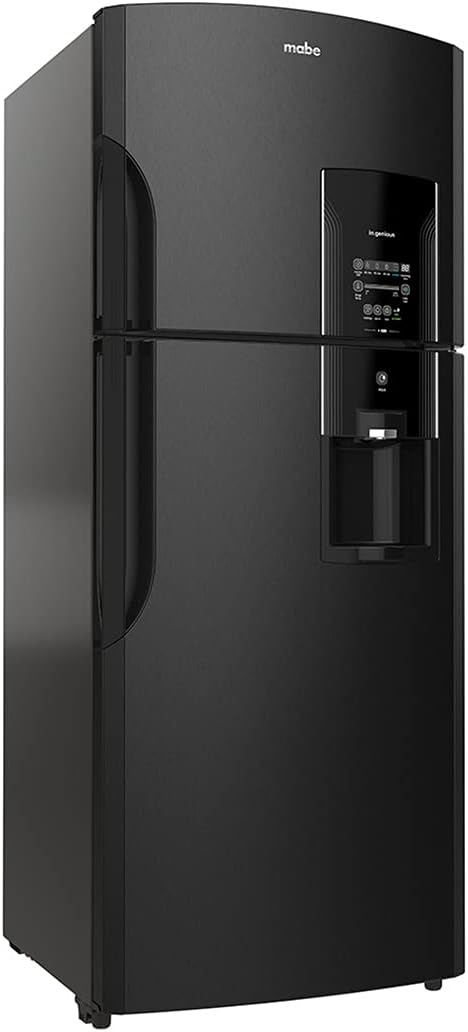
Angled view of the MABE RMS510ICMRP0 refrigerator, showcasing its black stainless steel finish.

Diagram illustrating the dimensions of the MABE RMS510ICMRP0 refrigerator: 187.3 cm height, 73.8 cm depth, 66.1 cm width, and 83.0 kg weight.
4. Operating Instructions
4.1 Control Panel
Your refrigerator is equipped with an intuitive touch control display located on the freezer door. This panel allows you to manage various functions and settings.

Close-up of the MABE RMS510ICMRP0 refrigerator's touch control panel, showing options for Express Chill, Fridge Temperature, Turbo Cool, Holidays, Alarm, Lock, and Eco Activated.
4.2 Temperature Control
Use the 'Fridge Temp.' button on the control panel to adjust the refrigerator's temperature. The display will show the current setting, which can be cycled through various levels from 'cold' to 'coldest'.
4.3 Special Functions
- Express Chill Zone: Activates rapid cooling for beverages or desserts. Select the desired duration (e.g., 15, 30, 60 minutes) for quick chilling.
- Holidays Mode: Reduces energy consumption when you are away for an extended period. The refrigerator maintains a higher temperature to save energy while preventing odor buildup.
- Alarm: Notifies you if the refrigerator door is left open for too long.
- Lock: Deactivates the control panel to prevent accidental changes to settings, especially useful for households with children.
- Turbo Cool: Provides a temporary boost of cooling power to quickly bring down the internal temperature, useful after loading a large amount of groceries.
4.4 Semi-Automatic Ice Maker
Your refrigerator features a semi-automatic ice maker. To use, fill the ice tray with water and place it in the designated compartment in the freezer. Once frozen, twist the tray to release ice into the storage bin.
4.5 Storage Compartments
The refrigerator is designed with various compartments for optimal food storage:
- Adjustable Shelves: Customize shelf height to accommodate items of different sizes.
- Crisper Drawers: Designed to maintain optimal humidity levels for fresh fruits and vegetables.
- Door Bins: Ideal for bottles, jars, and smaller items.

Interior view of the MABE RMS510ICMRP0 refrigerator, showing empty shelves, door bins, and crisper drawers.
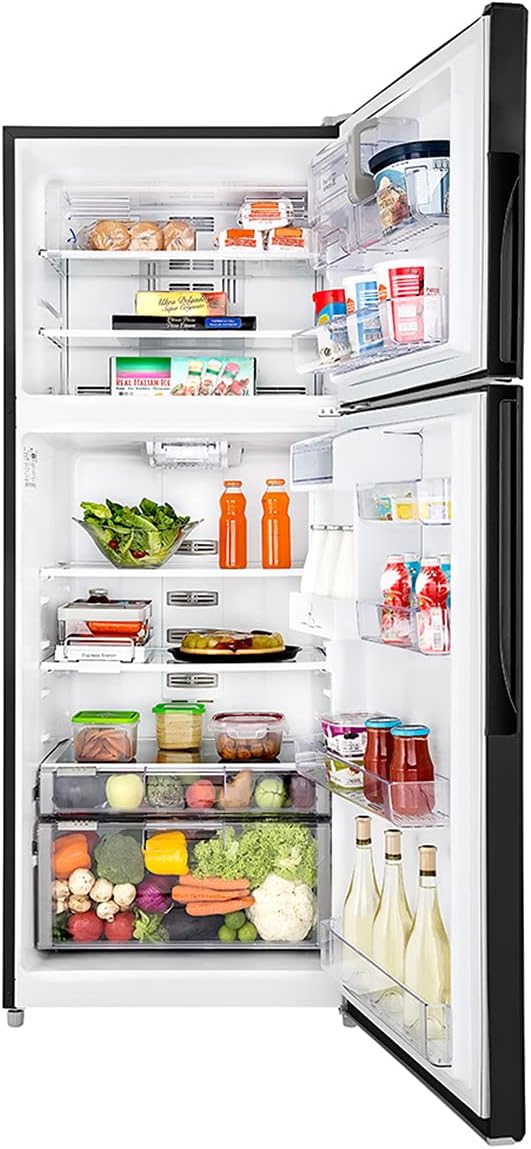
Interior view of the MABE RMS510ICMRP0 refrigerator, demonstrating various food items stored on shelves, in door bins, and crisper drawers.
5. Maintenance and Care
5.1 Cleaning
Regular cleaning helps maintain the efficiency and appearance of your refrigerator.
- Interior: Clean with a solution of mild soap and warm water. Rinse and dry thoroughly. Remove shelves and drawers for easier cleaning.
- Exterior: Wipe surfaces with a soft cloth and mild detergent. For black stainless steel, use a specialized cleaner if recommended by the manufacturer to avoid streaks.
- Condenser Coils: Periodically clean the condenser coils located at the back or bottom of the refrigerator to ensure efficient cooling. Unplug the appliance before cleaning.
5.2 Defrosting
This refrigerator features an automatic defrost system, eliminating the need for manual defrosting of the freezer compartment.
5.3 Power Outage
In case of a power outage, keep the refrigerator doors closed to maintain internal temperatures for as long as possible. Avoid opening the doors unnecessarily.
5.4 Moving the Refrigerator
When moving the appliance, ensure it is unplugged and empty. Secure all loose parts, such as shelves and drawers, with tape. Lift the refrigerator using proper lifting techniques or with assistance to prevent injury.
6. Troubleshooting
Before contacting service, review the following common issues and their potential solutions:
| Problem | Possible Cause | Solution |
|---|---|---|
| Refrigerator not cooling | Power cord unplugged; temperature setting too high; door left open; condenser coils dirty. | Check power connection; adjust temperature; ensure door is closed; clean condenser coils. |
| Unusual noise | Refrigerator not level; items vibrating inside; fan obstruction. | Level the appliance; rearrange items; check for obstructions around fan. |
| Water dispenser not working (if applicable) | Water supply turned off; water filter clogged; line frozen. | Check water supply; replace filter; defrost water line. |
| Door not closing properly | Door gasket dirty or damaged; refrigerator not level; items obstructing closure. | Clean or replace gasket; level appliance; remove obstructions. |
If the problem persists after attempting these solutions, please contact MABE customer support.
7. Specifications
| Feature | Specification |
|---|---|
| Brand | MABE |
| Model Number | RMS510ICMRP0 |
| Color | Black Stainless Steel |
| Total Capacity | 510 Liters |
| Voltage | 220 Volts |
| Annual Energy Consumption | 400 Kilowatts |
| Product Dimensions (D x W x H) | 73.53 x 73.81 x 187.4 cm (approx. 75.3 x 74.5 x 192 cm) |
| Product Weight | 83 kg |
| Defrost System | Automatic |
| Number of Doors | 2 |
| Energy Star Compliant | Yes |
8. Warranty and Support
For warranty information, please refer to the warranty card included with your purchase or contact your retailer. Keep your proof of purchase for warranty claims.
For additional support, troubleshooting videos, or to find authorized service centers, please visit the official MABE website or refer to their official YouTube channel:
When contacting support, please have your model number (RMS510ICMRP0) and serial number ready.


