
1. Introduction and Overview
The MTM Walkie Talkies are designed for reliable two-way communication, ideal for adults and kids in various outdoor and indoor settings. This 4-pack of radios operates across 22 channels with 121 privacy codes, ensuring clear and secure conversations. Featuring hands-free VOX operation, automatic squelch, and a long communication range, these walkie talkies are perfect for family adventures, camping, hiking, or simply staying connected around the house.

Image: Four MTM XF-638 walkie talkies, highlighting their compact design and vibrant red color.
2. What's in the Box
Your MTM Walkie Talkies package includes the following items:
- 4 x MTM Walkie Talkies (Model: XF-638)
- 4 x Belt Clips
- 1 x User Manual

Image: A family enjoying outdoor activities with MTM Walkie Talkies.
3. Key Features
- 22 Channels & 121 Privacy Codes: Operates in the 462 to 467 MHz frequency range, offering ample communication options and reducing interference. FCC Certified (FCC ID: 2AN6WXF-638).
- Long Range Communication: Supports up to 3 miles communication range in open fields, ideal for outdoor adventures.
- VOX - Hands-Free Operation: Automatically activates transmission when the user starts talking, eliminating the need to press the PTT button.
- Auto Squelch System: Filters out nuisance calls and background noise for clearer sound.
- Keypad Lock: Prevents accidental channel changes or setting adjustments.
- Adjustable Power: Allows adjustment of power output to optimize range and battery life.
- Large LCD Screen with Backlight: Provides clear visibility of settings and status, day or night.
- Drop-Protection (ABS): Durable construction designed to withstand accidental drops.
- Low Battery Alert: Notifies you when batteries are running low.
- Compatible with Most Brands: Can communicate with other walkie talkies operating on the same frequencies and codes.
- Headset Option: For private listening and hands-free convenience.
- USB Cable Compatibility: Designed for use with rechargeable batteries (batteries not included).
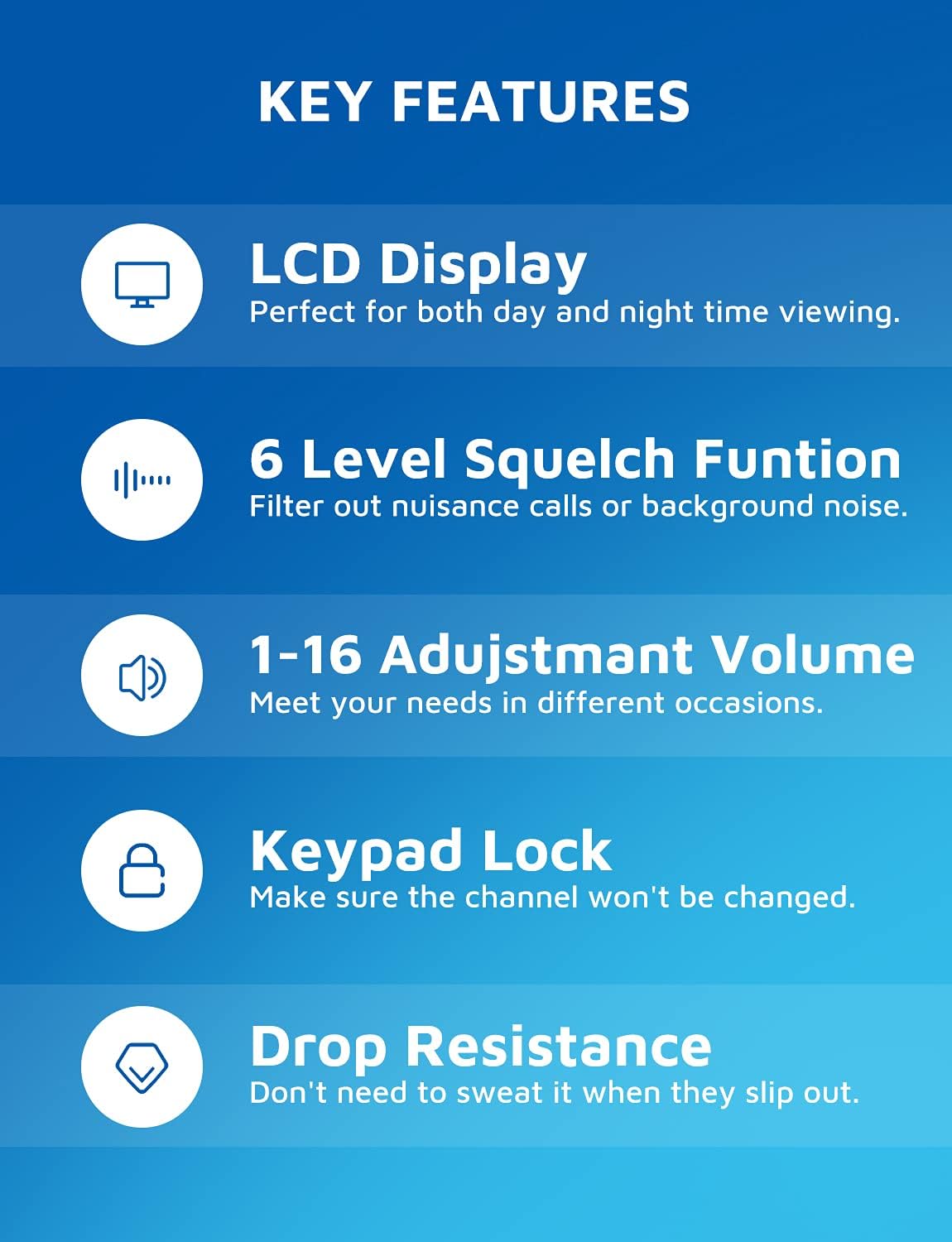
Image: Visual representation of the walkie talkie's key features, including display, squelch, volume, keypad lock, and durability.
4. Setup Guide
4.1 Battery Installation
Each MTM Walkie Talkie requires three (3) AAA batteries (not included). To install:
- Locate the battery compartment on the back of the unit.
- Remove the belt clip by sliding it upwards if it obstructs the battery cover.
- Carefully open the battery compartment cover.
- Insert three AAA batteries, ensuring correct polarity (+/-) as indicated inside the compartment.
- Close the battery compartment cover securely.
- Reattach the belt clip if removed.

Image: Battery compartment with space for three AAA batteries.
4.2 Attaching the Belt Clip
To attach the belt clip, align the clip with the grooves on the back of the walkie talkie and slide it downwards until it clicks into place. To remove, slide it upwards.
5. Operating Instructions
5.1 Power On/Off
Press and hold the ON/OFF button (usually located on the left side or front panel) for a few seconds until the LCD screen illuminates.
To power off, press and hold the ON/OFF button again until the screen turns off.
5.2 Channel Selection
Your walkie talkie has 22 available channels. To change the channel:
- Press the MENU button once. The channel number on the LCD will flash.
- Use the UP (▲) or DOWN (▼) buttons to select your desired channel (1-22).
- Press the MENU button again or the PTT button to confirm your selection.
5.3 Privacy Codes (CTCSS/DCS)
To ensure private communication and reduce interference, you can set privacy codes (121 available). All radios in your group must be on the same channel and privacy code.
- Press the MENU button twice. The privacy code number will flash.
- Use the UP (▲) or DOWN (▼) buttons to select your desired privacy code.
- Press the MENU button again or the PTT button to confirm.
5.4 Transmitting and Receiving
To transmit, press and hold the PTT (Push-To-Talk) button located on the side of the radio. Speak clearly into the microphone. Release the PTT button to listen for a response.

Image: Demonstrating long-range communication between a woman indoors and a child outdoors.
5.5 VOX (Voice-Activated Transmission)
VOX allows for hands-free communication. When activated, the radio will transmit automatically when it detects your voice.
- To activate VOX, press the MENU button multiple times until the VOX icon appears on the display.
- Use the UP (▲) or DOWN (▼) buttons to select the VOX sensitivity level (e.g., 1-3, with 1 being most sensitive).
- Press the MENU button or PTT button to confirm.

Image: A hiker using the walkie talkie with a belt clip, highlighting the hands-free VOX feature.
5.6 Keypad Lock
To prevent accidental changes to settings, you can lock the keypad.
- Press and hold the MENU button until the lock icon appears on the display.
- To unlock, press and hold the MENU button again until the lock icon disappears.
5.7 Volume Adjustment
Use the UP (▲) or DOWN (▼) buttons (when not in menu mode) to adjust the speaker volume (1-16 levels).

Image: Speaker area showing adjustable volume levels.
5.8 Automatic Scan Function
The auto scan function allows the radio to automatically scan through channels to find active conversations.
- Press the MON button (Monitor) to initiate scanning.
- The radio will stop on an active channel.
- Press the MON button again to stop scanning.

Image: Labeled diagram of the walkie talkie's components and buttons.
6. Maintenance
- Cleaning: Use a soft, damp cloth to clean the exterior of the walkie talkie. Do not use harsh chemicals or abrasive cleaners.
- Battery Care: Remove batteries if the device will not be used for an extended period to prevent leakage and damage.
- Storage: Store the walkie talkies in a cool, dry place away from direct sunlight and extreme temperatures.
7. Troubleshooting
| Problem | Possible Cause | Solution |
|---|---|---|
| No power | Batteries are dead or incorrectly installed. | Replace batteries with new AAA batteries, ensuring correct polarity. |
| Cannot communicate with other radios | Radios are on different channels or privacy codes. Out of range. | Ensure all radios are on the same channel and privacy code. Move closer to the other radio. |
| Poor sound quality / Static | Weak signal, interference, or squelch level too low. | Move to an open area. Adjust squelch level. Check battery level. |
| Keypad is unresponsive | Keypad lock is activated. | Press and hold the MENU button to unlock the keypad. |
| Settings are confusing / Need to reset | User settings are not as desired. | To restore factory settings, long press the MENU button and then install the battery. |
8. Specifications
- Brand: MTM
- Model Number: XF-638
- Color: Red
- Number of Channels: 22
- Frequency Range: 462-467 MHz
- Talking Range Maximum: 5 Kilometers (approx. 3 miles in open fields)
- Special Feature: Voice Operated Transmission (VOX)
- Tuner Technology: UHF
- Water Resistance Level: Waterproof
- Item Weight: 14 ounces
- Package Dimensions: 6.69 x 4.69 x 3.27 inches
- Power Source: 3 x AAA Batteries (not included)
- Manufacturer: MTM
- FCC ID: 2AN6WXF-638
9. Warranty and Support
MTM provides a 1-year quality warranty for your walkie talkies. In addition, lifetime email support is available for any questions or issues you may encounter.
If you are not 100% satisfied with your MTM product or require technical assistance, please contact MTM customer support. You can typically find contact information through your purchase platform (e.g., "Your Orders" section on Amazon) or the official MTM website.
Please note: No official seller videos were available for embedding in this manual.