TCNEWCL 35mm Slide and Film Viewer Instruction Manual
Model: FS521
1. Introduction
The TCNEWCL 35mm Slide and Film Viewer is designed to help you easily view and appreciate your old 2x2 inch slides and 35mm film negatives. Featuring 3X magnification and bright LED illumination, this device provides clear, vivid details of your cherished memories. Its portable design allows for convenient use on any desktop, powered by either USB or AA batteries.
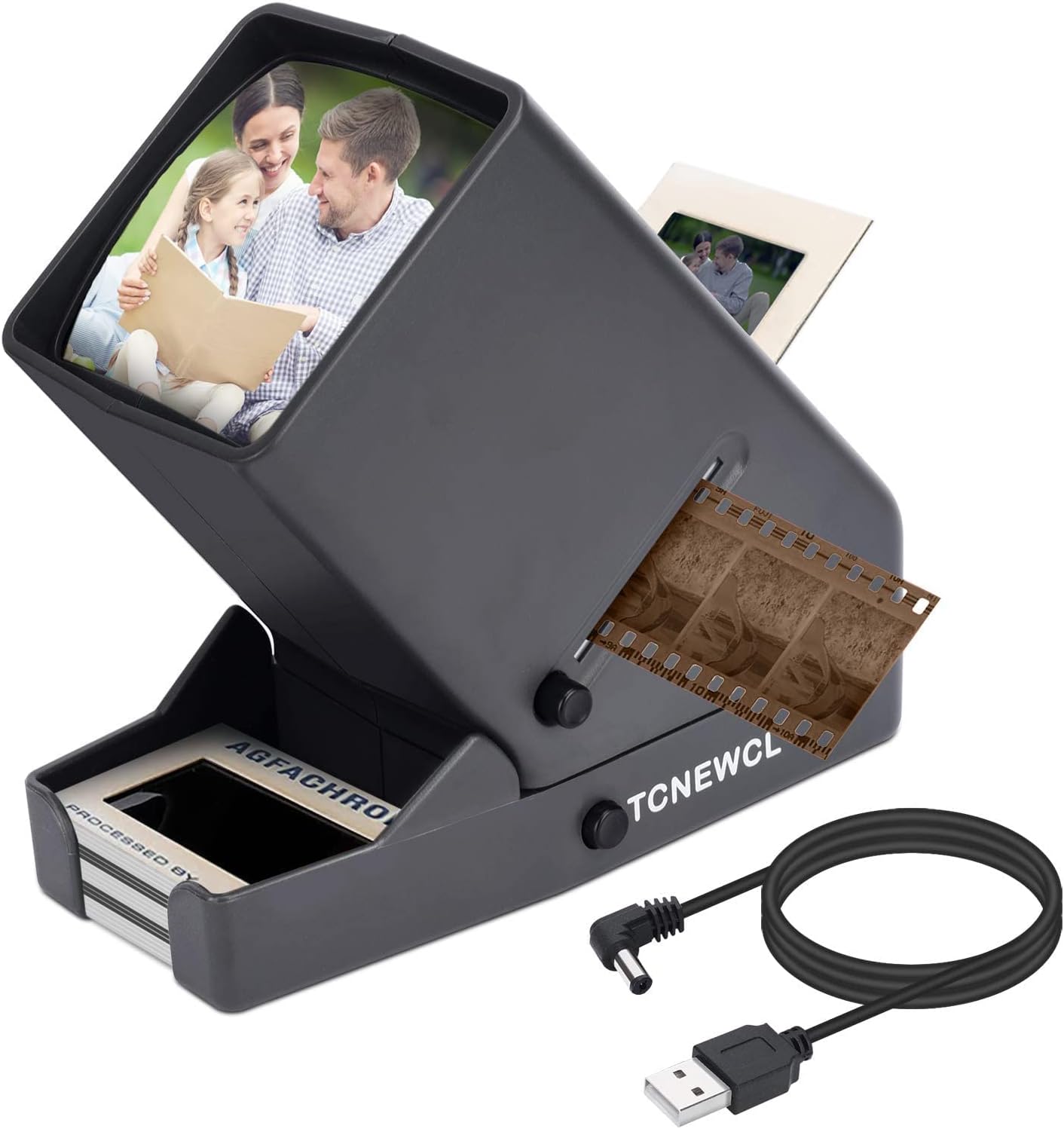
Figure 1: TCNEWCL 35mm Slide and Film Viewer.
2. Product Components
Familiarize yourself with the main components of your slide and film viewer:
- Magnifying Lens: Provides 3X magnification for detailed viewing.
- LED Light Source: Illuminates slides and negatives for clear, vivid images.
- Slide Entrance: Slot for inserting 2x2 inch mounted slides.
- Film Exit: Slot for 35mm film negatives to pass through.
- Slide Receiving Tray: Collects ejected slides.
- Slide Ejection Button: Releases slides into the receiving tray.
- ON/OFF Button: Controls the power to the LED light.
- Power Jack: For connecting the USB power cable.

Figure 2: Labeled diagram of the viewer's main components.
3. Setup
Your TCNEWCL Slide and Film Viewer offers two power options:
- USB Power: Connect the included USB power cable to the Power Jack on the viewer and plug the other end into a compatible USB power source (e.g., computer USB port, USB wall adapter).
- Battery Power: Open the battery compartment on the bottom of the viewer. Insert 4x AA batteries (not included) ensuring correct polarity (+/-). Close the compartment securely.
Once powered, press the ON/OFF Button to activate the LED light source.

Figure 3: Powering the device via batteries or USB cable.
4. Operating Instructions
Follow these steps to view your slides and film negatives:
4.1 Viewing 2x2 Inch Slides
- Ensure the viewer is powered on and the LED light is active.
- Gently insert a 2x2 inch mounted slide into the Slide Entrance slot at the top of the viewer. Push it down until it rests securely in place.
- Look into the magnifying lens to view the illuminated slide. The 3X magnification will enhance details.
- To remove the slide, press the Slide Ejection Button located on the side of the viewer. The slide will drop into the Slide Receiving Tray at the bottom.
- Repeat for additional slides. The receiving tray can hold approximately 10 slides.
4.2 Viewing 35mm Film Negatives
- Ensure the viewer is powered on and the LED light is active.
- Locate the Film Exit slot on the side of the viewer. This is where the film strip will pass through.
- Carefully insert one end of your 35mm film negative strip into the film input slot (usually adjacent to the film exit or integrated into the design for continuous feeding).
- Slowly pull the film strip through the viewer, observing the magnified and illuminated images on the screen.
- Adjust the film's position as needed to center each frame for optimal viewing.

Figure 4: Instructions for inserting slides and film negatives.
5. Maintenance
To ensure the longevity and optimal performance of your viewer, follow these maintenance guidelines:
- Cleaning: Use a soft, dry, lint-free cloth to clean the exterior of the viewer. For the magnifying lens and LED screen, use a specialized lens cleaning cloth and solution if necessary, to avoid scratches or streaks.
- Dust Removal: Periodically use a can of compressed air to gently blow dust out of the slide and film slots.
- Storage: When not in use, store the viewer in a cool, dry place away from direct sunlight and extreme temperatures. Keep it covered to prevent dust accumulation.
- Battery Care: If using batteries, remove them if the device will not be used for an extended period to prevent leakage and damage.
6. Troubleshooting
If you encounter any issues with your viewer, refer to the following common problems and solutions:
| Problem | Possible Cause | Solution |
|---|---|---|
| Viewer does not turn on. | No power, dead batteries, or loose USB connection. | Check USB cable connection. If using batteries, replace with fresh ones. Ensure ON/OFF button is pressed. |
| Image is blurry or unclear. | Dust on lens/screen, incorrect slide/film insertion. | Clean the magnifying lens and LED screen. Ensure slides/film are fully inserted and correctly oriented. |
| Slide gets stuck during ejection. | Slide not fully inserted, or mechanism obstruction. | Ensure slide is fully inserted before pressing eject. Gently jiggle the viewer or use a non-abrasive tool to dislodge if necessary. Avoid forcing. |
| Film negative does not feed smoothly. | Film is bent or damaged, or dust in the film path. | Ensure film is flat and undamaged. Use compressed air to clear the film path. |
7. Specifications
| Model Name: | FS521 |
| Brand: | TCNEWCL |
| Product Dimensions: | 6.5 x 3 x 6 inches (approx. 16.5 x 7.6 x 15.2 cm) |
| Item Weight: | 1.32 pounds (approx. 600 grams) |
| Magnification: | 3X |
| Media Type: | 2x2 inch Slides, 35mm Film Negatives |
| Scanner Type: | Film |
| Connectivity Technology: | USB |
| Power Source: | USB or 4x AA Batteries (not included) |
| Manufacturer: | TCNEWCL |
| Country of Origin: | China |
8. Warranty and Support
Specific warranty information for the TCNEWCL 35mm Slide and Film Viewer was not available in the provided product data. Please refer to the product packaging or the official TCNEWCL website for detailed warranty terms and conditions.
For technical support, product inquiries, or assistance with troubleshooting beyond this manual, please contact TCNEWCL customer service through their official channels, typically found on their website or product packaging.