
SUBSONIC SA5600
Subsonic 3-Meter USB-C Charging Cable User Manual
Model: SA5600 | Brand: SUBSONIC
1. Product Overview
The Subsonic 3-meter USB-C charging cable is designed to provide a reliable and convenient solution for charging and playing with your compatible game controllers. Its extended length allows for comfortable use from a distance, ensuring an uninterrupted gaming experience while your controller recharges.
Key Features:
- Extended Reach: A 3-meter (approximately 9.8 feet) length provides ample distance from your console or charging source.
- Charge & Play: Enables simultaneous charging and gameplay for compatible controllers.
- Multi-Device Compatibility: Fully compatible with PS5 DualSense controllers, Nintendo Switch Pro controllers, and Xbox Series X/S controllers.
- Durable Design: Constructed for reliable performance and tangle-free use.

Figure 1: The Subsonic 3-meter USB-C charging cable shown in its retail packaging.
2. Setup Instructions
Follow these steps to connect your Subsonic USB-C charging cable:
- Identify Connectors: The cable has two distinct ends: a standard USB-A connector and a USB-C connector.
- Connect to Power Source: Insert the USB-A end of the cable into an available USB port on your gaming console (e.g., PlayStation 5, Nintendo Switch dock, Xbox Series X/S console) or a compatible USB wall adapter.
- Connect to Controller: Insert the USB-C end of the cable into the USB-C port on your compatible game controller (e.g., PS5 DualSense, Nintendo Switch Pro Controller, Xbox Series X/S Controller).
- Verify Connection: Ensure both ends of the cable are securely plugged in. Your controller should indicate that it is charging (e.g., an LED indicator on the controller may light up or change color).
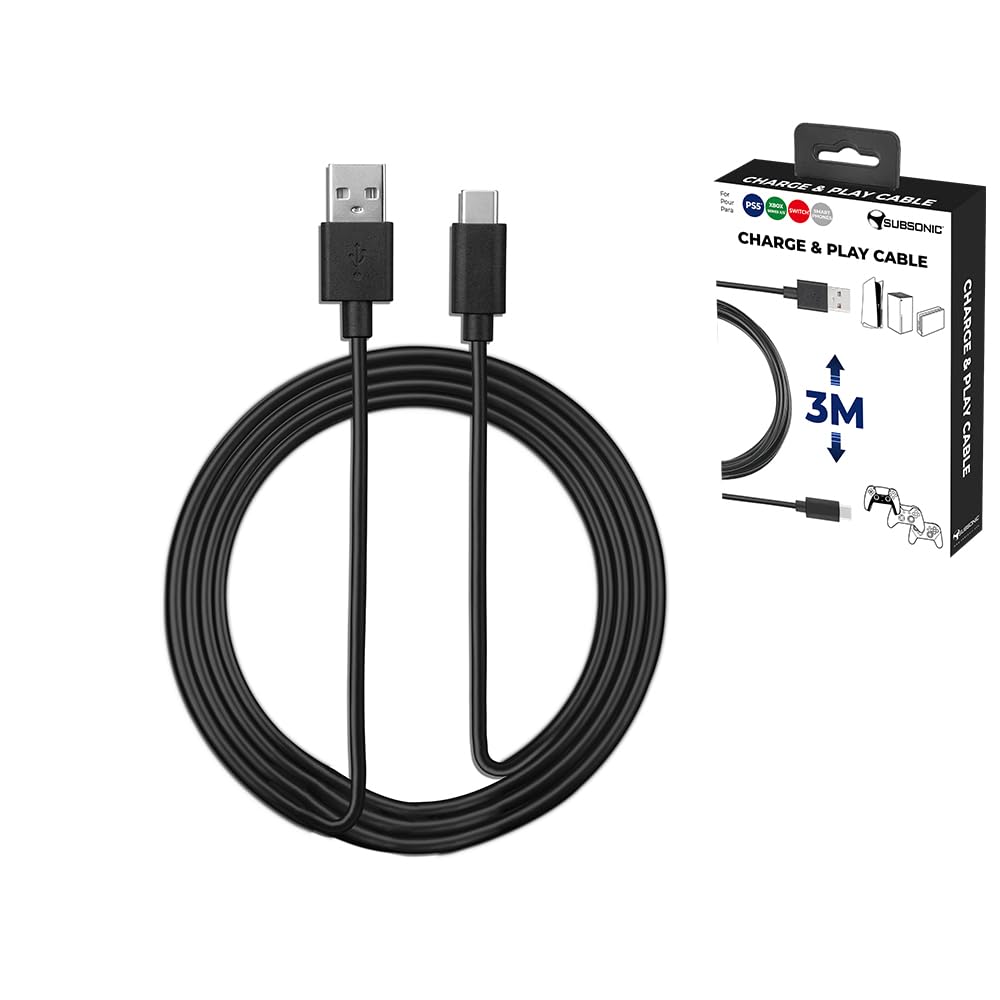
Figure 2: The USB-A and USB-C connectors of the charging cable.
3. Operating the Cable
Once connected, the Subsonic USB-C charging cable functions automatically:
- Charging: The cable will begin charging your controller's internal battery. Charging status is typically indicated by the controller itself.
- Playing While Charging: You can continue to use your controller for gameplay even while it is connected and charging. The 3-meter length provides flexibility to play from a comfortable distance.
- Data Transfer: While primarily designed for charging, this cable also supports data transfer, allowing for controller updates or wired connections to compatible devices if supported by the controller and console.
4. Compatibility
This Subsonic USB-C charging cable is designed for broad compatibility with popular gaming controllers:
- PlayStation 5 DualSense Controller
- Nintendo Switch Pro Controller
- Xbox Series X/S Controller
It may also be compatible with other devices that utilize a USB-C port for charging and data transfer, such as certain smartphones, tablets, or other gaming accessories. Always ensure the power source provides appropriate voltage and current for your device.

Figure 3: Compatible controller types.
5. Care and Maintenance
To ensure the longevity and optimal performance of your Subsonic USB-C charging cable, please follow these care guidelines:
- Avoid Kinks and Sharp Bends: Do not bend the cable sharply, especially near the connectors, as this can damage internal wires.
- Store Properly: When not in use, coil the cable loosely. Avoid tangling or knotting.
- Handle Connectors Carefully: Always grasp the connector housing when plugging or unplugging the cable. Do not pull directly on the cable itself.
- Keep Clean and Dry: Protect the cable and its connectors from dust, dirt, and moisture. If cleaning is necessary, gently wipe with a dry, soft cloth.
- Avoid Extreme Temperatures: Do not expose the cable to extreme heat or cold.
6. Troubleshooting
If you encounter issues with your Subsonic USB-C charging cable, try the following solutions:
- Controller Not Charging:
- Ensure both ends of the cable are fully inserted into the console/power adapter and the controller.
- Try a different USB port on your console or a different wall adapter.
- Test the cable with another compatible controller or device to confirm the cable's functionality.
- Ensure the power source is active and providing power.
- Slow Charging:
- Verify that your power source (console USB port or wall adapter) provides sufficient power output. Some USB ports may offer lower charging speeds.
- Avoid using the controller extensively while charging, as this can slow down the charging process.
- Intermittent Connection:
- Check for any visible damage to the cable or connectors.
- Ensure the ports on your console/adapter and controller are clean and free of debris.
- Avoid putting strain on the cable or connectors during use.
If problems persist after trying these steps, please refer to the Warranty and Support section.
7. Product Specifications
| Brand | SUBSONIC |
| Model Name | SA5600 |
| Connector Type | USB Type C (Male) to USB Type A (Male) |
| Cable Type | USB |
| Cable Length | 3 Meters (approx. 9.8 feet) |
| Color | Black |
| Special Feature | Tangle Free |
| Item Weight | 80 Grams (approx. 2.82 ounces) |
| Product Dimensions | 3.94 x 6.3 x 0.79 inches (packaging) |
| Compatible Devices | PS5 DualSense Controller, Nintendo Switch Pro Controller, Xbox Series X/S Controller |
8. Warranty and Support
This Subsonic product is covered by a manufacturer's warranty. For specific warranty terms and conditions, please refer to the documentation included with your purchase or visit the official SUBSONIC website.
For technical support, troubleshooting assistance, or warranty claims, please contact SUBSONIC customer service through their official channels. Keep your proof of purchase for warranty validation.
SUBSONIC Official Website: Visit the SUBSONIC Store on Amazon
Related documentsSA5600

Ask a question about this manual
Ask about setup, troubleshooting, compatibility, parts, safety, or missing instructions. Manuals+ will review the question and use this page’s manual context to help answer it.