
1. Introduction and Overview
The Ledlenser P5R Core is a compact and lightweight rechargeable flashlight designed for versatile use in various environments, including home, outdoor activities, camping, and emergency situations. It features advanced optical technology and robust construction to provide reliable illumination.
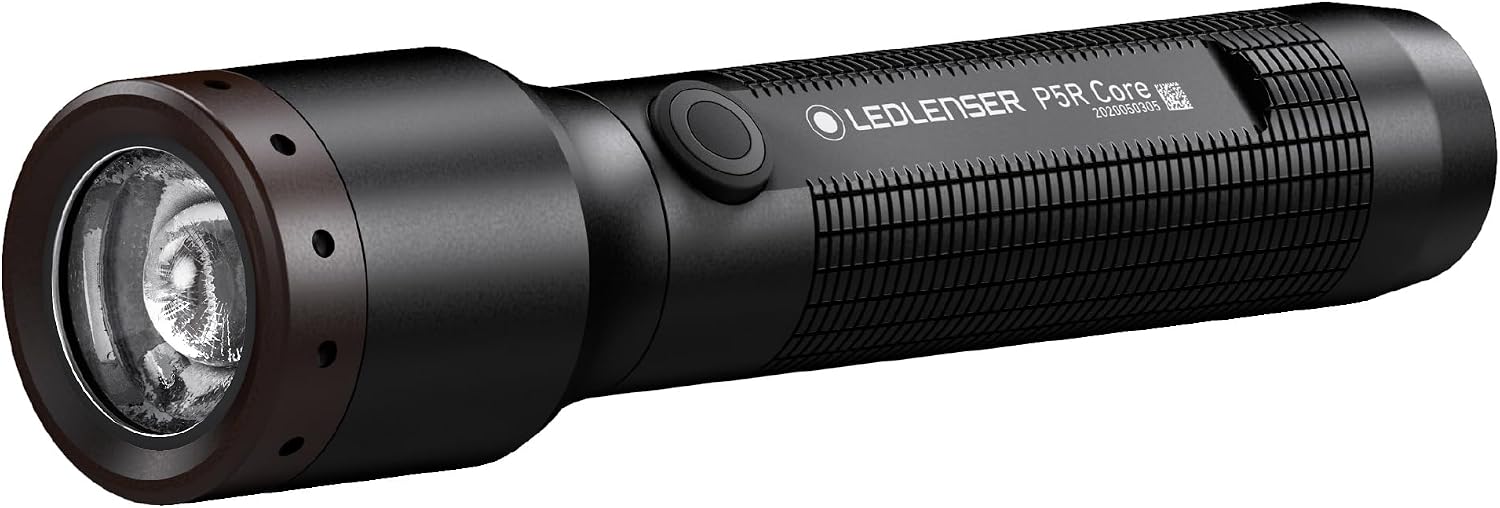
Figure 1.1: Ledlenser P5R Core Rechargeable Flashlight. A black Ledlenser P5R Core flashlight, showcasing its sleek design and textured grip.
2. Product Features
- Compact and Lightweight Design: Weighs less than 4 ounces and measures under 5 inches long, making it highly portable for everyday carry.
- Flex Sealing Technology (IP68): Provides superior protection against dust and water ingress, allowing for use in challenging conditions.
- Advanced Focus System: Enables seamless transition between a broad floodlight and a sharply focused beam, with a maximum beam distance of 250 meters.
- High Brightness Output: Delivers up to 500 lumens of light.
- Extended Run Time: Offers up to 25 hours of operation on a single charge.
- Smart Light Technology: Allows customization of individual light functions to suit specific needs.
- Magnetic Charging System: Features an easy-to-use magnetic charging port for convenient recharging.
- Rechargeable Battery: Includes a lithium-ion battery.

Figure 2.1: Compact and Lightweight Design. The P5R Core flashlight being used by a person entering a home, demonstrating its compact size and utility for everyday tasks. Icons indicate home use, portability, and rechargeability.

Figure 2.2: Advanced Focus System. A detailed view of the flashlight's head, highlighting the Advanced Focus System which allows seamless transition between spot and flood beams.

Figure 2.3: Light Functions. A person using the P5R Core flashlight to illuminate a dark space under furniture. The image also displays the various light functions: Power, Mid Power, Low Power, Boost, Blink, Position, SOS, and Strobe, along with their lumen output, beam distance, and run time.

Figure 2.4: Smart Light Technology and Magnetic Charging System. Two views of the P5R Core flashlight. The top view shows the power button with a green indicator, illustrating Smart Light Technology for customizable light functions. The bottom view highlights the magnetic charging contacts on the side of the flashlight.

Figure 2.5: Flex Sealing Technology. The P5R Core flashlight partially submerged in water, demonstrating its Flex Sealing Technology for superior protection against dust and water (IP68 rating).
3. What's in the Box
Upon unboxing, verify that all components are present:
- 1 x Ledlenser P5R Core Flashlight
- 1 x Rechargeable Lithium Ion Battery Set (included)
- 1 x Lanyard
- 1 x Magnetic Charging Cable

Figure 3.1: Included Components. The P5R Core flashlight with its end cap removed, showing the rechargeable battery being inserted. Above, three indicators (green, orange, red) illustrate the battery and charge status display. The image also lists included accessories: 1 Battery Set, Lanyard, Magnetic Charging Cable.
4. Setup
4.1 Battery Installation
- Unscrew the tail cap of the flashlight by turning it counter-clockwise.
- Insert the included Lithium Ion battery with the positive (+) terminal facing towards the head of the flashlight.
- Screw the tail cap back on clockwise until it is securely tightened.
4.2 Initial Charging
Before first use, fully charge the flashlight battery.
- Connect the magnetic charging cable to a USB power source (e.g., wall adapter, computer USB port).
- Attach the magnetic end of the charging cable to the charging contacts on the side of the flashlight. The magnetic connection will snap into place.
- The battery indicator light on the flashlight will show charging status (e.g., red for charging, green for fully charged).
- Allow the flashlight to charge until the indicator light turns green, signifying a full charge.
5. Operating Instructions
5.1 Power On/Off
- Press the power button located on the body of the flashlight to turn it on.
- Press the power button again to turn it off.
5.2 Changing Light Modes (Smart Light Technology)
The P5R Core features Smart Light Technology, allowing access to various light functions. The default sequence typically cycles through Power, Mid Power, and Low Power modes with successive presses.
- With the flashlight on, press the power button repeatedly to cycle through available light modes (e.g., Power, Mid Power, Low Power).
- For advanced functions like Boost, Blink, Position, SOS, or Strobe, refer to the detailed programming instructions in the full product manual or the Ledlenser website. These modes are typically accessed via specific button press sequences (e.g., double-click, long press).
5.3 Adjusting Focus (Advanced Focus System)
The Advanced Focus System allows you to quickly adjust the beam from a wide flood to a narrow spot.
- To widen the beam (floodlight), push the head of the flashlight forward.
- To narrow the beam (spotlight), pull the head of the flashlight backward.
6. Maintenance
6.1 Cleaning
- Wipe the flashlight body with a soft, damp cloth. Avoid abrasive cleaners or solvents.
- Clean the lens gently with a lens cloth to maintain optimal light output.
6.2 Battery Care
- Recharge the battery regularly, even if not in frequent use, to maintain battery health.
- Store the flashlight in a cool, dry place when not in use for extended periods.
- If storing for a long time, charge the battery to approximately 50% capacity.
7. Troubleshooting
| Problem | Possible Cause | Solution |
|---|---|---|
| Flashlight does not turn on. | Battery is depleted or incorrectly inserted. | Charge the battery. Ensure the battery is inserted with the correct polarity. |
| Light output is dim. | Low battery charge. Lens is dirty. | Recharge the battery. Clean the lens. |
| Flashlight does not charge. | Charging cable not properly connected. Faulty USB power source. | Ensure magnetic cable is securely attached. Try a different USB port or power adapter. |
| Beam focus is stiff. | Dirt or debris in the focusing mechanism. | Gently clean the area around the focusing head. Avoid forcing the mechanism. |
8. Specifications
| Feature | Detail |
|---|---|
| Model | P5R Core |
| Light Source Type | LED |
| Brightness | Up to 500 Lumens |
| Beam Distance | Up to 250 meters |
| Run Time | Up to 25 hours |
| Power Source | Battery Powered |
| Battery Type | 1 Lithium Ion (included) |
| Voltage | 3.7 Volts |
| Material | Aluminum |
| Water Resistance Level | IP68 (Water Resistant) |
| Item Weight | 4 Ounces (approx. 113 grams) |
| Product Dimensions | 3.35 x 5.71 x 3.35 inches (approx. 8.5 x 14.5 x 8.5 cm) |
| Item Model Number | 880515 |
| UPC | 847706100913 |
9. Warranty and Support
The Ledlenser P5R Core Flashlight comes with a limited warranty. For specific warranty terms, conditions, and duration, please refer to the official Ledlenser website or the warranty card included with your product. For technical support, service, or warranty claims, please contact Ledlenser customer service directly through their official channels.
10. Safety Information
Legal Disclaimer: Actual product packaging and materials may contain more and different information than what is shown in this manual. We recommend that you do not rely solely on the information presented here and that you always read labels, warnings, and directions before using or consuming a product.
- Do not look directly into the LED light beam, as it can cause temporary vision impairment.
- Keep out of reach of children.
- Do not attempt to disassemble or modify the flashlight, as this may void the warranty and pose a safety risk.
- Use only the specified rechargeable battery and charging cable provided by Ledlenser.
- Avoid exposing the flashlight to extreme temperatures or direct sunlight for prolonged periods.