
TEETER X3A
Contents
Teeter FitSpine X3 Inversion Table User Manual
Model: X3A
Introduction
The Teeter FitSpine X3 Inversion Table is designed to provide decompression and relief for back pain. This manual provides essential information for the safe and effective use of your inversion table. Please read all instructions carefully before assembly and operation.

Image: The Teeter FitSpine X3 Inversion Table, ready for use.
Important Safety Information
WARNING: Before starting any inversion activities, consult with a medical professional. Certain medical conditions may be contraindicated for inversion therapy.
- The Teeter FitSpine X3 is FDA Registered as a 510(k) medical device, indicated for conditions such as back pain, muscle tension, herniated disc, sciatica, and spinal stenosis.
- This product is UL Safety Certified, ensuring it meets rigorous safety standards. It features heat-treated steel for enhanced strength and durability.
- Always ensure the inversion table is properly assembled and adjusted for your height and weight before each use.
- Do not exceed the maximum weight capacity of 300 lbs.

Image: A user demonstrating safe use of the Teeter FitSpine X3, emphasizing its safety certification.
Setup and Assembly
The Teeter FitSpine X3 is designed for frustration-free assembly. Detailed instructions are provided with the product. For interactive 3D instructions, download the BILT App on your smartphone or tablet.
Ensure all components are present and undamaged before beginning assembly. Follow the step-by-step guide to correctly assemble the frame, backrest, ankle lock system, and handles.

Image: The Teeter FitSpine X3 in use, with visual references to the Teeter Move and BILT assembly apps.
Operating Instructions
1. Adjusting Height and Balance
The inversion table must be balanced for your height to allow for smooth, controlled rotation.
- Locate the height adjustment mechanism on the main shaft.
- Adjust the height setting to match your actual height.
- Test the balance: Sit on the table and secure your ankles. Lean back slightly. If the table inverts too quickly or not at all, adjust the height setting incrementally until you achieve a comfortable, balanced rotation.
2. Securing Your Ankles
The EZ-Reach Ankle System provides a secure and comfortable fit.
- Step onto the foot platform.
- Place your ankles into the patented wrap-around ankle cups.
- Use the extra-long stainless-steel handle to engage the ankle lock system. Ensure it is fully secured with the secondary gravity-activated lock.
- Adjust the 2-position foot platform for a customized, ergonomic fit.

Image: A user demonstrating how to secure ankles using the EZ-Reach Ankle System.
3. Inverting and Returning Upright
The FitSpine X3 is engineered for smooth, responsive rotation control.
- To invert, slowly lean back and raise your arms overhead. The table will rotate smoothly.
- To return upright, slowly bring your arms back down to your sides.
- Use the EZ-Angle Tether to preset your maximum inversion angle (20, 40, or 60 degrees). For full inversion (90 degrees), remove the tether.
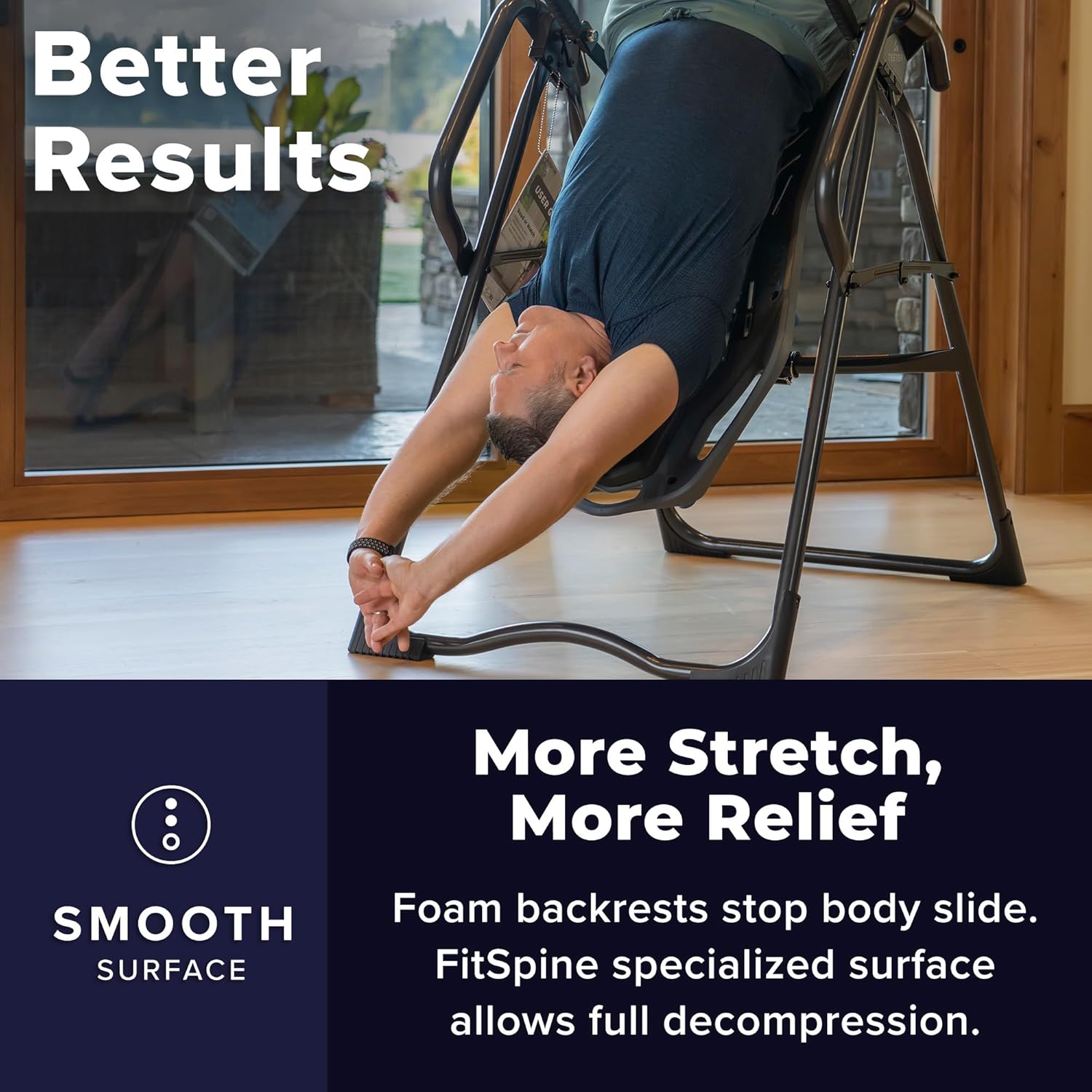
Image: A user performing a stretch while inverted on the Teeter FitSpine X3.
4. Using Integrated Accessories
- Acupressure Nodes: Position the 8 acupressure nodes on the FitSpine backrest to target specific trigger points for focused relief.
- Lumbar Bridge: Attach the adjustable Lumbar Bridge to the backrest to support and focus traction on the lower back curve.
- Grip-and-Stretch Handholds: Utilize the handholds on the frame for additional stretching options and assistance during inversion.
- Traction Handles & Stretch Max Handles: These handles provide options for deeper decompression and stretching.

Image: Detailed view of the acupressure nodes and lumbar bridge accessories.
Maintenance
To ensure the longevity and safe operation of your Teeter FitSpine X3 Inversion Table, perform the following maintenance checks regularly:
- Inspect all nuts, bolts, and moving parts for tightness and wear before each use.
- Clean the frame and backrest with a damp cloth and mild soap. Avoid abrasive cleaners.
- Store the inversion table in a dry, clean area. The unique folding design allows for easy transport and low-profile storage without disassembly.

Image: A user demonstrating the folding mechanism for convenient storage.
Troubleshooting
If you encounter issues with your Teeter FitSpine X3, refer to the following common solutions:
- Difficulty Inverting/Returning: Ensure the height setting is correctly adjusted for your body. Small adjustments can significantly impact balance. Check that the ankle lock is fully engaged.
- Unstable Feeling: Verify that the inversion table is placed on a flat, stable surface. Re-check all assembly connections for tightness.
- Ankle Discomfort: Ensure the ankle cups are properly positioned and the foot platform is adjusted for your foot size. Wear appropriate footwear (e.g., athletic shoes) for added comfort.
For further assistance, please contact Teeter customer support.
Specifications
| Feature | Detail |
|---|---|
| Brand | TEETER |
| Model Number | X3A |
| Item Weight | 66 pounds |
| Color | Grey |
| Material | Alloy Steel |
| Maximum Weight Recommendation | 300 pounds |
| Maximum Incline Percentage | 60 degrees (with tether), 90 degrees (without tether) |
| Operation Mode | Manual |
| Power Source | Self-Powered |
| Included Components | Free Teeter Move App |
| Height Capacity | 4 ft 8 in - 6 ft 6 in |
Warranty and Support
- Warranty: The Teeter FitSpine X3 Inversion Table comes with a 5-Year Full Manufacturer Warranty.
- Customer Support: US-based support is available for any questions or assistance you may need.
- Teeter Move App: Access subscription-free visual and audio-guided programs designed to help you progress in your recovery. Available for iOS and Android.
Ask a question about this manual
Ask about setup, troubleshooting, compatibility, parts, safety, or missing instructions. Manuals+ will review the question and use this page’s manual context to help answer it.