1. Introduction
Thank you for choosing the Gymform Vibromax PRO. This revolutionary vibration platform is designed to engage all muscle groups effectively and effortlessly. With just 10 minutes of daily use, it aims to strengthen, tone, and help reduce localized fat. This manual provides essential information for the safe and effective operation, maintenance, and troubleshooting of your device.
2. Safety Information
Please read all safety instructions carefully before using the Gymform Vibromax PRO. Failure to follow these instructions may result in injury or damage to the device.
- Consult a Physician: Before starting any new exercise program, especially if you have pre-existing health conditions, are pregnant, or have concerns about your physical health, consult with a qualified medical professional.
- Proper Placement: Place the device on a flat, stable, and non-slip surface. Ensure there is adequate clear space around the unit for safe operation.
- Power Supply: Connect the device only to a grounded power outlet with the correct voltage as specified in the product specifications. Do not use extension cords or adapters unless absolutely necessary and ensure they are rated for the device's power requirements.
- Supervision: Keep children and pets away from the device during operation. This appliance is not intended for use by persons with reduced physical, sensory, or mental capabilities, or lack of experience and knowledge, unless they have been given supervision or instruction concerning use of the appliance by a person responsible for their safety.
- Weight Limit: Adhere to any specified maximum user weight limit to prevent damage to the device and ensure user safety.
- Maintenance: Regularly inspect the device for any signs of wear or damage. Do not use the device if it is damaged. Refer to the maintenance section for cleaning instructions.
- Emergency Stop: Familiarize yourself with the emergency stop procedure or button, if available.
- Hydration: Stay hydrated during your workout.
- Listen to Your Body: Stop exercising immediately if you feel pain, dizziness, nausea, or any other discomfort.
3. Product Overview
The Gymform Vibromax PRO consists of the main vibration platform and accompanying accessories designed to enhance your workout.

Figure 3.1: Gymform Vibromax PRO in use, showing the main vibration platform and attached resistance bands with handles. A remote control is visible on the user's arm.

Figure 3.2: Side view of the Gymform Vibromax PRO, highlighting its compact design. The remote control and resistance bands are shown separately, indicating they are detachable accessories.
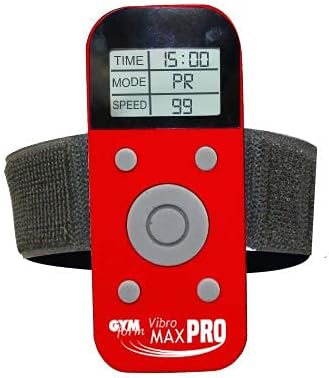
Figure 3.3: The remote control unit for the Vibromax PRO, featuring an LCD screen that displays workout parameters such as time, mode, and speed, along with control buttons.
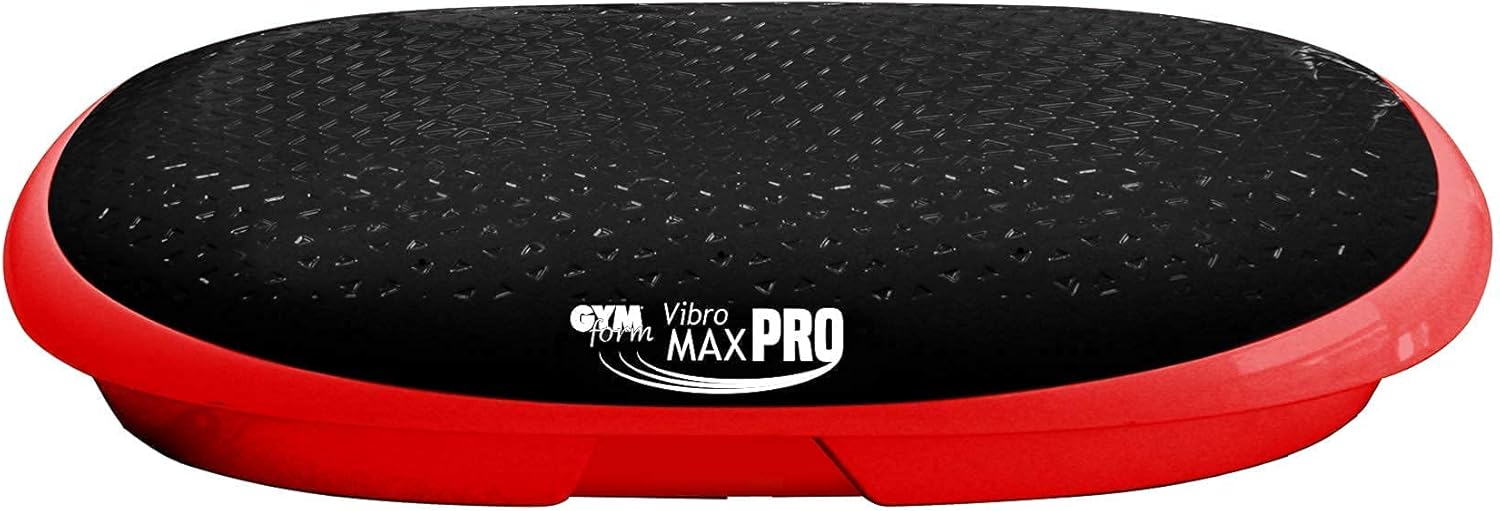
Figure 3.4: Top view of the Vibromax PRO platform, illustrating the textured, non-slip surface designed for user stability during exercises.
4. Setup
- Unpacking: Carefully remove all components from the packaging. Retain packaging for future storage or transport.
- Placement: Choose a flat, stable, and level surface for the vibration plate. Ensure there is at least 1 meter (3 feet) of clear space around the device for safe movement. Avoid placing it on thick carpets that might obstruct ventilation or stability.
- Power Connection: Locate the power input port on the device. Connect the power cord securely to the device and then plug the other end into a standard, grounded electrical outlet.
- Resistance Bands (Optional): If you plan to use the resistance bands, attach them to the designated anchor points on the sides of the platform. Ensure they are securely fastened.
5. Operating Instructions
The Gymform Vibromax PRO is designed for ease of use with its intuitive controls.
- Power On: Press the power button on the remote control or the main unit (if available) to turn on the device. The display will illuminate.
- Select Program: The Vibromax PRO offers 9 pre-set programs. Use the 'Mode' or 'Program' button on the remote control to cycle through the available programs (P1-P9). Each program has a unique vibration pattern and intensity profile.
- Adjust Intensity: The device features 99 intensity levels. Use the '+' and '-' buttons on the remote control to increase or decrease the vibration speed/intensity. Start with a lower intensity and gradually increase as you become comfortable.
- Set Time: Some models allow you to set the workout duration. Refer to the remote control display for time adjustment options. The recommended workout duration is 10 minutes per day.
- Start/Pause: Press the 'Start' button to begin the vibration. Press 'Pause' or the same button again to temporarily stop the vibration.
- Power Off: After your workout, press and hold the power button to turn off the device. Unplug the power cord from the wall outlet when not in use for extended periods.

Figure 5.1: Overview of the Gymform Vibromax PRO and its accessories, including the remote control, resistance bands, and instructional materials, demonstrating the complete package for user operation.
6. Exercise Guide
The effectiveness of your workout on the Vibromax PRO can be enhanced by varying your foot placement on the platform. The multi-dimensional vibration works all muscles without strain on joints.
- Center Placement (Walking Equivalent): Place your feet close together in the center of the platform. This position provides a gentler vibration, similar to a brisk walk, ideal for warm-ups or lower intensity workouts.
- Slightly Wider Placement (Jogging Equivalent): Position your feet slightly wider apart, closer to the middle of the platform. This increases the intensity, mimicking a jogging motion, engaging more muscle groups.
- Wide Placement (Intense Jogging/Running Equivalent): Place your feet at the outer edges of the platform. This maximizes the vibration intensity, providing a challenging workout equivalent to intense jogging or running, targeting muscles more vigorously.
Incorporate the resistance bands for upper body exercises while on the platform. Aim for 10 minutes of daily use for optimal results.
Figure 6.1: Example of a wide stance on the Vibromax PRO, demonstrating an intense workout position while utilizing the resistance bands for upper body engagement.
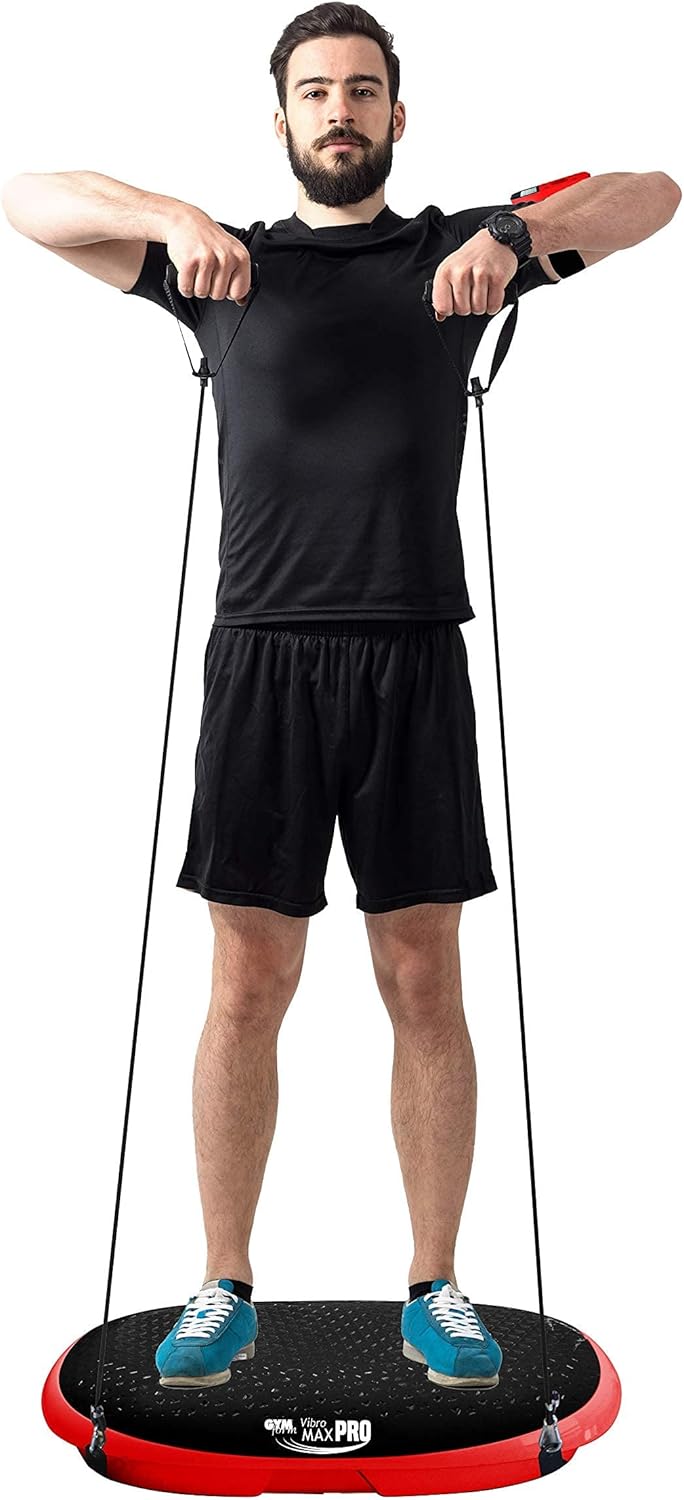
Figure 6.2: Another example of a user on the Vibromax PRO, illustrating a wide foot placement for maximum vibration intensity and simultaneous use of resistance bands.
7. Maintenance
Proper maintenance ensures the longevity and optimal performance of your Gymform Vibromax PRO.
- Cleaning: After each use, wipe down the surface of the vibration plate with a soft, damp cloth. For stubborn dirt, a mild, non-abrasive cleaner can be used. Ensure the device is unplugged before cleaning. Do not use harsh chemicals or abrasive materials.
- Storage: Store the device in a cool, dry place away from direct sunlight and extreme temperatures. Ensure it is unplugged and the power cord is neatly coiled to prevent damage.
- Inspection: Periodically check all cables, connections, and the resistance bands for any signs of wear, fraying, or damage. If any damage is found, discontinue use and contact customer support.
8. Troubleshooting
If you encounter issues with your Gymform Vibromax PRO, refer to the following common troubleshooting steps:
| Problem | Possible Cause | Solution |
|---|---|---|
| Device does not power on. |
|
|
| Vibration is weak or inconsistent. |
|
|
| Unusual noise during operation. |
|
|
If the problem persists after attempting these solutions, please contact Gymform customer support for further assistance.
9. Specifications
| Brand | Gymform |
| Model | Vibromax PRO |
| Operating Mode | Automatic |
| Power Source | Electric |
| Manufacturer | Best Direct |
| UPC | 644812047305 |
| Number of Programs | 9 |
| Number of Intensity Levels | 99 |
| Control Type | Push button |
| Product Dimensions (L x W x H) | 65 x 36 x 8 cm |
| Product Weight | 13.4 Kilograms |
| Color | Black and Red |
| ASIN | B08H5PPLZH |
| First Available | September 1, 2020 |
10. Warranty and Support
For information regarding the warranty period and terms for your Gymform Vibromax PRO, please refer to the documentation included with your purchase or contact the retailer from whom you purchased the product. Warranty details can vary by region and retailer.
For technical support, troubleshooting assistance beyond what is provided in this manual, or inquiries about replacement parts, please contact Gymform customer service or the authorized distributor in your region. Contact information can typically be found on the manufacturer's official website or on your purchase receipt.
You can also visit the official Gymform website for frequently asked questions and additional resources.


