Introduction
Thank you for purchasing the WEKOME D6 Desktop Mini Bluetooth Speaker. This compact and portable speaker is designed to deliver clear sound quality with convenient wireless connectivity. Please read this manual carefully before using the product to ensure proper operation and to maximize its lifespan.
Product Overview
The WEKOME D6 is a palm-sized mini Bluetooth speaker, featuring a unique and fashionable design. It is compatible with multiple devices and offers a transmission distance of up to 10 meters. The speaker supports TF card playback for versatile audio options.
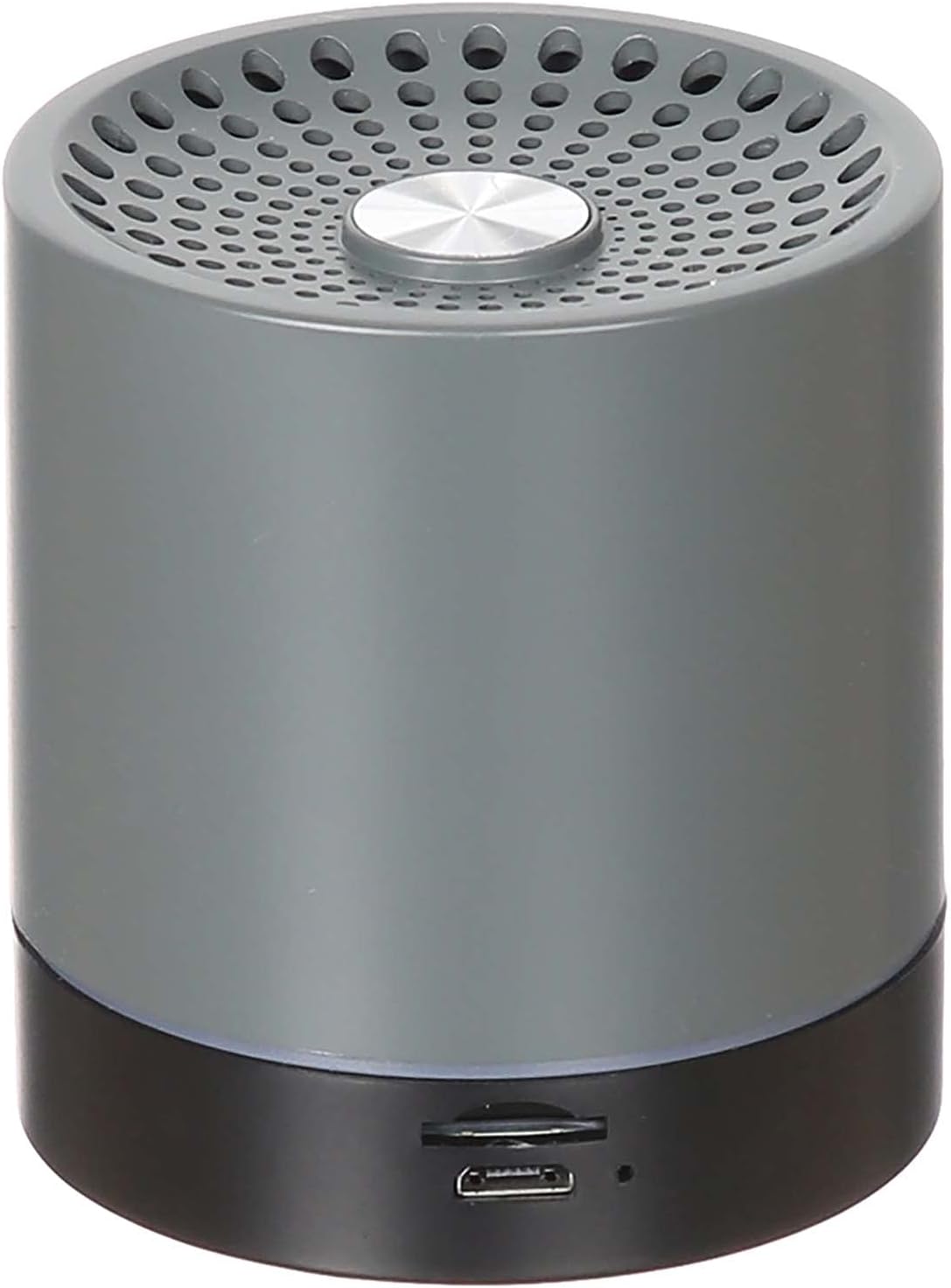
Figure 1: Front view of the WEKOME D6 Bluetooth Speaker, showing the speaker grille and central button.
Key Features:
- Compatible with multiple devices for broad connectivity.
- Unique and fashionable design, suitable for any desktop.
- Constructed from high-quality mixed materials for durability.
- Lightweight and portable, making it easy to carry.
- Supports Bluetooth wireless connectivity.
- Integrated TF card slot for direct audio playback.

Figure 2: Bottom view of the WEKOME D6 Bluetooth Speaker, showing the control buttons and ports.
Setup
1. Charging the Speaker
Before first use, fully charge the speaker. The WEKOME D6 is equipped with a 500 mAh battery.
- Locate the charging port on the speaker (refer to Figure 2).
- Connect the provided USB charging cable to the speaker's charging port.
- Connect the other end of the USB cable to a compatible USB power adapter (not included) or a computer's USB port.
- The charging indicator light will illuminate during charging.
- Charging time is approximately 1.5 hours. The indicator light will change or turn off once fully charged.
A full charge provides approximately 4-5 hours of playing time.
2. Bluetooth Pairing
To connect your speaker to a Bluetooth-enabled device:
- Ensure the speaker is sufficiently charged.
- Power on the speaker by pressing and holding the power button (refer to Figure 2 for button location). A voice prompt or indicator light will confirm it's in pairing mode.
- On your device (smartphone, tablet, computer), enable Bluetooth and search for available devices.
- Select "WEKOME D6" or a similar name from the list of found devices.
- Once paired, the speaker will indicate a successful connection (e.g., a sound prompt or steady indicator light).
- The speaker has a transmission distance of up to 10 meters (33 feet) in an open environment.
Note: If pairing fails, turn off both the speaker and your device's Bluetooth, then repeat the steps.
Operating Instructions
Power On/Off
- Power On: Press and hold the power button for approximately 3 seconds.
- Power Off: Press and hold the power button for approximately 3 seconds.
Volume Control
- Increase Volume: Press the '+' button.
- Decrease Volume: Press the '-' button.
Music Playback (Bluetooth Mode)
- Play/Pause: Press the Play/Pause button (often indicated by a triangle or two vertical bars).
- Next Track: Press and hold the '+' button or a dedicated 'Next' button.
- Previous Track: Press and hold the '-' button or a dedicated 'Previous' button.
TF Card Playback
The speaker supports TF cards up to 32GB.
- Insert a TF card with audio files into the TF card slot (refer to Figure 2).
- The speaker should automatically switch to TF card playback mode.
- Use the Play/Pause, Next Track, and Previous Track buttons as described above for music control.
Maintenance
- Cleaning: Use a soft, dry cloth to wipe the speaker's surface. Do not use abrasive cleaners, alcohol, or chemical solvents.
- Storage: Store the speaker in a cool, dry place away from direct sunlight and extreme temperatures.
- Battery Care: To prolong battery life, avoid fully discharging the battery frequently. Charge the speaker regularly, even if not in use for extended periods.
- Avoid Water: This speaker is not waterproof. Keep it away from water, rain, and excessive moisture.
- Handle with Care: Avoid dropping or subjecting the speaker to strong impacts.
Troubleshooting
| Problem | Possible Cause | Solution |
|---|---|---|
| Speaker does not turn on. | Low battery. | Charge the speaker for at least 1.5 hours. |
| Cannot pair with Bluetooth device. | Bluetooth is off on device; speaker is not in pairing mode; too far from device. | Ensure Bluetooth is enabled on your device. Put speaker in pairing mode. Move speaker closer to device (within 10m). Clear previous pairings on your device. |
| No sound or low volume. | Volume too low on speaker or device; speaker not connected properly. | Increase volume on both speaker and connected device. Re-pair the speaker. |
| Sound distortion. | Volume too high; interference; low battery. | Reduce volume. Move speaker away from other electronic devices. Charge the speaker. |
| TF card not playing. | Incorrect file format; card not inserted correctly; card corrupted. | Ensure audio files are in a compatible format (e.g., MP3). Reinsert the TF card. Try a different TF card. |
Specifications
- Model: D6
- Brand: WEKOME
- Connectivity Technology: Wired/Wireless (Bluetooth)
- Bluetooth Transmission Distance: Up to 10 meters (33 feet)
- Battery Capacity: 500 mAh
- Charging Time: Approximately 1.5 hours
- Playing Time: Approximately 4-5 hours
- Speaker Maximum Output Power: 10 Watts
- Audio Output Mode: Stereo
- Mounting Type: Tabletop
- Material: Mixed Materials
- Color: Black
- Supported Storage: TF Card (up to 32GB)
- Package Dimensions: 12.2 x 11.4 x 7.6 cm
- Item Weight: 599 g
Warranty and Support
For warranty information and customer support, please refer to the purchase documentation or contact your retailer. Keep your proof of purchase for any warranty claims.
For further assistance or technical inquiries, please visit the official WEKOME website or contact their customer service department.


