
LaView N11
LaView Wireless Outdoor Security Camera User Manual
Model: N11
1. Introduction
Thank you for choosing the LaView Wireless Outdoor Security Camera. This manual provides essential information for setting up, operating, and maintaining your camera. Please read this manual thoroughly before use to ensure proper functionality and safety.
Safety Guidelines
- Ensure the camera is installed in a stable location to prevent falling.
- Use only the provided charger and accessories.
- Do not expose the camera to extreme temperatures or direct fire.
- Keep out of reach of children.
2. Setup
2.1 What's in the Box
- 1 x LaView Wireless Outdoor Security Camera
- 1 x User Manual
- 1 x Charger
- Mounting Accessories (screws, wall anchors, magnetic bracket)
- 1 x WD Micro 32GB SD Card (included)
2.2 Camera Components
Familiarize yourself with the different parts of your LaView security camera:

Figure 2.2.1: LaView Wireless Outdoor Security Camera (Model N11)
This image shows the overall design of the LaView N11 wireless outdoor security camera, mounted on a wall bracket. The camera is black with the LaView logo visible on its side.
- 1080P High Definition Lens: Captures clear video footage.
- 30ft PIR Sensor: Detects motion up to 30 feet away.
- Microphone & Speaker: Enables two-way audio communication.
- Reset Button & Power Button: Located on the bottom of the camera, under a protective cover.
- MicroSD Card Slot: Supports local storage up to 128GB.
- Magnetic Bracket: Provides flexible mounting options.
Video 2.2.2: LaView Wireless Security Camera Outdoor Battery Powered - Product Overview
This video provides a detailed look at the LaView wireless security camera, highlighting its key components such as the PIR sensor, 1080P high-definition lens, speaker, microphone, and the location of the reset and power buttons. It also demonstrates the magnetic bracket and the internal structure of the camera, including the 9000 mAh lithium battery.
2.3 Charging the Camera
Before initial use, fully charge the camera using the provided charger. The 9600mAh battery can last up to 180 days with typical usage (triggered within 10 times/day).

Figure 2.3.1: 180-Day Battery Life
This image illustrates the extended battery life of the LaView camera, highlighting its 9600mAh large capacity battery and ultra-low power consumption, which allows for up to 180 days of operation on a single charge.
2.4 App Installation
Download the "LaView" app from your smartphone's app store (iOS App Store or Google Play Store). Follow the on-screen instructions to create an account.
2.5 Pairing the Camera
- Open the LaView app and tap the "+" icon to add a new device.
- Select your camera model from the list.
- Follow the in-app instructions to connect the camera to your 2.4GHz Wi-Fi network. (Note: 5.0GHz Wi-Fi networks are not supported.)
- Scan the QR code displayed on your phone with the camera lens.
- Once connected, you will receive a confirmation in the app.
2.6 Mounting the Camera
The camera is designed for both indoor and outdoor use with an IP65 weatherproof rating. It offers flexible mounting options using the included magnetic bracket.

Figure 2.6.1: IP65 Weatherproof Rating
This image demonstrates the IP65 waterproof capability of the LaView camera, showing it functioning reliably in various weather conditions like rain and snow. It also illustrates different mounting positions: "Upholding Mode" (wall-mounted), "Sitting Mode" (tabletop), and "Pulled Mode" (wall-mounted with extended arm).
Choose a location that provides the best viewing angle and Wi-Fi signal strength. Secure the magnetic bracket to a wall or flat surface using the provided screws and wall anchors. The camera can then be easily attached to the magnetic bracket and adjusted to your desired angle (approximately 90 degrees of vertical adjustment).
3. Operating
3.1 Live View
Access the live feed of your camera anytime, anywhere via the LaView app on your mobile phone or tablet. The camera provides crystal-clear 1080P HD video and a 140° wide-angle field of view.

Figure 3.1.1: 140 Degree Field of View
This image visually represents the 140-degree wide-angle field of view of the LaView camera, showing how it captures a broader area compared to a narrower 90-degree view, allowing for more comprehensive monitoring of your property.
3.2 Motion Detection & Alerts
The camera features advanced AI motion detection. When motion is detected, you will receive real-time message alerts on your phone. The AI human detection helps reduce false alarms from pets or environmental factors.

Figure 3.2.1: AI Human Detection
This image illustrates the AI human detection capability of the LaView camera, showing how it can distinguish human figures from other moving objects like pets or children, and send targeted alerts to your phone.
3.3 Two-Way Audio
Utilize the built-in microphone and speaker for two-way audio communication. This allows you to speak with visitors or deter intruders directly through the camera via the app.

Figure 3.3.1: Two-Way Audio Communication
This image depicts the two-way audio feature, showing a person speaking into their phone to communicate with a delivery person at their door, whose image is captured by the LaView camera.
3.4 Night Vision
The camera is equipped with infrared night vision, providing clear visibility up to 33 feet even in complete darkness, ensuring 24/7 monitoring.
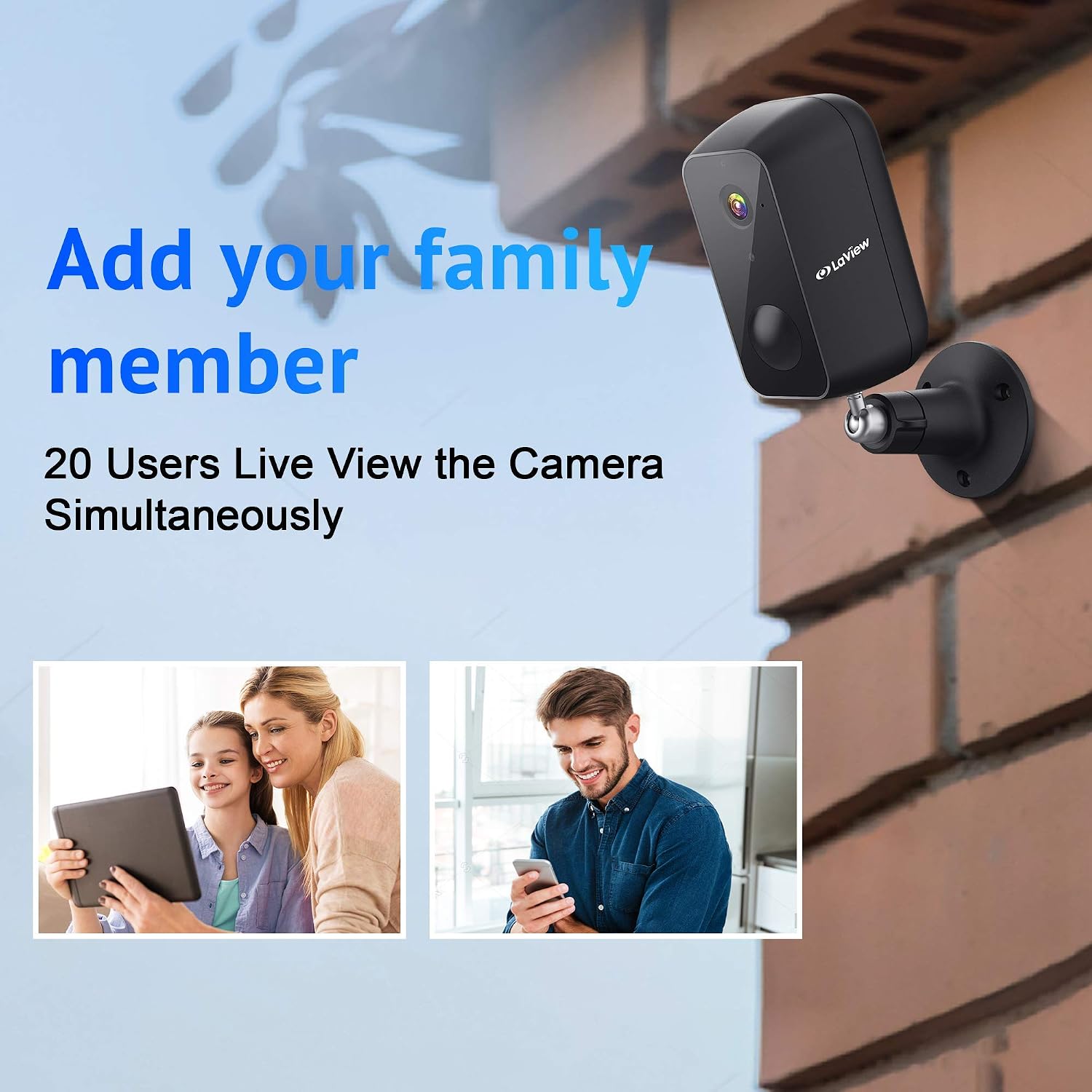
Figure 3.4.1: Full HD 1080P Video and Night Vision
This image demonstrates the camera's ability to capture clear 1080P video both during the day and at night using infrared night vision, with a visible range of up to 33 feet.
3.5 Video Recording & Storage
The camera supports both local storage via a built-in microSD slot (up to 128GB) and cloud storage. The US-based cloud server ensures your video clips are safe and protected, accessible only through your authenticated app account.
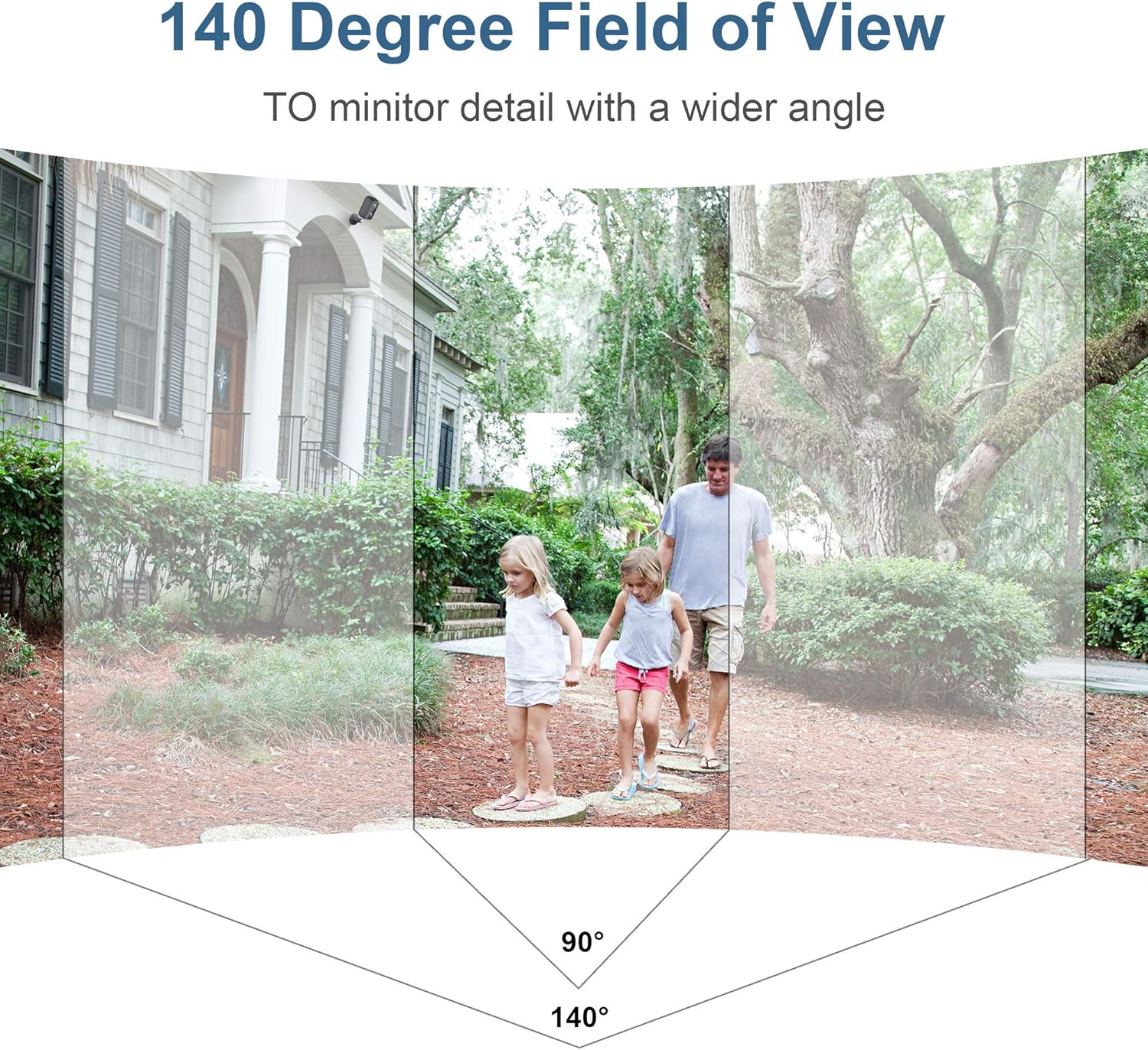
Figure 3.5.1: Privacy Protection USA Cloud Server and SD Card
This image highlights the camera's privacy protection features, including data storage on a US-based cloud server and the inclusion of a free 32GB Western Digital MicroSD card for local storage.
3.6 Sharing Access
You can share access to your camera's live feed with up to 20 family members simultaneously through the LaView app, allowing multiple users to monitor your property.

Figure 3.6.1: Multi-Family Members Sharing
This image illustrates the feature allowing multiple family members to view the camera feed simultaneously, showing two individuals using their devices to access the camera's live view.
4. Maintenance
4.1 Battery Management
To maximize battery life, ensure the camera is fully charged regularly. Reduce the frequency of motion detection events and live view access if extended battery life is desired.
4.2 Cleaning
Wipe the camera lens and body with a soft, dry cloth. Avoid using harsh chemicals or abrasive materials that could damage the camera's surface or lens.
4.3 Firmware Updates
Periodically check the LaView app for available firmware updates. Keeping your camera's firmware up-to-date ensures optimal performance, security, and access to new features.
5. Troubleshooting
If you encounter issues with your LaView Wireless Outdoor Security Camera, please refer to the following common solutions:
| Problem | Solution |
|---|---|
| Camera not connecting to Wi-Fi | Ensure you are connecting to a 2.4GHz Wi-Fi network. Check Wi-Fi signal strength at the camera's location. Try resetting the camera and re-pairing. |
| Short battery life | Reduce the number of motion detection events. Ensure the camera is fully charged. Extreme temperatures can affect battery performance. |
| Frequent false alerts | Adjust motion detection sensitivity in the app. Ensure AI human detection is enabled. Optimize camera placement to avoid areas with constant non-human motion (e.g., tree branches, busy roads). |
| No video recording | Check if the microSD card is properly inserted and formatted. Verify cloud storage subscription status if applicable. |
If the issue persists, please contact LaView customer support for further assistance.
6. Specifications
| Feature | Detail |
|---|---|
| Model Number | N11 |
| Video Resolution | 1080P HD |
| Field of View | 140 Degrees |
| Battery Capacity | 9600mAh (up to 180 days battery life) |
| Connectivity | 2.4GHz Wi-Fi (IEEE 802.11b/g/n) |
| Weatherproof Rating | IP65 |
| Night Vision Range | Up to 33 Feet |
| Storage Options | MicroSD Card (up to 128GB), Cloud Storage |
| Dimensions (L x W x H) | 7 x 3 x 7 inches |
| Item Weight | 1.41 pounds |
| Power Source | Battery Powered |
| Control Method | App (LaView App) |
7. Warranty and Support
LaView products come with a limited warranty. For detailed warranty information, please refer to the warranty card included with your product or visit the official LaView website.
For technical support, troubleshooting assistance, or any inquiries regarding your LaView Wireless Outdoor Security Camera, please contact LaView Customer Service:
- Website: www.laviewsecurity.com (General placeholder, as specific support link not provided)
- Email: Refer to product packaging or website for contact email.
- Phone: Refer to product packaging or website for contact number.
Please have your model number (N11) and purchase information ready when contacting support.
Related documentsN11


Ask a question about this manual
Ask about setup, troubleshooting, compatibility, parts, safety, or missing instructions. Manuals+ will review the question and use this page’s manual context to help answer it.