Introduction
The Havit KB488L is a versatile backlit keyboard designed for an enhanced user experience, particularly for gaming and multimedia applications. It combines an attractive design with practical features to provide efficient and comfortable operation.
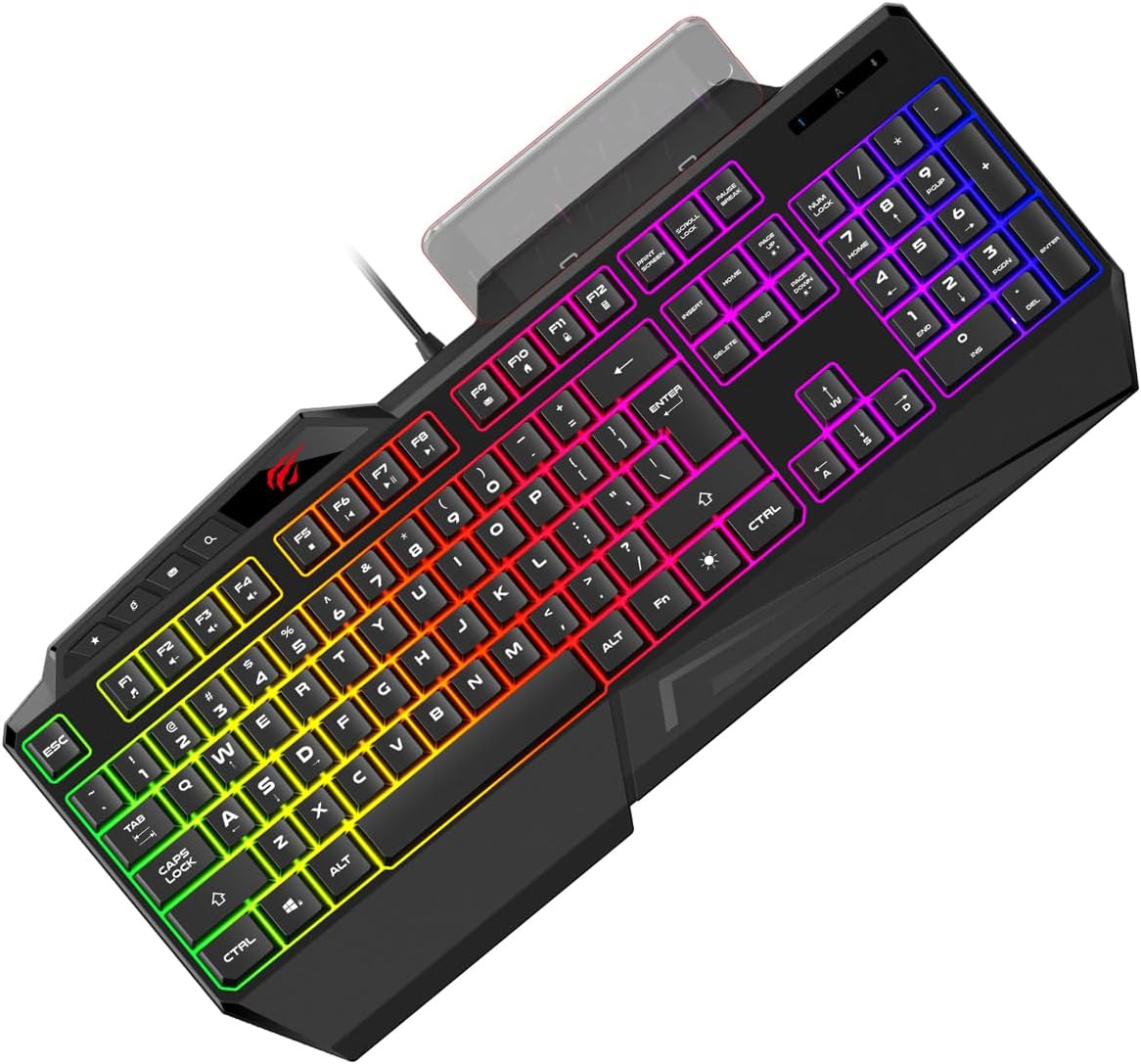
Figure 1: Havit KB488L Multifunction Backlit Keyboard. This image shows the keyboard from an angled top-down perspective, highlighting its full layout and vibrant RGB backlighting.
Product Features
- Attractive Gaming Design: Engineered with aesthetics that appeal to gamers, enhancing the overall setup.
- 19 Anti-Ghosting Keys: Ensures precise and simultaneous key presses are registered, crucial for fast-paced gaming.
- Modern and Practical Layout: Designed for both efficiency and comfort during extended use.
- Integrated Mobile Phone Holder: A unique feature allowing convenient placement of your smartphone directly on the keyboard.
- FN Multimedia Keys: Dedicated function keys for quick access to multimedia controls.
- 4 Standard Multimedia Keys: Additional keys for common multimedia functions.
- Backlight: Features vibrant RGB backlighting to enhance visibility and aesthetics.

Figure 2: Key features of the Havit KB488L keyboard. This image highlights the eye-catching design, 19 anti-ghosting keys, and the integrated mobile phone bracket design.
Setup
- Unpacking: Carefully remove the keyboard from its packaging. Ensure all components are present.
- Connection: Locate an available USB port on your computer. Insert the keyboard's USB connector firmly into the port.
- Driver Installation: The Havit KB488L is typically plug-and-play. Your operating system should automatically detect and install the necessary drivers. Allow a few moments for this process to complete.
- Placement: Position the keyboard comfortably on your desk. The integrated wrist rest provides ergonomic support.

Figure 3: Top-down view of the Havit KB488L keyboard, showing the full key layout and the USB cable connection point.
Operating Instructions
Backlight Control:
- The keyboard features a static RGB backlight. The colors are pre-set and do not change dynamically.
- To turn the backlight on/off, locate the Scroll Lock key. Pressing this key will toggle the backlight.
Multimedia Functions (FN Keys):
The Havit KB488L includes FN multimedia keys for quick access to various functions. To use these, press and hold the FN key, then press the corresponding function key (F1-F12).
| Key Combination | Function |
|---|---|
| FN + F1 | Media Player |
| FN + F2 | Volume Down |
| FN + F3 | Volume Up |
| FN + F4 | Mute |
| FN + F5 | Stop |
| FN + F6 | Previous Track |
| FN + F7 | Play/Pause |
| FN + F8 | Next Track |
| FN + F9 | |
| FN + F10 | Web Browser |
| FN + F11 | My Computer |
| FN + F12 | Calculator |
Mobile Phone Holder:
The integrated mobile phone holder is located at the top center of the keyboard. Simply place your smartphone in the slot for convenient viewing while working or gaming.

Figure 4: Angled view of the Havit KB488L keyboard, showcasing the integrated mobile phone holder at the top.
Maintenance
- Cleaning: Use a soft, dry cloth to wipe down the keyboard surface. For deeper cleaning, a can of compressed air can remove dust and debris from between the keys. Avoid using harsh chemicals or abrasive materials.
- Spills: In case of liquid spills, immediately disconnect the keyboard from your computer. Invert the keyboard to drain liquid and allow it to dry completely before reconnecting. Do not attempt to use the keyboard if it is still wet.
- Storage: When not in use for extended periods, store the keyboard in a clean, dry environment away from direct sunlight and extreme temperatures.
Troubleshooting
| Problem | Possible Cause | Solution |
|---|---|---|
| Keyboard not responding. | Loose USB connection, faulty USB port, driver issue. | Ensure USB cable is securely connected. Try a different USB port. Restart your computer. Check Device Manager for driver issues. |
| Backlight is off. | Backlight feature is toggled off. | Press the Scroll Lock key to toggle the backlight on. |
| Keys are not registering correctly (ghosting). | Too many keys pressed simultaneously beyond anti-ghosting limit, software conflict. | The keyboard supports 19 anti-ghosting keys. Ensure you are not exceeding this limit. Close any conflicting software. |
Specifications
| Feature | Detail |
|---|---|
| Brand Name | Havit |
| Item Model Number | KB488L |
| Connectivity Technology | USB |
| Keyboard Description | Multifunctional |
| Recommended Uses For Product | Multimedia |
| Special Features | Backlit, Wrist Rest |
| Color | Black |
| Number of Keys | 108 |
| Backlight Color Support | RGB (Red, Green, Blue) |
| Style | Modern |
| Compatible Devices | Smartphone (via integrated holder) |
| Package Dimensions | 46.5 x 23.2 x 4.2 cm |
| Weight | 650 grams |
| First Available Date | May 12, 2022 |
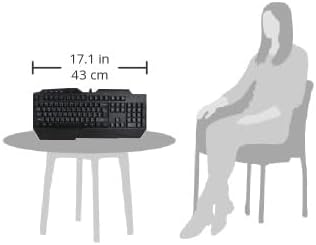
Figure 5: Visual representation of the Havit KB488L keyboard's dimensions (17.1 inches / 43 cm wide) relative to a typical user, illustrating its size on a table.
Warranty and Support
For warranty information and technical support, please refer to the official Havit website or contact their customer service directly. Keep your purchase receipt as proof of purchase for warranty claims.
For further assistance, you may visit the Havit Official Website.


