
MOJOGEAR Mini EVO 10000 mAh
MOJOGEAR Mini EVO 10000 mAh Power Bank Instruction Manual
Introduction
Thank you for choosing the MOJOGEAR Mini EVO 10000 mAh Power Bank. This compact and powerful portable charger is designed to provide fast and efficient charging for your mobile devices, including smartphones and tablets. Please read this manual carefully to ensure proper use and to maximize the lifespan of your device.
Package Contents
Ensure all items are present in the package:
- MOJOGEAR Mini EVO 10000 mAh Power Bank
- USB-C Cable

Image: The MOJOGEAR Mini EVO Power Bank shown alongside its retail packaging and included USB-C cable.
Product Overview
The MOJOGEAR Mini EVO is a highly portable power bank featuring multiple ports and LED indicators for convenience.
Components:
- Power Button: Press once to check battery level, press and hold to activate/deactivate.
- LED Indicators: Four small LEDs indicate the remaining battery capacity. Each LED represents approximately 25% charge.
- USB-C Port (Input/Output): Used for charging the power bank itself and for charging compatible devices with USB-C. Supports Power Delivery (PD) for fast charging.
- USB-A Port (Output): Used for charging devices with a standard USB-A cable. Supports Quick Charge 3.0 for fast charging.
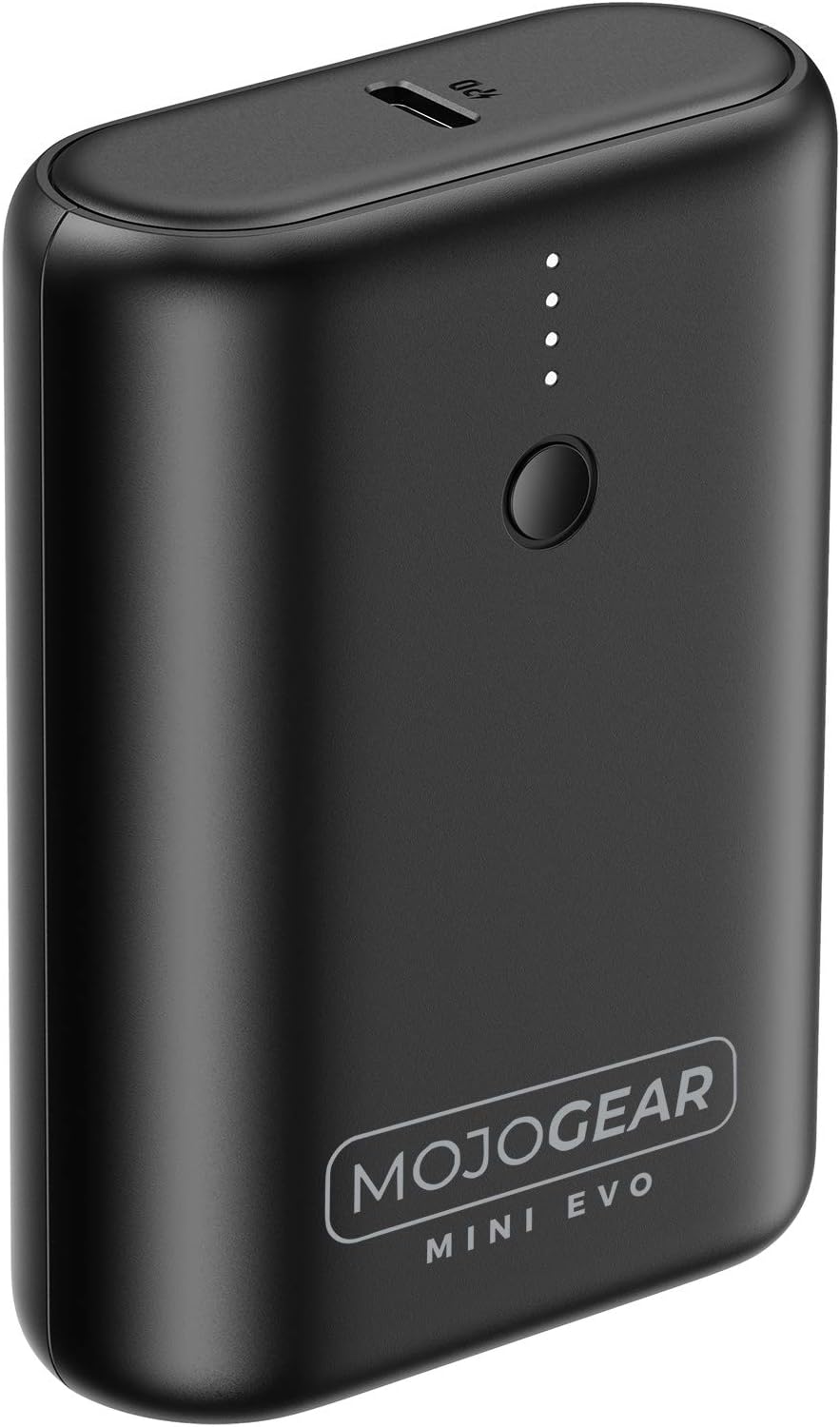
Image: Top view of the power bank, highlighting the power button and four LED indicators.

Image: Side view of the power bank, showing the USB-C port.

Image: Side view of the power bank, showing the USB-A port.
Setup: Charging the Power Bank
Before first use, fully charge your MOJOGEAR Mini EVO Power Bank.
- Connect the included USB-C cable to the USB-C port on the power bank.
- Connect the other end of the USB-C cable to a compatible USB wall charger (not included). For fastest charging, use a charger that supports Power Delivery (PD).
- The LED indicators will light up to show the charging progress. When all four LEDs are solid, the power bank is fully charged.

Image: The MOJOGEAR Mini EVO Power Bank connected to a charging cable, indicating it is being recharged.
Operating: Charging Your Devices
The MOJOGEAR Mini EVO can charge up to two devices simultaneously.
To charge a device:
- Connect your device to the power bank using a compatible charging cable. Use the USB-A port for standard USB cables or the USB-C port for USB-C to USB-C cables.
- The power bank will automatically begin charging your device. If it does not, press the power button once.
- The LED indicators will show the remaining battery level of the power bank during charging.
- Disconnect your device once it is fully charged or when you no longer need to charge.
The power bank supports fast charging technologies like Quick Charge 3.0 (via USB-A) and Power Delivery (via USB-C) for compatible devices, delivering up to 22.5W of power.

Image: The MOJOGEAR Mini EVO Power Bank connected to a smartphone, actively charging the device.
Maintenance
- Keep the power bank dry and away from moisture.
- Avoid exposing the device to extreme temperatures (hot or cold).
- Clean the power bank with a soft, dry cloth. Do not use harsh chemicals or abrasive materials.
- Store the power bank in a cool, dry place when not in use for extended periods.
Troubleshooting
Power Bank is not charging:
- Ensure the USB-C cable is securely connected to both the power bank and the wall charger.
- Try a different USB-C cable or wall charger.
- Verify the wall charger is functioning correctly.
Device is not charging from the power bank:
- Press the power button on the power bank to activate charging.
- Ensure the charging cable is securely connected to both the power bank and your device.
- Try a different charging cable or port on the power bank.
- Check if your device is compatible with the power bank's output specifications.
- Ensure the power bank itself has sufficient charge (check LED indicators).
Slow charging:
- Ensure both your device and the cable support fast charging technologies (Quick Charge or Power Delivery).
- Some devices may limit charging speed when their battery is nearly full.
Specifications

Image: Technical diagram showing the dimensions and port locations of the MOJOGEAR Mini EVO Power Bank.
| Model Number | 10.000 mAh - MINI |
| Battery Capacity | 10000 mAh |
| Battery Type | Lithium-ion (2 Lithium metal batteries included) |
| Product Dimensions (L x W x H) | 7.9 x 5.6 x 2.5 cm |
| Item Weight | 175 Grams |
| Connector Type | USB Type C |
| Special Feature | Fast Charging (Quick Charge 3.0 & USB-PD) |
| Voltage | 22.5 Volts |
| Current Intensity | 5 A |
| Output Current | 10000 mA |
| Recommended Uses | iPhone, Smartphone, Phone |
| Compatible Devices | Smartphone (Apple iPhone 4/4S/5/5C/5S/6/6 Plus/6S/6S Plus/7/7 Plus/8/8 Plus/SE/X/XR/XS/XS Max, HTC One/One 8, Huawei, LG G2/G3/Stylo 4, Samsung Galaxy Note8/Note9/S10/S10 Plus/S10e/S3/S5/S6/S7/S8/S8 Plus/S9/S9 Plus, Xiaomi) |
| Color | Black |
| Box Contents | USB-C Cable |
| Country of Origin | China |
| Manufacturer | MOJOGEAR |
Safety Information
- Do not disassemble, open, or shred the battery pack.
- Do not expose the power bank to heat or fire. Avoid storage in direct sunlight.
- Do not short-circuit the power bank. Do not store power banks haphazardly in a box or drawer where they may short-circuit each other or be short-circuited by conductive materials.
- Do not subject the power bank to mechanical shock.
- In the event of a battery leak, do not allow the liquid to come into contact with the skin or eyes. If contact has been made, wash the affected area with copious amounts of water and seek medical advice.
- Keep the power bank out of reach of children.
- Do not use any charger other than that specifically provided for use with the equipment.
- Dispose of the power bank properly at designated recycling points. Do not dispose of with household waste.
Warranty and Support
Warranty:
The MOJOGEAR Mini EVO Power Bank comes with a 2-year warranty from the date of purchase. This warranty covers manufacturing defects and workmanship under normal use. It does not cover damage caused by misuse, accidents, unauthorized modifications, or natural wear and tear.
Support:
For technical support, warranty claims, or any questions regarding your MOJOGEAR Mini EVO Power Bank, please contact our customer service team:
- Website: www.mojogear.com/support
- Email: support@mojogear.com
Please have your purchase receipt and product model number ready when contacting support.
Related documentsMini EVO 10000 mAh


Ask a question about this manual
Ask about setup, troubleshooting, compatibility, parts, safety, or missing instructions. Manuals+ will review the question and use this page’s manual context to help answer it.