1. Introduction
The Sunding SD-581 is a wired multifunction bicycle computer designed to provide essential cycling data. Its large LCD display ensures clear visibility of information such as current speed, distance traveled, and elapsed time. This device is lightweight, durable, and easy to install, making it an ideal companion for cycling enthusiasts.
The computer collects data through a wired sensor and a magnet attached to the wheel, offering accurate measurements for your rides. It features automatic power on/off and a maintenance alert function to enhance user convenience.

Image: Front view of the Sunding SD-581 Bicycle Computer, showing its large LCD display.
2. Package Contents
Please check the package contents to ensure all items are present:
- 1 x Sunding SD-581 Speedometer Unit
- 1 x Magnet
- 1 x Wired Sensor
- 1 x Mounting Shoe (Bracket)
- Several Cable Ties (for installation)
- 1 x User Manual (this document)

Image: All components included in the package: the computer unit, magnet, wired sensor, mounting bracket, and cable ties.
3. Setup and Installation
The Sunding SD-581 is designed for easy, tool-free installation. Follow these steps to set up your bicycle computer:
- Mount the Bracket: Attach the mounting shoe (bracket) to your bicycle's handlebar or stem using the provided cable ties. Ensure it is securely fastened and positioned for easy viewing.
- Install the Sensor: Secure the wired sensor to the front fork of your bicycle using cable ties. Position it so that the sensor head is aligned with the spokes of the wheel.
- Attach the Magnet: Fasten the magnet to one of the spokes on your front wheel. Ensure the magnet passes closely by the sensor head (within 5mm) with each wheel rotation. Adjust the sensor or magnet position if necessary.
- Connect the Computer: Slide the Sunding SD-581 computer unit onto the mounting shoe until it clicks into place. Connect the wired sensor cable to the port on the computer unit.
- Initial Setup:
- Tire Circumference Setting: Refer to your bicycle's tire size to find its circumference in millimeters (mm). Enter this value into the computer. This is crucial for accurate speed and distance measurements. (Range: 0mm - 9999mm)
- Unit Setting: Select your preferred speed unit (km/h or m/h).
- Clock Setting: Set the current time and choose between 12-hour or 24-hour format.
- Odometer Initial Value (Optional): You can set the initial value for the Odometer (ODO) if desired.

Image: The bicycle computer mounted on handlebars, illustrating its compact design and easy installation.
4. Operating Instructions and Functions
The Sunding SD-581 offers 15 key functions to track your cycling performance. Use the buttons on the unit to navigate through modes and settings.
Available Functions:
| No. | Function | Description |
|---|---|---|
| 1. | SPD (Current Speed) | Displays your real-time cycling speed. |
| 2. | ODO (Odometer) | Records the total accumulated distance traveled (0.001 to 99999 km/m). |
| 3. | DST (Trip Distance) | Measures the distance of your current trip. |
| 4. | MXS (Maximum Speed) | Shows the highest speed achieved during the current trip. |
| 5. | AVS (Average Speed) | Calculates the average speed of your current trip. |
| 6. | TM (Elapsed Time) | Displays the duration of your current cycling trip. |
| 7. | CLK (Clock) | Shows the current time (12H/24H format). |
| 8. | Scan | Automatically cycles through different display modes. |
| 9. | Speed Comparison (+/-) | Indicates if your current speed is faster or slower than your average speed. |
| 10. | Setting Speed Scale (km/h, m/h) | Allows selection of the desired speed unit. |
| 11. | Setting Tire Circumference | Input the circumference of your bicycle tire for accurate measurements. |
| 12. | Setting Last Value of Odometer | Allows manual adjustment or input of the ODO value. |
| 13. | Freeze Frame Memory | Saves current trip data when paused or stopped. |
| 14. | Auto ON/OFF | The unit automatically turns on when motion is detected and enters sleep mode after 300 seconds of no signal input, preserving data. |
| 15. | Maintenance Alert | Provides an alert for scheduled bicycle maintenance. |
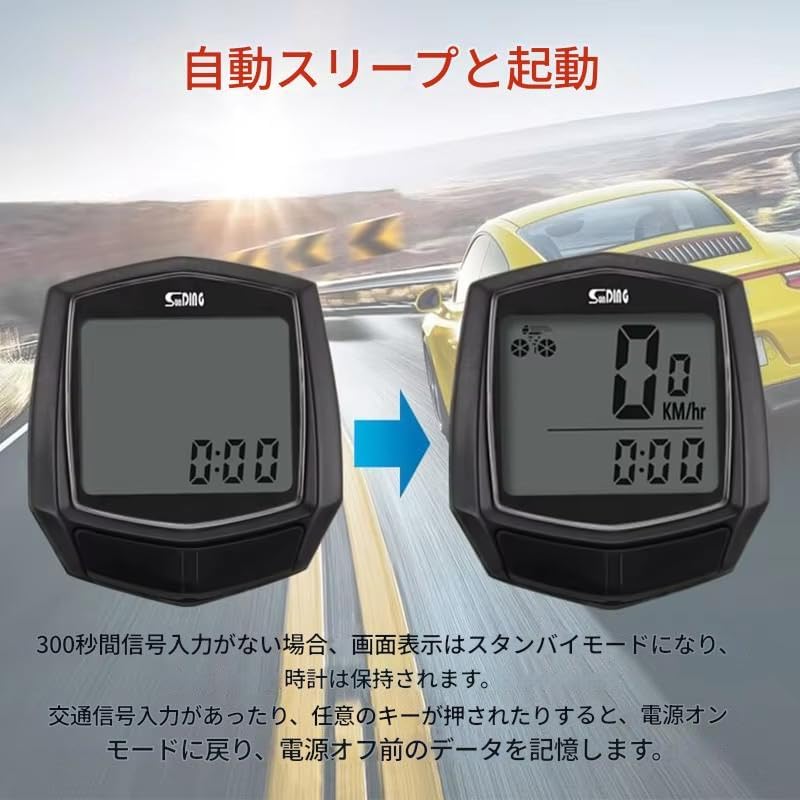
Image: A visual representation of the 15 functions available on the Sunding SD-581 bicycle computer.
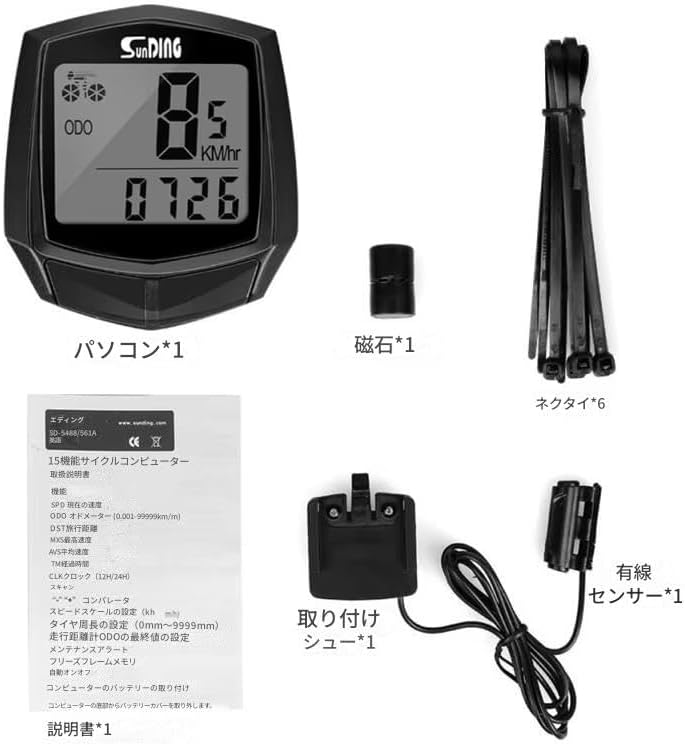
Image: Illustration of the automatic sleep and start feature, showing the computer entering standby mode after 300 seconds of inactivity and resuming upon detecting motion.
5. Maintenance
To ensure the longevity and accurate performance of your Sunding SD-581 bicycle computer, follow these maintenance guidelines:
- Cleaning: Wipe the unit with a soft, damp cloth. Do not use abrasive cleaners or solvents, as they may damage the display or casing.
- Water Resistance: The unit offers basic waterproof protection suitable for light rain and short-term immersion. However, prolonged exposure to heavy rain or submersion is not recommended and may cause damage.
- Battery Replacement: When the display becomes dim or unresponsive, it may be time to replace the battery. The battery compartment is located on the back of the unit. Use a small coin or tool to open the cover, replace the battery (type not specified, typically CR2032), and securely close the compartment.
- Sensor and Magnet Alignment: Periodically check the alignment of the sensor and magnet. Ensure they remain within 5mm of each other for accurate data collection.
- Storage: When not in use for extended periods, store the computer in a cool, dry place away from direct sunlight and extreme temperatures.
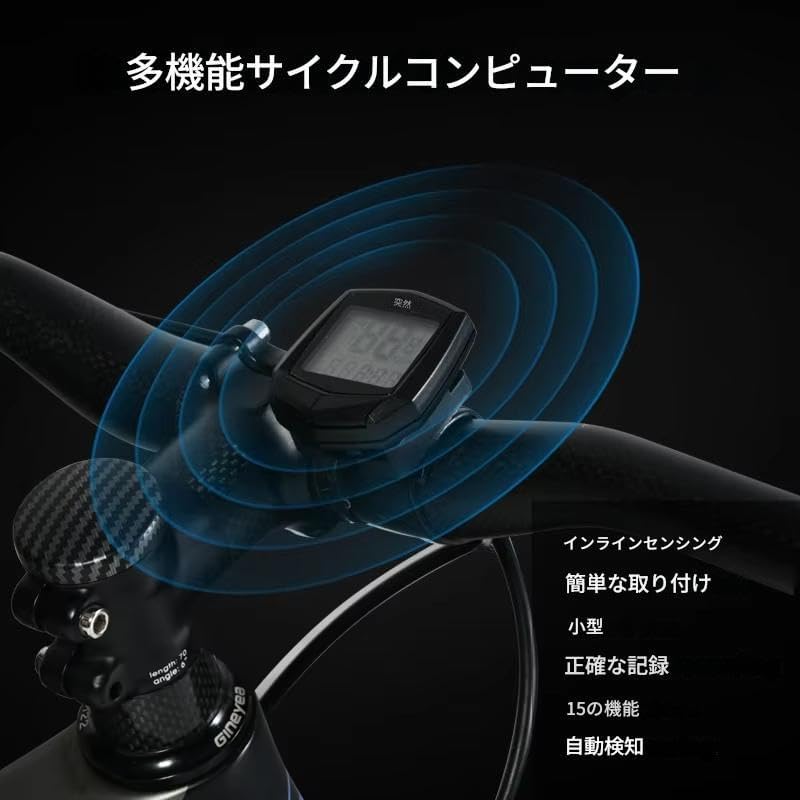
Image: Back view of the computer unit, showing the battery compartment which can be opened for battery replacement.
6. Troubleshooting
If you encounter issues with your Sunding SD-581 bicycle computer, refer to the following common problems and solutions:
- No Display/Dim Display:
- Check the battery. Replace it if it's low or depleted.
- Ensure the battery is inserted with the correct polarity.
- No Speed/Distance Reading:
- Verify that the sensor and magnet are correctly installed and aligned. The gap between them should be less than 5mm.
- Check the wired connection between the sensor and the computer unit. Ensure it is securely plugged in.
- Confirm that the tire circumference setting is correct.
- Inaccurate Readings:
- Re-check the tire circumference setting. An incorrect value will lead to inaccurate speed and distance.
- Ensure the magnet passes directly over the sensor head.
- Auto ON/OFF Not Working:
- Ensure the unit is properly mounted and receiving signals from the sensor.
- If the unit remains on, check for any constant signal interference or movement.
7. Specifications
| Feature | Detail |
|---|---|
| Model | SD-581 |
| Brand | Sunding |
| Display Type | LCD |
| Connectivity | Wired |
| Color | Black |
| Dimensions (Approx.) | 5 x 4.5 x 1.5 cm (Unit) |
| Weight (Approx.) | 50 g (Package weight) |
| Odometer Range | 0.001 - 99999 km/m |
| Tire Circumference Setting | 0mm - 9999mm |
| Power | Button Cell Battery (Type not specified, typically CR2032) |
| Water Resistance | Splash-proof (not for prolonged immersion) |
| Features | SPD, ODO, DST, MXS, AVS, TM, CLK, Scan, Speed Comparison, Unit Setting, Tire Circumference Setting, Odometer Value Setting, Freeze Frame Memory, Auto ON/OFF, Maintenance Alert. |
8. Important Notes and Disclaimer
Please read the following important notes:
- Product colors may appear slightly different from the actual product due to monitor variations.
- While every effort has been made to ensure the accuracy of this user manual, in case of any discrepancy between the manual and the product, the product itself takes precedence.
- Product specifications are subject to change without prior notice due to functional improvements or other reasons.


