
KLARSTEIN 53035113
Klarstein Wonderwall Air Art Smart Infrared Heater User Manual
Model: 53035113
1. Safety Instructions
Please read these instructions carefully before using the appliance and keep them for future reference. Failure to follow these instructions may result in electric shock, fire, or serious injury.
- Ensure the voltage indicated on the rating label matches your mains voltage.
- Do not operate the heater with a damaged cord or plug.
- Keep flammable materials (e.g., curtains, furniture) at least 1 meter (3.3 feet) away from the heater.
- Do not cover the heater. Overheating can occur.
- This appliance is not intended for use by persons (including children) with reduced physical, sensory or mental capabilities, or lack of experience and knowledge, unless they have been given supervision or instruction concerning use of the appliance by a person responsible for their safety.
- Children should be supervised to ensure that they do not play with the appliance.
- Do not use the heater in the immediate vicinity of a bath, shower, or swimming pool.
- The heater is designed for wall mounting only. Do not use it as a freestanding unit.
- Disconnect the appliance from the power supply before cleaning or maintenance.
- The surface of the heater can become very hot during operation. Avoid direct contact.
- This product is rated IP44, making it suitable for use in bathrooms (Zone 2 and 3) where splash protection is required. However, ensure it is not directly exposed to water jets.
2. Product Overview
The Klarstein Wonderwall Air Art Smart is an infrared heating panel designed for efficient and comfortable heating. It features a decorative mountain landscape motif, smart control options via an app, and a built-in thermostat for precise temperature management.
2.1 Key Features
- Infrared Heating Technology: Provides direct, comfortable heat similar to sunlight, warming objects and surfaces rather than just the air. This technology is known as IR ComfortHeat.
- Smart Control: Integrated WiFi allows control via a dedicated smartphone application.
- Thermostat: Maintains desired room temperature automatically.
- Weekly Timer: Program heating schedules for convenience and energy saving.
- OpenWindow Detection: Automatically shuts off the heater if a window is opened, preventing energy waste.
- Silent Operation: Operates without a fan, ensuring quiet heating and no dust circulation, beneficial for allergy sufferers.
- Splash-Proof (IP44): Suitable for use in damp environments like bathrooms.
- Decorative Design: Features a mountain landscape motif, blending into your home decor.
2.2 Components
- Infrared Heating Panel
- Integrated Control Panel with LC Display
- Power Cable
- Wall Mounting Kit (screws, anchors)

Figure 1: Klarstein Wonderwall Air Art Smart Infrared Heater, showcasing its decorative mountain landscape design.

Figure 2: Explanation of IR ComfortHeat, showing how infrared rays directly warm objects and people, similar to the sun.

Figure 3: The heater operates silently and without circulating dust, providing a comfortable environment for relaxation and sleep.

Figure 4: The IP44 rating ensures the heater is splash-proof, making it suitable for use in bathrooms and other damp areas.
3. Setup and Installation
The Klarstein Wonderwall Air Art Smart heater is designed for wall mounting. Ensure you have the necessary tools and follow these steps carefully.
3.1 Wall Mounting
- Choose Location: Select a suitable wall location, ensuring it is clear of obstructions and at least 1 meter (3.3 feet) from flammable materials. The heater should be mounted at a height that allows for optimal heat distribution and safe operation.
- Mark Drilling Points: Use the provided mounting template or measure the distances for the mounting holes on the back of the heater. Mark these points on the wall.
- Drill Holes: Drill holes at the marked points using an appropriate drill bit for your wall type.
- Insert Wall Anchors: Insert the provided wall anchors into the drilled holes.
- Attach Mounting Brackets: Secure the mounting brackets to the wall using the screws.
- Mount Heater: Carefully lift the heater and align the mounting points on its back with the brackets. Secure the heater onto the brackets. Ensure it is firmly attached and level.

Figure 5: The infrared heater seamlessly mounted on a wall, demonstrating its integration into a modern living space.
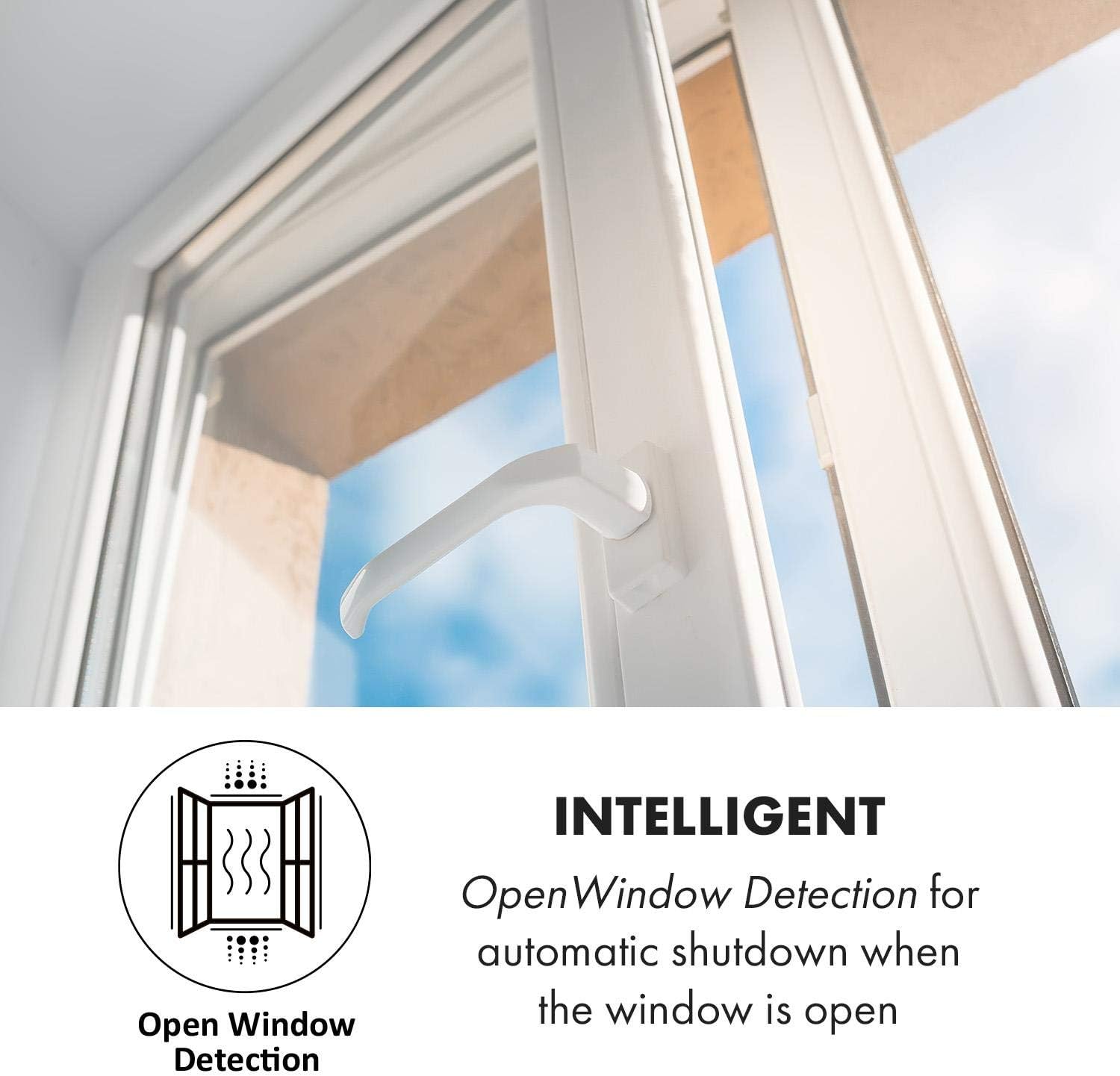
Figure 6: The heater's dimensions are approximately 60 cm x 60 cm, providing a clear visual of its size for installation planning.
3.2 Initial Power-On
Once the heater is securely mounted, plug the power cord into a suitable electrical outlet. The unit will enter standby mode.
4. Operating Instructions
4.1 Manual Control Panel
The heater can be operated directly using the integrated control panel and its LC display.

Figure 7: The heater's control panel with LC display, showing buttons for power, WiFi, temperature adjustment, and timer functions. The adjacent smartphone displays the app interface for remote control.
- Power Button (⏻): Press to turn the heater ON or OFF.
- WiFi Button (🛡): Press and hold to activate WiFi pairing mode. A flashing icon indicates pairing readiness.
- Temperature Adjustment (+ / -): Use these buttons to increase or decrease the desired target temperature.
- Timer/Schedule Button (⏱): Press to access and set the weekly timer or countdown function.
- LC Display: Shows current room temperature, set temperature, timer status, and WiFi connection status.
4.2 App Control (WiFi)
For enhanced control and scheduling, download the Klarstein app on your smartphone.
Figure 8: The Klarstein app interface, allowing convenient control of multiple devices, including setting temperature and schedules.
- Download App: Search for "Klarstein" in your smartphone's app store (iOS or Android) and install the application.
- Register/Login: Create an account or log in to the Klarstein app.
- Add Device: Follow the in-app instructions to add your Wonderwall Air Art Smart heater. This typically involves putting the heater into WiFi pairing mode (press and hold the WiFi button on the control panel) and connecting your phone to your home WiFi network.
- Control Functions: Once connected, you can use the app to:
- Turn the heater ON/OFF.
- Adjust the target temperature.
- Set daily or weekly heating schedules.
- Activate/deactivate OpenWindow Detection.
- Monitor current room temperature.
4.3 Thermostat Function
The integrated thermostat allows you to set a desired room temperature. The heater will automatically turn on and off to maintain this temperature, optimizing energy consumption.
- Use the + and - buttons on the control panel or the app to set your desired temperature.
- The heater will operate until the room reaches the set temperature, then switch to standby. It will reactivate if the temperature drops below the set point.
4.4 OpenWindow Detection
This intelligent feature helps save energy by automatically pausing heating when a sudden drop in temperature is detected, indicating an open window or door.

Figure 9: The OpenWindow Detection system automatically pauses heating when it senses a rapid temperature drop, preventing energy waste.
- When activated, the heater monitors room temperature.
- If a significant temperature drop occurs within a short period, the heater will temporarily switch off.
- Heating will resume automatically after a set period or when the temperature stabilizes.
- This feature can be enabled or disabled via the app or the control panel (refer to specific icon on LC display).
5. Maintenance
Regular cleaning ensures optimal performance and extends the lifespan of your heater.
- Disconnect Power: Always unplug the heater from the power outlet and allow it to cool completely before cleaning.
- Clean Surface: Wipe the exterior surface with a soft, damp cloth. Do not use abrasive cleaners, solvents, or harsh chemicals, as these can damage the finish.
- Avoid Water: Do not immerse the heater in water or allow water to drip into the internal components.
- Storage: If storing the heater for an extended period, ensure it is clean and dry. Store it in a cool, dry place, preferably in its original packaging.
6. Troubleshooting
If you encounter issues with your Klarstein Wonderwall Air Art Smart heater, refer to the following common problems and solutions:
| Problem | Possible Cause | Solution |
|---|---|---|
| Heater does not turn on. | No power supply. Power button not pressed. Overheating protection activated. | Check if the power cord is securely plugged in. Ensure the wall outlet is functional. Press the power button. Unplug the heater, let it cool for 30 minutes, then plug it back in. Ensure it is not covered. |
| Heater is on but not heating. | Set temperature is lower than room temperature. OpenWindow Detection activated. | Increase the target temperature. Close windows/doors. Deactivate OpenWindow Detection if not needed. |
| WiFi connection fails. | Incorrect WiFi password. Heater too far from router. Router issues. Incorrect pairing procedure. | Verify WiFi password. Move heater closer to the router or use a WiFi extender. Restart your router. Follow the app's pairing instructions carefully, ensuring the heater is in pairing mode. |
| App control is unresponsive. | No internet connection on phone or heater. App requires update. | Check your phone's internet connection and the heater's WiFi status. Update the Klarstein app to the latest version. |
If the problem persists after trying these solutions, please contact Klarstein customer support.
7. Specifications
| Feature | Detail |
|---|---|
| Brand | KLARSTEIN |
| Model Number | 53035113 |
| ASIN | B08GWSD4QC |
| Type | Infrared Heating Panel |
| Heat Output | 350 Watts |
| Voltage | 220 Volts |
| Amperage | 1.59 Amps |
| Product Dimensions (L x W x H) | 28.74 x 28.35 x 2.76 inches (approx. 60 x 60 x 7 cm) |
| Item Weight | 7.92 pounds |
| Special Features | WiFi App Control, Thermostat, Weekly Timer, OpenWindow Detection, IP44 Splash-Proof |
| Form Factor | Wall-mounted Panel |
| Room Type Recommendation | Home Office, Bathrooms (Zone 2 & 3) |
8. Warranty and Support
For warranty information, technical support, or service inquiries, please contact Klarstein customer service. Refer to the contact details provided with your purchase documentation or visit the official Klarstein website.
Please have your model number (53035113) and ASIN (B08GWSD4QC) ready when contacting support.
Related Documents - 53035113
 |
Klarstein Wonderwall Infrared Heater User Manual and Technical Specifications Comprehensive user manual for the Klarstein Wonderwall infrared heater (model 10045462), covering safety instructions, wall mounting, operation, smart control via app, troubleshooting, cleaning, and disposal. Includes technical specifications and declaration of conformity. |
 |
Klarstein Wonderwall Air 72 Infrared Heater User Manual Comprehensive user manual for the Klarstein Wonderwall Air 72 infrared heater. Learn about installation, operation, safety features, and programming the thermostat for optimal comfort. |
 |
Klarstein Wonderwall Smart 1200 Infrarotheizung - Bedienungsanleitung und Produktdaten Umfassende Bedienungsanleitung für die Klarstein Wonderwall Smart 1200 Infrarotheizung (Modell 10032804). Erfahren Sie mehr über Installation, sichere Nutzung, Smart-Funktionen und technische Daten. |
 |
Klarstein Wonderwall Smart 360: Effiziente Infrarotheizung mit App-Steuerung Entdecken Sie die Klarstein Wonderwall Smart 360, eine moderne Infrarotheizung mit App-Steuerung für komfortable Wärme. Erfahren Sie mehr über die einfache Installation, Bedienung und smarten Funktionen dieses Heizgeräts. |
 |
Klarstein Wonderwall Air Art Infrarot-Heizung Bedienungsanleitung Umfassende Bedienungsanleitung für die Klarstein Wonderwall Air Art Infrarot-Heizung, einschließlich Sicherheitshinweisen, Installationsanleitungen, Bedienung, Programmierung und technischen Daten. |
 |
Klarstein Wonderwall Air 60 / Air Art 60 Infrarotheizung Bedienungsanleitung Umfassende Bedienungsanleitung für die Klarstein Wonderwall Air 60 und Air Art 60 Infrarotheizungen. Enthält Informationen zu Installation, Sicherheit, Bedienung, technischen Daten und Fehlerbehebung. |
Ask a question about this manual
Ask about setup, troubleshooting, compatibility, parts, safety, or missing instructions. Manuals+ will review the question and use this page’s manual context to help answer it.