
AeroGarden Farm 24XL
AeroGarden Farm 24XL Indoor Hydroponic Garden Instruction Manual
Model: Farm 24XL
1. Introduction
The AeroGarden Farm 24XL is an advanced indoor hydroponic gardening system designed to grow up to 24 plants simultaneously, including herbs, vegetables, and flowers, without the need for soil or natural sunlight. This system automates essential plant care, providing optimal conditions for rapid growth. It features two independent, adjustable 60W LED grow lights and a touchscreen control panel for managing plant needs. This manual provides detailed instructions for assembly, operation, maintenance, and troubleshooting to ensure successful indoor gardening.
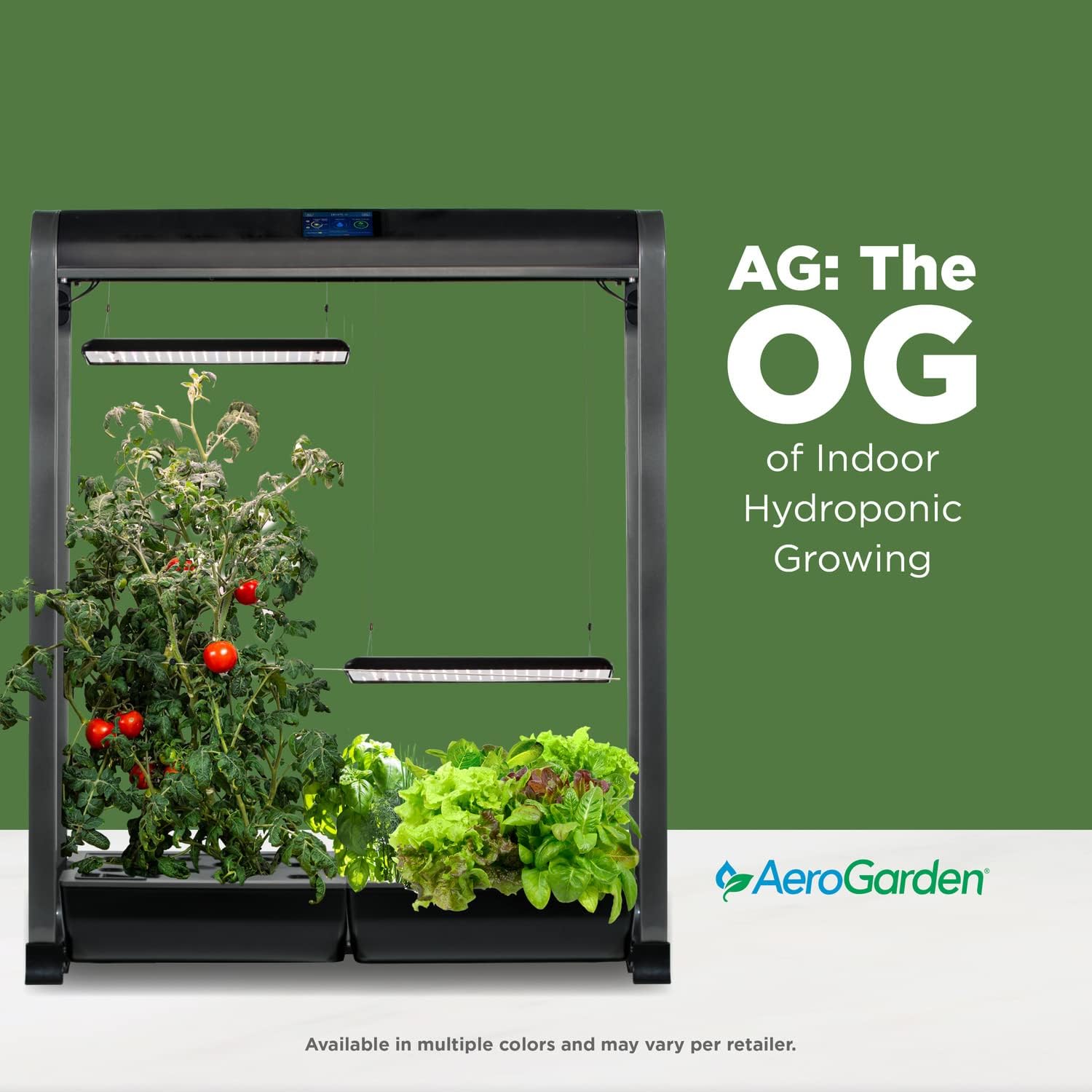
2. Product Overview
Key Features
- 24-Pod Capacity: Grow up to 24 different plant varieties year-round.
- Dual 60W LED Grow Lights: Two independent, customizable 60W LED lights provide full-spectrum illumination for accelerated plant growth (up to 5x faster than soil).
- Adjustable Grow Height: Light panels extend up to 36 inches, accommodating tall plants like tomatoes and peppers alongside shorter herbs and lettuces.
- Touchscreen Control Panel: Displays vital garden statistics, provides reminders for water and plant food, and allows light intensity and schedule adjustments.
- Wi-Fi Connectivity: Monitor and control your garden remotely via a mobile application or Amazon Echo device.
- Automated System: Automatically delivers water and nutrients, with an integrated timer for lights.
Included Components
The AeroGarden Farm 24XL package includes the following items:
- AeroGarden Farm 24XL unit (24-pod capacity, 2 x 12 Pod system)
- Two 60W LED Lighting Systems
- Choice of 2 Seed Pod Kits (e.g., Salad Bar Herbs & Lettuces, Salad Bar Tomatoes, or Heirloom Salad Greens)
- Liquid Plant Food
- Power Adapter
- Trellis
- Drain hose (for maintenance)


3. Setup
Follow these steps to set up your AeroGarden Farm 24XL:
- Unpack Components: Carefully remove all parts from the packaging and ensure all included components are present.
- Assemble the Unit: Follow the assembly instructions provided in the Quick Planting Guide. While assembly is generally straightforward, ensure all connections are secure. Some users have noted that screw holes may require careful alignment.
- Position the Grow Lights: Adjust the lamp height for initial planting. The lights can be extended up to 36 inches as plants grow.
- Fill with Water: Fill the water reservoirs with fresh water up to the indicated fill line.
- Add Plant Food: Dispense the recommended amount of liquid plant food into the water reservoirs as per the instructions on the plant food bottle and the Quick Planting Guide.
- Insert Seed Pods: Place the seed pods into the designated openings on the grow deck.
- Power On and Initial Setup: Connect the power adapter and turn on the unit. Follow the on-screen prompts on the touchscreen control panel to complete the initial setup, including setting the time and selecting your plant type.

4. Operation
Control Panel and Settings
The AeroGarden Farm 24XL features an intuitive touchscreen control panel. This panel displays critical information such as water levels, days planted, and reminders for adding water and plant food. You can also adjust light intensity and set the automatic sunrise/sunset schedule to match your home's environment.
- Light Control: The two 60W LED grow lights operate independently. Use the touchscreen to adjust their height and intensity as your plants grow.
- Water and Nutrient Reminders: The system will provide on-screen alerts when water or plant food needs to be added.
- Wi-Fi Connectivity: Connect your AeroGarden to your home Wi-Fi network to manage settings and monitor your garden remotely via the dedicated mobile application or an Amazon Echo device.

Plant Growth and Harvesting
Plants in the AeroGarden Farm 24XL typically grow rapidly. Monitor your plants regularly and prune them as needed to encourage bushier growth and prevent overcrowding. Harvest outer leaves or fruits to allow continuous production.

5. Maintenance
Regular maintenance is crucial for the longevity and optimal performance of your AeroGarden Farm 24XL.
- Water and Nutrient Addition: Add water and liquid plant food as prompted by the control panel. Typically, plant food is added every two weeks.
- Monthly Reservoir Cleaning: To prevent mineral buildup and ensure healthy plant growth, drain and rinse the water reservoirs monthly. This process should coincide with a plant food addition cycle.
- On the touchscreen, navigate to the 'Extras' menu and select 'Drain'.
- Locate the rubber cover in the center of each bowl. Remove it to expose the nipple.
- Connect the provided drain hose to the nipple and place the other end into a bucket.
- Activate the drain mode on the touchscreen to empty the reservoir.
- Once empty, refill the reservoir with fresh water and pump it out to rinse.
- Refill with fresh water and add the appropriate amount of plant food.
- Pruning: Regularly prune your plants to manage their size, encourage new growth, and prevent them from becoming overgrown, which can reduce yield.
- Light Panel Cleaning: Periodically wipe down the LED light panels with a damp cloth to remove any dust or debris that may obstruct light.
6. Troubleshooting
This section addresses common issues you might encounter with your AeroGarden Farm 24XL.
| Problem | Possible Cause | Solution |
|---|---|---|
| Lights not adjusting/working on one side | Loose connection, motor malfunction, or incorrect control panel setting. | Check all cable connections. Ensure the control panel is set to activate both light panels. If the issue persists, contact AeroGarden Customer Support. |
| Mobile app not connecting or functioning | Outdated app version, Wi-Fi connectivity issues, or server problems. | Ensure your mobile app is updated to the latest version. Verify your AeroGarden is connected to your Wi-Fi network. Restart the app and the AeroGarden unit. If problems continue, contact AeroGarden Customer Support. |
| Water pump not working | Pump malfunction, blockage, or electrical issue. | Check for any visible blockages in the pump or tubing. Ensure the unit is properly powered. If the pump remains non-functional, contact AeroGarden Customer Support for a replacement. |
| Seed pods not sprouting | Expired seeds, improper conditions, or defective pods. | Ensure optimal growing conditions (temperature, light). AeroGarden offers a germination guarantee; contact customer support for replacement seed pods if they fail to sprout within 21 days. |
| Plants are yellowing or stunted | Nutrient imbalance, insufficient light, or water quality issues. | Perform a monthly reservoir drain and rinse. Ensure correct plant food dosage. Verify light height and schedule are appropriate for plant type. |
7. Specifications
| Feature | Detail |
|---|---|
| Brand | AeroGarden |
| Model Number | Farm 24XL |
| Color | Black |
| Product Dimensions (L x W x H) | 36" x 14" x 46" |
| Item Weight | 3 ounces (Note: This weight likely refers to a component, not the entire unit.) |
| Frame Material | Plastic |
| Light Source Wattage | 60 watts (per light panel, total 120W for two panels) |
| Unit Count | 24 Count (seed pod capacity) |
| UPC | 810705017865 |
8. Warranty and Support
AeroGarden provides comprehensive support for its products.
- Germination Guarantee: If any AeroGarden seed pod fails to sprout, contact AeroGarden Customer Support for a replacement.
- Product Support: For issues related to product functionality, missing parts, or technical assistance, contact AeroGarden Customer Support directly. It is recommended to use phone support for more immediate and effective assistance.
- Contact Information: Refer to the official AeroGarden website or the Quick Planting Guide for the most current customer support contact details.
Related documentsFarm 24XL


Ask a question about this manual
Ask about setup, troubleshooting, compatibility, parts, safety, or missing instructions. Manuals+ will review the question and use this page’s manual context to help answer it.