Introduction
Thank you for choosing the Muse M-215 BTB Bluetooth Headphones. These stereo headphones are designed for children, offering a comfortable and safe listening experience with Bluetooth 5.0 connectivity. Key features include an adjustable headband, foldable earcups for portability, a rechargeable battery providing up to 13 hours of playback, and a unique audio sharing function. Please read this manual carefully before using the headphones to ensure proper operation and to maximize their lifespan.
Safety Information
- Volume Control: To prevent hearing damage, avoid listening at high volume levels for extended periods.
- Supervision: Always supervise children while they are using the headphones, especially when adjusting volume or connecting to devices.
- Water Exposure: These headphones are not waterproof. Avoid exposure to water or excessive moisture.
- Cleaning: Use a soft, dry cloth for cleaning. Do not use liquid cleaners or aerosols.
- Disassembly: Do not attempt to disassemble or modify the headphones. This may void the warranty and pose a safety risk.
- Battery Safety: The headphones contain a rechargeable battery. Do not expose to extreme temperatures or dispose of in fire.
Package Contents
- Muse M-215 BTB Bluetooth Headphones
- USB Charging Cable
- User Manual
Product Overview
Key Features
- Bluetooth 5.0: For stable and efficient wireless connectivity.
- Adjustable Headband: Ensures a comfortable fit for various head sizes.
- Foldable Earcups: Allows for compact storage and easy portability.
- 13-Hour Battery Life: Enjoy extended listening on a single charge (at medium volume).
- Audio Sharing: Connect two headphones to one device to share audio content.
- Built-in Microphone: For hands-free calls.
Headphone Components
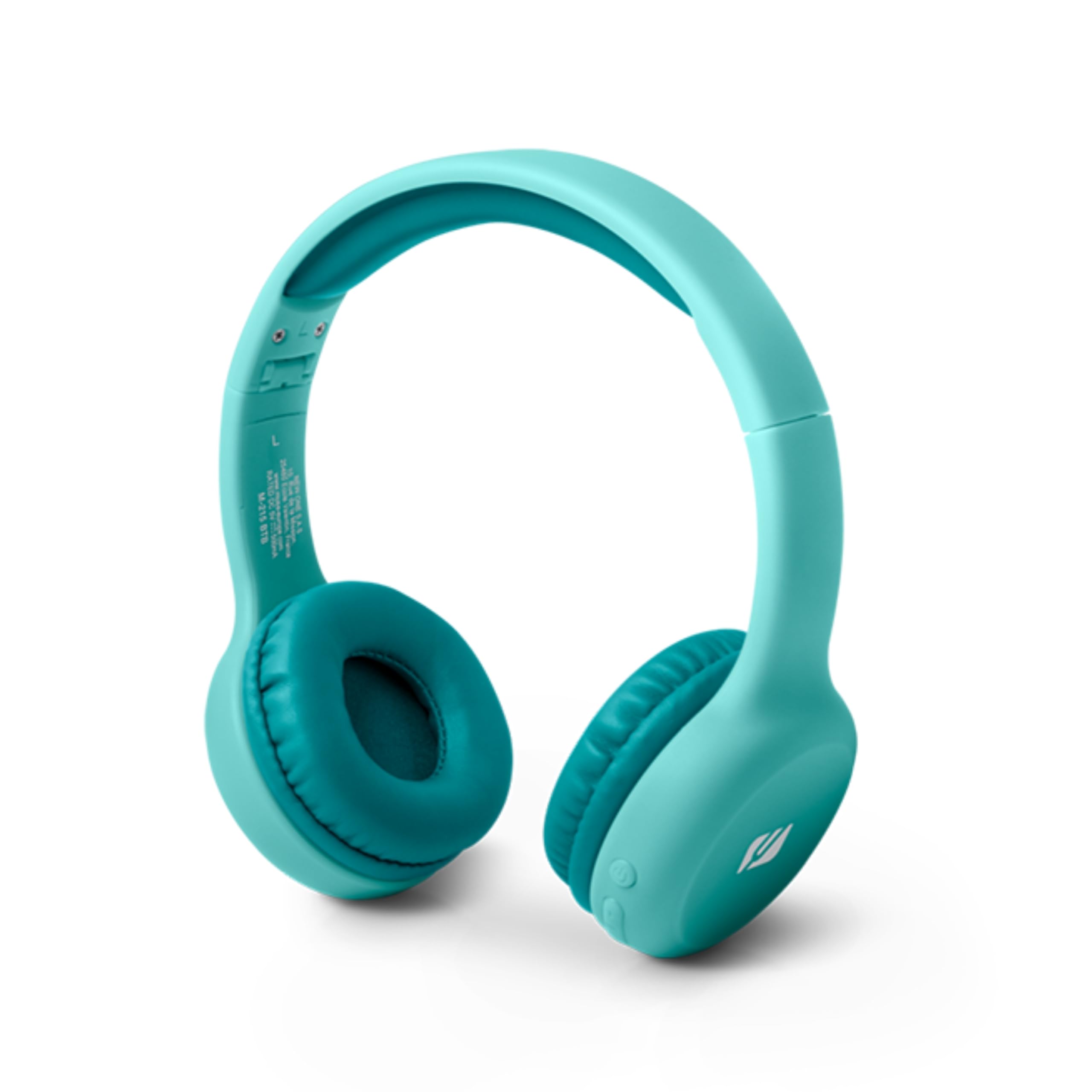
The image displays the Muse M-215 BTB Bluetooth Headphones. It highlights the foldable earcups for compact storage and the adjustable headband for a comfortable fit. The packaging dimensions are also shown: 220 mm (H) x 72 mm (W) x 158 mm (L).
The headphones feature soft, circum-aural earcups for comfort and an adjustable headband to ensure a secure fit. The earcups can be folded inwards, making the headphones easy to store and carry.
Setup
1. Charging the Headphones
- Connect the small end of the USB charging cable to the charging port on the headphones.
- Connect the larger end of the USB charging cable to a USB power adapter (not included) or a computer's USB port.
- The LED indicator on the headphones will illuminate to show charging status. It will typically turn off or change color once fully charged.
- A full charge takes approximately 2-3 hours and provides up to 13 hours of playback.
2. Powering On/Off
- To Power On: Press and hold the Power button for a few seconds until the LED indicator lights up and you hear an audible prompt.
- To Power Off: Press and hold the Power button for a few seconds until the LED indicator turns off and you hear an audible prompt.
3. Bluetooth Pairing
- Ensure the headphones are powered off.
- Press and hold the Power button for approximately 5-7 seconds until the LED indicator flashes red and blue alternately, indicating pairing mode.
- On your device (smartphone, tablet, computer), enable Bluetooth and search for available devices.
- Select "M-215 BTB" from the list of found devices.
- Once paired, the LED indicator will flash blue slowly, and you will hear a confirmation tone.
- The headphones will automatically reconnect to the last paired device when powered on, if Bluetooth is enabled on the device.
4. Audio Sharing Function
The Muse M-215 BTB headphones support audio sharing. To use this feature, connect a second pair of compatible headphones (with an auxiliary input) to the auxiliary output port on the M-215 BTB headphones using a 3.5mm audio cable (not included). Audio playing on the M-215 BTB will then be simultaneously transmitted to the second pair of headphones.
Operating Instructions
Controls
The headphones feature intuitive controls, typically located on one of the earcups:
- Power Button: Press and hold to power on/off. Short press to Play/Pause music or Answer/End calls.
- Volume Up (+): Short press to increase volume. Long press to skip to the next track.
- Volume Down (-): Short press to decrease volume. Long press to go to the previous track.
- Microphone: For hands-free communication during calls.
Maintenance
Cleaning
Wipe the headphones with a soft, dry, lint-free cloth. Do not use abrasive cleaners, alcohol, or chemical solvents, as these may damage the surface or internal components.
Storage
When not in use, store the headphones in a cool, dry place, away from direct sunlight and extreme temperatures. Utilize the foldable design to store them compactly.
Troubleshooting
| Problem | Solution |
|---|---|
| Headphones do not power on. | Ensure the headphones are charged. Connect to a power source using the USB cable. |
| Cannot pair with a device. | Ensure headphones are in pairing mode (flashing red/blue LED). Turn off and on Bluetooth on your device. Move closer to the device. |
| No sound or low volume. | Check volume levels on both the headphones and the connected device. Ensure the headphones are properly paired. |
| Sound quality is poor. | Move closer to the connected device to avoid interference. Ensure there are no obstacles between the headphones and the device. |
| Audio sharing not working. | Ensure the 3.5mm audio cable is securely connected to both the M-215 BTB and the second pair of headphones. Verify the second headphones are functional. |
Specifications
| Feature | Detail |
|---|---|
| Brand | MUSE |
| Model Name | M-215 BTB |
| Connectivity Technology | Wireless (Bluetooth) |
| Wireless Communication Technology | Bluetooth |
| Bluetooth Version | 5.0 |
| Ear Placement | On-Ear (Supra-aural) |
| Form Factor | Circum-Aural |
| Special Features | Rechargeable Battery |
| Rechargeable Battery | Yes (Lithium-ion) |
| Battery Life | Up to 13 hours (at medium volume) |
| Control Type | Media Control, Touch |
| Microphone Technology | Unidirectional, Stereo |
| Impedance | 32 Ohms |
| Frequency Response | 20000 KHz |
| Sensitivity | 100 dB |
| Auxiliary Input | 3.5mm Stereo |
| Item Weight | 115 Grams |
| Material | Plastic, Faux Leather |
| Age Range (Description) | Child |
| Color | Blue |
| Water Resistance Level | Not Water Resistant |
| Compatible Devices | Mobile phones, tablets, laptops, desktop computers, smart speakers, car audio systems, music production equipment, televisions, game consoles |
Warranty and Support
For warranty information or technical support, please refer to the documentation provided with your purchase or contact your retailer. Keep your proof of purchase for any warranty claims.


