1. Introduction
This manual provides essential information for the installation, operation, and maintenance of your Hama Smart Home WiFi Radiator Thermostat (Model 00176592). This intelligent thermostatic head is designed to modernize your heating system, allowing for precise temperature control and energy savings. It operates as an extension unit and requires a Hama Smart Home heating control hub (e.g., from Hama Kit 00176592) for full functionality and Wi-Fi connectivity.

Image 1.1: Hama Smart Home WiFi Radiator Thermostat with digital display.
2. Safety Information
- Read this instruction manual carefully before installation and use.
- Keep this manual in a safe place for future reference.
- The device is intended for indoor use only.
- Do not expose the device to moisture, extreme temperatures, or direct sunlight.
- Do not open or modify the device. Repairs should only be performed by qualified personnel.
- Keep packaging materials away from children due to choking hazards.
- Batteries must be inserted with correct polarity. Do not mix old and new batteries, or batteries of different types.
- Dispose of used batteries according to local regulations.
3. Package Contents
Please check that all items are present and undamaged:
- 1 Hama Smart Home Radiator Thermostat
- 2 AA Mignon Batteries
- 1 Adapter Kit (for Danfoss RA, RAV, Caleffi, Giacomini valves)
- 1 Quick User Manual
Note: This thermostat functions as an extension unit and requires a Hama Smart Home heating control hub (e.g., from Hama Kit 00176592) for network connection and full smart features.
4. Setup and Installation
4.1. Inserting Batteries
- Remove the battery cover from the thermostat.
- Insert the two AA Mignon batteries, ensuring correct polarity (+/-).
- Replace the battery cover.
4.2. Physical Installation on Radiator
The Hama Smart Home Radiator Thermostat is designed for easy replacement of existing thermostatic radiator valves. It includes an adapter kit to ensure compatibility with most common radiator valves.
- Turn your existing thermostatic head to the highest setting or remove it completely.
- If necessary, select the appropriate adapter from the provided kit (Danfoss RA, RAV, Caleffi, Giacomini) for your radiator valve.
- Mount the Hama Smart Home Radiator Thermostat onto the valve. Ensure it is securely fastened.

Image 4.1: Close-up of the thermostat installed on a radiator valve.
4.3. Pairing with Hama Smart Home Hub
This thermostat communicates via Zigbee with a Hama Smart Home hub, which then connects to your Wi-Fi network. Follow the instructions provided with your Hama Smart Home hub to add new devices.
- Ensure your Hama Smart Home hub is powered on and connected to your Wi-Fi network.
- Open the Hama Smart Home app on your smartphone or tablet.
- Follow the app's instructions to add a new device. This typically involves putting the hub into pairing mode and then activating the pairing mode on the radiator thermostat (refer to the thermostat's quick start guide for specific button presses).
- Once paired, the thermostat will appear in your Hama Smart Home app.
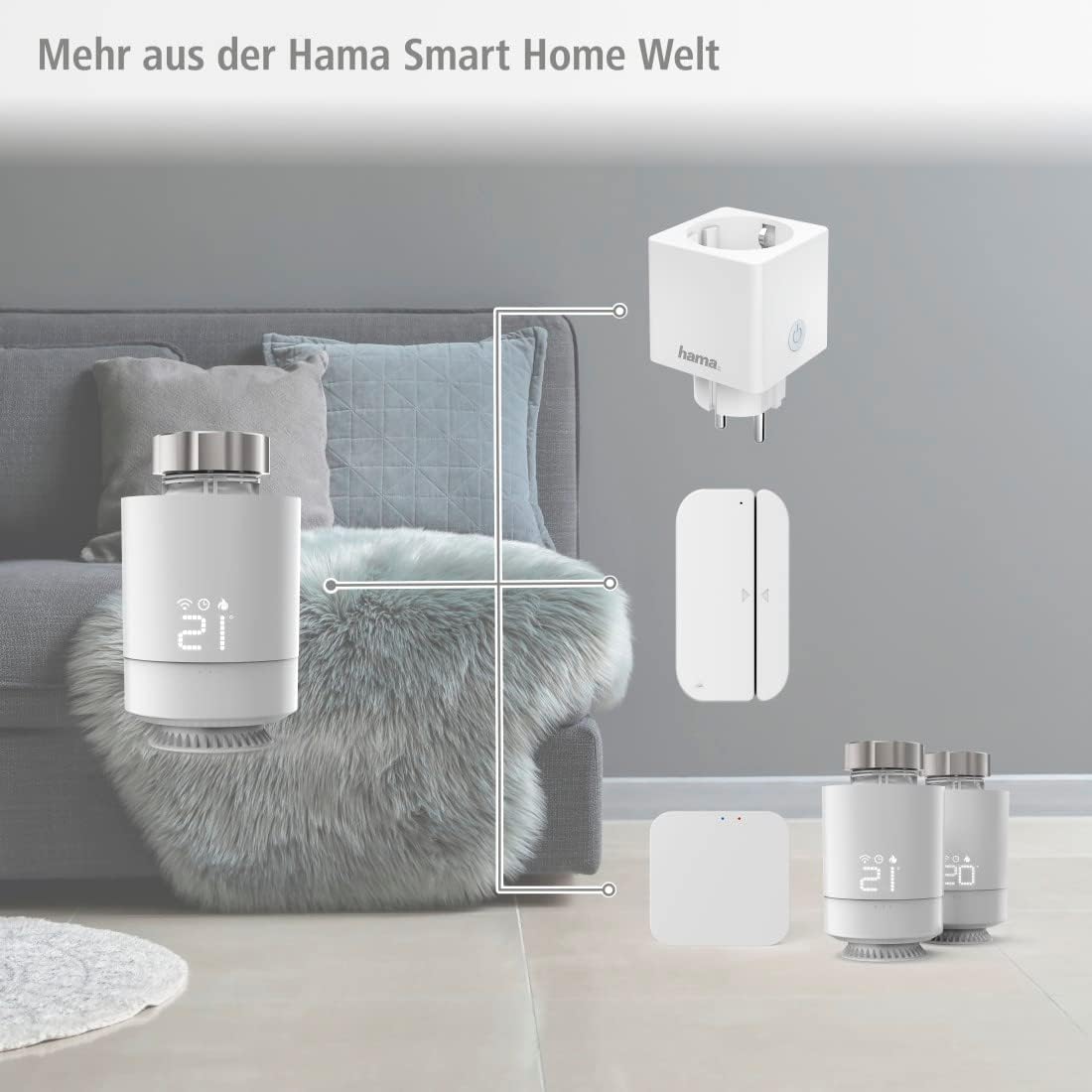
Image 4.2: The Hama Smart Home ecosystem, illustrating how the thermostat connects via a hub.
5. Operating the Thermostat
5.1. Manual Control
You can adjust the temperature directly on the thermostat using the rotary knob. The current temperature will be displayed on the digital screen.
5.2. App Control
The Hama Smart Home app allows comprehensive control and programming of your radiator thermostat from anywhere.
- Current Temperature Display: View the current room temperature.
- Temperature Adjustment: Set your desired target temperature.
- Scheduling: Program individual heating cycles for different times of the day and days of the week to optimize comfort and energy usage.
- Outdoor Mode: Activate a specific mode when you are away from home.
- Window Detection: The thermostat can detect open windows and temporarily reduce heating to save energy.

Image 5.1: Controlling the thermostat via the Hama Smart Home app.

Image 5.2: Programming heating schedules in the Hama Smart Home app.
5.3. Voice Control
The Hama Smart Home WiFi Radiator Thermostat is compatible with popular voice assistants, allowing you to control your heating with voice commands.
- Amazon Alexa: Enable the 'Hama Smart Home' skill in the Alexa app and link your Hama Smart Home account.
- Google Assistant: Activate the 'Hama Smart Home' service in the Google Home app and link your Hama Smart Home account.
- Apple Siri (Shortcuts): Utilize Siri Shortcuts for quick voice commands.

Image 5.3: Voice control compatibility with major smart home platforms.
6. Maintenance
6.1. Cleaning
Clean the device only with a slightly damp, lint-free cloth. Do not use aggressive cleaning agents.
6.2. Battery Replacement
When the battery level is low, an indicator will typically appear on the thermostat's display and/or in the Hama Smart Home app. Replace both AA batteries promptly to ensure continuous operation.
6.3. Limescale Protection
The thermostat features a limescale protection function, which periodically moves the valve to prevent calcification, ensuring long-term functionality.
7. Troubleshooting
| Problem | Possible Cause | Solution |
|---|---|---|
| Thermostat not responding | Low batteries; not paired with hub; hub offline. | Replace batteries; re-pair with hub; check hub's power and Wi-Fi connection. |
| Incorrect temperature reading | Thermostat too close to heat source/draft; internal sensor calibration. | Ensure proper placement; check app for calibration options if available. |
| Cannot control via app | Hub not connected to Wi-Fi; app not updated; thermostat not paired. | Verify hub's Wi-Fi connection; update Hama Smart Home app; re-pair thermostat. |
| Voice control not working | Skill/service not enabled; accounts not linked; incorrect commands. | Enable Hama Smart Home skill/service; link accounts; use correct voice commands. |
8. Specifications
| Feature | Detail |
|---|---|
| Brand | Hama |
| Model Number | 00176592 |
| Color | White |
| Dimensions (L x W x H) | 13 x 9 x 8 cm |
| Item Weight | 100 g |
| Material | Plastic |
| Power Supply | 2 x AA Mignon Batteries (included) |
| Signal Transmission | Zigbee (to Hama Smart Home Hub) |
| Connectivity (via Hub) | Wi-Fi |
| Temperature Setting Range | +5°C to +30°C |
| Voice Control Compatibility | Amazon Alexa, Google Home, Apple Siri (Shortcuts) |
| Special Features | Temperature Display, Programmable, Frost Protection, Limescale Protection, Window Detection |
| System Requirements | Android 6.0 or higher, iOS 11.0 or higher |
| Compatible Adapters | Caleffi, Danfoss RA, Danfoss RAV, Giacomini |
9. Warranty and Support
9.1. Warranty Information
Hama GmbH & Co KG provides a manufacturer's warranty for this product. Please refer to the warranty card included with your product or visit the official Hama website for detailed warranty terms and conditions specific to your region.
9.2. Customer Support
For technical support, troubleshooting assistance, or inquiries regarding your Hama Smart Home WiFi Radiator Thermostat, please contact Hama customer service. Contact details can typically be found on the official Hama website (www.hama.com) or in the product packaging.


