
meross MSS560
Meross Smart Dimmer Switch (MSS560) User Manual
Model: MSS560
Introduction
The Meross Smart Dimmer Switch (MSS560) is designed to provide intelligent control over your lighting. This single-pole dimmer switch allows you to remotely control, dim, and schedule your lights using the Meross app, Apple HomeKit, Amazon Alexa, or Google Assistant. It requires a neutral wire for installation and operates on a 2.4GHz Wi-Fi network.
Safety Information
- Neutral Wire Required: Ensure your electrical box has a neutral wire (typically white) before installation. If unsure, consult a qualified electrician.
- Power Off Before Installation: Always turn off power at the circuit breaker before installing or servicing the switch to prevent electrical shock.
- Single Pole Setup Only: This switch is designed for single pole configurations only. It is not compatible with 3-way or multi-way switch setups.
- Bulb Compatibility: Works with non-smart dimming bulbs. Maximum wattage: 400W for incandescent (INC), 150W for CFL & LED bulbs. Do not use with smart bulbs.
- Wi-Fi Requirement: Supports 2.4GHz Wi-Fi networks only. 5GHz Wi-Fi is not supported. No hub is required.
- Fire-Retardant Material: The switch housing is made of PC+ABS fire-retardant material for safety.
- Overload Protection: Certified by FCC/ETL, the device includes protection against electrical overload.
What's in the Box
- Meross Smart Dimmer Switch (MSS560)
- Quick Installation Guide
- Wire Nuts
- Mounting Screws
- Faceplate (standard size)
Setup
Pre-installation Checklist
- Verify your electrical box has a neutral wire (white).
- Ensure you have a 2.4GHz Wi-Fi network.
- Confirm your setup is single pole (not 3-way).
- Check bulb compatibility (non-smart dimmable LED/CFL/INC).

Image: Diagram illustrating the necessity of a neutral wire and compatible bulb types (LED, CFL, INC) with wattage limits, and incompatibility with smart bulbs.

Image: Important notes on switch compatibility, including single pole setup, 2.4GHz Wi-Fi, neutral wire, and non-smart dimming bulb support.
Hardware Installation
- Turn Off Power: Locate your circuit breaker and turn off the power to the switch you are replacing. Verify power is off using a voltage tester.
- Remove Old Switch: Carefully remove the faceplate and unscrew the existing switch from the electrical box. Pull the switch outward without touching any wires.
- Identify Wires: Identify the Live (black/red), Load (brown/black), Neutral (white), and Ground (green/bare copper) wires. Label them if necessary.
- Connect New Switch: Use the provided wire nuts to connect the corresponding wires of the Meross Smart Dimmer Switch to your home's electrical wires. Ensure all connections are secure.
- Secure Switch: Carefully push the wires and the new switch into the electrical box. Screw the switch to the box and attach the faceplate.
- Restore Power: Turn on the power at your circuit breaker.
Video: Official Meross guide on how to install the HomeKit smart dimmer switch, demonstrating the wiring process and safety precautions.
App Setup & Pairing
- Download Meross App: Download the Meross app from the App Store or Google Play.
- Add Device: Open the Meross app, tap the '+' icon to add a new device, and select the Smart Dimmer Switch. Follow the in-app instructions.
- Connect to Wi-Fi: Connect the switch to your 2.4GHz Wi-Fi network.
- HomeKit Setup (Optional): If using Apple HomeKit, scan the HomeKit setup code located on the device or its packaging. You may need to manually enter the 8-digit code.
- Calibrate Dimming Range: Use the app to set the maximum and minimum light levels for optimal dimming performance with your specific bulbs.
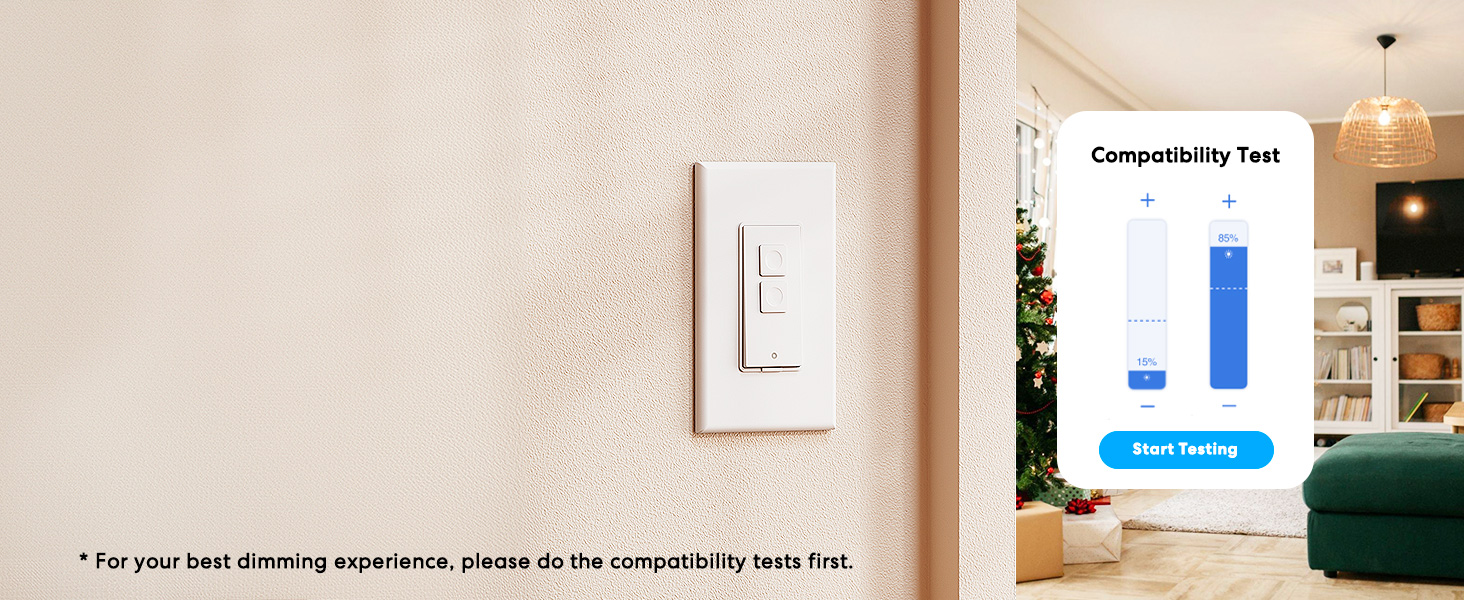
Image: Meross app interface demonstrating the dimming compatibility test to optimize light levels.
Operating Instructions
Manual Control
The Meross Smart Dimmer Switch features physical buttons for direct control:
- On/Off Button: Press the main button to turn lights on or off.
- Dimming Buttons: Use the smaller up/down buttons to adjust brightness levels.
App Control
Control your lights from anywhere with internet access using the Meross app:
- Remote On/Off: Tap the switch icon in the app to toggle lights.
- Dimming: Use the slider in the app to precisely adjust brightness from 0% to 100%.

Image: A user controlling lights remotely via the Meross app on a smartphone.
Voice Control
The Meross Smart Dimmer Switch is compatible with leading voice assistants:
- Apple HomeKit/Siri: Say "Hey Siri, turn on the light" or "Hey Siri, dim the light to 50%".
- Amazon Alexa: Say "Alexa, turn on the light" or "Alexa, dim the light to 20%".
- Google Assistant: Say "Hey Google, turn on the light" or "Hey Google, dim the light to 90%".

Image: Visual representation of voice commands for Siri, Alexa, and Google Assistant to control light brightness.
Scheduling & Scenes
Automate your lighting to suit your lifestyle:
- Schedules: Set specific times for lights to turn on/off or dim automatically. Supports sunrise and sunset settings.
- Scenes: Create custom scenes for different moods or activities (e.g., "Movie Night" with dimmed lights).

Image: Meross app interface displaying options for setting scenes, timers, and schedules for automated lighting control.
Maintenance
- Cleaning: Wipe the switch and faceplate with a soft, dry cloth. Do not use liquid cleaners or aerosols.
- Firmware Updates: Regularly check the Meross app for firmware updates to ensure optimal performance and security.
Troubleshooting
- Switch Not Responding: If the switch is unresponsive or the indicator light is red, try pressing the small power reset button located at the bottom of the switch.
- Wi-Fi Connection Issues: Ensure your smartphone is connected to a 2.4GHz Wi-Fi network during setup. If the switch loses connection, verify your router is functioning correctly and the switch is within range.
- Dimming Problems: If lights flicker or do not dim correctly, re-calibrate the dimming range in the Meross app. Ensure you are using compatible non-smart dimmable bulbs.
- HomeKit Remote Control: For remote control via HomeKit, an additional networked Apple device (HomePod, Apple TV 4K/HD, or iPad) must be set up as a HomeKit bridge and remain online.
Specifications
| Feature | Specification |
|---|---|
| Operation Mode | ON-OFF |
| Current Rating | 4 Amps |
| Operating Voltage | 120 Volts |
| Contact Type | Normally Open |
| Connector Type | Clamp |
| Terminal | Blade |
| Item Dimensions (L x W x H) | 4.7 x 2.8 x 1.5 inches |
| Circuit Type | 1-way (Single Pole) |
| Actuator Type | Push Button |
| Contact Material | Copper |
| International Protection Rating | IP00 |
| Number of Positions | 1 |
| Upper Temperature Rating | 40 Degrees Celsius |
| Controller Type | Amazon Alexa, Apple HomeKit, Google Assistant |
| Control Method | Voice, App |
| Connectivity Protocol | Wi-Fi (2.4GHz only) |
| Color | White |
| Wattage | 400 watts (INC), 150 watts (CFL & LED) |
| Material | Plastic (PC+ABS fire-retardant) |
Warranty and Support
Warranty
The Meross Smart Dimmer Switch typically comes with a 1-year warranty. Please refer to your product packaging or the Meross website for specific warranty terms and conditions.
Support
If you have any questions regarding your switch type, installation, or Wi-Fi connections, please contact Meross customer support. You can usually find contact information within the Meross app or on the official Meross website.
Additional Information
Video: An overview of Meross smart home products, showcasing various features and benefits of integrating smart devices into your home.
Related documentsMSS560


Ask a question about this manual
Ask about setup, troubleshooting, compatibility, parts, safety, or missing instructions. Manuals+ will review the question and use this page’s manual context to help answer it.