
Motorola Moto G9 Play XT2083
Motorola Moto G9 Play XT2083 User Manual
Model: XT2083
1. Introduction
Welcome to the user manual for your Motorola Moto G9 Play XT2083 smartphone. This guide provides comprehensive instructions to help you set up, operate, maintain, and troubleshoot your device. The Moto G9 Play is designed to offer a powerful mobile experience with its advanced camera system, long-lasting battery, and robust performance.
Key features include a 48 MP triple camera system for detailed photos, a large 6.5-inch display for immersive viewing, and a 5000 mAh battery for extended usage. This device supports Dual-SIM functionality and is factory unlocked for GSM networks.

Figure 1.1: Front view of the Motorola Moto G9 Play.
2. What's in the Box
Please verify that all items are present in your product packaging:
- Motorola Moto G9 Play XT2083 Smartphone
- SIM Tray Ejector
- Charger (may vary by region)
- USB Cable (Type-C)
- Quick Start Guide (printed)
3. Setup
3.1 Inserting SIM Cards
The Moto G9 Play supports Dual-SIM functionality. To insert your SIM card(s) and a microSD card (if applicable):
- Locate the SIM tray on the side of the device.
- Insert the SIM tray ejector tool into the small hole next to the tray and push gently until the tray pops out.
- Place your Nano-SIM card(s) and/or microSD card into the designated slots on the tray, ensuring proper orientation.
- Carefully push the tray back into the device until it is flush with the side.

Figure 3.1: Side view illustrating the SIM tray location.
3.2 Initial Power On and Setup
To power on your device for the first time, press and hold the Power button located on the side until the Motorola logo appears. Follow the on-screen prompts to complete the initial setup, which includes selecting your language, connecting to a Wi-Fi network, and signing in with your Google account.
3.3 Charging the Device
Before first use, it is recommended to fully charge your Moto G9 Play. Connect the USB cable to the charging port on the bottom of the phone and plug the other end into the provided charger. The device supports TurboPower charging for faster charging times.
4. Operating Your Device
4.1 Display and Navigation
The Moto G9 Play features a 6.5-inch HD+ display. Navigate the interface using touch gestures such as tapping, swiping, pinching, and spreading. The device runs on Android 10.0, offering a clean and intuitive user experience.
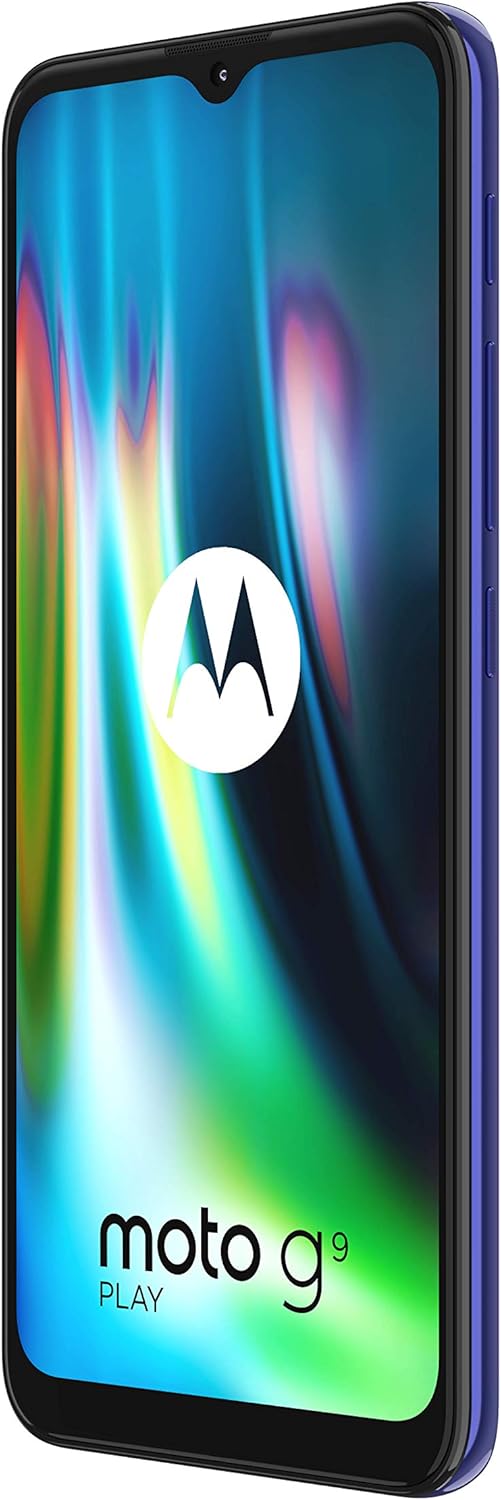
Figure 4.1: The vibrant 6.5-inch display of the Moto G9 Play.
4.2 Camera System
Capture stunning photos with the 48 MP triple camera system. This includes a 48MP main sensor, a 2MP macro lens, and a 2MP depth sensor. The camera app provides various modes, including Night Vision for low-light conditions and Macro Vision for close-up shots.

Figure 4.2: The triple camera system on the back of the device.
4.3 Battery Life and Management
Equipped with a 5000 mAh battery, the Moto G9 Play offers extended usage on a single charge. To optimize battery life, manage background app usage, reduce screen brightness, and enable battery saver mode when needed. The device supports fast charging to quickly replenish power.
4.4 Network Connectivity
The Moto G9 Play is designed for GSM networks and supports 2G, 3G, and 4G/LTE bands. It is not compatible with US CDMA networks such as Verizon or Sprint. Ensure your network provider supports the device's frequencies for optimal performance. The phone also features Wi-Fi and Bluetooth connectivity.
5. Maintenance
5.1 Cleaning Your Device
To clean your Moto G9 Play, use a soft, lint-free cloth. For stubborn smudges, slightly dampen the cloth with water or a screen cleaner designed for electronics. Avoid using harsh chemicals, abrasive materials, or excessive moisture, as these can damage the device.
5.2 Software Updates
Motorola periodically releases software updates to improve performance, add new features, and enhance security. You will receive a notification when an update is available. It is recommended to back up your data before performing any major software update. While the device ships with Android 10.0, some users have reported issues with subsequent Android 11 updates; ensure to check official Motorola support channels for the latest recommendations regarding software upgrades.
6. Troubleshooting
6.1 Common Issues
- Device not powering on: Ensure the battery is charged. Connect the charger and wait a few minutes before attempting to power on again.
- Poor network signal: Check your SIM card insertion. Ensure you are within your network provider's coverage area. Restart the device.
- Apps crashing or freezing: Clear the app's cache and data in Settings > Apps. If the issue persists, uninstall and reinstall the app.
- Slow performance: Close unnecessary background apps. Clear cached data. Consider freeing up storage space.
6.2 Factory Reset
If you experience persistent issues that cannot be resolved through other troubleshooting steps, a factory reset may be necessary. Warning: A factory reset will erase all data on your phone, including apps, photos, and settings. Back up all important data before proceeding.
- Go to Settings > System > Reset options.
- Select "Erase all data (factory reset)".
- Confirm your decision and follow the on-screen instructions.
7. Technical Specifications
| Feature | Specification |
|---|---|
| Model Name | Moto G9 Play |
| Item Model Number | PAKK0017IS |
| Display | 6.5 inches, 720 x 1600 pixels |
| Processor | Snapdragon 662 2GHz |
| RAM | 4 GB |
| Internal Storage | 64 GB (actual user storage less) |
| Rear Camera | Triple: 48MP + 2MP + 2MP |
| Front Camera | 8MP (typical) |
| Battery Capacity | 5000 mAh (Lithium Polymer) |
| Operating System | Android 10.0 |
| Dimensions | 2.98 x 0.36 x 6.5 inches |
| Item Weight | 12 ounces |
| Connectivity | Wi-Fi, Bluetooth, GPS, 4G LTE (GSM Only) |
| SIM Type | Dual Nano-SIM |
8. Warranty and Support
Your Motorola Moto G9 Play XT2083 comes with a limited manufacturer's warranty. For detailed warranty terms and conditions, please refer to the warranty card included in your product packaging or visit the official Motorola support website.
For further assistance, technical support, or to find service centers, please visit the official Motorola support website or contact their customer service. Keep your proof of purchase for warranty claims.
Official Motorola Support: www.motorola.com/support
Related documentsMoto G9 Play XT2083


Ask a question about this manual
Ask about setup, troubleshooting, compatibility, parts, safety, or missing instructions. Manuals+ will review the question and use this page’s manual context to help answer it.