
Ergosolid NB P4-v2020
Ergosolid NB P4 LCD LED TV Wall Mount
Model: NB P4-v2020
Brand: Ergosolid
Introduction
The Ergosolid NB P4 TV Wall Mount is designed to securely hold LCD/LED/Plasma televisions ranging from 32 to 55 inches. This robust mount offers flexibility with its extendable arm, tilt, and swivel functions, allowing you to optimize your viewing experience. It features integrated cable routing and a low-profile design when retracted, ensuring a clean and organized setup. The product is TÜV-tested, ensuring quality and safety.
Important Safety Information
WARNING: Failure to read, understand, and follow all instructions can result in serious personal injury, property damage, or voiding of your warranty. If you have any questions, please contact your local distributor or a qualified professional.
- This product is intended for installation on solid concrete walls, brick walls, or wood stud walls. Do not install on drywall alone.
- Ensure the mounting surface can safely support the combined weight of the mount and the television. The maximum load capacity is 27.2 kg (60 lbs).
- Always use a stud finder to locate wood studs accurately. If mounting to concrete or brick, use appropriate anchors (included).
- Do not overtighten screws, as this may cause damage to the mount or the wall.
- Keep all components out of reach of children. Small parts may be a choking hazard.
- Before drilling, verify the absence of electrical wires or plumbing behind the wall.
- Two people are recommended for installation to ensure safety and proper alignment.
- Regularly check that the mount is securely fastened and that all connections are tight.
Package Contents
Please verify that all components are present and undamaged before beginning installation. If any parts are missing or damaged, do not proceed with installation and contact your supplier.
- 1 x Ergosolid NB P4 Wall Mount
- Complete fixing hardware kit (screws, anchors, washers, spacers)
- Illustrated assembly instructions (Note: While the product description mentions "Illustrated German assembly instructions (English language not guaranteed)", this manual provides general English guidance. Refer to the included printed manual for detailed diagrams.)

Image: The Ergosolid NB P4 TV Wall Mount shown with all its components and the included hardware kit.
Specifications
| Feature | Detail |
|---|---|
| Recommended Screen Size | 32 - 55 inches |
| Load Capacity | Max. 27.2 kg (60 lbs) |
| VESA Standard Compatibility | 100x100, 200x100, 200x200, 200x300, 200x400, 300x200, 300x300, 400x200, 400x400 mm |
| Tilt Adjustment | 8° upwards, 5° downwards |
| Swivel Adjustment | Up to 160° (left and right) |
| Horizontal Adjustment | ±4° |
| Min. Distance from Wall | 50 mm |
| Max. Distance from Wall (Extension) | 400 mm |
| Material | Alloy Steel, Plastic |
| Colour | Black powder-coated |
| Product Dimensions | 5.4 x 26.2 x 33.2 cm (mount only) |
| Item Weight | 2.96 kg |
| Certifications | TÜV-tested |

Image: Technical specifications and movement ranges of the Ergosolid NB P4 TV Wall Mount.

Image: Detailed technical drawing showing the dimensions and VESA patterns of the Ergosolid NB P4 TV Wall Mount.
Setup and Installation
This section provides a general overview of the installation process. For detailed, step-by-step instructions with diagrams, please refer to the dedicated assembly manual included in your package.
1. Pre-Installation Checklist
- Ensure you have all package contents as listed above.
- Gather necessary tools: drill, stud finder, level, Phillips head screwdriver, pencil, measuring tape.
- Determine the optimal mounting height for your TV.
- Identify your wall type (wood stud, solid concrete, brick). Do not install on drywall without studs.
- Verify your TV's VESA pattern and weight are within the mount's specifications.
2. Attaching Brackets to TV
- Carefully place your TV face-down on a soft, clean surface to prevent scratches.
- Identify the VESA mounting holes on the back of your TV.
- Select the appropriate screws, washers, and spacers from the hardware kit that fit your TV's mounting holes.
- Attach the two vertical TV brackets to the back of your TV, ensuring they are level and securely fastened. Do not overtighten.
3. Mounting the Wall Plate
- Using a stud finder, locate and mark the center of two adjacent wood studs for wood stud installation. For concrete/brick, mark desired drill points.
- Hold the wall plate against the wall at the desired height and use a level to ensure it is perfectly horizontal. Mark the drill holes with a pencil.
- Drill pilot holes at the marked locations. Use appropriate drill bit size for your wall type and chosen fasteners.
- Secure the wall plate to the wall using the provided lag bolts and washers. Tighten firmly but do not overtighten.
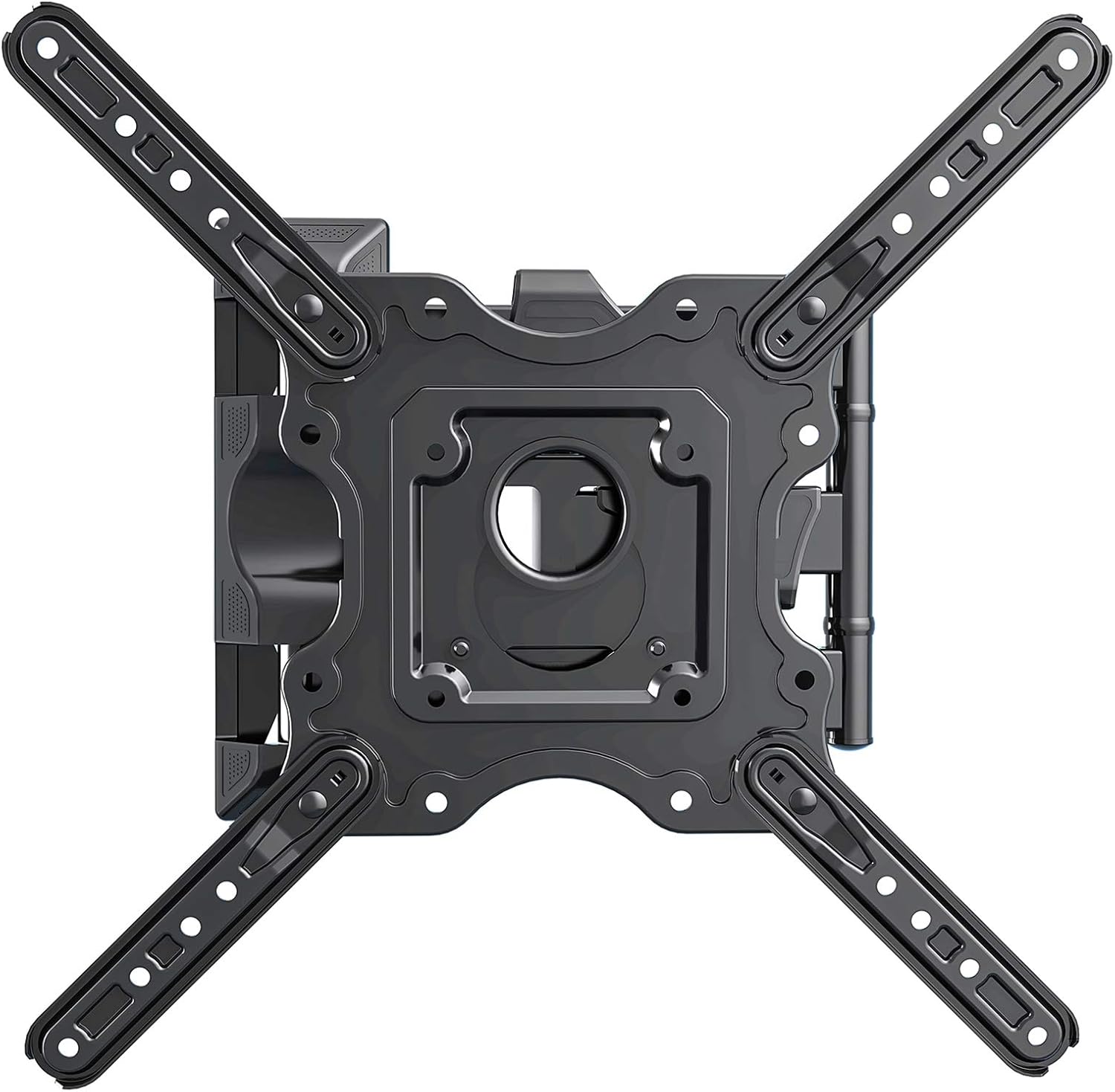
Image: The wall plate component of the Ergosolid NB P4 TV Wall Mount.
4. Hanging the TV and Final Adjustments
- With assistance, carefully lift the TV with the attached brackets and hook them onto the wall plate's arms.
- Secure the TV to the mount using the safety screws or locking mechanisms provided.
- Connect all necessary cables (power, HDMI, etc.). Utilize the integrated cable routing channels on the mount's arms to manage cables neatly.
- Adjust the TV to your desired viewing angle using the tilt, swivel, and extension features.

Image: A television mounted on the Ergosolid NB P4, extended from the wall.
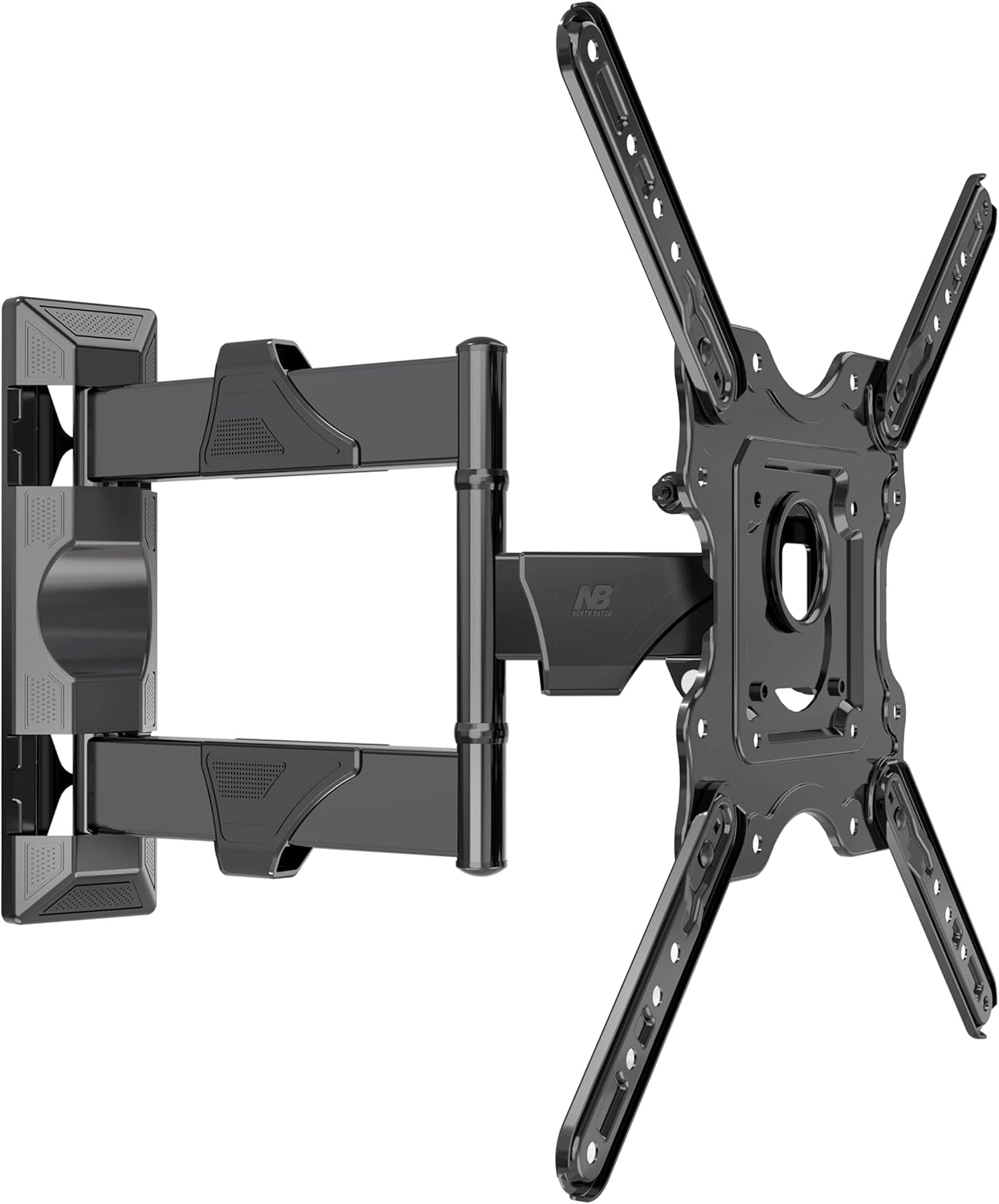
Image: The Ergosolid NB P4 mount allowing a television to be angled for optimal viewing.
Operating the Mount
The Ergosolid NB P4 mount offers versatile adjustments to enhance your viewing experience.
- Extension: Gently pull or push the TV to extend or retract the mount from the wall. The mount can extend from 50 mm to 400 mm.
- Swivel: Rotate the TV horizontally up to 160° (80° left and 80° right) to achieve the perfect viewing angle from different positions in the room.
- Tilt: Adjust the vertical angle of your TV. The mount allows for an 8° upward tilt and a 5° downward tilt. Loosen the tilt adjustment knobs (if present, refer to detailed manual) to set the angle, then tighten to secure.
- Horizontal Level Adjustment: The mount allows for a ±4° horizontal adjustment to ensure your TV is perfectly level after installation. This can typically be done by slightly rotating the TV plate relative to the arm.

Image: The Ergosolid NB P4 mount fully extended from the wall, supporting a television.
Maintenance
Regular maintenance ensures the longevity and safe operation of your TV wall mount.
- Cleaning: Wipe the mount with a soft, dry cloth to remove dust. For stubborn marks, use a slightly damp cloth with mild detergent, then dry thoroughly. Avoid abrasive cleaners or solvents.
- Periodic Checks: Every 3-6 months, inspect all screws and bolts to ensure they are still tight and secure. Pay particular attention to the wall mounting bolts and the screws attaching the brackets to the TV.
- Movement: If the mount's movement becomes stiff, a small amount of silicone-based lubricant can be applied to the pivot points. Avoid oil-based lubricants.
- Damage: If you notice any signs of damage, wear, or corrosion, discontinue use immediately and contact customer support. Do not attempt to repair damaged parts yourself.
Troubleshooting
| Problem | Possible Cause | Solution |
|---|---|---|
| TV is not level. | Wall plate not level during installation, or horizontal adjustment needed. | Use the ±4° horizontal adjustment feature. If the wall plate itself is significantly off, you may need to re-mount it. |
| Mount feels loose or wobbly. | Screws are not tightened sufficiently, or wall anchors are failing. | Immediately remove the TV. Re-tighten all wall mounting bolts and TV bracket screws. If wall anchors are failing, consult a professional for re-installation. |
| Difficulty adjusting tilt/swivel. | Adjustment knobs/bolts are too tight, or mechanism needs lubrication. | Loosen adjustment knobs/bolts slightly. Apply a small amount of silicone-based lubricant to pivot points if movement is stiff. |
| Cables are messy. | Cable routing not utilized. | Route cables through the integrated cable management channels on the mount's arms. Use cable ties if necessary. |
Warranty and Support
The Ergosolid NB P4 TV Wall Mount comes with a 2-year warranty from the date of purchase. This warranty covers manufacturing defects and material flaws under normal use.
The warranty does not cover:
- Damage caused by improper installation or misuse.
- Damage caused by exceeding the maximum load capacity.
- Normal wear and tear.
- Unauthorized modifications or repairs.
For warranty claims or technical support, please contact your original point of purchase or the Ergosolid customer service department. Please have your purchase receipt and product model number (NB P4-v2020) ready when contacting support.
Related documentsNB P4-v2020

Ask a question about this manual
Ask about setup, troubleshooting, compatibility, parts, safety, or missing instructions. Manuals+ will review the question and use this page’s manual context to help answer it.