
1. Introduction
This manual provides instructions for the installation, operation, and maintenance of your Xerox Everyday Compatible HP CE400X (507X) Black High Capacity Toner Cartridge. This toner cartridge is designed to deliver reliable performance and high-quality prints with compatible HP LaserJet printers.
1.1 Product Overview
The Xerox Everyday Compatible HP CE400X (507X) Black Toner Cartridge is a high-yield replacement for original HP 507X cartridges. It is compatible with the following HP LaserJet Enterprise 500 Color M551, MFP M575; Pro MFP M570; Flow MFP M575 printer models.
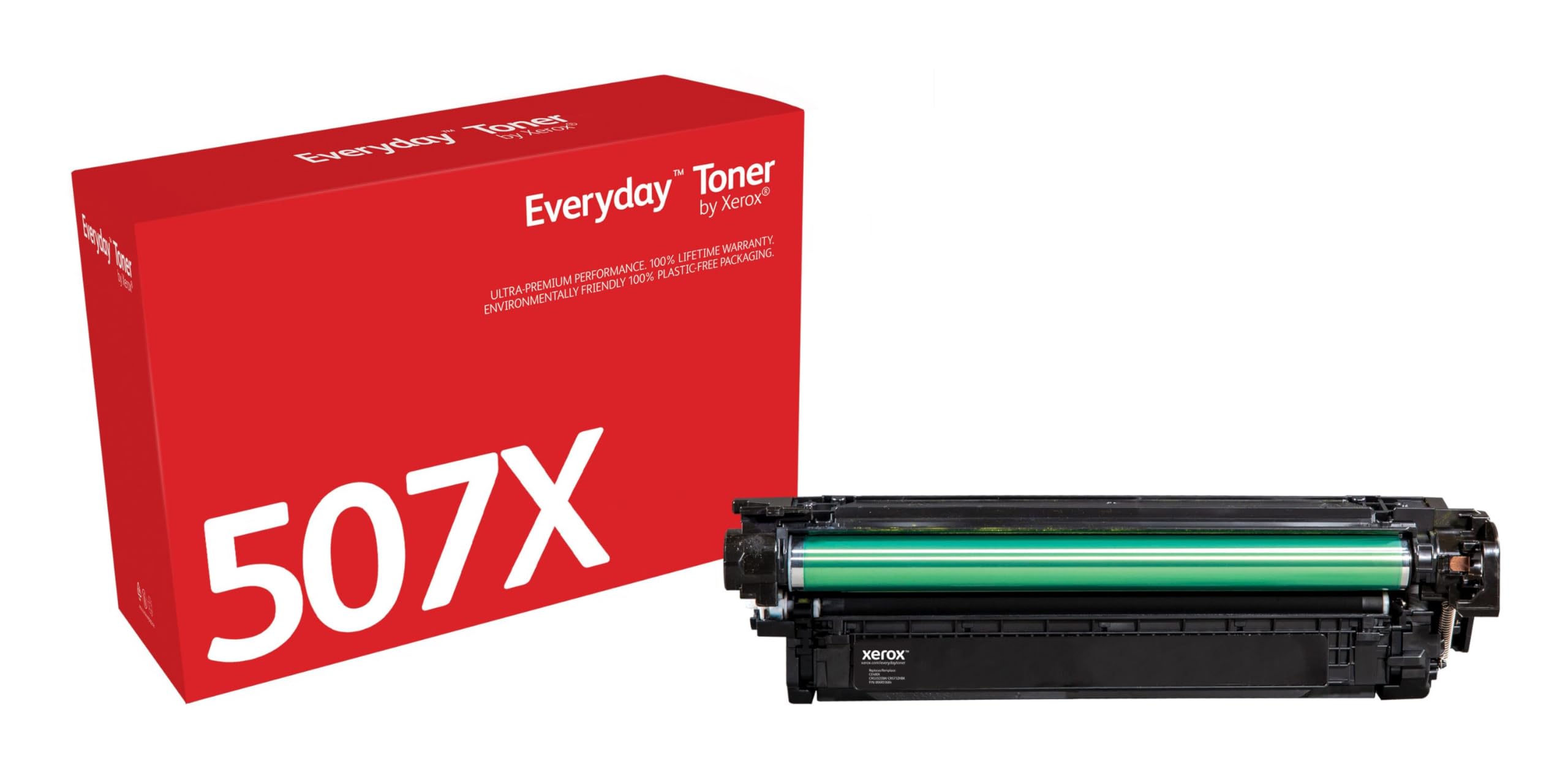
Image 1.1: Xerox Everyday Compatible HP CE400X Black Toner Cartridge. This image shows the black toner cartridge in its packaging, highlighting the brand and model compatibility.
1.2 What's in the Box
- One (1) Xerox Everyday Compatible HP CE400X (507X) Black High Capacity Toner Cartridge (Model: 006R03684)
2. Setup and Installation
Follow these steps to properly install the toner cartridge into your compatible HP LaserJet printer. Always refer to your printer's specific manual for detailed instructions if available.
- Power Off Printer: Ensure your printer is powered off and unplugged from the wall outlet before beginning the installation process.
- Open Printer Access Door: Open the front cover or access door of your HP LaserJet printer to expose the toner cartridge compartment.
- Remove Old Cartridge: Carefully grasp the handle of the old toner cartridge and pull it straight out of the printer. Place the used cartridge in a protective bag for recycling.
- Unpack New Cartridge: Remove the new Xerox Everyday toner cartridge from its packaging. Avoid touching the imaging drum or electrical contacts.
- Shake Cartridge: Gently rock the new toner cartridge back and forth 5-6 times to distribute the toner evenly inside.
- Remove Protective Seals: Remove any orange protective clips, tapes, or seals from the cartridge as indicated by the packaging.
- Insert New Cartridge: Align the new toner cartridge with the guides inside the printer and push it firmly until it clicks into place.
- Close Printer Door: Close the printer's front cover or access door.
- Power On Printer: Plug in and power on your printer. The printer will typically perform a calibration cycle.
3. Operating Instructions
Once the toner cartridge is installed, your printer is ready for use. The cartridge is designed for high-volume printing, offering approximately 11,000 pages yield based on ISO/IEC 19798 standards.
- Printing: Initiate print jobs from your computer as you normally would. The printer will automatically detect the new toner cartridge.
- Monitoring Toner Levels: You can monitor the estimated toner levels through your printer's control panel or software utility. Replace the cartridge when the printer indicates low toner or print quality degrades significantly.
4. Maintenance and Storage
Proper handling and storage can extend the life of your toner cartridge and ensure optimal print quality.
- Storage: Store unused toner cartridges in their original sealed packaging in a cool, dry place, away from direct sunlight and extreme temperatures.
- Handling: Avoid touching the green imaging drum surface on the cartridge, as oils from your skin can cause print defects.
- Cleaning: Do not attempt to clean the toner cartridge itself. If print quality issues arise, refer to the troubleshooting section or your printer's manual for cleaning procedures for the printer components.
- Recycling: Recycle used toner cartridges responsibly. Many manufacturers and retailers offer recycling programs.
5. Troubleshooting
If you encounter issues with your toner cartridge, consider the following common solutions:
- Poor Print Quality (Streaks, Fades):
- Gently rock the toner cartridge to redistribute toner.
- Ensure the cartridge is properly seated in the printer.
- Check printer settings for print quality and toner save modes.
- If the cartridge is nearing its end of life, replace it.
- "Toner Low" or "Replace Toner" Message:
- This indicates the cartridge is nearing or has reached its estimated page yield. Replace the cartridge.
- Ensure the cartridge is correctly installed and recognized by the printer.
- Cartridge Not Recognized:
- Remove the cartridge and reinstall it, ensuring it clicks into place.
- Power cycle the printer (turn off, unplug, wait 30 seconds, plug in, turn on).
- Check for any protective tapes or seals that may not have been fully removed.
6. Specifications
| Feature | Detail |
|---|---|
| Brand | Xerox |
| Model Number | 006R03684 |
| Compatible HP Cartridge | CE400X (507X) |
| Color | Black |
| Page Yield (Approx.) | 11,000 pages (based on ISO/IEC 19798) |
| Item Weight | 1.1 Kilograms |
| Compatible Devices | HP LaserJet Enterprise 500 Color M551, MFP M575; Pro MFP M570; Flow MFP M575 |
| UPC | 095205894226 |
7. Warranty and Support
Warranty: Xerox Everyday Toner Cartridges come with a Lifetime Warranty, ensuring peace of mind regarding product quality and performance.
Support: For technical assistance, troubleshooting beyond this manual, or warranty claims, please contact Xerox customer support through their official website or the contact information provided with your purchase. When contacting support, please have your product model number (006R03684) and purchase details available.