
Introduction
The Retevis RT49P is a durable, IP67-rated floating waterproof FRS two-way radio designed for reliable communication in various outdoor and aquatic environments. Featuring NOAA weather alerts, SOS functionality, and multiple power options, it ensures connectivity and safety during activities such as skiing, boating, fishing, and more.

Image: Retevis RT49P Walkie Talkies in a snowy outdoor setting, highlighting waterproof and floating features.
What's in the Box
- 2 x RT49P Floating IP67 2 Way Radio
- 6 x AA 1200mAH NiMH Rechargeable Battery
- 1 x USB Charging Cable & Adapter
- 2 x Belt Clip
- 1 x Drop-in Charging Tray
- User Manual

Image: Contents of the Retevis RT49P package including two walkie talkies, charging base, batteries, USB cable, and user manual.
Product Overview / Components

Image: Detailed diagram of the Retevis RT49P Walkie Talkie showing all buttons and components like Push-to-talk, Power On/Off, Lamp On/Off, SOS, Lock/Menu, Monitor/Scan, Microphone, Speaker, Lamp, and SOS Lamp.
- Push-to-talk (PTT) Button: Press and hold to transmit your voice.
- Power On/Off / Call Tone Button: Rotate to power on/off. Press to send a call tone.
- Lamp On/Off Button: Activates/deactivates the built-in flashlight.
- SOS Button: Activates emergency alarm and flashing light.
- Lock/Menu Button: Locks/unlocks the keypad. Accesses menu settings.
- Monitor/Scan Button: Monitors current channel for activity. Initiates channel scan.
- Microphone: For voice input.
- Speaker: For audio output.
- Lamp: Built-in flashlight.
- SOS Lamp: Flashes during SOS activation.
Setup
Battery Installation
The RT49P uses 6 AA 1200mAh Ni-MH rechargeable batteries (included). It also supports standard alkaline AA batteries. To install, open the battery compartment cover on the back of the radio and insert the batteries according to the polarity indicators. Securely close the cover to maintain IP67 waterproof rating.

Image: Open battery compartment of Retevis RT49P showing slots for AA batteries.
Charging
Use the provided USB charging cable and drop-in charging tray to recharge the walkie talkies. Place the radios in the tray, ensuring proper contact. The USB cable can be connected to a power adapter, power bank, or computer. The radios can also be charged directly via their USB port.

Image: Two Retevis RT49P Walkie Talkies placed in a dual drop-in charging tray.
Video: Official Retevis video demonstrating the charging process and general use of the RT49P walkie talkies.
Operating Instructions
Power On/Off & Volume
Rotate the top knob clockwise to power on the radio. Rotate further to increase volume. Rotate counter-clockwise to decrease volume and power off.
Channel Selection
The RT49P offers 22 FRS channels. Press the MENU button to enter the menu, then use the Up/Down arrow buttons to select your desired channel. Press MENU again to confirm and exit.
Push-to-Talk (PTT)
To transmit, press and hold the large PTT button on the side of the radio. Speak clearly into the microphone. Release the PTT button to listen.
NOAA Weather Alert
The radio features a built-in NOAA Weather Alert function. Turn on one of the 11 weather channels or initiate weather alerts to stay updated on real-time weather conditions.
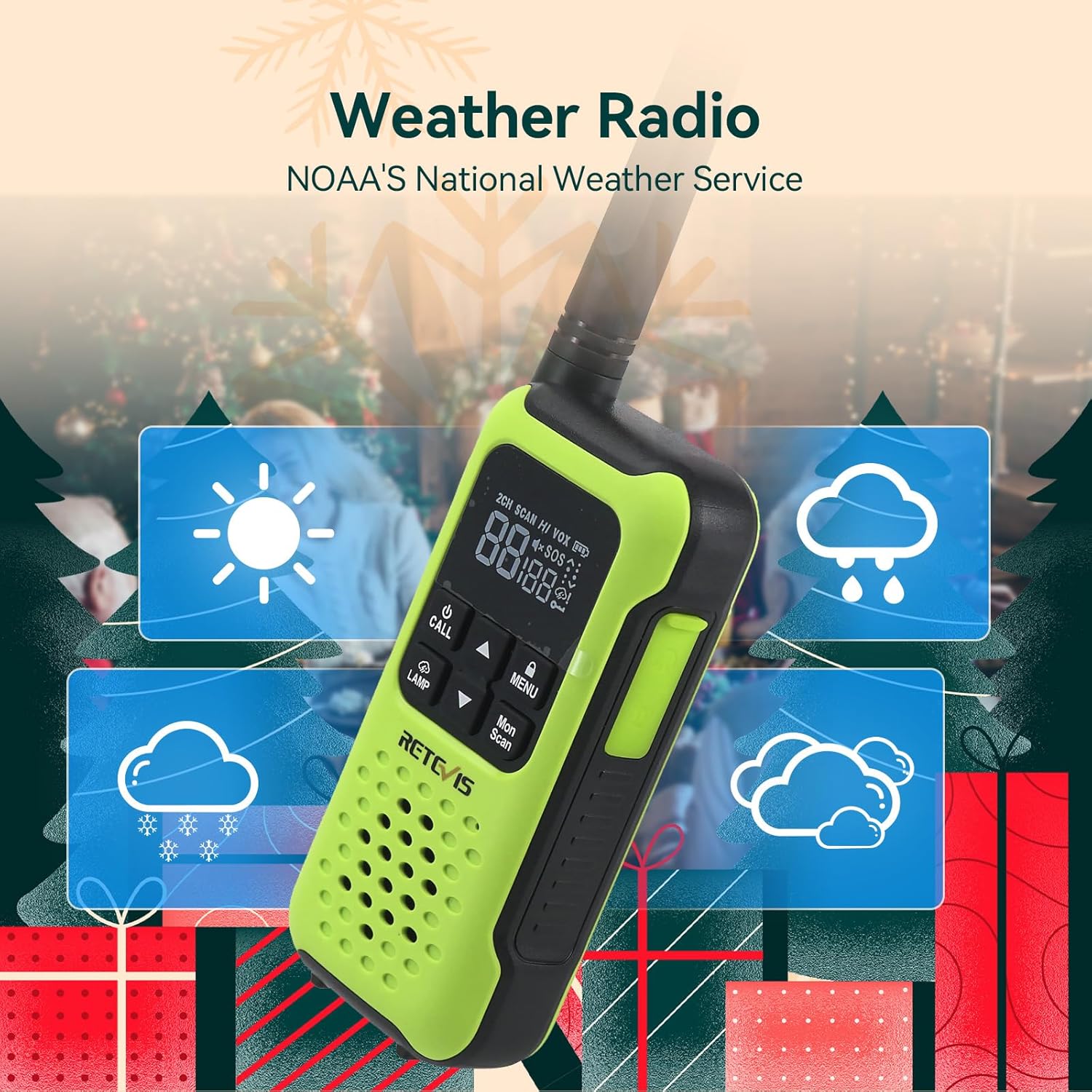
Image: Retevis RT49P Walkie Talkie displaying NOAA weather alert on its screen, with weather icons in the background.
Video: Official Retevis video highlighting the NOAA weather alert feature of the RT49P walkie talkies.
SOS Function
In an emergency, press and hold the SOS button. The radio will emit a loud alarm, flash a red light, and transmit an alarm signal over the current channel to alert others.

Image: Retevis RT49P Walkie Talkie with its SOS light flashing, indicating emergency mode.
Video: Official Retevis video demonstrating the safety features, including the SOS function, of the RT49P walkie talkies.
VOX (Voice Operated Exchange)
The VOX feature allows hands-free communication. When activated, the radio transmits automatically when it detects your voice, without needing to press the PTT button.

Image: Illustration of a person using the VOX function on a Retevis RT49P Walkie Talkie for hands-free communication.
Flashlight
Press the LAMP button to activate the built-in flashlight for illumination in low-light conditions.

Image: Retevis RT49P Walkie Talkie with its flashlight activated, illuminating a dark campsite.
Maintenance
- Cleaning: Wipe the radio with a soft, damp cloth. Do not use harsh chemicals or abrasive cleaners.
- Storage: Store the radio in a cool, dry place away from direct sunlight and extreme temperatures. Remove batteries if storing for extended periods.
- Waterproof Seal: Ensure the battery compartment cover is securely closed to maintain the IP67 waterproof rating. Regularly inspect seals for wear or damage.
Troubleshooting
| Problem | Possible Solution |
|---|---|
| No Power | Check battery installation and charge level. Ensure batteries are correctly inserted. |
| Cannot Transmit/Receive | Ensure both radios are on the same channel and privacy code (if used). Check volume level. |
| Poor Audio Quality | Check distance and obstructions. Adjust volume. Ensure microphone/speaker are clear of debris. |
| Radio does not float | Ensure battery compartment is sealed correctly. The radio is designed to float with the included batteries. |
| SOS light activates when wet | This is an intended feature to aid in locating the radio in water. To deactivate, press the SOS button again. |
Specifications
- Model: RT49P
- Brand: Retevis
- Channels: 22 FRS Channels
- Water Resistance: IP67 (Waterproof, Floating)
- Special Features: NOAA Weather Alert, SOS, Flashlight, VOX
- Battery: 6 AA 1200mAh Ni-MH Rechargeable (included), also supports Alkaline AA
- Charging: USB Charging, Drop-in Charging Tray
- Dimensions: 7.95 x 2.4 x 1.5 inches
- Item Weight: 4.7 ounces
- Talking Range: Up to 5 miles (terrain dependent)
Video: Official Retevis video demonstrating the IP67 waterproof and floating capabilities of the RT49P walkie talkies.
Warranty and Support
Retevis provides a 2-year warranty for the radio body and a 1-year warranty for accessories. A 30-day no-reason return policy is also offered. For service beyond the warranty period, maintenance is available with corresponding costs borne by the buyer. For support, contact Retevis on Amazon; they aim to reply within 12 hours.
For further assistance or inquiries, please visit the Retevis Store on Amazon.


