
Refoss RSG100
Refoss Smart Wi-Fi Garage Door Opener User Manual
Model: RSG100 | Brand: Refoss
1. Introduction
This manual provides comprehensive instructions for the installation, operation, and maintenance of your Refoss Smart Wi-Fi Garage Door Opener (Model RSG100). This device allows you to control and monitor your garage door remotely using your smartphone or voice commands, integrating seamlessly with smart home ecosystems like Apple HomeKit, Amazon Alexa, and Google Assistant.

Figure 1.1: Refoss Smart Wi-Fi Garage Door Opener and companion app.
2. Key Features
- Remote Control: Open, close, and check garage door status from anywhere via the Refoss iOS/Android App. No subscription fees.
- Voice Control: Compatible with Apple HomeKit, Siri, Amazon Alexa, Google Assistant, and CarPlay for hands-free operation.
- Wide Compatibility: Supports over 200 brands and 1600 models of garage door openers.
- Precise and Stable Monitoring: High-sensitivity sensor ensures accurate monitoring of door status.
- Multiple Notification Modes: Receive overtime and overnight notifications, and real-time status updates.
- Security PIN Code: Option to require a PIN for voice commands to open the garage door.
- Operation History: Review a detailed activity log of garage door operations.
- Separate Antenna: Independent antenna design for robust Wi-Fi signal within the garage.

Figure 2.1: Overview of Refoss Smart Garage Door Opener features.
3. Compatibility
The Refoss Smart Wi-Fi Garage Door Opener is designed for wide compatibility with most garage door openers. It supports over 200 brands and 1600 models.
3.1 Compatibility Check
Before installation, it is crucial to verify your garage door opener's compatibility. Refer to the "Product guides and documents - Compatibility guide (PDF)" available on the product page. You can also perform a simple test:
- Locate the wall button terminals on your garage door opener.
- Use pliers or a short wire to momentarily short the wall button terminals.
- If your garage door opens or closes, it is compatible. If not, please contact Refoss support for assistance.
Some garage door openers, particularly those with a yellow learn button or certain purple learn buttons (e.g., some Craftsman, LiftMaster, Chamberlain models), may require an additional accessory for compatibility. If your opener falls into this category, Refoss can ship the proper accessory to you free of charge. Provide your garage opener's brand, model, learn button color, and shipping address to support.

Figure 3.1: Learn Button Compatibility Overview.

Figure 3.2: Scan this QR code for detailed compatibility information. You can also visit the Refoss Support FAQs.

Figure 3.3: Visual guide for compatibility check and learn button identification.

Figure 3.4: Information required to claim a compatibility accessory.
4. Setup and Installation
Installation of the Refoss Smart Wi-Fi Garage Door Opener involves three main steps: providing power, connecting signal wires, and setting up the door sensor.
4.1 Components Overview
- 1 x Smart Garage Door Opener (main unit)
- 1 x Signal Control Cable (connects to garage door motor)
- 1 x Door Sensor with Cable (monitors door status)
- 1 x USB Adapter (for power)
- 4 x Screws, 1 x Double-sided Adhesive Tapes (for mounting)
- 1 x Test Wire (for compatibility check)
4.2 Installation Steps
- Mount the Main Unit: Secure the Smart Garage Door Opener unit near your existing garage door opener motor using the provided screws or double-sided adhesive tapes. Ensure it's within reach of a power outlet and the motor's terminals.
- Connect Power: Plug the USB adapter into a power outlet and connect the main unit to the USB adapter using the provided USB cable.
- Connect Signal Wires: Connect the Signal Control Cable from the main unit to the wall button terminals on your garage door opener motor. These are typically the same terminals where your existing wall button is connected.
- Install Door Sensor: Mount the two parts of the door sensor on the garage door and its frame. One part (with the cable) should be fixed to the door frame, and the other (magnetic part) to the garage door itself. Ensure they are aligned and within 1 inch of each other when the door is closed. This allows the system to accurately detect if the door is open or closed.
- Cable Management: Route all cables neatly and securely using zip ties or cable clips to prevent interference with the garage door's movement.
Video 4.1: Smart Wi-Fi Garage Door Opener Compatible with Apple HomeKit. This video demonstrates the physical installation and initial setup of the device, including connecting the sensor and power.

Figure 4.1: Separate antenna design for enhanced Wi-Fi signal strength.
5. Operating Instructions
5.1 App Remote Control
Download the Refoss app from your device's app store. Follow the in-app instructions to add your new garage door opener. Once connected, you can:
- Open or close the garage door with a tap.
- Check the real-time status (open/closed).
- Receive notifications for door activity.

Figure 5.1: Remote control of your garage door from anywhere with internet access.
5.2 Voice Control (Siri, Alexa, Google Assistant)
Integrate your Refoss opener with your preferred voice assistant for hands-free operation.
- Apple HomeKit/Siri: Enable HomeKit integration in the Refoss app. You can then use Siri commands like "Hey Siri, open my garage."
- Amazon Alexa: Link your Refoss account in the Alexa app. Use commands like "Alexa, open the garage door."
- Google Assistant: Link your Refoss account in the Google Home app. Use commands like "Hey Google, open the garage."
For enhanced security, you can enable a PIN code requirement for voice commands to open the garage door within the Refoss app settings.

Figure 5.2: Effortless control with voice commands.
Video 5.1: Smart garage door opener work with Alexa. This video demonstrates the Alexa voice control feature.

Figure 5.3: Control your garage door using Siri through Apple CarPlay.
5.3 Notifications and Reminders
Configure various notification settings in the Refoss app to stay informed about your garage door's status:
- Overtime Reminder: Get alerts if the garage door remains open for a specified duration.
- Overnight Notification: Receive reminders if the door is left open overnight.
- Real-time Status Updates: Instant notifications when the door opens or closes.
- Closing Alarm: The unit can emit an audible alarm when closing the door via the app for safety.
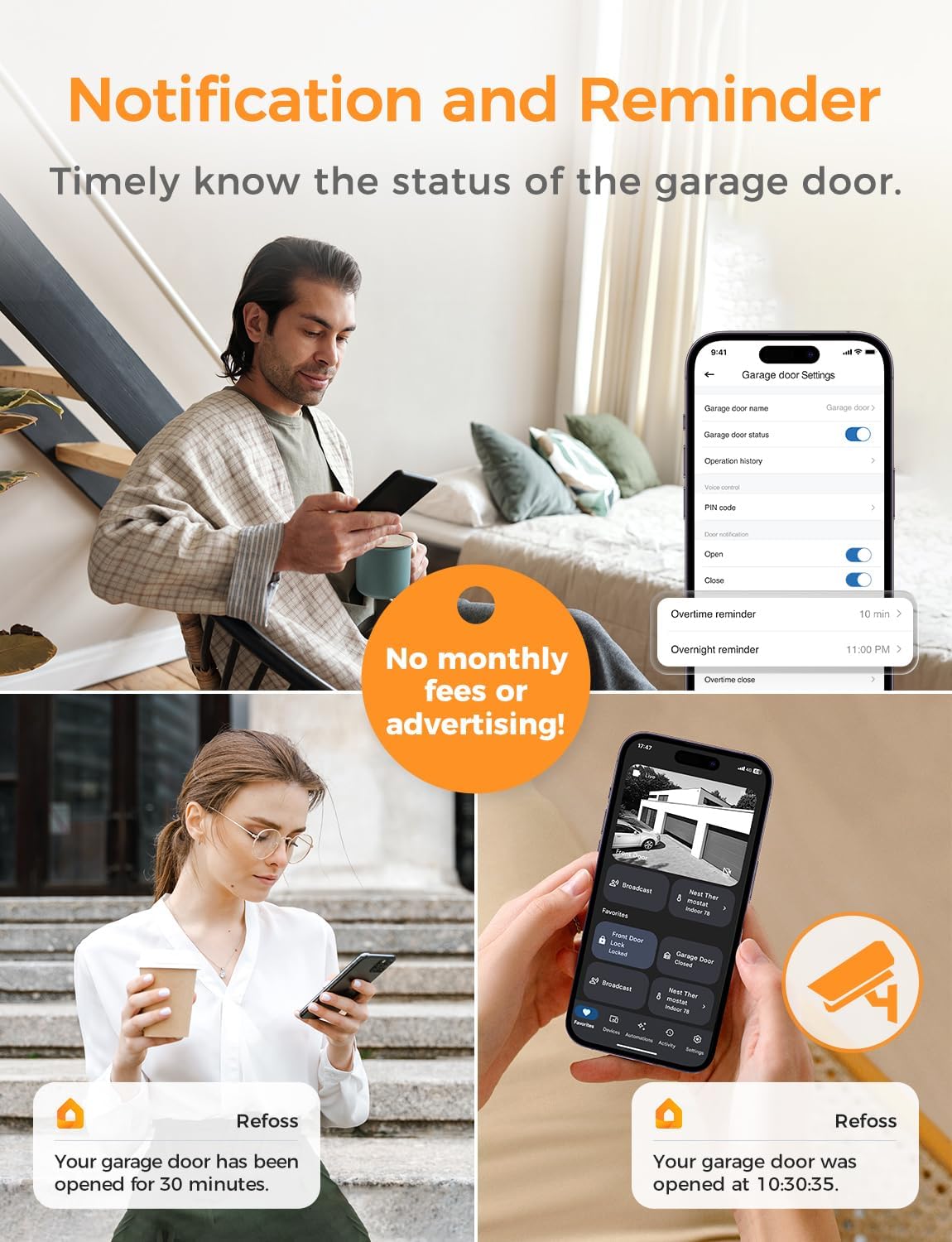
Figure 5.4: App interface for managing notifications and reminders.

Figure 5.5: Example of a real-time garage door status notification.

Figure 5.6: Setting fixed time schedules for garage door operation.

Figure 5.7: The audible alarm feature provides a safety warning when the door is closing remotely.
5.4 Operation History
The Refoss app maintains a detailed log of all garage door activities, including opening and closing times, and the method used (app, voice command, etc.).

Figure 5.8: Review the activity log for your garage door.
6. Maintenance
The Refoss Smart Wi-Fi Garage Door Opener requires minimal maintenance. To ensure optimal performance:
- Keep Clean: Periodically wipe the main unit and sensors with a dry, soft cloth to remove dust and debris.
- Check Connections: Ensure all cables are securely connected and not damaged or pinched.
- Sensor Alignment: Regularly check that the door sensor components remain properly aligned and within the recommended proximity when the door is closed.
- Firmware Updates: Keep the Refoss app and device firmware updated to benefit from the latest features and security enhancements. Check the app regularly for available updates.
7. Troubleshooting
If you encounter issues with your Refoss Smart Wi-Fi Garage Door Opener, try the following solutions:
| Problem | Possible Cause | Solution |
|---|---|---|
| Device not connecting to Wi-Fi. | Incorrect Wi-Fi password, 5GHz network, weak signal. | Ensure you are connecting to a 2.4GHz Wi-Fi network. Verify password. Move the unit closer to the router or consider a Wi-Fi extender. |
| Garage door not responding to commands. | Incorrect wiring, power issue, compatibility problem. | Check all wire connections, especially the signal control cable to the motor. Ensure the unit has power. Re-verify compatibility (Section 3). |
| App shows "Obstruction" or incorrect door status. | Door sensor misalignment, incorrect opening/closing time setting. | Ensure the two sensor parts are aligned and within 1 inch when the door is closed. In the app's advanced settings, adjust the "Opening time" to match your garage door's actual closing duration (e.g., from 15s to 20s or 25s). |
| Voice commands not working. | Incorrect voice assistant setup, PIN code enabled. | Verify Refoss account is linked correctly in the Alexa/Google Home app. If a PIN code is enabled, ensure you are providing it correctly. |
8. Specifications
- Manufacturer: Refoss
- Part Number: RSG100
- Item Weight: 8.3 ounces
- Product Dimensions: 3.7 x 1.7 x 0.9 inches
- Country of Origin: China
- Item Model Number: RSG100
- Color: White
- Style: Smart Garage Control (HomeKit)
- Item Package Quantity: 1
- Certification: Energy Star
- Batteries Included?: No
- Batteries Required?: No
- Date First Available: August 21, 2020
9. Warranty Information
The Refoss Smart Wi-Fi Garage Door Opener comes with a 1-year warranty from the date of purchase. Please retain your proof of purchase for warranty claims. For detailed warranty terms and conditions, refer to the official Refoss website or contact customer support.
10. Support
For further assistance, technical support, or to claim a compatibility accessory, please contact Refoss customer service. You can also refer to the official User Guide (PDF) for more detailed information.
- Official User Guide (PDF): Download User Guide
- Refoss Brand Store: Visit Refoss Store on Amazon
Related documentsRSG100


Ask a question about this manual
Ask about setup, troubleshooting, compatibility, parts, safety, or missing instructions. Manuals+ will review the question and use this page’s manual context to help answer it.