
1. Introduction
This manual provides detailed instructions for the proper use, setup, and maintenance of your ABBREE AR-780 Radio Microphone Speaker Mic. Designed for enhanced communication, this remote shoulder microphone offers convenience and clear audio for various two-way radio applications. Please read this manual thoroughly before operating the device.

Figure 1.1: ABBREE AR-780 Radio Microphone Speaker Mic
2. Product Overview and Features
The ABBREE AR-780 is a robust and versatile speaker microphone designed for reliable communication. Key features include:
- IP54 Waterproof Rating: Equipped with a built-in waterproof sealing ring, providing effective protection against splashes and dust. Note: Not designed for submersion.
- High-Quality Audio: Features a loud speaker and sensitive microphone for clear audio transmission and reception.
- Durable PU Material Cable: The coiled cable is made from flexible PU material, offering excellent ductility and extending from approximately 23.62 inches (60 cm) to 82.67 inches (210 cm).
- 360-Degree Rotating Clip: A sturdy plastic clip allows for flexible attachment to clothing or gear, ensuring optimal positioning.
- Wide Compatibility: Compatible with a broad range of two-way radios, including various Baofeng models (e.g., UV-5R, BF-F8HP, UV-82) and other brands like Quansheng.

Figure 2.1: IP54 Water and Dust Resistance

Figure 2.2: Side PTT and Rotating Clip Detail

Figure 2.3: Internal Waterproof Sealing Ring

Figure 2.4: 360-Degree Rotating Clip
3. Package Contents
Upon opening your ABBREE AR-780 package, you should find the following item:
- 1 x ABBREE AR-780 Radio Microphone Speaker Mic
4. Setup
Follow these steps to connect your AR-780 speaker mic to your two-way radio:
- Identify the Connector: The AR-780 features a standard 2-pin K-type connector. Ensure your radio has a compatible 2-pin port.
- Align and Insert: Carefully align the two pins of the microphone connector with the corresponding ports on your radio. Insert firmly until fully seated.
- Secure Connection: Some radios may have a screw to secure the connector. If available, gently tighten the screw to prevent accidental disconnection.
- Position the Microphone: Use the 360-degree rotating clip to attach the microphone to your collar, shoulder, or other convenient location. Ensure the speaker faces towards you and the microphone is clear for optimal audio pickup.
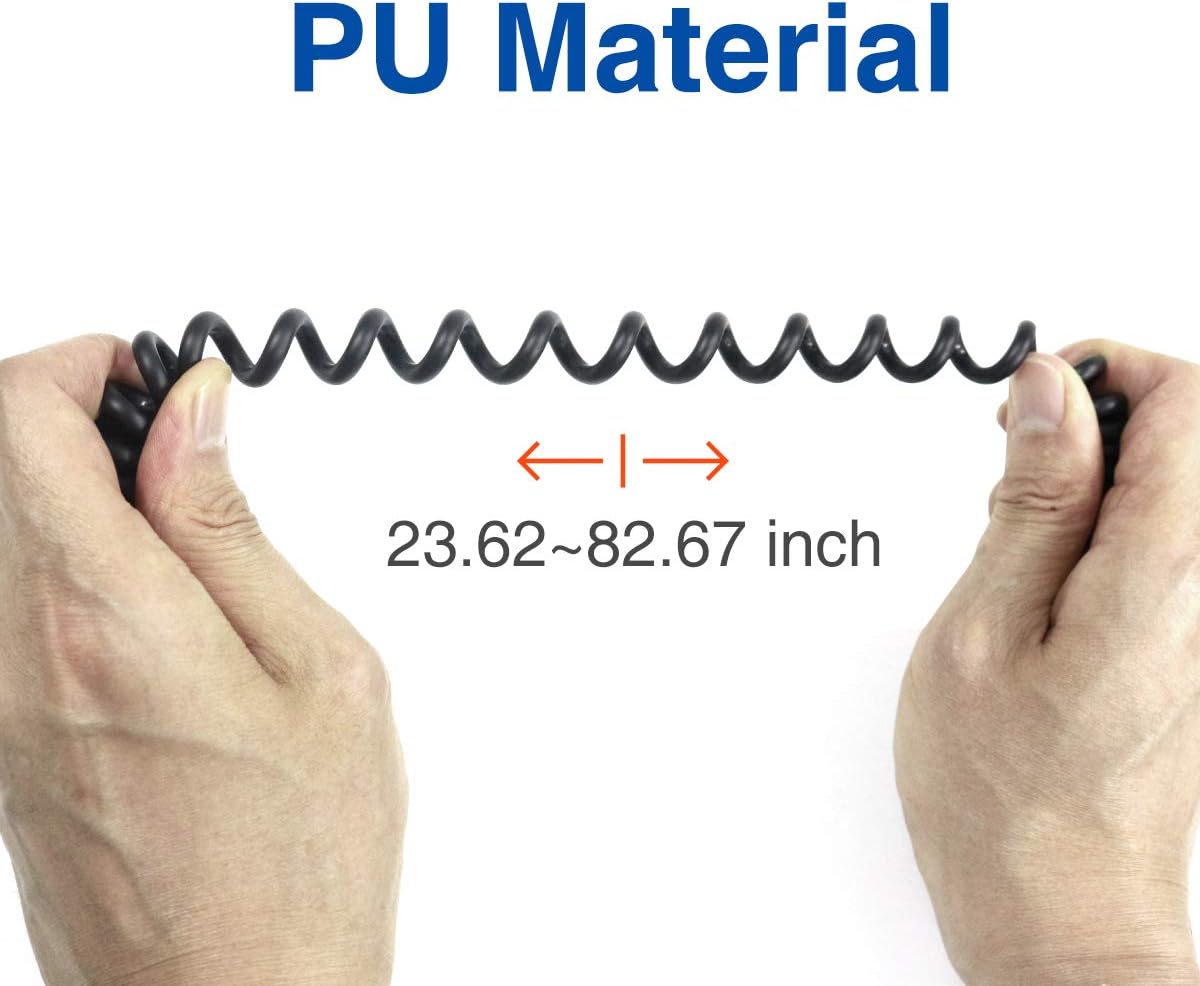
Figure 4.1: Connecting the AR-780 to a Compatible Radio
5. Operating Instructions
Once connected, operating the ABBREE AR-780 is straightforward:
- Receiving Audio: Incoming transmissions from your radio will be played through the speaker on the front of the microphone. Adjust your radio's volume for comfortable listening.
- Transmitting (Push-to-Talk - PTT): To transmit, press and hold the large Push-to-Talk (PTT) button located on the side of the microphone. Speak clearly into the microphone. Release the PTT button to stop transmitting and return to receive mode.
- Using the Clip: The 360-degree rotating clip allows you to adjust the microphone's position for comfort and optimal performance. Rotate the clip to secure the mic to your clothing or gear.
6. Maintenance
Proper care will ensure the longevity and performance of your AR-780 speaker mic:
- Cleaning: Wipe the microphone body with a soft, damp cloth. Avoid using harsh chemicals or abrasive cleaners.
- Water Resistance: While IP54 rated, avoid intentionally exposing the microphone to heavy rain or submersion. If it gets wet, wipe it dry promptly. Ensure the sealing ring remains intact.
- Cable Care: Avoid excessive pulling or stretching of the coiled cable to prevent internal damage. Store the cable neatly when not in use.
- Storage: Store the microphone in a dry, cool place away from direct sunlight and extreme temperatures.

Figure 6.1: Flexible PU Material Cable
7. Troubleshooting
If you encounter issues with your ABBREE AR-780, refer to the following common problems and solutions:
| Problem | Possible Cause | Solution |
|---|---|---|
| No audio from speaker mic | Loose connection; Radio volume too low; Faulty mic. | Ensure connector is fully inserted and secured. Increase radio volume. Test with another compatible mic if available. |
| Unclear or distorted audio | Microphone obstructed; Radio settings; Environmental interference. | Ensure microphone is not covered. Check radio's audio settings. Move away from sources of electrical interference. |
| Cannot transmit | PTT button not pressed; Radio not in transmit mode; Loose connection. | Press and hold the PTT button firmly. Verify your radio is powered on and configured for transmission. Check connector. |
| Clip is loose or broken | Wear and tear; Excessive force. | Contact customer support for replacement options if within warranty. |
8. Specifications
Detailed technical specifications for the ABBREE AR-780 Radio Microphone Speaker Mic:
- Model: AR-780
- Microphone Form Factor: Handheld
- Material: Plastic
- Waterproof Rate: IP54
- Connectivity Technology: 2Pin KPort
- Connector Type: 2Pin (2.5mm Audio, 3.5mm Audio)
- Cable Material: PU (Polyurethane)
- Cable Length (Undrawn/Full Pull): Approximately 23.62 inches (60 cm) / 82.67 inches (210 cm)
- Speaker Size: 4.5 cm / 1.77 inches (8 Ohm, 1W)
- Signal-to-Noise Ratio: 78 dB
- Frequency Response: 16000 Hz
- Item Weight: 3.84 ounces (0.11 Kilograms)
- Color: Black
- Compatible Devices: Two-Way Radios (Baofeng UV-5R/5RA/5RE, UV-5X3, UV-82, UV-82HP, BF-F8HP, BF-888S, BF-F8+, UV-9S, BF-F9 V2+, GT-3TP, TIDRADIO TD-H3/TD-H8, Quansheng UV-K5, etc.)

Figure 8.1: Speaker Dimensions
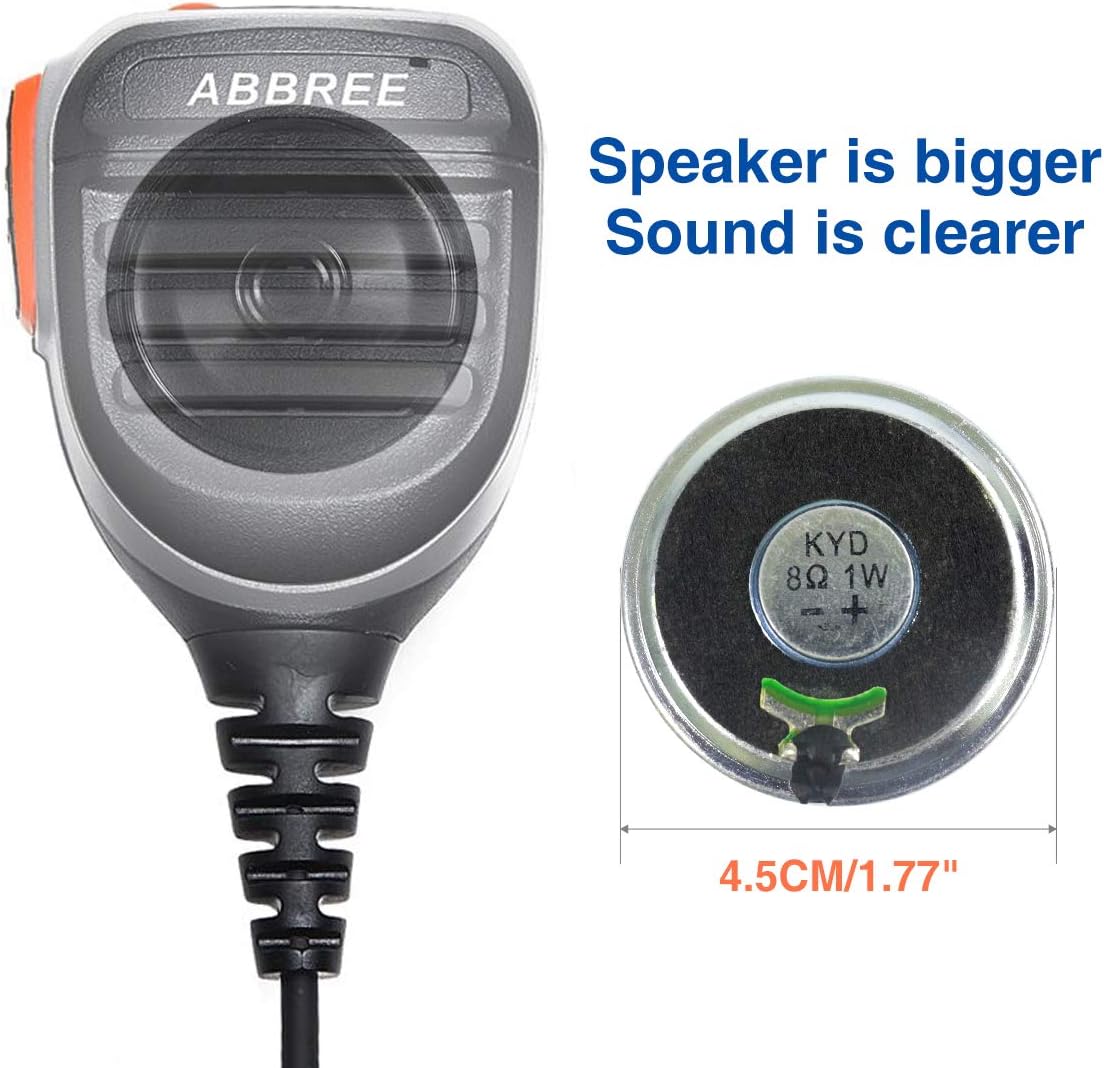
Figure 8.2: Partial Compatibility List
9. Warranty and Support
For warranty information, technical support, or service inquiries regarding your ABBREE AR-780 Radio Microphone Speaker Mic, please contact ABBREE customer service directly. Refer to the contact information provided with your product packaging or visit the official ABBREE website for assistance.
