
1. Introduction
Thank you for choosing the ABSINA Rechargeable Battery Charger. This manual provides essential information for the safe and efficient use of your new charger. Please read it thoroughly before operation and keep it for future reference.
Package Contents:
- 1x ABSINA X4 Charger for AAA, AA, and 9V batteries
- 4x ABSINA AAA Rechargeable Batteries (1150 min. 1050mAh 1.2V HR03)
2. Safety Information
- Use this charger only for NiMH and NiCd rechargeable batteries. Do not attempt to charge non-rechargeable batteries or other battery types, as this may lead to explosion, rupture, or leakage, causing personal injury or property damage.
- Do not disassemble, modify, or short-circuit the charger or batteries.
- Keep the charger away from water, moisture, and high temperatures.
- Do not operate the charger if it has been damaged in any way.
- Ensure proper ventilation during charging.
- Keep out of reach of children.
- Unplug the charger from the power outlet when not in use.
3. Product Overview
The ABSINA X4 charger is designed for efficient and safe charging of various rechargeable battery types. It features individual slot monitoring and advanced safety functions.
Key Features:
- X4 Charging Station: Allows simultaneous charging of 1-4 Micro AAA (500mA), 1-4 Mignon AA (500mA), or 1-2 9V Block (13mA) batteries.
- Individual Slot Monitoring: Each battery slot is monitored independently for optimal charging.
- Pulse Maintenance Charging: Ensures batteries remain at full capacity after charging.
- Defective Battery Detection: Automatically identifies and signals faulty batteries.
- Repair Mode: For discharged batteries, a gentle pre-charge with reduced current is applied.
- Fast Charging: Microcontroller-supervised charge management and overload protection allow batteries to be charged in approximately 2 hours.
- LED Indicator: Provides clear information on the charging status of each battery.
- Automatic Shut-off: The charger automatically stops charging once batteries reach full capacity.

Figure 3.1: The ABSINA 4-slot battery charger shown with four included AAA rechargeable batteries. The charger is black with green LED indicators.

Figure 3.2: The ABSINA charger with AA batteries inserted, highlighting its simple operation without unnecessary buttons.

Figure 3.3: An illustration demonstrating the environmental and economic benefit of rechargeable batteries, where one rechargeable battery can replace numerous disposable ones.
4. Setup
- Unpack the Charger: Carefully remove the charger and included batteries from the packaging.
- Connect to Power: Plug the charger directly into a standard 100-240V AC 50-60Hz wall outlet. The charger is designed for direct wall plug-in.
- Insert Batteries: Insert the rechargeable batteries into the appropriate slots. Ensure correct polarity (+ and -) as indicated on the charger and batteries. The charger supports 1-4 AA or AAA batteries, or 1-2 9V block batteries.

Figure 4.1: The charger illustrating its compatibility with AAA, AA, and 9V battery types, indicating the number of cells supported for each type.
5. Operating Instructions
Charging Process:
- Once batteries are correctly inserted and the charger is plugged in, the charging process will begin automatically.
- The LED indicators above each slot will show the charging status.
- The charger automatically switches to maintenance charging once batteries are fully charged.
- Defective batteries will be identified immediately, and their corresponding LED will indicate an error (e.g., red light).

Figure 5.1: The ABSINA charger in operation, plugged into a wall outlet, with an estimated charging time of 2 hours.
LED Indicator Status:
- Green LED: Battery is fully charged or in maintenance mode.
- Red LED: Defective battery detected or error during charging.
- Flashing LED (if applicable): Charging in progress (specific behavior may vary, refer to visual cues on the charger).

Figure 5.2: A close-up view of the LED status indicators on the ABSINA charger, showing green lights for charged batteries and a red light for a detected issue.

Figure 5.3: The charger indicating a defective battery with a red LED, demonstrating its fault detection capability.
Automatic Shut-off:
The charger is equipped with an automatic shut-off function that activates once the batteries are fully charged, preventing overcharging and extending battery life.
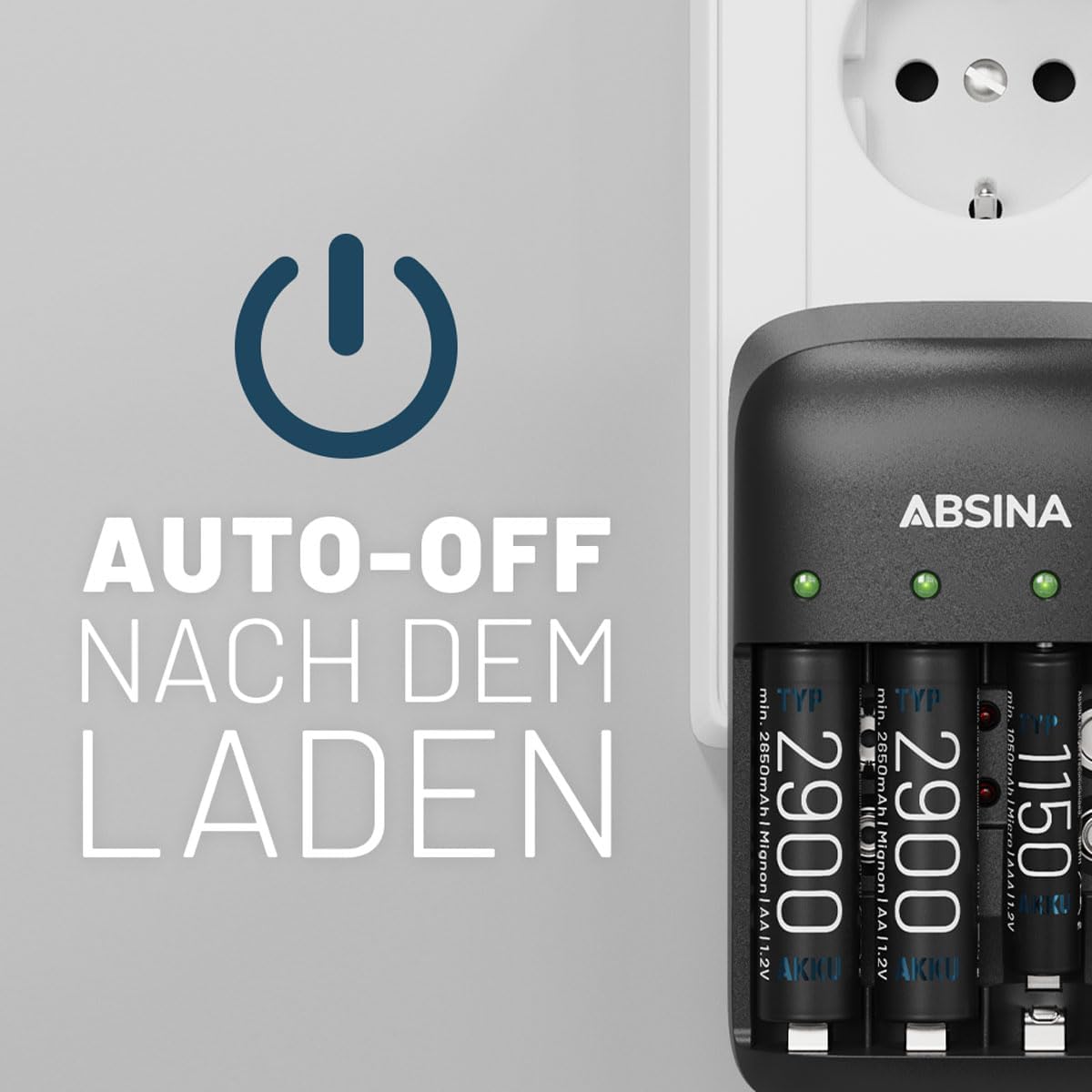
Figure 5.4: The charger illustrating its auto-off feature, which activates once batteries are fully charged.
6. Maintenance
- Cleaning: Disconnect the charger from the power outlet before cleaning. Use a soft, dry cloth to wipe the exterior. Do not use abrasive cleaners or solvents.
- Storage: Store the charger in a cool, dry place away from direct sunlight and extreme temperatures.
- Battery Care: For optimal battery life, avoid completely discharging batteries before recharging.
7. Troubleshooting
| Problem | Possible Cause | Solution |
|---|---|---|
| Batteries not charging | Charger not plugged in; incorrect battery insertion; non-rechargeable batteries; defective battery. | Ensure charger is securely plugged in. Check battery polarity. Confirm batteries are NiMH/NiCd rechargeable. Remove and reinsert batteries. If a red LED persists, the battery may be defective. |
| Red LED indicator | Defective battery; incorrect battery type. | Remove the battery. If the LED remains red with other batteries, the charger may be faulty. If only that battery causes a red light, it is likely defective and should be replaced. |
| Charger feels warm | Normal operation during charging. | A slight warmth is normal. If the charger becomes excessively hot or emits smoke/odor, unplug immediately and discontinue use. |
8. Specifications
| Feature | Detail |
|---|---|
| Brand | ABSINA |
| Model Number | 301001+401002-4 |
| Compatible Battery Types | NiMH & NiCd Micro AAA, Mignon AA, 9V E-Block |
| Charging Slots | 4 (for AA/AAA), 2 (for 9V) |
| Input Voltage | 100-240V AC, 50-60Hz, 160mA |
| Output Voltage | 9 Volts (for 9V batteries) |
| Charging Current (AA/AAA) | 500mA per slot |
| Charging Current (9V) | 13mA per slot |
| Approx. Charging Time | 2 hours (varies by battery capacity) |
| Special Features | Automatic shut-off, Full battery and defective battery detection, LED charge indicator, Repair mode, Single bay monitoring |
| Product Dimensions | 7.5D x 11.5W x 7H centimeters |
| Item Weight | 200 Grams |
| Included Batteries | 4x AAA 1150 min. 1050mAh 1.2V HR03 |
| Country of Origin | China |
9. Warranty and Support
Specific warranty information for this product is not available in the provided data. For warranty claims or technical support, please refer to the retailer or manufacturer's official website for the most current information.
Spare parts availability and software update guarantees are not available.


