
1. Introduction
The APC Back-UPS 1600VA BX1600MI-GR is an uninterruptible power supply (UPS) designed to provide power protection for your electronic devices. It safeguards against power outages, surges, and spikes, ensuring continuous operation and preventing data loss. This manual provides essential information for the safe and efficient use of your UPS.
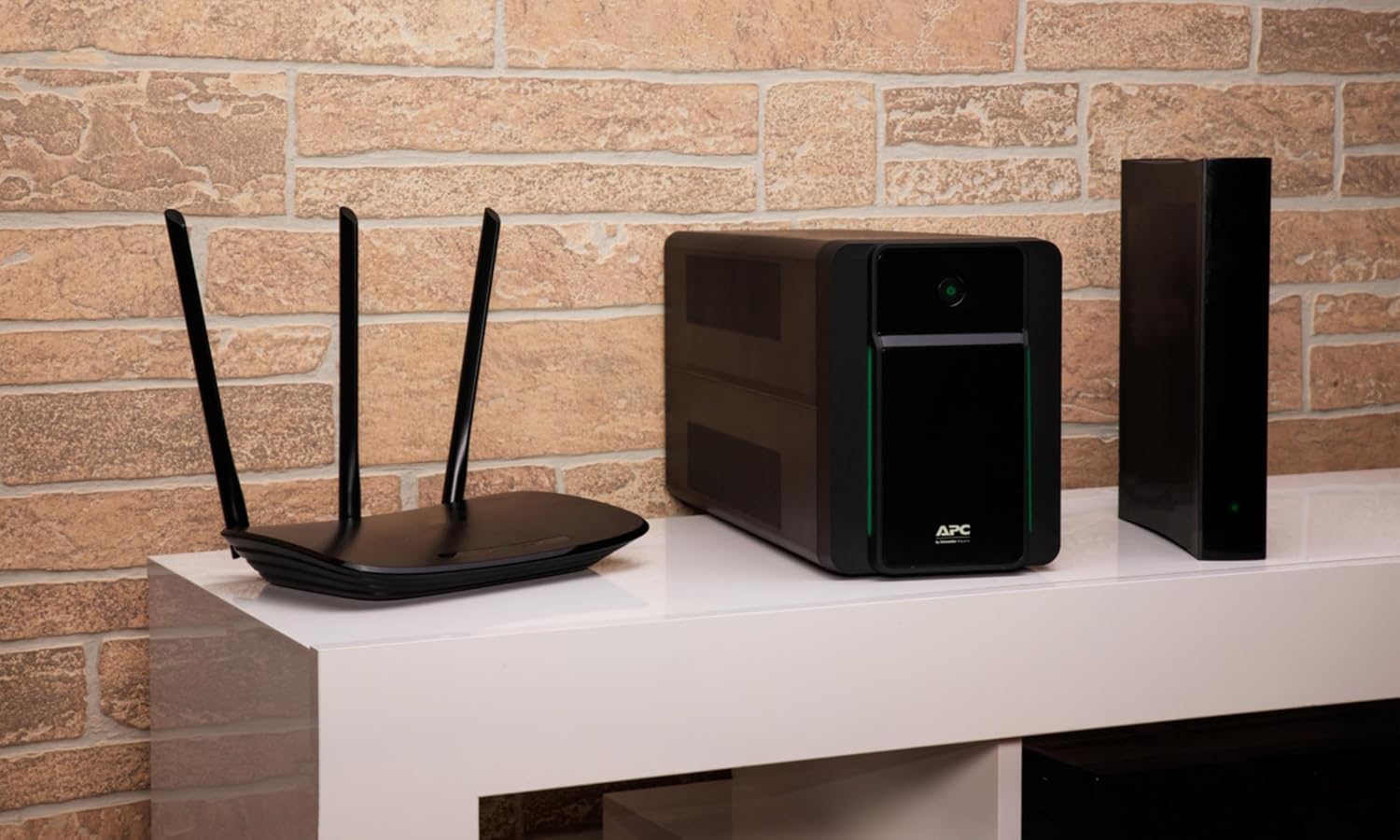
Image: The APC Back-UPS 1600VA BX1600MI-GR unit providing power to a router and another electronic device, demonstrating a typical home office setup.
2. Safety Information
Please read and understand all safety instructions before installing or operating the UPS. Failure to follow these instructions may result in electric shock, fire, or serious injury.
- Indoor Use Only: This UPS is intended for indoor use in a controlled environment.
- Proper Ventilation: Ensure adequate airflow around the UPS. Do not block ventilation openings.
- Avoid Moisture: Do not expose the UPS to rain, water, or excessive humidity.
- Power Source: Connect the UPS to a grounded AC power outlet.
- Battery Safety: The UPS contains a sealed lead-acid battery. Do not attempt to open or service the battery. Refer to qualified service personnel for battery replacement.
- Overload Protection: Do not overload the UPS. Ensure the total power consumption of connected equipment does not exceed the UPS's capacity (900 Watts).
- Emergency Disconnect: The main power cord serves as the UPS's disconnect device. Ensure it is easily accessible.
3. Package Contents
Verify that all items are present upon unpacking:
- APC Back-UPS BX1600MI-GR Unit
- User Manual (this document)
- USB Communication Cable
- Power Cord
4. Product Overview
The APC Back-UPS BX1600MI-GR features a compact design with essential ports for power and data protection.
Front Panel

Image: Front view of the APC Back-UPS BX1600MI-GR, highlighting the power button and status indicator.
- Power Button: Used to turn the UPS on or off.
- Status Indicator LED: Displays the operational status of the UPS (e.g., On Line, On Battery, Fault).
Rear Panel

Image: Angled view of the APC Back-UPS BX1600MI-GR, showing the rear panel with its various connection ports.
- Input Power Cord: Connects the UPS to the wall outlet.
- Battery Backup & Surge Protected Outlets (Schuko): Provides battery power during outages and surge protection.
- Surge Only Protected Outlets (Schuko): Provides surge protection only (no battery backup).
- USB Port: For connecting to a computer for monitoring and graceful shutdown.
- Data Line Protection (RJ45): Protects network devices from surges on the data line.
5. Setup
- Unpack and Inspect: Remove the UPS from its packaging and inspect for any shipping damage.
- Placement: Place the UPS in a cool, dry location, away from direct sunlight, heat, and excessive dust. Ensure proper ventilation.
- Connect to Utility Power: Plug the UPS power cord into a grounded 230V AC wall outlet.
- Initial Battery Charge: Allow the UPS to charge for at least 24 hours before connecting any equipment to ensure full battery capacity. The UPS will charge whether it is turned on or off.
- Connect Equipment:
- Plug critical equipment (e.g., computer, monitor, router) into the Battery Backup & Surge Protected Outlets.
- Plug non-critical equipment (e.g., printer, scanner) into the Surge Only Protected Outlets.
- For data line protection, connect your network cable from the wall outlet to the "IN" port of the Data Line Protection, and then connect a cable from the "OUT" port to your network device (e.g., modem, router).
- Install PowerChute Software (Optional but Recommended):
For advanced management, monitoring, and graceful shutdown capabilities, install the PowerChute software. Connect the UPS to your computer using the provided USB cable.

Image: Overview of the PowerChute software, illustrating its capabilities for managing and monitoring the UPS.
6. Operating Instructions
Turning the UPS On/Off
- To Turn On: Press and hold the power button until a short beep is heard. The status indicator LED will illuminate.
- To Turn Off: Press and hold the power button until a long beep is heard and the status indicator LED turns off.
Understanding the Status Indicator LED
- Solid Green: UPS is on and providing power from the utility (On Line mode).
- Flashing Green: UPS is on battery power (On Battery mode).
- Other Colors/Patterns: Refer to the troubleshooting section or the full user manual for specific fault indicators.
Automatic Voltage Regulation (AVR)
The UPS features Automatic Voltage Regulation (AVR), which automatically corrects minor voltage fluctuations (sags and surges) without switching to battery power. This extends battery life and protects connected equipment from unstable voltage levels.
Battery Backup Operation
During a power outage, the UPS will automatically switch to battery power, providing continuous power to devices connected to the Battery Backup outlets. An audible alarm will sound, and the status indicator LED will flash green. The duration of battery backup depends on the load connected. The PowerChute software can be configured to perform an automatic, graceful shutdown of your computer during extended outages.

Image: Runtime graph illustrating the estimated battery backup duration based on the connected load in watts for the BX1600MI-GR model.
7. Maintenance
Battery Care
- Initial Charge: Ensure the UPS is fully charged for 24 hours before first use.
- Regular Use: To maintain battery health, avoid storing the UPS with a discharged battery.
- Battery Replacement: The battery in this UPS is not user-replaceable. Contact APC customer support or a qualified service technician for battery replacement. Attempting to replace the battery yourself may void the warranty and pose a safety risk.
Cleaning
Clean the exterior of the UPS with a soft, dry cloth. Do not use liquid or aerosol cleaners. Ensure ventilation openings are free from dust and debris.
Storage
If storing the UPS for an extended period, charge the battery for 24 hours every three months to prevent permanent battery damage.
8. Troubleshooting
This section addresses common issues you might encounter with your UPS. For more detailed troubleshooting, refer to the full user manual.
| Problem | Possible Cause | Solution |
|---|---|---|
| UPS does not turn on. | Not connected to utility power; discharged battery. | Ensure the power cord is securely plugged into a live wall outlet. Allow 24 hours for initial battery charge. |
| UPS beeps continuously or frequently. | On battery mode; overloaded; battery fault. | Check if there's a power outage. Reduce the load on the UPS. If the alarm persists, contact support for battery inspection. |
| Connected equipment loses power during an outage. | Equipment not plugged into battery backup outlets; UPS overloaded. | Ensure critical equipment is connected to the "Battery Backup & Surge Protected" outlets. Reduce the total load. |
| Strong chemical/plastic odor. | New unit odor; overheating. | A new unit may emit an odor for the first few weeks; ensure good ventilation. If the odor persists or is accompanied by excessive heat, disconnect the unit and contact support. |
9. Specifications
| Feature | Detail |
|---|---|
| Model Number | BX1600MI-GR |
| Capacity (VA/Watts) | 1600 VA / 900 Watts |
| Input Voltage | 230 Volts |
| Output Voltage | 230 Volts |
| Output Current | 3.91 Amperes |
| Frequency Range | 50/60 Hz (± 3 Hz) |
| Battery Type | Sealed Lead-Acid |
| Number of Outlets | 4 (Schuko, Battery Backup & Surge Protected) |
| Data Line Protection | RJ45 (1 Gb) |
| Dimensions (L x W x H) | 39 x 14 x 19 cm |
| Weight | 2000 Grams (2 kg) |
| Material | Metal |
10. Warranty and Support
The APC Back-UPS BX1600MI-GR comes with a 2-year warranty. For warranty claims, technical support, or service inquiries, please contact APC customer support through their official website or authorized service centers. Do not attempt to repair the unit yourself, as this may void the warranty and pose safety risks.
11. Additional Resources
For more detailed information, including comprehensive safety guidelines and advanced features, please refer to the official PDF manuals:
Explore in Augmented Reality (AR)
You can explore the APC BX series in 3D using Augmented Reality:

Image: QR code for accessing an Augmented Reality model of the APC BX series.


